Modern data centers are facing a fundamental security challenge: network traffic is becoming faster, more distributed, and increasingly encrypted. Traditional security appliances often rely on CPU-intensive packet processing, userspace inspection, TLS termination, or traffic redirection through multiple processing layers.
Cerebrum Max from Gen0Sec takes a different approach. It is designed as a high-performance, inline network security appliance that combines NVIDIA hardware acceleration, BlueField-3 DPU technology, eBPF/XDP, network traffic analysis, and AI/ML-based detection.
The main idea is simple: perform security inspection as close to the network datapath as possible, while avoiding unnecessary packet processing overhead.
I found this vSphere 9.1 What's New webinar very informative ...The webinar covers following topics ...Quickest upgrade path to VCF 9.1 CapabilitiesvCenter 9.1, ESX 9.1, VCF Operations 9.1 vCenter Quick PatchPatching vCenter components without rebootCertificate ManagementAutomatic renewal of vCenter and ESX TLS CertificatesESX Live PatchPatching ESXi components (VIBs) without ESX
Hopper against Blackwell Ultra. This piece covers not just the specs of both accelerators, but also the concepts the specs are built on — FP formats, FLOPS, and the difference between CUDA and Tensor cores. No marketing, real dense figures.
Artificial intelligence is no longer only a software topic. The next generation of AI platforms requires massive physical infrastructure: datacenters, GPUs, power, cooling, fiber connectivity, storage, and geopolitical stability.
One of the most interesting examples of this trend is the planned Armenia AI Factory, a large-scale AI infrastructure project led by Firebird AI in cooperation with NVIDIA, the Armenian government, and several technology and infrastructure partners.
At first glance, this may look like another GPU datacenter project. In reality, it is much more interesting. It combines AI infrastructure, national digital strategy, regional geopolitics, Armenian diaspora capital, and the broader competition for sovereign AI capacity.
Disk partitioning and filesystem management are among the most fundamental sysadmin skills.
Understanding how storage is organized helps administrators troubleshoot systems, prepare new disks,
recover environments, and deploy infrastructure with confidence.
In this post, I’ll walk through the basic workflow using gpart,
newfs, and mount, which are essential tools for managing
traditional UFS storage on FreeBSD.
This blog post is run-book how to deploy NGINX web server with Automatic TLS certificate issuance and renewal leveraging Let’s Encrypt DNS Challenge via Active24 DNS provider.
Bipolární porucha je duševní onemocnění, při kterém se střídají období výrazně odlišné nálady, energie a aktivity. Nejde jen o běžné „výkyvy nálad“. Změny bývají silnější a mohou ovlivnit spánek, myšlení, práci, vztahy i rozhodování.
Networking in VMware Cloud Foundation (VCF) 9.1 receives major enhancements focused on scalability, interoperability, multi-tenancy, lifecycle simplification, and AI-era infrastructure requirements. These changes continue VMware’s strategy of integrating software-defined networking more closely with modern physical data center fabrics and cloud operating models.
For enterprise architects and
VMware Cloud Foundation (VCF) 9.1 introduces several important compute enhancements focused on performance, scalability, AI workloads, memory efficiency, and operational flexibility. While storage improvements in vSAN receive significant attention, compute innovations in vSphere and ESXi are equally important for enterprise architects designing next-generation private cloud infrastructure.
VMware Cloud Foundation 9.1 brings several important storage enhancements, mostly focused on VMware vSAN ESA, storage efficiency, cyber resilience, disaggregated storage, and new object storage capabilities.
From an enterprise architecture point of view, VCF 9.1 continues to transform vSAN from a traditional HCI datastore into a broader software-defined storage platform for private cloud.&
VMware Cloud Foundation 9.1 is an important release because it moves VCF further from a traditional virtualization stack toward a unified private cloud platform for virtual machines, Kubernetes, AI workloads, networking, security, lifecycle management, and operations.
Broadcom positions VCF 9.1 as an AI-ready and Kubernetes-native private cloud platform with integrated security and support for
A Helm chart is a packaging format for Kubernetes, acting as a blueprint to define, install, and upgrade complex applications. It bundles multiple YAML manifest files (templates) into a single unit, managed via Helm to enable easy versioning, sharing, and configuration reuse across environments.
I primarily use Ubuntu distribution when I need some Linux flavor. The reason is the enterprise support if needed. I very often use virtual machines, therefore there is not a big problem to expand the disk on the hardware level. However, changing size of virtual disk in the infrastructure is not enough. Disk must be resized also within the operating system. In this blog post, I'm showing how to do it in Ubuntu world.
I need to get some hands-on experience with Kubernetes (aka K8s). Unfortunately, it comes also into my kingdom :-) I have decided to create the minimal K8s cluster, which is 3-node cluster hosting control plane but also the data plane (aka workers). The minimal consolidated K8s architecture is depicted on drawing below.
When you use some kind of virtualization platform like VMware vSphere. VMware Workstation, VMware Fusion, Oracle Virtual Box, you name it, then Virtual Machine cloning is a big thing and operational simplification.
In this blog post I document best practice for image cloning of Ubuntu Server.
When designing a service catalog or virtual server definition table in PostgreSQL, it is common to need a derived attribute that is automatically generated from several existing columns.
A practical example is a virtual server flavor code (SKU - Stock Keeping Unit) derived from these attributes:
vserver_type – values such as ECONOMY, STANDARD, PREMIUM
num_of_vcpu – number of vCPUs, for example 1 to 64
capacity_of_vram – RAM size, for example 1 to 128
The requirement is to automatically generate a formatted code such as:
ECONOMY-04-016
In this format:
vserver_type is converted to uppercase
num_of_vcpu is formatted to 2 digits
capacity_of_vram is formatted to 3 digits
the delimiter is a hyphen (-)
MS-SQL Windows Server Failover Clustering (WSFC) is used for MS-SQL High Availability deployment on VMware VCF. Traditional (historical) WSFC deployment model is Microsoft Windows Server Failover Clustering (WSFC) Always On Failover Cluster Instance (FCI). Always On Failover Cluster Instance is a Microsoft SQL Server high-availability technology that provides instance-level
Lot of customers are still dependent on Microsoft operating systems and applications. The most business critical applications are Active Directory and Microsoft SQL Server. Virtualization of these business critical systems is easy up to some scale and availability. When the scalability, performance and availability are top priority, your Technical Design is starting to be more complex. That's
KVM (Kernel-based Virtual Machine) is a virtualization technology built into the Linux kernel that allows Linux to run multiple virtual machines (VMs) on a single physical server. KVM converts the Linux kernel into a Type-1 (bare-metal) hypervisor using CPU virtualization features.
In this blog post, I describe what KVM is and how to enable KVM on Linux Server.
ImpossibleCloud S3 storage is pretty interesting offering of European Object Storage. Cloud4com datacenters are located in Czechia, Prague and Impossible closest S3 Storage is in Frankfurt. ImpossibleCloud could be used for offsite backups or remote object repositories.
In this blog post, I will do a benchmark of ImpossibleCloud S3 storage accessed from Prague's Cloud4com datacenter. I have S3 client in Cloud4com vPDC in Prague and accessing ImpossibleCloud S3 Storage in Frankfurt.
Cloud4com physical datacenter is located at Prague, TTC
vRouter with Guaranteed bandwidth (CIR) 100 Mbps and Maximal bandwidth (Shaping) 1000 MpsS3 Client (MinIO Warp) is running on VM (4 vCPU, 4 GB RAM, 1 Gb vNIC, 10 GB vSSD @ 500 IOPS) with FreeBSD 14.3
ImpossibleCloud S3 Storage is located at the “eu-central-2” region which corresponds to data centers in Germany (Europe / Frankfurt area).
Let's do some performance tests and report achieved results.
Ubuntu Linux is a popular, open-source operating system based on Linux. It is designed to be easy to use, secure, and suitable for desktops, servers, and cloud environments. It is developed and maintained by Canonical Ltd.
In this blog post we will document basic Ubuntu Linux operational procedures.
In this blog post, I will list few performance benchmarks worth to run on the infrastructure systems to know how good the infrastructure is for particular application.
sysbenchfioiperfHammerDBMLPerf
Do you want to know more about each of these benchmarks? Keep reading the rest of this blog post.
Všechno se uč.Všechno pozoruj.Všechno zkoumej.Všechno pochybuj.Všechno ověřuj vlastní zkušeností.Všechno prožij.Všechno pochop v souvislostech.Všechno přijmi.Všechno procvičuj.Všechno si zapamatuj.Všechno zapomeň.Kdykoliv si můžeš vzpomenout.
„Když víš, nemusíš myslet. Když musíš myslet, ještě nevíš.“
ImpossibleCloud (IC) S3 storage is pretty interesting offering of European Object Storage.
Cloud4com datacenters are located in Czechia, Prague and closest IC S3 Storage is in Frankfurt. IC S3 Storage could be used for
offsite backups or remote object repositories. Our primary use case is Off-Site Backup Repository.
In this blog post, I will do a benchmark of ImpossibleCloud
S3 storage located in Frankfurt accessed from Prague's Cloud4com datacenter.
I have S3
client in Cloud4com vPDC in Prague and accessing ImpossibleCloud S3
Storage in Frankfurt.
Cloud4com physical datacenter is located at Prague, TTC
vRouter with Guaranteed bandwidth (CIR) 100 Mbps and Maximal bandwidth (Shaping) 1000 Mb/sS3 Client (MinIO Warp) is running on VM (4 vCPU, 4 GB RAM, 1 Gb vNIC, 10 GB vSSD @ 500 IOPS) with FreeBSD 14.3
ImpossibleCloud S3 Storage is located at the “eu-central-2” region which corresponds to data centers in Germany (Europe / Frankfurt area).
Let's do some performance tests and report achieved results.
Co je Agile Project Management a proč byste měli znát knihy The Phoenix Project a The Unicorn Project
Když se dnes řekne agilní projektové řízení, spousta lidí si představí Scrum meetingy, Kanban tabule a nekonečné množství nových buzzwordů. Jenže skutečný smysl agility je mnohem hlubší – jde o schopnost firmy rychle reagovat na změny, dodávat hodnotu zákazníkům a nebýt paralyzována vlastní byrokracií a procesy.
A právě tohle téma velmi dobře vysvětlují dvě knihy, které se staly doslova IT bestsellery:
Part #1 – The Phoenix Project
A Novel about IT, DevOps, and Helping Your Business Win
Part #2 – The Unicorn Project
A Novel about Developers, Digital Disruption, and Thriving in the Age of Data
Nejste v tom sami
Obě knihy formou příběhu ukazují realitu, ve které se dnes nachází většina středních a velkých firem. Neustálý tlak na rychlejší dodávky, hromadící se technický dluh, přetížené IT týmy, nekonečné priority „na včera“ a pocit, že systém je tak složitý, že už ho nikdo plně nechápe.
To nejdůležitější poselství je ale uklidňující:
Nejste jediní, kdo je v takové situaci.
V podobném chaosu funguje obrovské množství organizací po celém světě.
Právě proto se z těchto knih stal fenomén. Lidé v nich poznávají vlastní každodenní realitu – jen je podaná zábavnou a srozumitelnou formou.
When building and operating platform services—whether it’s cloud hosting, APIs, or IT support—you’ll often hear the terms SLA and SLO. They might sound similar, but they serve very different purposes.
In the early 2000s, many small and now almost forgotten BSD distributions emerged,
each trying to address very specific technical needs of the time.
One of them was WiBSD – a small, short-lived but interesting
distribution based on FreeBSD,
primarily intended for embedded devices and wireless (Wi-Fi) use.
Na začátku 21. století vznikala řada malých, dnes už téměř zapomenutých BSD distribucí,
které se snažily reagovat na velmi konkrétní potřeby tehdejší doby.
Jednou z nich byla WiBSD – nenápadná, krátce žijící,
ale zajímavá distribuce založená na FreeBSD,
určená především pro embedded zařízení a bezdrátové (Wi-Fi) použití.
Když dnes slyšíme slovo věno, většinou si představíme něco dávno překonaného.
Ve skutečnosti ale šlo po tisíce let o praktický nástroj, kterým společnosti řešily velmi konkrétní otázku:
Jak ekonomicky ochránit manželství – a hlavně ženu – pokud se vztah rozpadne?
Různé civilizace na to odpověděly různě. A překvapivě z toho vychází, že některé „tradiční“
systémy byly praktičtější než pozdější Evropa.
When choosing enterprise NVMe storage for servers and data centers, two form factors are commonly discussed today: U.2 and E3.S. Although both are designed for high-performance and high-reliability workloads, they differ significantly in physical design, scalability, cooling, and long-term viability.
This article explains the key differences in a practical and easy-to-understand way.
If you have ever built or operated a real network, you already know the problem:
networking is often the last part of the infrastructure that still relies on manual
work, device-by-device configuration, and vendor-specific CLI syntax.
While compute and storage moved towards automation and declarative management years ago,
networking often lags behind.
Here are two introductions videos ...
In this post, I want to briefly introduce Netris and explain why it is
interesting from the perspective of modern, automation-driven environments.
The term “FRR router” appears frequently in enterprise, datacenter,
and ISP networking discussions. Despite how it sounds, it is not a product name
and not a hardware device.
What Is Free Range Routing?
Free Range Routing (FRR) is an open-source routing software suite.
The name Free Range reflects its original goal: routing software that is
free, open, flexible, and not tied to proprietary hardware.
FRR provides implementations of major dynamic routing protocols and runs on
general-purpose operating systems such as Linux and FreeBSD.
Why vmx0, vmx1, vmx2 interface names sometimes cause fear?
Anyone running FreeBSD as a router or firewall in a virtualized environment knows this situation well:
network interfaces are named vmx0, vmx1, vmx2, and critical configuration
(pf, routing, jails) depends on them. A small change can suddenly turn WAN into LAN and LAN into DMZ.
On physical hardware this is a common problem. Adding a PCI card can change device enumeration order.
In VMware, the situation is much better, but it is still important to understand
how to make interface naming stable and future-proof.
I have multiple FreeBSD routers across my environments across the world each having its own WAN (Internet) connectivity and using WireGuard VPN to connect all into a private network.
I would like to do
local monitoring of Internet connectivity on each routercentralized monitoring of Internet connectivity of each router in my datacenter
The solution is pretty simple and I will describe it on this blog post.
Private VLANs (PVLANs) provide a powerful way to improve network segmentation and security without creating a large number of traditional VLANs.
They allow traffic isolation within a single logical VLAN, which is especially useful in multi-tenant environments, DMZs, and enterprise application tiers. PVLAN explained - Promiscuous, Community, IsolatedLet's dive deeper.
What is a
Neutrino je základní kvantová částice ve fyzice, patřící do rodiny leptonů,
a jeho chování lze plně pochopit pouze pomocí kvantové mechaniky.
Co je na něm zvláštní
Elektricky neutrální – nemá žádný elektrický náboj.
Extrémně malá hmotnost – mnohem lehčí než elektron, ale není nulová.
Velmi slabě interaguje s hmotou – triliony neutrin
procházejí celým vesmírem i vaším tělem každou sekundu, aniž by zanechaly stopu.
Tři druhy neutrin (tzv. flavoury)
elektronové neutrino (νe)
muonové neutrino (νμ)
tau neutrino (ντ)
At first glance, quantum physics, computer science, Plato’s Cave, and psychedelics seem to have little in common. One belongs to modern physics, another to computation, the third to ancient philosophy, and the fourth to neurochemistry. Yet all of them converge on the same fundamental question:
Is reality something objective, or is it a model constructed by the mind?
Na první pohled spolu kvantová fyzika, informatika, Platónova jeskyně a psychedelika nijak nesouvisí. Jedna patří do fyziky, druhá do světa počítačů, třetí do antické filozofie a čtvrtá do neurochemie. Přesto všechny míří ke stejné otázce:
Je realita něco objektivního, nebo je to model, který si vytváříme v hlavě?
Narazil jsem na velmi pěknou přednášku o kvantové fyzice na Filozofické fakultě Karlovi univerzity (FF UK) od Doc. Dr. RNDr. Miroslava Holečka.
V přednášce jsou zábavnou formou probíraná témata
Šíření fotonů vlnou (interference) SuperpoziceEntanglement (kvantové provázání) Kvantový senzorKvantový počítačQUBITPřimělo mě to k přemýšlení (filozofování) a další rešerši o aktuálních lidských znalostech kvantové fyziky a její provázanosti s počítačovou a filozofickou informatikou.
When you hear terms like SFP, DAC, CWDM, or 100G, it can feel confusing at first. These technologies are common in data centers, ISPs, and modern enterprise networks. This guide breaks them down in a simple, practical way that anyone can understand.
SFP, SFP+, SFP28, QSFP - What Are These?
These are small, pluggable modules that go into switches, routers, servers, and transmission devices. They allow network equipment to connect using fiber or copper.
Jedna z nejčastějších otázek, které si dnes klademe, zní:
Je svět řízen zákonem, nebo je výsledkem náhody?
Buď přesný stroj, nebo chaotická hra kostek. Jenže tahle striktní binární volba je falešná. Skutečný svět se nechová ani jako hodinky, ani jako chaos. Chová se jako kombinace exaktních pravidel a otevřených možností.
A právě v této kombinaci se rodí svoboda, život i smysl.
Když se mluví o Tomášovi Garrigue Masarykovi, bývá často připomínán jako „tatíček“ republiky nebo jako státník. Tím by se ale jeho význam nebezpečně zúžil. Masaryk byl především myslitelem, který se celý život ptal na otázku, jež je dnes možná aktuálnější než kdy dřív:
Have you ever noticed how people with very little knowledge about a topic often sound extremely confident, while true experts tend to be cautious and self-critical? This phenomenon is not just anecdotal, it has a name: the Dunning–Kruger Effect.
Vedle samotných počítačů vznikaly v 80. letech i pozoruhodné domácí hardwarové projekty, které dnes působí až neuvěřitelně. Jedním z nejznámějších byla Alfička – plotter postavený ze stavebnice Merkur. Alfička nebyla sériově vyráběným zařízením. Šlo o komunitní a polodokumentovaný projekt, který se šířil především v Atari klubech, prostřednictvím časopisů a formou okopírovaných návodů a schémat.
Alfička - dobová fotografie Ještě jedna fotografie Alfičky
V 80. letech, kdy byl svět za železnou oponou technologicky i informačně uzavřený, vznikaly v Československu pozoruhodné ostrůvky kreativity a technického nadšení - Atari kluby. Pro dnešní generaci může znít až neuvěřitelně, jak významnou roli sehrály v rozvoji počítačové gramotnosti, programování i komunitního sdílení znalostí.
Počítač jako vzácnost
Domácí počítače nebyly běžným spotřebním zbožím. Přesto se do ČSSR dostávaly stroje značky Atari, nejčastěji modely 800XL, 65XE a 130XE. Často šlo o dovozy ze zahraničí, nákupy v Tuzexu nebo o přístroje „přes známé“. Kdo měl Atari doma, měl v rukou něco výjimečného.
VMware Cloud Foundation (VCF) 9.0 Architecture is prepared to cover the whole planet. If your business covers the whole globe you proably have datacenters at least in three regions where these regions are typically located at EMEA (Europe / EU), AMER (America / United States), APJ (Asia / Malaysia, India, etc.). For such deployments, you have to consider network latency and the following
The default FreeBSD configuration is optimized for compatibility, not maximum network throughput. This becomes visible especially during iperf testing, routing benchmarks, or high-traffic workloads where mbuf exhaustion or CPU bottlenecks can occur. Let's discuss various turnings.
ZFS (Zettabyte File System) is a combined filesystem and volume manager, originally developed by Sun Microsystems for Solaris and now widely used on FreeBSD and other Unix-like systems.
In this blog post, we will describe ZFS and examples how to use it.
The concept of recursion — a structure or process that refers to itself — belongs to mathematics and computer science.
Yet this pattern also appears in philosophy, metaphysics, and even theories of perception.
When examined deeply, recursion becomes a unifying thread connecting formal computation, Platonic metaphysics, and modern artificial intelligence (AI).
This essay explores recursion as a philosophical motif, interpreting Plato’s Cave allegory as a recursive structure of representations
and examining how contemporary AI systems generate and inhabit layers of “shadows.”
English version with references is available here.
Rekurze je v informatice dobře známý pojem: jde o situaci, kdy funkce volá sama sebe a postupně tak vytváří stále hlubší úrovně téhož problému. Na první pohled se může zdát, že to je čistě technický koncept, vzdálený filozofickým úvahám starým tisíce let. Přesto má rekurzivní myšlení překvapivě silnou souvislost s Platónovou alegorií jeskyně a ještě překvapivější je, jak aktuální tato spojitost je v době umělé inteligence.
VMware is excited to announce the evolution of this iconic certification into a new, broader, and more inclusive framework: the VMware Certified Distinguished Expert (VCDX). This updated program extends beyond traditional design specializations and now welcomes a wider community of top-tier professionals, including Architects, Administrators, and Support specialists. The name change reflects a
I happened to walk past a lecture by Mgr. Juraj Hvorecký, Ph.D. [1] [2], which was called ‘AI and the Unconsciousness’. I found it really interesting to hear how philosophers, scientists, researchers, and other folks think about AI, especially generative AI.
The lecture is available online on YouTube, so you can form your own opinion, whether you understand Czech or Slovak, or use AI to help with translation. ;-) ...
AI and the Unconsciousness I’ll share a few of my thoughts here in this blog post.
Stalwart is an open-source mail & collaboration
server with JMAP, IMAP4, POP3, SMTP, CalDAV, CardDAV and WebDAV support
and a wide range of modern features.
Migrating existing workloads between clouds is a necessity for a large number of use cases, especially for user moving from traditional virtualization technologies like VMware vSphere or Microsoft System Center VMM to Azure / AzureStack, OpenStack, Amazon AWS or Google Cloud. Furthermore, cloud to cloud migrations, like AWS to Azure are also a common requirement.
You can find further information about the project Coriolis at GitHub - https://github.com/cloudbase/coriolis
I often build Software-Defined Storage systems, which require robust hardware with both high performance and large capacity. I have recently found that Seagate has ultra-dense SAS-4 JBOD systems combining next-gen Mozaic drive readiness with energy-efficient design for AI, edge, and sovereign data infrastructure. It supports up to 3.2PB in a single 4 RU enclosure.
MinIO is a high-performance, S3-compatible object storage platform designed for scalability, resilience, and simplicity in modern cloud-native environments. Its lightweight architecture and impressive throughput make it a popular choice for both on-premises and hybrid deployments, especially when building distributed storage clusters. In this post, I’ll briefly introduce MinIO and then walk through the test environment of a six-node MinIO cluster, exploring how it behaves, performs, and scales in a real-world lab setup.
This test environment is part of potential 1 PB+ S3 Storage system. The conceptual design of system is depicted below.
Conceptual Design - S3 Object Storage Proof of Concept is always good idea before the final system is professionally designed. In this blog post I described the first ultra small virtualized environment to test MinIO concept.
I’m trying to explain that an AI Factory truly functions like a factory, and that it is a fundamentally different discipline from a traditional datacenter.
A picture is worth a thousand words, just look at the photos below.
FreeBSD is a free, open-source operating system based on the Berkeley Software Distribution (BSD), a branch of UNIX developed at the University of California, Berkeley. It’s known for being stable, secure, highly performant, and extremely well-suited for servers, networking, storage, and appliances.
Relevant blog post: Typical tasks after FreeBSD installation
In this blog post I will document basic FreeBSD 14.3 operational procedures.
These operational procedures are
Security OperationsLifecycle (Update and Upgrade) of Operating SystemIP SettingsDate and Time OperationsIP Firewall Operations
Rocky Linux is an open-source, community-driven Linux distribution designed to be a bug-for-bug compatible downstream rebuild of Red Hat Enterprise Linux (RHEL). It aims to provide a stable, predictable, and enterprise-grade operating system, especially for servers and production workloads.
In this blog post we will document basic Rocky Linux operational procedures.
In electrical engineering, Ohm’s law is one of the cleanest and most intuitive relationships:U = I x R
Voltage pushes current; resistance slows it down. But can we find something similarly elegant in IT infrastructure?
Computers and networks are more complex than a simple circuit. However, several concepts in networking, storage, and CPU performance behave similarly to Ohm’s law and can be modeled using comparable relationships. Below are practical, engineer-friendly analogies you can use when sizing, troubleshooting, or explaining systems.
Distinguished engineer Kelsey Hightower explores why understanding fundamentals matters more than chasing trends, sharing lessons from 25 years in tech at HAProxyConf.
This is a very good video about IT fundamentals. It covers IT
fundamentals, IT Infrastrucutre, and DevOps/Automation way how to do a
clever IT. He covers even AI hype with MCP and very correctly points to
fundamentals. Every IT Engineer should see this video.
Battery systems often rely on combining multiple cells, but how you connect them determines the final voltage, current, and capacity. Series and parallel wiring follow simple electrical rules, yet they lead to very different behavior under load. This brief post will walk through the core differences so you can understand the impact of each configuration.
In the video below, Robert Vojčík delivers an excellent talk about troubleshooting, “ghost hunting,” and the realization that the more we know, the more we understand how much we don’t know - a timeless truth that goes back to Socrates.
Author: Robert VojčíkDate: Oct 10, 2023YouTube Video Name: Jak sme hladali TCP Timeouty v Kubernetes (aka micro-bursting)URL: https://www.youtube.com/watch?v=-tlfdo99RxI
The presentation is in Slovak, but that shouldn’t be a problem, at least not in the present and future age of AI, when automatic English subtitles are just a few clicks away. And for those of us from the former Czechoslovakia, Slovak language feels natural anyway.
I need to rack and stack Cisco Nexus 93180yc FX3 in my datacenter, therefore, I need to know what airflow mode to choose.
The Nexus 9K datacenter switches support two airflow modes Portside intake - sucks cold air into network ports and blows warm air out of the power supply's into hot aisle ( red release latch on hot-swap PSU)Portside exhaust - sucks cold air into power supply's and blows warm air out of the ports into hot aisle ( blue release latch on hot-swap PSU)In my particular case, the network ports should be located on the same side of the rack as the server’s rear panel, therefore, I need portside exhaust airflow mode, therefore hot-swap PSU has blue release latch.
People often say the brain is like a 100 THz supercomputer because it has 100 billion neurons firing at 1 kHz. But that’s not how the brain really works.
Here’s why this comparison is misleading and what makes the brain far more remarkable.
FreeBSD is great operating system to be used as router, firewall, and VPN concentrator. When you install and configure FreeBSD router you should begin with standard FreeBSD server installation and configuration covered in another my blog post - Typical tasks after FreeBSD installation.
After typical FreeBSD server installation we can follow with configuration of other roles as
Firewall and NATWireGuard Site2site VPN tunnelingDynamic routing / OpenBGPDDNSDHCP
In this blog post, I will document various roles basic configurations.
FreeBSD manual installation from ISO is very simple and straight forward. It typically takes few minutes. In this blog post, I will document my typical tasks after fresh FreeBSD install.
These tasks are
Update of Operating SystemChange hostnameSet IP settings and DNS Date and Time settingsAdd users to Operating System
Relevant blog post: FreeBSD - Basic Operational Procedures
Let's focus on typical tasks after FreeBSD installation ...
Smokeping is an open-source network latency monitoring tool created by Tobias Oetiker (the same author as MRTG). It measures, records, and graphically displays network latency, packet loss, and jitter over time.
Smokeping sends repeated pings (ICMP, TCP, HTTP, or other probe types) to a set of targets and stores the results in RRD (Round Robin Database) files. It then generates time-series graphs showing:
Median latency (how long packets take to return)Packet loss (percentage of lost probes)Jitter (variation in response times)
In this blog post we will install simple implementation of Smokeping to test quality of internet line.
On my FreeBSD routers I wan to run iperf as an always running service (daemon). The reason is to have possibility to test network throughput anytime I need it. Here is the rc script to do so.
I'm running Mailcow mail stack for my own domain. I wrote a blog post about Mailcow install here. I have to say that it is pretty nice mailstack for my personal use. It has a significant hardware requirements (2x CPU, 4 GB RAM, 100 GB HDD) but it works pretty well and the most important is that simplicity of operations because I do not want to spend hours with mail server administration.
I recently realized, my Mailcow stack is outdated and there are available updates. I decided to make my first Mailcow update and it was pretty straightforward. Here is the procedure.
DBeaver is a free, open-source database management tool for personal projects. Manage and explore SQL databases like MySQL, MariaDB, PostgreSQL, SQLite, Apache Family, and more.
I have Ubuntu running in Virtual Machine in macOS with Apple M4 Silicon, therefore I have ARM-based Ubuntu (aarch64).
In this blog post I will show DBeaver installation install and basic usage.
I have Ubuntu OS running within VM in VMware Fusion (macOS) so expanding disk from 50 GB to 55 GB is pretty easy. Let's demonstrate the expansion process.
Question: Why does a shut down Dell server consume 50W? Short Answer: Because some hardware components still consume power when the server is not disconnected from power. Longer Story with details
I have Dell PowerEdge R620 with iDRAC7 in my home lab and here is the home power consumption in two scenarios
shutdown server still connected to power (531 Watts)server fully disconnected from the power (475 Watts)
Scenario 1: shutdown server still connected to power Scenario 2: server fully disconnected from the power
The difference between above two scenarios is ~ 50W. Why?
Creating an iSCSI target on FreeBSD, particularly with ZFS, is typically done by exporting a ZFS Volume (ZVOL), which is a block-level device, not a ZFS filesystem/dataset. iSCSI targets present themselves as raw block devices to the initiator (client), which is the intended use for a ZVOL.
Here is a step-by-step guide to create an iSCSI target on FreeBSD 14.3 using a ZFS Volume and the CAM Target Layer (CTL) daemon, ctld.
One of my customers would like to backup FortiGate configuration as part of DRBC (Disaster Recovery and Business Continuity) Solution.
FortiGate supports REST API so it is great solution to periodically get configuration, store it into some file directory and leverage Veeam Backup and Replication solution to backup FortiGate configurations in with company standard protection process.
In this blog post I document all customer's specific design factors and also the solution prototype how to fulfill these factors and backup FortiGate configuration into file directory.
I personally prefer *nix way over Windows, therefore, I will leverage Linux Docker and PowerShell to get information from FortiGate security appliance and put it into file directory. Docker solution could be leveraged on Windows operating systems as well.
Design documentation is not literature; it is a technical tool. The goal is clarity, precision, and usability. Here are 11 rules to guide you when writing a design document.
Here is Greg Ferro’s approach to designing network design documentation. The “world” of networks is too big and varied to have only one document
to cover more than one or two projects, but here are some rules to write
a detailed Design document.
tmux is a terminal multiplexer. It lets you switch easily between several programs in one terminal, detach them (they keep running in the background) and reattach them to a different terminal. Tmux is available on Linux and BSD systems.
In this blog post, I will install and configure FreeBSD/Bhyve to set up a FreeBSD virtualization host. I use FreeBSD 14.3. The installation of FreeBSD and the preparation of networking and storage are not covered here, as they are already in place and described in my other blog posts.
Let’s explore the installation and configuration of Bhyve, a process that is simple and straightforward.
A neutrino is a fundamental quantum particle in physics, belonging to the lepton family, whose behavior can only be understood within quantum mechanics.
Here’s what makes it special:
Electrically neutral – it has no charge.Extremely small mass – much lighter than an electron, but not exactly zero.Hardly interacts with matter – trillions pass through your body every second without leaving a trace.
ZeroEcho is an open-source cryptography toolkit for Java. It builds on trusted providers such as Bouncy Castle (especially for post-quantum algorithms) and organizes them into a coherent, safe, and scriptable framework.
It is designed for developers, researchers, and practitioners who want to build cryptographic workflows that are:
Secure today with classical algorithms, andResilient tomorrow with post-quantum standards.
Get Started
We usually talk about energy in terms of power plants and
fuels, but our bodies are tiny power stations too. A typical human
produces roughly 80 watts continuously, about the power of a small
light bulb. Scaling that by population gives an interesting historical
perspective.
THIS IS NOT OPTIMAL SOLUTION, BUT I KEEP IT HERE FOR EDUCATIONAL PURPOSE.
Improved fully automated solution is documented and at https://github.com/davidpasek/blog.uw.cz/
HAProxy (short for High Availability Proxy) is an open-source software that acts as a load balancer and proxy server for TCP and HTTP-based applications. It is widely used in both small and large-scale production environments to improve performance, reliability, and scalability of web and application services.
Any L7 load balancer (reverse http proxy) nowadays is used for SSL/TLS termination and very often with combination with ACME (Automatic Certificate Management Environment).
How ACME works? Below is the simplified process ...
Account SetupYour ACME client (like Certbot, acme.sh, or HAProxy’s built-in ACME support) registers with the CA.Domain ValidationThe CA challenges the client to prove it controls the domain (HTTP-01, DNS-01, or TLS-ALPN-01 challenge).Example:For HTTP-01, the client places a special token on your web server, and the CA checks it.For DNS-01, the client places a special token on your DNS server, and the CA checks it. acme.sh creates a TXT record value that must be placed under_acme-challenge.uw.czCertificate IssuanceOnce validated, the CA issues an SSL/TLS certificate automatically.RenewalThe client renews certificates before they expire, often without human involvement.
I use DNS-01 CA challenge, therefore integration with DNS provider is necessary. I use Active24.cz DNS provider.
For my personal load-balancer I use VM with 2 vCPUs, 2 GB RAM, 10 GB vSSD, 1x vNIC, Linux OS - Debian 13.0
If you are interested how to install and configure above solution, keep reading.
Running out of disk space is one of the leading causes of IT outages. In this blog post, I will show you how to expand storage on FreeBSD with ZFS. ZFS works as volume manager and filesystem.Current State I have VMware based Virtual Machine with FreeBSD Operating System. Virtual Machine has 10 GB vDisk as clearly visible in geom report ...
root@iredmail:~/iRedMail-1.7.4 # geom disk list
Mailcow is a self-hosted mail server suite (Postfix, Dovecot, Rspamd, SOGo, etc.) packaged with Docker, so installation is pretty simple and mostly about preparing your server, running Docker Compose and set your DNS records correctly.
For my personal mail server I use VM with 2 vCPUs, 8 GB RAM, 100 GB vSSD, 1x vNIC, Linux OS - Debian 13.0
If you are interested how to install and configure it, keep reading.
It’s a type of fiber-optic broadband technology used by internet service providers (ISPs) to deliver high-speed internet, TV, and phone services to homes and businesses.
In my homelab I have Dell PowerEdge R620 Server with FreeBSD 14.3 and ZFS 2.2.7. I want to use this server for BHyVe server virtualization and run Virtual Machines on top of BHyVe hypervisor.
In virtualized environment, the typical average I/O size differs based on workload running in virtual machines. Different applications generate distinct I/O patterns.
Databases and transactional systems: These often produce a large number of small, random I/O requests (e.g., 4KB, 8KB, or 16KB). This is because they frequently read and write small chunks of data to update records, log transactions, and access indexes.Virtual Desktop Infrastructure (VDI): VDI workloads are notoriously random and write-heavy, with an average I/O size often falling in the 24KB to 32KB range.File servers and data backups: These workloads typically generate large, sequential I/O requests (e.g., 64KB, 128KB, 256KB, or larger) as they read or write large files in a continuous stream.
When I look at a typical enterprise cloud datacenter, where the types of workloads are not under your control, I usually observe the average I/O size between 40 KB/s and 64 KB/s. That's the reason why I typically test 32 KB I/O size, however, if you know the specific type of workload you are interested, you should test application specific I/O size.
I recently conducted a quick analysis of a VMware vSphere–based virtual datacenter for a customer, and here’s what I found.The average monthly electricity consumption of a single vCPU with ~3 GB vRAM is 1.4 kWh, which translates to approximately $0.4 The datacenter of my customer is located in Central Europe, and they pay 0.33 USD for 1 kWh of electricity in a Tier 3 datacenter
LACP stands for Link Aggregation Control Protocol. It’s
a network protocol used to combine multiple physical network links into
a single logical link to increase bandwidth and provide redundancy.
It’s part of the IEEE 802.3ad standard (now 802.1AX).
Here’s a breakdown of what it does and why it’s useful:
Increases BandwidthBy
bundling multiple links (like two or more Ethernet cables) between
switches or between a switch and a server, the total throughput can be
higher than a single link.Provides Redundancy If one physical link fails, traffic is automatically rerouted over the remaining links, so the connection stays up.Dynamic ConfigurationLACP
allows devices to automatically detect and configure link aggregation
groups, making it easier to manage than static link aggregation.Load BalancingTraffic
can be distributed across the aggregated links based on rules like
source/destination IP, MAC addresses, or TCP/UDP ports.
LLDP stands for Link Layer Discovery Protocol. It’s a vendor-neutral Layer 2 protocol (defined in IEEE 802.1AB) that allows network devices (switches, routers, servers, firewalls, access points, phones, etc.) to advertise information about themselves to directly connected devices and to learn information about their neighbors.
In this short blog post we will install, enable and test LLDP on FreeBSD.
H310/H710/H710P/H810 Mini & Full Size IT Crossflashing
Original Source: https://fohdeesha.com/docs/perc.html
This guide allows you to crossflash 12th gen Dell Mini Mono &
full size cards to LSI IT firmware. Mini Mono refers to the small models
that fit in the dedicated "storage slot" on Dell servers. Because iDRAC
checks the PCI vendor values of cards in this slot before allowing the
server to boot, the generic full-size PERC crossflashing guides do not
apply. This guide however solves that issue. Technical explanation for those curious. The following cards are supported:
H310 Mini MonoH310 Full SizeH710 Mini MonoH710P Mini MonoH710 Full SizeH710P Full SizeH810 Full Size
I’m running Ubuntu 25.04 Desktop on ARM64 CPU and I want to run certain software in Docker containers. One of them is Microsoft PowerShell, as various vendors (such as VMware, Veeam, and others) provide PowerShell modules and cmdlets for managing their technologies.
Installation procedure how to enable Docker
# Install Docker
sudo apt install docker.io
# Install Docker Compose
sudo apt install docker-compose
# Add user to docker group to allow particular user to use docker
sudo usermod -aG docker dpaseknewgrp docker
# Start and enable docker service
sudo systemctl start docker sudo systemctl enable dockerInstallation procedure how to enable PowerShell
Password expiration for both the VCSA root account and the vSphere administrator (typically administrator@vsphere.local) is a common issue, especially if the default 90-day expiration settings are overlooked. It recently happened to me in one lab environment. Fortunately, both passwords can be recovered. This blog post outlines the recovery methods that worked in my case.Resetting the VCSA Root
I was observing unexpected behavior in my vSAN ESA cluster. I have a 6-node vSAN ESA cluster and a VM with a Storage Policy configured for RAID-5 (Erasure Coding). Based on the cluster size, I would expect a 4+1 stripe configuration. However, the system is using 2+1 striping, which typically applies to clusters with only 3 to 5 nodes.RAID-5 (2+1) striping is using 133% of the raw storageRAID-5 (4
vSAN ESA is VMware’s software-defined storage solution. Each virtual hard disk (vDisk) is represented as an object within the vSAN datastore. The properties of these vSAN objects are governed by vSAN VM Storage Policies, which define data placement and protection rules. While these policies may emulate traditional RAID (Redundant Array of Independent Disks), vSAN actually implements RAIN (
The ESX build (version number) information is available in the Summary tab of the vSphere Client,
but in larger environments it is worth to use some kind of automation.
PowerShell/PowerCLI is well know scripting tool for VMware vSphere.Below is PowerCLI one-liner to easily query all vCenters where you are connected ...Get-VMhost | Select-Object Name,Version,Build If you want connect to
Here is the process how to get Device ID and Local Key for Tuya device.
Create a Tuya Developer AccountGo to https://iot.tuya.com and register for a developer account. Create a Cloud ProjectLink Tuya App AccountIn
your cloud project, navigate to the "Devices" tab and select "Link Tuya
App Account." You'll typically scan a QR code with your Immax NEO PRO
app (or Tuya Smart/Smart Life app) to authorize the link.Get Device IDOnce linked, your devices from the app should appear under the "Devices" tab in your cloud project. Note down the "Device ID" for each Tuya device you want to control. Create API SubscriptionGo to "Cloud" > "Cloud Services"Subscribe to IoT Core ServicesStill within the "Cloud Services" section, after subscribing, click on "My Service"For each of the services you just subscribed to, click "View Details"Go to the "Authorized Projects" tab Ensure
your specific cloud project is listed and authorized here. If not, you
may need to click "Add Authorization" and select your project.Get Local KeyGo to "Cloud" -> "API Explorer."Under
"Smart Home Device Control" (or similar), look for an option like
"Query Device Details in Bulk" or "Get Device Specification Attribute."Device Management > Query Device Details Input your Device ID and submit the request.The "Local Key" should be in the JSON response.
While testing Wi-Fi quality and network throughput on FreeBSD 14.3 drivers, I realized that before running any benchmarks, it’s important to document my home LAN topology and the network capacity across its zones. It’s essential to understand how different network technologies work, including the gap between their theoretical throughput and the actual achievable performance.
For example, a Wi-Fi 5 (802.11ac) connection might advertise speeds up to 1.3 Gbps, but real-world performance is typically much lower due to factors like signal interference, channel width, and protocol overhead. Similarly, a 1 Gbps Ethernet link theoretically provides 1,000 Mbps, but after accounting for TCP/IP overhead and other factors, the actual throughput is closer to 940 Mbps. Another significant factor impacting real-world throughput is the use of Wi-Fi Mesh with wireless backhaul. While mesh systems improve coverage, they often introduce additional latency and bandwidth reduction because each hop between nodes consumes part of the available wireless spectrum for backhaul traffic. This means that, in practice, a device connected to a secondary mesh node (Extender) might experience only half or even less of the primary link’s bandwidth. Knowing these differences helps set realistic expectations and troubleshoot performance issues effectively.
A picture is worth a thousand words, so here is a diagram illustrating both the theoretical and real-world throughput values in my home network setup.
Home LAN zones and Network Throughput You can find all the details in the remainder of this blog post.
I'm an architect and designer, not involved in day-to-day operations, but I firmly believe that any system architecture must be thoughtfully designed for efficient operations, otherwise the Ops team will go mad in no time.Over the years, I’ve been learning a lot from the book VMware Operations Management by Iwan E1 Rahabok, which covers everything related to vROps, Aria Operations, and
I have finally found some spare time and I decided to test Veeam Backup & Replication on Linux v13 [Beta] in my home lab. It is BETA, so it is good to test it and be prepared for the final release, even anything can change before the final release is available. There is clear information that update and upgrade into newer versions will not be possible, but I'm really curious how Veeam
I'm using Linux Mint with xsane for scanning documents on my old but still good Canon MX350 printer/scanner. Scans are saved as huge PDF documents (for example 50 MB) and I would like to compress it to consume much less disk space.
-sDEVICE=pdfwrite: Tells Ghostscript to output a PDF file.-dCompatibilityLevel=1.4: Sets the PDF version. Version 1.4 is quite old but widely compatible and often allows for good compression. You can try 1.5 or 1.6 for slightly more modern features and potentially better compression in some cases.-dPDFSETTINGS=/ebook: This is the main compression control. As mentioned, /ebook usually gives a good balance.-dNOPAUSE -dQUIET -dBATCH: These make Ghostscript run silently and non-interactively.-sOutputFile=output_compressed.pdf: Specifies the name of the compressed output file.input.pdf: original 50 MB PDF.
Lossy compression (322x) from 50 MB to 155 KB without any visible degradation is worth to keep cloud (Google drive) costs low.
I have just realized that PureStorage has 150TB DirectFlash Modules. That got me thinking. Flash capacity is increasing year by year. What are performance/capacity ratios?The reason I'm thinking about it is that poor Tech Designer (like me) need some rule-of-thumb numbers for capacity/performance planning and sizing.For example, back in the day, EMC used the rule of thumb
This will be a quick blog post, prompted by another question I
received about VMware virtual NIC link speed. In this blog post I’d like
to demonstrate that the virtual link speed shown in operating systems
is merely a reported value and not an actual limit on throughput.I have two Linux Mint (Debian based) systems mlin01 and mlin02
virtualized in VMware vSphere 8.0.3. Each system has VMXNET3
In VMware vSphere environments, even the most critical business applications are often virtualized. Occasionally, application owners may report high disk latency issues. However, disk I/O latency can be a complex topic because it depends on several factors, such as the size of the I/O operations, whether the I/O is a read or a write and in which ratio, and of course, the performance of the
Vodafone is one of the internet providers I use in my home lab setup here in Czechia.
I have been told they can enable IPv6 in my modem/router on request and it is not enabled by default. Anyway, it took them few minutes to reconfigure my modem/router to support IPv6. After this reconfiguratio, I connected my FreeBSD machine to the network segment we use as point-to-point (P2P /30) for IPv4. For IPv6, there is /64 subnet, where I can connect my IPv6 device.
While writing my blog post series about IPv6, I realized it would be useful to document publicly available DNS servers.
In this blog post I will documente DNS IP addresses of DNS Servers from Google, Clouflare, Quad9, Cisco's OpenDNS.
There are weel know IPv4 DNS addresses like 8.8.8.8 and 8.8.4.4, but there are others. DNS Servers are nowadays very usefull for secuurity protection like Phishing Protection, Optional content filtering, etc.
And last but not least, do you know IPv6 addresses of those DNS services.
Starnet is one of the internet providers I use in my home lab setup here in Czechia.
I have been told they are IPv6 ready, so I connected my FreeBSD machine to the network segment we use as point-to-point (P2P /30) for IPv4. For IPv6, there is /64 subnet, where I can connect my IPv6 device.
Logical Network schema is depicted below.
Logical Network Schema Let's start with configuration.
Here is what happened with VMware Site Recovery Manager. It was repackaged into VMware Live Recovery.UPDATE 2025-07-07: Nice VCF 9 Disaster Recovery / Business Continuity (DRBC) solution overview is explained at VMware official blog post "VMware Cloud Foundation Recovery Improvements with VMware Live Recovery".What is VMware Live Recovery?VMware Live Recovery is the latest version of disaster and
You can do a native VCF SDDC Manager backup via SFTP protocol. SFTP is a file transfer protocol that operates over the SSH protocol. When using SFTP for VMware VCF's backup, you're effectively using the SSH protocol for transport.
For VCF older than 5.1, you have to allow ssh-rsa algorithm for host key and user authentication on your SSH Server.
It is configurable in SSH Daemon Configuration (/etc/ssh/sshd_config) on your backup server should have following lines to allow ssh-rsa algorithm for host key and user authentication.
# add ssh-rsa to the list of acceptable host key algorithmsHostKeyAlgorithms +ssh-rsa # allow the ssh-rsa algorithm for user authenticationPubkeyAcceptedAlgorithms +ssh-rsa This should not be necessary for SDDC Manager in VCF 5.1 and later.
I have found old Edimax N150 Wi-Fi USB network interface and would like to use it in FreeBSD 14.2. for some IoT project. I have not used Wi-Fi on FreeBSD for ages, so let's try it.
It is worth to mention that Wi-Fi network interface can be in three different modes
Station (client) - ifconfig wlan0 mode staMonitor - ifconfig wlan0 mode monitorAccess Point - ifconfig wlan0 mode hostap
Access Point (ifconfig wlan0 mode hostap) is great in situations you would like to allow multiple Stations to connect, but the rtwn driver in FreeBSD does not support Access Point (hostap) mode.
Monitor mode on a wireless interface (ifconfig wlan0 mode monitor) is a special mode used primarily for passive packet capturing and wireless debugging, not for normal network communication. This mode should be supported by rtwn driver in FreeBSD, but I did not tested.
Station/Client (sta) mode is supported and it is actually the only mode we will cover in this blog post.
Let's do a configuration, setup, and some performance tests ...
First of all, it is important to understand that FreeBSD hase The Base FreeBSD system and Third-Party Software.
The Base FreeBSD System is the core part of FreeBSD that includes the
kernel, standard system utilities, libraries, configuration files, and
essential tools required to run and manage the system. You manage it using Admin Tool freebsd-update. Tool freebsd-update is still widely used, but the FreeBSD project is gradually moving toward pkgbase tool where The Base FreeBSD System is splited into packages like FreeBSD-runtime, FreeBSD-lib, FreeBSD-kernel, etc. You will be able to manage the base system with pkg just like third-party software. It will be more modular and modern than freebsd-update, but pkgbase is not yet officially supported on RELEASE versions, therefore freebsd-update is still production ready tool for update and upgrade of The Base FreeBSD System.
Third-Party software in FreeBSD
is any application or tool not included in the base system, such as web
servers, editors, databases, programming languages, and desktop
environments. You manage it using the pkg package manager or by Ports Collection (source code + make).
Picture is worth 1,000 words, so I have prepared visualization to understand the difference between The Base FreeBSD System and Third-Party Software.
iperf is great tool to test network throughput.There is iperf3 in ESXi host, but there are restrictions and you cannot run it.There is the trick.First of all, you have to disable ESXi advanced option execInstalledOnly=0. This enables you to run executable binaries which were not preinstalled by VMware.Second step is to make a copy of iperf binary, because installed version os estricted and cannot
When we want to enable Jumbo-Fames on VMware vSphere, it must be enabled onphysical switchesvirtual switches - VMware
Distributed Switch (VDS) or VMware Standard Switch (VSS)VMkernel interfaces where you would like
to use Jumbo-Frames (typically NFS, iSCSI, NVMeoF, vSAN, vMotion)Let's assume it is configured by network and vSphere administrators and we want to validate that vMotion network
I use site-to-site VPNs between datacenter and two remote locations. Recently, I had some strange issues with OpenVPN site-to-site performance of one particular VPN link to remote location, but the same OpenVPN configuration worked perfectly fine in another remote location. It was probably related to some UDP magic of that particular ISP. Monthly cost of that residential link is $20, so there was unrealistic to open support ticket with ISP and do some deep troubleshooting. Instead of that, I tried WireGuard VPN and it worked like a charm. That was the reason I switched from OpenVPN to WireGuard VPN and here is the configuration of WireGuard VPN Server with two VPN clients in topology called Hub and Spoke. Hub is a server and and multiple clients can connect to such server. I have FreeBSD based VPN box in each location and below is the diagram with WireGuard interfaces (wg0) in each site. WireGuard in data center is obviously WireGuard Server (172.16.100.254/24) and in remote locations I have WireGuard Clients (172.16.100.1/24 and 172.16.100.2/24). WireGuard site-to-site VPN Hub and Spoke Topology
In terms of FreeBSD console, there are two settings typically set in /boot/loader.conf to affect early boot behavior.
kern.vty=sc
This setting tells FreeBSD to use the "sc" (syscons) console driver instead of the newer "vt" (Newcons) driver.
sc is the older legacy text console system.vt (the default in modern FreeBSD versions) supports Unicode, better font rendering, and KMS (Kernel Mode Setting) for modern graphics.
You might set kern.vty=sc for:
Compatibility with older hardwareSimpler framebuffer requirementsEasier use in virtual machines or serial consoleshw.vga.textmode=1
This setting forces the VGA hardware to remain in text mode during the boot process and afterward. When used with kern.vty=sc, it helps to avoid switching to graphics mode. It is useful on real hardware where mode switching causes flicker, or to avoid issues with VMs or KVMs that don't like graphics mode.
It ensures that the system boots and runs entirely in VGA 80x25 text mode, improving compatibility and avoiding graphical issues.
The TCP stack and congestion control algorithms are core components of any modern operating system's networking infrastructure. They directly influence the performance, reliability, and efficiency of data communication over networks, especially over the internet or WANs.Role of the TCP StackThe TCP (Transmission Control Protocol) stack is part of the OS kernel thatManages Reliable TransportHandles packet ordering, retransmission, and acknowledgment (ACKs).Ensures no data is lost, duplicated, or delivered out of order.Implements Flow ControlUses the sliding window mechanism to prevent overwhelming the receiver.Implements Congestion ControlReacts to network conditions (e.g., packet loss or delay) to adjust transmission rates.Integrates with the OS Networking SubsystemInteracts with the IP layer, NIC drivers, and user-space sockets (bind(), send(), etc.).Supports features like NAT traversal, QoS, TCP Fast Open, and ECN (Explicit Congestion Notification).Role of Congestion AlgorithmsCongestion Algorithms determine how fast TCP can send data, especially under varying network conditions. Modern algorithms:Adjust the congestion window (cwnd) dynamically.Try to avoid congestion (proactively) and recover quickly if it happens.
Let's deep dive into options we have in FreeBSD 14 and how we can use them ...
Before configuration of IPv6 in FreeBSD, I highly recommend to read my (Part 1) blog post "Everything I need to know about IPv6 address blocks" to get familiar with IPv6 basic concepts.
In all three sites of my home lab environment I use FreeBSD as a primary Operating System. I'll start exploring IPv6 right on the FreeBSD operating system.
The IPv6 configuration in FreeBSD is usually easy. ISP router typically supports SLAAC, so you
can dynamically get IPv6 addresses, IPv6 default route, and even IPv6 DNS addresses from ISP router. The second option how to get IPv6 configuration from ISP router is DHCPv6.
Let’s explore and configure both SLAAC and DHCPv6 in my environment, and document all the details in this blog post - Part 2 of my blog series on IPv6.
IPv6 (Internet Protocol version 6) was officially released as a standard in December 1998, with the publication of RFC 2460 by the IETF (Internet Engineering Task Force). It was usable for interoperability testing between Unix-like systems and Windows-based systems since 2006, when Microsoft included native IPv6 support in Windows Vista. In 2012, major ISPs and websites enabled IPv6 permanently. It is called World IPv6 Launch Day. It’s now 2025, so I think it’s time to test IPv6 readiness across the three ISPs I use for my home lab networks here in Czechia, Central Europe. These ISPs areVodafone (Global Telco Provider) - ISP for my apartement where is small home labStarNet (Czech Telco Provider) - ISP for my house where is large home labCloud4com (Czech Cloud Service Provider) - ISP for my lab in data center (cloud-based)My home lab network, shown below, has been running on IPv4 for nearly 20 years. Is it already the right time to switch to IPv6? Logical Network Schema The idea is to keep IPv4 network as is and create new IPv6 network in paralel to do a Proof of Concept and get more familiar with IPv6. I can afford it because all my sites are fully virtualized, therefore it is not a problem to spin up additional IPv6 routers or devices in any of three sites.
In this Part 1 blog post, I would like to cover everything I need to know about IPv6 addresses. In future blog posts, I'll cover configuration details and real experience with IPv6.
When something went wrong, it is good to boot into single user mode (without the user/root authorization) and do some maintenance tasks.
Boot in to a single user mode
First of all, you must have access to FreeBSD console to manage boot process, because you have to somehowe initiated reboot of the system. When you have access to console keyboard, simply press CTRL+ALT+DEL. Another option is hardware reset or power-ofF & power-on, but this is not a graceful reboot and you can damage something.
During the boot sequence, there is "Bestie boot menu" where you can simply select option 2 by pressing key 2.
Bestie boot menu
Change read-only filesystem to read-write
When FreeBSD is booted into a single user mode, the file system is in read-only mode for safety.
When you want to change someting in file system or even change root or user password, you have to remount file system from read-only mode into read-write mode.
For UFS
Below is the sequence of commands to do so if you have UFS file system.
mount -u / mount -a
Command (mount -u /) remounts the root filesystem (/) using the options specified (or defaults from /etc/fstab), without unmounting it.
Command (mount -a) mounts the rest of the filesystems defined in /etc/fstab.
For ZFS
Below is the sequence of commands for ZFS file system.
zfs set readonly=off zroot/ROOT/default zfs mount -a Commands above are self explanatory.Work in a single user modeNow you can do a troubleshooting or fixing some problems in single user operating system, where nobody else can login into the system and noone will interfere with you.Alternative to single user modeYou can boot your system from FreeBSD boot media (ISO, USB Stick, etc.) into a recovery mode. It is essentialy running system from Live CD/USB disk. In such mode you have to mount disk filesystems by yourself to have read/write access to it.
How to use RaspberryPi inputs and outputs? The easiest way is to use the GPIO pins directly on the RaspberryPi board.
Hardware
Raspberry Pi has 8 freely accessible GPIO ports. which can be controlled. In the following picture they are colored green.
GPIO ports
Attention!!! GPIO are 3.3V and do not tolerate 5V !! Maximum current
is 16mA !! It would be possible to use more of them by changing the
configuration.
Software
First you need to install the ligthhttpd (or apache ) server and PHP5: sudo groupadd www-data sudo apt-get install lighttpd sudo apt-get install php5-cgi sudo lighty-enable-mod fastcgi sudo adduser pi www-data sudo chown -R www-data:www-data /var/www In the lighthttpd configuration
you need to add: bin-path" => "/usr/bin/php5-cgi socket" => "/tmp/php.socket"
Now you need to restart lighthttpd: sudo /etc/init.d/lighttpd force-reload
This will run our webserver with PHP.
Now we get to the actual GPIO control. The ports can be used as input and output. Everything needs to be done as root.
First you need to make the port accessible: echo "17" > /sys/class/gpio/export
Then we set whether it is an input (in) or output (out): echo "out" > /sys/class/gpio/gpio17/direction
Set the value like this: echo 1 > /sys/class/gpio/gpio17/valu
Read the status: cat /sys/class/gpio/gpio17/value
This way we can control GPIO directly from the command line. If we use the www interface for control, we need to set the rights for all ports so that they can be controlled by a user other than root. chmod 666 /sys/class/gpio/gpio17/value chmod 666 /sys/class/gpio/gpio17/direction
Almost 10 years ago, I gave a presentation at the local VMware User Group (VMUG) meeting in Prague, Czechia, on Metro Cluster High Availability and SRM Disaster Recovery. The slide deck is available here on Slideshare. I highly recommend reviewing the slide deck, as it clearly explains the fundamental concepts and terminology of Business Continuity and Disaster Recovery (BCDR), along with the
Web service available at https://ifconfig.me/ will expose the client IP address. This is useful when you do not know your public IP address as you are behind the NAT (Network Address Translation) in some public Wi-Fi access point or even in your home behing CGNAT (Carrier-Grade NAT) very often used by Internet Service Providers using IPv4.How we can leverage it from FreeBSD? It is
I have two VMware vSphere home labs with relatively old hardware (10+ years old). Even I have upgraded the old hardware to use local SATA SSD disks or even NVMe disks the old systems does not support boot from NVMe. That's the reason I still boot my homelab ESXi hosts from USB flash disks,
even it is highly recommended to not use USB flash disks or SD cards as
boot media for ESXi 7 and later.
Recently Broadcom announced that vSAN ESA support for SAP HANA was
introduced. Erik Rieger is Broadcom's Principal SAP Global Technical
Alliance Manager and Architect. Erik was the guest in Duncan Epping's podcast Unexplored Territory and you can listen their discussion on all major podcast platforms. The episode name is "#094 - Discussing SAP HANA support for vSAN ESA 8.x with Erik Rieger!"&
"In this post I will show you how to create a template in XenOrchestra and using an image we created and customized ourself. " ... full blog post is available at https://blog.bufanda.de/how-to-create-a-template-on-xcp-ng-with-xenorchestra/
In PART 1, I have compared FreeBSD 14.2 and Debian 10.2 default installations and performed some basic network tuning of FreeBSD to approach Debian tcp throughput, which is, based on my testing, higher than network throughput on FreeBSD. The testing in PART 1 was performed on Cisco UCS enterprise servers with 2x CPU Intel Xeon CPU E5-2680 v4 @ 2.40GHz with ESXi 8.0.3. This is approximately 9 year
My home lab vSAN ESA on unsupported hardware had some issue impacting
vCenter/VCSA virtual machine. The easiest way was to install new VCSA
which was always easy process.But today I had an weird issue with
VMware VCSA installation via UI on MacOS. I did it several times in the
past and I have never had a problem, but today I saw the following
error when I mount VCSA ISO and run UI Installer
I was blogging about How to update ESXi via CLI back in 2016. John Nicholson recently published blog post how to deal with new Broadcom Token when updating ESXi with ESXCLI. If you are interested in this topic, read his blog post Updating ESXi using ESXCLI + Broadcom Tokens.
VMware ESXi 8.0 Update 3e (Build 24674464) was released on 10 April 2025. The release notes are available here. When I went through these release notes, I saw a very interesting statement ...Broadcom makes available the VMware vSphere Hypervisor version 8, an
entry-level hypervisor. You can download it free of charge from the
Broadcom Support Portal - here. To be honest, I
I'm long time FreeBSD user (since FreeBSD 2.2.8, 1998) and all these (27) years I lived with the impression that FreeBSD has the best TCP/IP network stack in the industry. Recently, I was blogging about testing network throughput of 10 Gb line where I have used default installation of FreeBSD 14.2 with iperf and realized that I need at least 4 but better 8 vCPUs in VMware virtual machine to
I wanted to test 10Gb ethernet link I have got as data center interconnect between two datacenters. I generally do not trust anything I have not tested.If you want test something, it is important to have good testing methodology and toolset.Toolset OS: FreeBSD 14.2 is IMHO the best x86-64 operating system in terms of networking. Your mileage may vary.Network benchmark testing tool: IPERF (iperf2)
VMware PowerCLI is very handy and flexible automation tool allowing automation of almost all VMware features. It is based on Microsoft PowerShell. I do not have any Microsoft Windows system in my home lab but I would like to use Microsoft PowerShell. Fortunately enough, Microsoft PowerShell Core is available for Linux. Here is my latest runbook how to leverage PowerCLI in Linux management
I have old unsupported servers in my lab used for ESXi 8.0.3. In such configuration, you cannot update ESXi by default procedure in GUI.vSphere Cluster Update doesn't allow remediationESXi host shows unsupported CPUSolution is to allow legacy CPU and update ESXi from shell with esxcli.Allow legacy CPU The option allowLegacyCPU is not available in the ESXi GUI (DCUI or vSphere Client). It must be
Lot of URLs have been changed after Broadcom acquisition of VMware.
That's the reason I have started to document some of useful links for
me. VMware Product Configuration Maximums - https://configmax.broadcom.comNetwork (IP) ports Needed by VMware Products and Solutions - https://ports.broadcom.com/VMware Compatibility Guide - https://compatibilityguide.broadcom.com/ (aka https://www.vmware.com
This is very short post with the procedure how to check time synchronization of Microsoft Windows OS in VMware virtual machine.There are two options how time can be synchronizedvia NTP via VMware Tools with ESXi host where VM is running The command w32tm /query /status shows the current configuration of time sync.
Microsoft Windows [Version 10.0.20348.2582]
(c) Microsoft
Shodan is the world's first search engine for Internet-connected devices. Discover how Internet intelligence can help you make better decisions.
Network Monitoring Made Easy
Within 5 minutes of using Shodan Monitor you will see what you currently have connected to the Internet within your network range and be setup with real-time notifications when something unexpected shows up.
CRA se stanou jedničkou mezi provozovateli datových center, získaly územní rozhodnutí pro nové DC
České Radiokomunikace (CRA) finišují
s přípravami jednoho z nejambicióznějších projektů v oblasti digitální
infrastruktury v České republice, nového datového centra. Podařil se
další významný krok, CRA získaly územní rozhodnutí. V lokalitě Praha
Zbraslav vznikne do dvou let jedno z největších zařízení svého druhu
nejen v České republice, ale i v Evropě, které bude mít kapacitou přes 2
500 serverových racků a příkon 26 megawattů.
This is a performance comparison of the the three most useful
protocols for networks file shares on Linux with the latest software. I
have run sequential and random benchmarks and tests with rsync. The main
reason for this post is that i could not find a proper test that
includes SSHFS.
Best Containers for DevOps in 2025
A
look at the top Docker containers for DevOps in 2025. Streamline your
code projects and automation with these cool and robust containersBrandon Lee2 weeks agoLast Updated: January 16, 2025 10 minutes read
Best containers for devops starting in 2025
CRA acquires Cloud4com, a leading cloud computing provider
A significant deal on the Czech IT scene,
ARICOMA Group and České Radiokomunikace (CRA), the subsidiary of
Cordiant Digital Infrastructure Limited (CORD), a specialist investor in
digital infrastructure, announce that CRA are acquiring Cloud4com (C4C)
from ARICOMA Group, along with its data centre in Lužice (together “the
Transactions”). The price of the Transactions are partly conditional on
2024’s results, but expected to exceed CZK 1 billion. The Transactions,
which took legal effect upon signature, also includes the conclusion of
a strategic cooperation between ARICOMA Group and České
Radiokomunikace.
ifconfig_em0="DHCP" sshd_enable="YES" ntpd_enable="YES" ntpd_sync_on_start="YES" moused_nondefault_enable="NO" # Set dumpdev to "AUTO" to enable crash dumps, "NO" to disable dumpdev="AUTO"
"The
Maximum Transmission Unit (MTU) is the largest possible frame size of a
communications Protocol Data Unit (PDU) on an OSI Model Layer 2 data
network." In today's network the standard MTU for Layer 3 IP packet is
1500 bytes. Meanwhile, the standard MTU for Layer 2 Ethernet frame is
1514 bytes ( 6 bytes source MAC + 6 bytes destination MAC + 2 bytes
EtherType + 1500 bytes IP packet). For the Dot1Q trunk frame, extra 4
bytes for Dot1Q tag is added. So up to here, we understand that there
are two types of MTUs. MTU for layer 2 frames and MTU for layer 3
packets.
Question: Is possible to emulate HDD serial number on VMware Workstation?
Answer ...
Yes, it is possible to emulate or specify a custom HDD serial number on VMware Workstation. You can do this by editing the virtual machine's configuration file (.vmx).
I recently published a blog post about CPU cycles required for network and VMware vSAN ESA storage workload. I realized it would be nice to test and quantify CPU cycles needed for general storage workload without vSAN ESA backend operations like RAID/RAIN and compression.Performance testing is always tricky as it depends on guest OS, firmware, drivers, and application, but we are not looking for
UPDATE: Direct links below do not work anymore. They are redirected to https://support.broadcom.comMain URL for all desktop products: https://softwareupdate.vmware.com/cds/vmw-desktop/VMware Fusion: https://softwareupdate.vmware.com/cds/vmw-desktop/fusion/VMware Workstation: https://softwareupdate.vmware.com/cds/vmw-desktop/ws/VMware Remote Console (VMRC): https://
Are you looking for VMware Health Analyzer? It is not easy to find it so here are links to download and register the tool to get the license.Full VHA download: https://docs.broadcom.com/docs/VHA-FULL-OVF10Collector VHA download: https://docs.broadcom.com/docs/VHA-COLLECTOR-OVF10Full VHA license Register Tool: https://pstoolhub.broadcom.com/I publish it mainly for my own reference but I hope other
This is the follow-up blog post to my recent blog post about "benchmark results of VMware vSAN ESA".It is obvious and logical that every computer I/O requires CPU Cycles. This is not (or better to say should not be) a surprise for any infrastructure professional. Anyway, computers are evolving year after year, so some rules of thumb should be validated and sometimes redefined from time to
I have just finished my first VMware vSAN ESA Plan, Design, and Implement project and had a chance to test vSAN ESA performance. By the way, every storage should be stressed and benchmarked before being put into production. VMware's software-defined hyperconverged storage (vSAN) is no different. It is even more important because the server's CPU, RAM, and Network usually used
Are you deploying vCenter from a Redhat workstation by any chance?
If so try installing the libnsl package via the command dnf install libnsl then then try deploying again!
vCenter Server 8.0 appliance deployment fails while performing vCenter server 8.0 deployment using a UI installer on the RHEL 9 operating system, the deployment wizard fails with an error message:
A problem occurred while reading the OVA File: TypeError: Cannot read properties of undefined reading 'length'.
On the RHEL operating system, install the libnsl package using the command
dnf install libnsl.
Ensure to configure the required repositories prior to execution of the command.
Nine years ago, I wrote the blog "How large is my ESXi core dump partition?". Back then, it was about core dumps in ESXi 5.5. Over the years, a lot has changed in ESXi which is true for core dumps too. Let's write a new blog post about the same topic but right now for ESXi 8.0 U3. The behavior should be the same in ESXi 7.0. In this blog post, I will use some data from ESXi 7.0 U3 because we
I have just finished my first VMware vSAN ESA Plan, Design, Implement project and had a chance to test vSAN ESA performance. Every storage should be stressed and tested before being put into production. VMware's software-defined hyperconverged storage (vSAN) is no different. It is even more important because the server's CPU, RAM, and Network are leveraged to emulate enterprise-class storage.
Zabbix is an open-source monitoring tool designed to oversee various components of IT infrastructure, including networks, servers, virtual machines, and cloud services. It operates using both agent-based and agentless monitoring methods. Agents can be installed on monitored devices to collect performance data and report back to a centralized Zabbix server.
Zabbix provides comprehensive integration capabilities for monitoring VMware environments, including ESXi hypervisors, vCenter servers, and virtual machines (VMs). This integration allows administrators to effectively track performance metrics and resource usage across their VMware infrastructure.
In this post, I will show you how setup Zabbix monitoring with VMware vSpehre infrastructure.
Jak zabránit čekání na obnoveni NFS datastore při startu ESXi?
Když vám ESXi odmítá startovat 1-2 hodiny, protože se pokouší připojit NFS datastore, které jsou dávno odstraněné.
1. Proveďte restart ESXi 2. Stiskněte Shift+O při startu 3. Na konec řádku zadejte jumpstart.disable=restore-nfs-volumes 4. Potvrďte pomocí klávesy Enter
Backup and restore ESXi host configuration data using command line 25/09/2024by Mateusz RomaniukNo Comments
In some cases we need to reinstall ESXi host. To avoid time consuming setting up servers, we can quickly backup and restore host configuration. To achieve this, there are three possible ways: ESXi command line, vSphere CLI or PowerCLI.
In this article I will show how backup and restore host configuration data using ESXi command line.
A new pricebook is out, effective November 11 2024:
The Essentials Plus SKU (VCF-VSP-ESPL-8) is going EOL as of 11th, therefore Enterprise Plus is coming back.
Also there is a price adjustment for VVF.
Item NumberDescriptionprice per Core per year MSRP USDVCF-CLD-FND-5VMware Cloud Foundation 5$350,00VCF-CLD-FND-EDGEVMware Cloud Foundation Edge - For Edge Deployments Only$225,00VCF-VSP-ENT-PLUSVMware vSphere Enterprise Plus - Multiyear$120,00VCF-VSP-ENT-PLUS-1YVMware vSphere Enterprise Plus 1YR$150,00VCF-VSP-FND-1YVMware vSphere Foundation 1-Year$190,00VCF-VSP-FND-8VMware vSphere Foundation 8, Multiyear$150,00VCF-VSP-STD-8VMware vSphere Standard 8$50,00
ESXi host Purple Screen of Death (PSOD) happens when VMkernel experiences a critical failure. This can be due to hardware issues, driver problems, etc. During the PSOD event, the ESXi hypervisor captures a core dump to help diagnose the cause of the failure. Here’s what happens during this process.
List devices
esxcli storage core device list
Get S.M.A.R.T information
[root@esx24:~] esxcli storage core device smart get -d t10.NVMe____KINGSTON_SNVS1000GB_____________________55FA224178B72600
[root@esx24:~] esxcli storage core device smart get -d eui.0000000001000000e4d25c0f232d5101
Optional if multi-user console is used as default target. This would configure the system to boot into the graphical interface by default.sudo systemctl set-default graphical.target echo "xfce4-session" > $HOME/.xsession chmod +x $HOME/.xsession sudo reboot Applications are defined in directory /usr/share/applicationsEvery application has its own definition file with file extension .desktop For example you can use file chrome.desktop with the following content [Desktop Entry]Version=1.0Name=ChromeComment=Google ChromeExec=/opt/google/chrome/chromeIcon=/opt/google/chrome/product_logo_64.pngTerminal=falseType=ApplicationCategories=Network;WebBrowser;
Capture DHCP traffic (udp 67, udp 67) n vmnic0 interface and send it to tcpdump to filter DHCP communication.
pktcap-uw --uplink vmnic1 --capture UplinkRcvKernel,UplinkSndKernel -o - | tcpdump-uw -r - udp port 67 or udp port 68
14:45:46.375602 IP 0.0.0.0.bootpc > 255.255.255.255.bootps: BOOTP/DHCP, Request from 00:50:56:99:fe:6a (oui Unknown), length 30014:45:46.376233 IP 192.168.4.5.bootps > 192.168.4.178.bootpc: BOOTP/DHCP, Reply, length 307 For more info see. https://knowledge.broadcom.com/external/article?articleNumber=341568 Filter TCP Open Connections
This is the tcpdump command to display attempts to open TCP connections (TCP SYN) from IP address 192.168.123.22
Explanation:-n → Do not resolve hostnames.-i <interface> → Specify the network interface (e.g., eth0).'src host 192.168.123.22' → Filter packets from the source IP 192.168.123.22.'tcp[tcpflags] & tcp-syn != 0' → Match packets where the SYN flag is set.'tcp[tcpflags] & tcp-ack == 0' → Ensure the ACK flag is not set (to exclude SYN-ACK responses).
Inside the @xai Colossus AI Supercluster with over 100,000 @NVIDIA H100 GPUs. If you want to see why the @Supermicro_SMCI liquid-cooled cluster is awesome, then check this one out.https://youtu.be/Jf8EPSBZU7Y?si=bXBgCpeTLjkctpUe
O čem to video je? 100 000 GPU v datacentru 2 CPU and 8 GPU in 4U server chassis8x server per rackTakže 64 GPU per rack 1 563 racků v datacentru Chlazení kapalinou. Liquid cooling.
Bellow is my cheat sheet about IPv4 addresses and subnetting.The cheat sheet is primarily for myself :-), but somebody else can find it helpful and use it.Description: The math binary representation of IP octets (bytes) and relation to Net Subnetting.Keywords: Class Addressing, Classless Addressing
This is a bit of a cut'n'paste of a document I wrote for internal use and although it probably over-answers your question I thought I'd put it on here in case it's of use to you or others OK.
Login to the machine as root or sudo each of the following commands, enter fdisk –l, you should see something like this;
Disk /dev/sda: 21.1 GB, 21xxxxxxxxx bytes
255 heads, 63 sectors/track, 5221 cylinders
Units = cylinders of 16065 * 512 = 8225280 bytes
   Device Boot      Start         End      Blocks   Id  System
/dev/sda1   *           1          13      104391   83  Linux
/dev/sda2              14        2610    20860402+  8e  Linux LVM
In this case I've altered the values but as you can see this machine has a single ~20GB root virtual disk with two partitions, sda1 and sda2, sda2 is our first LVM 'physical volume', see how LVM uses a partition type of '8e'.
Now type pvdisplay, you'll see a section for this first PV (sda2) like this;
  --- Physical volume ---
PV Name               /dev/sda2
VG Name               rootvg
PV Size               19.89 GB / not usable 19.30 MB
Allocatable           yes (but full)
PE Size (KByte)       32768
Total PE              636
Free PE               0
Allocated PE          636
PV UUID               PgwRdY-EvCC-b5lO-Qrnx-tkrd-m16k-eQ9beC
This shows that this second partition (sda2) is mapped to a 'volume group' called 'rootvg'.
Now we can increase the size of the virtual disk using the usual vSphere VSClient by selecting the VM, choosing to 'edit settings', then selecting 'Hard Disk 1'. You can then increase the 'Provisioned Size' number – so long as there are no snapshots in place anyway – and select OK. This will take a few seconds to complete.
If you then switch back to the Linux VM and enter
echo "- - -" > /sys/class/scsi_host/hostX/scan
where the X character is likely to be zero, it will perform a SCSI bus rescan, then run fdisk –l, you should see something like;
Disk /dev/sda: 42.2 GB, 42xxxxxxxxx bytes
255 heads, 63 sectors/track, 5221 cylinders
Units = cylinders of 16065 * 512 = 8225280 bytes
   Device Boot      Start         End      Blocks   Id  System
/dev/sda1   *           1          13      104391   83  Linux
/dev/sda2              14        2610    20860402+  8e  Linux LVM
You'll see that the disk size has increased, in this case to ~40GB from ~20GB but that the partition table remains the same.
We now need to create a new LVM partition, type parted, you should see something like this;
GNU Parted 1.8.1
Using /dev/sda
Welcome to GNU Parted! Type 'help' to view a list of commands.
(parted)
You'll now need to create a new partition for the extra new space, type 'p' to see the current partition table such as this;
Model: VMware Virtual disk (scsi)
Disk /dev/sda: 42.9GB
Sector size (logical/physical): 512B/512B
Partition Table: msdos

Number  Start   End     Size    Type     File system  Flags
 1      32.3kB  107MB   107MB   primary  ext3         boot
 2      107MB   21.5GB  21.4GB  primary               lvm
Then type mkpart, then select 'p' for 'Primary', for file system type enter 'ext3', for start enter a number a little higher than the combination of both 'sizes' listed above (i.e. 107MB + 21.4GB, so say 21.6GB), for end type the size of the disk (i.e. in this case 42.9GB). Once you press enter it will create this new primary partition, type 'p' to show the new partition table, you should see something like;
Model: VMware Virtual disk (scsi)
Disk /dev/sda: 42.9GB
Sector size (logical/physical): 512B/512B
Partition Table: msdos

Number  Start   End     Size    Type     File system  Flags
 1      32.3kB  107MB   107MB   primary  ext3         boot
 2      107MB   21.5GB  21.4GB  primary               lvm
 3      21.5GB  42.9GB  21.5GB  primary               ext3
You'll see that the new partition started after the first two and fills the available space, unfortunately we had to set it to a type of 'ext3', so let's change that.
Type 't', then the partition number (in our case 3 as it's the third partition), then for the 'hex code' enter '8e' – once you'd done this type 'p' again and you should see it change to 'Linux LVM';
Disk /dev/sda: 42.9 GB, 42949672960 bytes
ads, 63 sectors/track, 5221 cylinders
Units = cylinders of 16065 * 512 = 8225280 bytes

Device Boot      Start         End      Blocks   Id  System
/dev/sda1   *        1          13      104391   83  Linux
/dev/sda2           14        2610    20860402+  8e  Linux LVM
/dev/sda3         2611        5221    20972857+  8e  Linux LVM
Now we need to create a new LVM 'physical volume' in this new partition, type pvcreate /dev/sda3, this should then create a new LVM PV called /dev/sda3, type pvdisplay to check;
--- Physical volume ---
PV Name               /dev/sda3
VG Name
PV Size               20.00 GB / not usable 1.31 MB
Allocatable           no
PE Size (KByte)       0
Total PE              0
Free PE               0
Allocated PE          0
PV UUID               gpYPUv-XdeL-TxKJ-GYCa-iWcy-9bG6-tfZtSh
You should see something similar to above.
Now we need to extend the 'rootvg Volume Group', or create a new one for non-root 'volume group', type vgdisplay to list all 'volume groups', here's an example;
--- Volume group ---
VG Name               rootvg
System ID
Format                lvm2
Metadata Areas        2
Metadata Sequence No  19
VG Access             read/write
VG Status             resizable
MAX LV                0
Cur LV                8
Open LV               8
Max PV                0
Cur PV                2
Act PV                2
VG Size               21.3 GB
PE Size               32.00 MB
Total PE              1276
Alloc PE / Size       846 / 26.44 GB
Free  PE / Size       430 / 13.44 GB
VG UUID               tGM4ja-k6es-la0H-LcX6-1FMY-6p2g-SRYtfY
If you want to extend the 'rootvg Volume Group' type vgextend rootvg /dev/sda3, once you press enter you should see a message saying the 'volume group' has been extended.
If you wanted to create a new 'volume group' you'll need to use the vgcreate command – probably best call me for help with that.
Once extended enter vgdisplay again to see that the 'rootvg' 'volume group' has indeed been extended such as here;
--- Volume group ---
VG Name               rootvg
System ID
Format                lvm2
Metadata Areas        2
Metadata Sequence No  19
VG Access             read/write
VG Status             resizable
MAX LV                0
Cur LV                8
Open LV               8
Max PV                0
Cur PV                2
Act PV                2
VG Size               39.88 GB
PE Size               32.00 MB
Total PE              1276
Alloc PE / Size       846 / 26.44 GB
Free  PE / Size       430 / 13.44 GB
VG UUID               tGM4ja-k6es-la0H-LcX6-1FMY-6p2g-SRYtfY
You can see the 'VG Size' is as expected.
Now we need to extend the 'logical volume', type lvdisplay to show our 'logical volumes', you'll see something like;
--- Logical volume ---
LV Name                /dev/rootvg/var
VG Name                rootvg
LV UUID                NOP1jF-09Xt-LkX5-ai4w-Srqb-xGka-nYbI2J
LV Write Access        read/write
LV Status              available
# open                 1
LV Size                3.00 GB
Current LE             320
Segments               3
Allocation             inherit
Read ahead sectors     auto
currently set to       256
Block device           253:2
If we want to expand the /var file system from 3GB to 10GB then type lvextend –L 10G /dev/rootvg/var, now type lvdisplay again, you'll see the 'logical volume' has grown to 10GB;
--- Logical volume ---
LV Name                /dev/rootvg/var
VG Name                rootvg
LV UUID                NOP1jF-09Xt-LkX5-ai4w-Srqb-xGka-nYbI2J
LV Write Access        read/write
LV Status              available
# open                 1
LV Size                10.00 GB
Current LE             320
Segments               3
Allocation             inherit
Read ahead sectors     auto
currently set to     256
Block device           253:2
Now the last thing we need to do is to grow the actual file system, this doesn't have to use all of the newly added space by the way. Enter df –h to show the current filesystems, here's an example;
If we want to expand the /var file system from 3GB to 10GB then type resize2fs /dev/mapper/rootvg-var (or on CentOS maybe xfs_growfs /dev/mapper/rootvg-var, or similar commands depending on the type of file system). When you press enter the actual filesystem will grow, this may take time, enter df –h once completed to check.
# Allow connection to tcp port 3389 for rdpsudo firewall-cmd --add-port=3389/tcpsudo firewall-cmd --runtime-to-permanent # Allow connection to tcp port 5001 for iperf serversudo firewall-cmd --add-port=5001/tcp # List firewall config sudo firewall-cmd --list-all
For every 1 TB of DRAM, there should be a core dump size partition of 2.5 GB
With vSAN OSA activated:
In addition to the core dump size, the physical size of the size of caching tier SSD(s) in GB will be used as the basis of calculation the additional core dump size requirements
The base requirement for vSAN is 4GB
For every 100GB cache tier, 0.181GB of space is required
Every disk group needs a base requirement of 1.32 GB
Data will be compressed by 75%
Example:
ESXi 1.5TB RAM + vSAN ESA Enabled
(2.5 GB + 1.25 GB) for ESXi RAM + 4 GB for vSAN = 7.75 GB
The ESXi 6 evaluation license is valid for 60 days and a free one can be obtained from VMware at anytime. Resetting the evaluation license provides continual access to all the features available, and most importantly for me, full compatibility with the ESXi Embedded Host Client.
Leave out nullok if you do not want to allow users without having google-authenticator configured to be able to log in. Be sure your root account has google-authenticator setup if you remove nullok and added it to /etc/pam.d/system.
Run google-authenticator with every user you want to be able to use it.
# Show Current Kubernetes Cluster kubectl config current-context # Show all configured Kubernetes Clusters kubectl config get-clusters # Get all Pods CPU limits from namespace loki kubectl get po -n loki -o jsonpath="{.items[*].spec.containers[*].resources['limits.cpu']} # Get all Pods CPU, RAM limits from namespace loki kubectl get po -n loki -o jsonpath="{.items[*].spec.containers[*].resources['limits.cpu','limits.memory']}" Perl script to calculate allocated CPUs for particular namespace
Microservices application architecture is very popular nowadays,
however, it is important to understand that everything has advantages
and drawbacks. I absolutely understand advantages of micro-services
application architecture, however, there is at least one drawback. Of
course, there are more, but let's show at least the potential impact on
performance. The performance is about
Microservices application architecture is very popular nowadays, however, it is important to understand that everything has advantages and drawbacks. I absolutely understand advantages of micro-services application architecture, however, there is at least one drawback. Of course, there are more, but let's show at least the potential impact on performance. The performance is about latency.
Monolithic application calls functions (aka procedures) locally within a single compute node memory (RAM). Latency of RAM is approximately 100 ns (0.0001 ms) and Python function call in decent computer has latency ~370 ns (0.00037 ms). Note: You can test Python function latency in your computer with the code available at https://github.com/davidpasek/function-latency/tree/main/python
Microservices application is using remote procedure calls (aka RPC) over network. Typically as REST or gRPC call over https, therefore, it has to traverse the network. Even the latency of modern 25GE Ethernet network is approximately 480 ns (0.00048 ms is still 5x slower than latency of RAM), and RDMA over Converged Ethernet latency can be ~3,000 ns (0.003 ms), the latency of microservice gRPC function call is somewhere between 40 and 300 ms. [source]
Conclusion
Python local function call latency is ~370 ns. Python remote function call latency is ~280 ms. That's the order of magnitude (10^6) higher latency of micro-services application. RPC in low-level programming languages like C++ can be 10x faster, but it is still 10^5 slower than local Python function call.
I'm not saying that micro-services application is bad. I just recommend to consider this negative impact on performance during your application design and specification of application services.
In plain English, what can be completed with 1Hz of a laptop grade processor? https://www.quora.com/In-plain-English-what-can-be-completed-with-1Hz-of-a-laptop-grade-processor
How to speed up the process in powershell? https://virtualg.uk/speed-up-your-powershell-scripts/
As I'm currently participating on Grafana observability stack Plan & Design exercise, I would like to know what is the average size of log line ingested into the observability stack. Such information is pretty useful for capacity planning and sizing.Log lines are stored on Loki log database and Loki itself is exposing metrics into Mimir time series database for self monitoring purpose.
-m creates the home directory, while -G adds the user to the sudo group
usermod -aG docker admin
-aG adds the user to the additional group (docker)
passwd admin
Change user password.
chage -M 36500 rootchage -M 36500 admin Change user password expiry information. It sets password expiration date to +100 years. More precisely it sets "Maximum number of days between password change" to 36500, which means never.You can validate settings by commandchage -l adminSet static IP address Official process is available here. cd /etc/systemd/network/ # remove DHCP configuration rm 99-dhcp-en.network # configure Static IP configuration vi 10-static-en.network [Match]Name=eth0 [Network]Address=192.168.8.11/24Gateway=192.168.8.254DNS=192.168.4.5 chmod 644 10-static-en.network FirewallAllow ICMP iptables --listiptables -A INPUT -p ICMP -j ACCEPTiptables -A OUTPUT -p ICMP -j ACCEPTiptables-save > /etc/systemd/scripts/ip4save Update OSUpdate Operating System sudo tdnf update Configure DockerEnable and start docker daemon sudo systemctl enable docker sudo systemctl start docker
Grant permissions to docker socket file
sudo chmod 666 /var/run/docker.sock
Docker-Compose Plugin
Follow instructions at https://docs.docker.com/compose/install/compose-plugin/#install-the-plugin-manually or at https://runnable.com/docker/introduction-to-docker-compose
Quick install ... be logged as admin user and run following commands
The clever people and Buddhists know that the only constant thing in the world is change. The change is usually associated with transition, and as we all know, transitions are not easy, but generally good and inevitable things. All transitions are filled with anticipation and potential risks, however, any progress and innovations are only achieved by accepting the risk and going outside of the
I have four Dell server R620 in my home lab. I'm running some workloads which have to run 24/7 (DNS/DHCP server, Velocloud SD-WAN gateway, vCenter Server, etc.), however, there are other workloads just for testing and Proof of Concepts purposes. These workloads are usually powered off. As electricity costs will most probably increase in near future, I realized VMware vSphere DRS/DPS (
I have a customer having an issue with vSAN Health Service - Network Health - vSAN: MTU check which was, from time to time, alerting the problem. Normally, the check is green as depicted in the screenshot below.The same can be checked from CLI via esxcli.However, my customer was experienced intermittent yellow and red alerts and the only way was to retest the skyline test suite. After
I have a customer with dozens of vSAN clusters managed and monitored by vRealize Operations (aka vROps). vROps has a management pack for vSAN but there are not all features my customer is expecting for day-to-day operations. vSAN has a great feature called vSAN Skyline Health which is essentially a test framework periodically checking the health of vSAN state. Unfortunately, vSAN Skyline Health
I personally prefer FreeBSD operating system to Linux, however, there are applications which is better to run on top of Linux. When playing with Linux, I usually choose Ubuntu. After fresh Ubuntu installation, I realized a lot of entries within log (/var/log/syslog) which is annoying. Mar 1 00:00:05 newrelic multipathd[689]: sda: add missing pathMar 1 00:00:05 newrelic multipathd
Today, I have received a question from one of my readers based in Germany. Hellmuth has the following question ...Hi,i just stumbled across your blog and read that you use FreeBSD.For a long time, I wondered what to choose as the „best“ guest driver for FreeBSD: em, the vmx in the FreeBSD source, or the kld which comes with the open VMware Tools ?Do you have an idea ? What do you use ?Best
The EnergyThe cost of energy is increasing. A significant part of electrical energy cost is the cost of distribution. That's the reason why the popularity of small home solar systems increases. That's the way how to generate and consume electricity locally and be independent of the distribution network. However, we have a problem. "Green Energy" from solar, wind, and hydroelectric power stations
Last Thursday, my Firefox web browser stopped working at a regular zoom meeting with my team. Today, thanks to The Register, I realized that it was due to a Foxstuck software bug. For further details about the bug read https://www.theregister.com/2022/01/18/foxstuck_firefox_browser_bug_boots/ My troubleshooting was pretty quick. Both Chrome and Safari worked fine, so it was evident that
for i in $(/usr/lib/vmware-vmafd/bin/vecs-cli store list); do echo STORE
$i; /usr/lib/vmware-vmafd/bin/vecs-cli entry list --store $i --text |
egrep "Alias|Not After"; done
We completed our homework related to SDRS testing with vRA8.Testing was performed on vRA8 DEV env and in our DEV vCenter, we have dedicated storage cluster with 2x5TB LUNs with SDRS set up to full auto. Both advance properties VraInitPlacement and VraExpandDisk are set to 1. Same storage cluster is used for vRA7 deployments where everything works as expected.
OpenVPN How To Guide: https://openvpn.net/community-resources/how-to/Static Key Mini-HOWTO: https://openvpn.net/community-resources/static-key-mini-howto/
For automatic configuration edit /etc/rc.firewall, search for ${firewall_type}=[Oo][Pp][Ee][Nn] and in section firewall_nat_enable add following two lines.
${fwcmd} nat 1 config if ${firewall_nat_interface} redirect_port tcp 192.168.100.252:80 80 ${fwcmd} add 50 nat 1 ip4 from any to any via ${firewall_nat_interface}
Seznam evaluovaných nástrojů pro Task & Project Management • ClickUp • Asana • Monday.com • Smartsheet • Trello (Atlassian)
Osobně používám Monday.com několik měsíců za účelem task managementu pro všechny mé TAM zákazníky včetně PČR. Pro osobní task management jsem zkoušel jsem ClickUp, který nabízí omezenou variantu zdarma a viděl jsem prezentace a dema na všechny nástroje přímo od vendorů.
Kdybyste chtěli znát můj osobní žebříček nástrojů, tak zatím to mám takto
Tři nástroje na prvním místě mají velmi podobnou koncepci a umožňují velmi agilní projektový management včetně managementu utilizace (lidských) zdrojů.
Můj osobní názor je, že pro moje konkrétní potřeby jsem schopen použít jakýkoliv ze třech nástrojů na prvním místě, ale nejtěžší je zavést správný process a metodiku k používání jakéhokoliv z těchto nástroju, protože to není pouze o jednom člověku, ale o týmové spolupráci, takže to musí používat všichni v týmu a to je vlasntě nejsložitější, jelikož to vyžaduje trénink, dril a morálku.
The main reason why I do blogging is to document some technical details and design patterns I discuss with my customers. Usually, I decide to write the blog post about some topic, when there are more then two customers wanting to know some technical details or experiencing some technical challenge.Today I will write a first blog about Kubernetes. It seems to me that Kubernetes has finally reached
One of my customers is using 2-node vSANs on multiple branch offices. One of many reasons of using 2-node vSAN is the possibility to leverage existing 1 Gb network and use 25 Gb Direct Connect between ESXi hosts (vSAN nodes) without the need of 25 Gb Ethernet switches. Generally they have very good experience with vSAN, but recently they have experienced vSAN Direct Connect outages when testing
This blog post will be very short.Few years ago I wrote the blog post about this topic. It is available here so read it for further details.What we have today realized with my colleagues, this VMW_PSP_RR sub-policy options is enabled by default, therefore VMware Round Robin multi-pathing policy is considering I/O latency for optimal storage path selection.The ESXi setting can be validated in ESXi
This will be a really quick heads-up for those upgrading vSphere 6 to vSphere 7.I've been informed by one colleague, that his customer had an network outage when he upgraded VMware Distributed Switch (aka VDS) from version 6.6.0 (vSphere 6.7 U3) to 7.0.2 (vSphere 7.0 U2).That was a surprise, as we were not aware about any VDS upgrade issues in the past.The network outage was observed on Microsoft
Symptoms
Storage array experiencing continuous 5 minute read spike and high CPU utilization.Other storage computations like deduplication and compression can be delayed or stalled.In our case it was huge environment (200-300 host) connected to Pure storage array
Purpose
This article will explain the reason and provide workaround or fix.
Cause
A change was made ( in 7.0U1):
In hostd to make API call every 5 minutes. In VMFS a new lighter API was added to get the required stat.
Impact / Risks
Storage overutilization in case of large amount o hosts and large amount of datastores.
Resolution
Not available yet
Workaround
Changing /etc/vmware/hostd/config.xml on each host. We can recommend to try to 12 hours for customer . Changing vmfsStatsIntervalInSecs=43200.
A one liner to perform this task:
sed -i -e 's/<vmfsStatsIntervalInSecs>.*>/<vmfsStatsIntervalInSecs>21600<\/vmfsStatsIntervalInSecs>/g' /etc/vmware/hostd/config.xml;/etc/init.d/hostd restart
Related Information
30 mins = vmfsStatsIntervalInSecs=1800 1 hour = vmfsStatsIntervalInSecs=3600 3 hours = vmfsStatsIntervalInSecs=10800 6 hours = vmfsStatsIntervalInSecs=21600 12 hours = vmfsStatsIntervalInSecs=43200
Default setting in etc/vmware/hostd/config.xml <!-- Vmfs stats collection interval --> <!-- Min value:5 mins Default Value:5 mins - in terms of seconds --> <!-- Setting it below 5 mins will reset it back to 5 mins,due to perf impact on VMFS --> <vmfsStatsIntervalInSecs> 300 </vmfsStatsIntervalInSecs> Confidential or Internal Information
https://bugzilla.eng.vmware.com/show_bug.cgi?id=2580232 change was made ( in 7.0U1)
The relevant PR for this KB https://bugzilla.eng.vmware.com/show_bug.cgi?id=2788282
- Note: hostd datastore refresh invoking VMFS datastore refresh Vol3GetAttributesVMFS6 -> Res3StatVMFS6 can end up in reading a lot of VMFS metadata.
- The amount of VMFS metadata read would be proportional to both size of VMFS datastore and the number of VMFS datastores on ESXi server.
I've just finished a root cause analysis of VM restart in customer production environment, so let me share with you the symptoms of the problem, current customer's vSphere design and recommended improvement to avoid similar problems in the future. After the further discussion with customer we have identified following symptoms:VM was restarted in different ESXi hostoriginal ESXi host, where
This will be a very short blog post because Dusan Tekeljak has already written a blog post about this topic. Nevertheless, I was not aware about such Intel NIC driver behavior which is pretty interesting, thus writing this blog post for broader awareness.My customer who is modernizing their physical networking and implementing Cisco ACI, therefore moving from CDP (Cisco Discovery Protocol) to
# option definitions common to all supported networks... option domain-name "example.org"; option domain-name-servers ns1.example.org, ns2.example.org;
default-lease-time 600; max-lease-time 7200;
# Use this to enble / disable dynamic dns updates globally. #ddns-update-style none;
# If this DHCP server is the official DHCP server for the local # network, the authoritative directive should be uncommented. #authoritative;
# Use this to send dhcp log messages to a different log file (you also # have to hack syslog.conf to complete the redirection). log-facility local7;
options { // All file and path names are relative to the chroot directory, // if any, and should be fully qualified. directory "/usr/local/etc/namedb/working"; pid-file "/var/run/named/pid"; dump-file "/var/dump/named_dump.db"; statistics-file "/var/stats/named.stats"; allow-query { any; }; allow-transfer { any; };
// If named is being used only as a local resolver, this is a safe default. // For named to be accessible to the network, comment this option, specify // the proper IP address, or delete this option. listen-on { 127.0.0.1; 192.168.4.5; };
// These zones are already covered by the empty zones listed below. // If you remove the related empty zones below, comment these lines out. disable-empty-zone "255.255.255.255.IN-ADDR.ARPA"; disable-empty-zone "0.0.0.0.0.0.0.0.0.0.0.0.0.0.0.0.0.0.0.0.0.0.0.0.0.0.0.0.0.0.0.0.IP6.ARPA"; disable-empty-zone "1.0.0.0.0.0.0.0.0.0.0.0.0.0.0.0.0.0.0.0.0.0.0.0.0.0.0.0.0.0.0.0.IP6.ARPA";
// If you've got a DNS server around at your upstream provider, enter // its IP address here, and enable the line below. This will make you // benefit from its cache, thus reduce overall DNS traffic in the Internet. forwarders { 8.8.8.8; 8.8.4.4; }; };
// The traditional root hints mechanism. Use this, OR the slave zones below. zone "." { type hint; file "/usr/local/etc/namedb/named.root"; };
// RFCs 1912, 5735 and 6303 (and BCP 32 for localhost) zone "localhost" { type master; file "/usr/local/etc/namedb/master/localhost-forward.db"; }; zone "127.in-addr.arpa" { type master; file "/usr/local/etc/namedb/master/localhost-reverse.db"; }; zone "255.in-addr.arpa" { type master; file "/usr/local/etc/namedb/master/empty.db"; };
// RFC 1912-style zone for IPv6 localhost address (RFC 6303) zone "0.ip6.arpa" { type master; file "/usr/local/etc/namedb/master/localhost-reverse.db"; };
// "This" Network (RFCs 1912, 5735 and 6303) zone "0.in-addr.arpa" { type master; file "/usr/local/etc/namedb/master/empty.db"; };
// Private Use Networks (RFCs 1918, 5735 and 6303) zone "10.in-addr.arpa" { type master; file "/usr/local/etc/namedb/master/empty.db"; }; zone "16.172.in-addr.arpa" { type master; file "/usr/local/etc/namedb/master/empty.db"; }; zone "17.172.in-addr.arpa" { type master; file "/usr/local/etc/namedb/master/empty.db"; }; zone "18.172.in-addr.arpa" { type master; file "/usr/local/etc/namedb/master/empty.db"; }; zone "19.172.in-addr.arpa" { type master; file "/usr/local/etc/namedb/master/empty.db"; }; zone "20.172.in-addr.arpa" { type master; file "/usr/local/etc/namedb/master/empty.db"; }; zone "21.172.in-addr.arpa" { type master; file "/usr/local/etc/namedb/master/empty.db"; }; zone "22.172.in-addr.arpa" { type master; file "/usr/local/etc/namedb/master/empty.db"; }; zone "23.172.in-addr.arpa" { type master; file "/usr/local/etc/namedb/master/empty.db"; }; zone "24.172.in-addr.arpa" { type master; file "/usr/local/etc/namedb/master/empty.db"; }; zone "25.172.in-addr.arpa" { type master; file "/usr/local/etc/namedb/master/empty.db"; }; zone "26.172.in-addr.arpa" { type master; file "/usr/local/etc/namedb/master/empty.db"; }; zone "27.172.in-addr.arpa" { type master; file "/usr/local/etc/namedb/master/empty.db"; }; zone "28.172.in-addr.arpa" { type master; file "/usr/local/etc/namedb/master/empty.db"; }; zone "29.172.in-addr.arpa" { type master; file "/usr/local/etc/namedb/master/empty.db"; }; zone "30.172.in-addr.arpa" { type master; file "/usr/local/etc/namedb/master/empty.db"; }; zone "31.172.in-addr.arpa" { type master; file "/usr/local/etc/namedb/master/empty.db"; }; zone "168.192.in-addr.arpa" { type master; file "/usr/local/etc/namedb/master/empty.db"; };
// Shared Address Space (RFC 6598) zone "64.100.in-addr.arpa" { type master; file "/usr/local/etc/namedb/master/empty.db"; }; zone "65.100.in-addr.arpa" { type master; file "/usr/local/etc/namedb/master/empty.db"; }; zone "66.100.in-addr.arpa" { type master; file "/usr/local/etc/namedb/master/empty.db"; }; zone "67.100.in-addr.arpa" { type master; file "/usr/local/etc/namedb/master/empty.db"; }; zone "68.100.in-addr.arpa" { type master; file "/usr/local/etc/namedb/master/empty.db"; }; zone "69.100.in-addr.arpa" { type master; file "/usr/local/etc/namedb/master/empty.db"; }; zone "70.100.in-addr.arpa" { type master; file "/usr/local/etc/namedb/master/empty.db"; }; zone "71.100.in-addr.arpa" { type master; file "/usr/local/etc/namedb/master/empty.db"; }; zone "72.100.in-addr.arpa" { type master; file "/usr/local/etc/namedb/master/empty.db"; }; zone "73.100.in-addr.arpa" { type master; file "/usr/local/etc/namedb/master/empty.db"; }; zone "74.100.in-addr.arpa" { type master; file "/usr/local/etc/namedb/master/empty.db"; }; zone "75.100.in-addr.arpa" { type master; file "/usr/local/etc/namedb/master/empty.db"; }; zone "76.100.in-addr.arpa" { type master; file "/usr/local/etc/namedb/master/empty.db"; }; zone "77.100.in-addr.arpa" { type master; file "/usr/local/etc/namedb/master/empty.db"; }; zone "78.100.in-addr.arpa" { type master; file "/usr/local/etc/namedb/master/empty.db"; }; zone "79.100.in-addr.arpa" { type master; file "/usr/local/etc/namedb/master/empty.db"; }; zone "80.100.in-addr.arpa" { type master; file "/usr/local/etc/namedb/master/empty.db"; }; zone "81.100.in-addr.arpa" { type master; file "/usr/local/etc/namedb/master/empty.db"; }; zone "82.100.in-addr.arpa" { type master; file "/usr/local/etc/namedb/master/empty.db"; }; zone "83.100.in-addr.arpa" { type master; file "/usr/local/etc/namedb/master/empty.db"; }; zone "84.100.in-addr.arpa" { type master; file "/usr/local/etc/namedb/master/empty.db"; }; zone "85.100.in-addr.arpa" { type master; file "/usr/local/etc/namedb/master/empty.db"; }; zone "86.100.in-addr.arpa" { type master; file "/usr/local/etc/namedb/master/empty.db"; }; zone "87.100.in-addr.arpa" { type master; file "/usr/local/etc/namedb/master/empty.db"; }; zone "88.100.in-addr.arpa" { type master; file "/usr/local/etc/namedb/master/empty.db"; }; zone "89.100.in-addr.arpa" { type master; file "/usr/local/etc/namedb/master/empty.db"; }; zone "90.100.in-addr.arpa" { type master; file "/usr/local/etc/namedb/master/empty.db"; }; zone "91.100.in-addr.arpa" { type master; file "/usr/local/etc/namedb/master/empty.db"; }; zone "92.100.in-addr.arpa" { type master; file "/usr/local/etc/namedb/master/empty.db"; }; zone "93.100.in-addr.arpa" { type master; file "/usr/local/etc/namedb/master/empty.db"; }; zone "94.100.in-addr.arpa" { type master; file "/usr/local/etc/namedb/master/empty.db"; }; zone "95.100.in-addr.arpa" { type master; file "/usr/local/etc/namedb/master/empty.db"; }; zone "96.100.in-addr.arpa" { type master; file "/usr/local/etc/namedb/master/empty.db"; }; zone "97.100.in-addr.arpa" { type master; file "/usr/local/etc/namedb/master/empty.db"; }; zone "98.100.in-addr.arpa" { type master; file "/usr/local/etc/namedb/master/empty.db"; }; zone "99.100.in-addr.arpa" { type master; file "/usr/local/etc/namedb/master/empty.db"; }; zone "100.100.in-addr.arpa" { type master; file "/usr/local/etc/namedb/master/empty.db"; }; zone "101.100.in-addr.arpa" { type master; file "/usr/local/etc/namedb/master/empty.db"; }; zone "102.100.in-addr.arpa" { type master; file "/usr/local/etc/namedb/master/empty.db"; }; zone "103.100.in-addr.arpa" { type master; file "/usr/local/etc/namedb/master/empty.db"; }; zone "104.100.in-addr.arpa" { type master; file "/usr/local/etc/namedb/master/empty.db"; }; zone "105.100.in-addr.arpa" { type master; file "/usr/local/etc/namedb/master/empty.db"; }; zone "106.100.in-addr.arpa" { type master; file "/usr/local/etc/namedb/master/empty.db"; }; zone "107.100.in-addr.arpa" { type master; file "/usr/local/etc/namedb/master/empty.db"; }; zone "108.100.in-addr.arpa" { type master; file "/usr/local/etc/namedb/master/empty.db"; }; zone "109.100.in-addr.arpa" { type master; file "/usr/local/etc/namedb/master/empty.db"; }; zone "110.100.in-addr.arpa" { type master; file "/usr/local/etc/namedb/master/empty.db"; }; zone "111.100.in-addr.arpa" { type master; file "/usr/local/etc/namedb/master/empty.db"; }; zone "112.100.in-addr.arpa" { type master; file "/usr/local/etc/namedb/master/empty.db"; }; zone "113.100.in-addr.arpa" { type master; file "/usr/local/etc/namedb/master/empty.db"; }; zone "114.100.in-addr.arpa" { type master; file "/usr/local/etc/namedb/master/empty.db"; }; zone "115.100.in-addr.arpa" { type master; file "/usr/local/etc/namedb/master/empty.db"; }; zone "116.100.in-addr.arpa" { type master; file "/usr/local/etc/namedb/master/empty.db"; }; zone "117.100.in-addr.arpa" { type master; file "/usr/local/etc/namedb/master/empty.db"; }; zone "118.100.in-addr.arpa" { type master; file "/usr/local/etc/namedb/master/empty.db"; }; zone "119.100.in-addr.arpa" { type master; file "/usr/local/etc/namedb/master/empty.db"; }; zone "120.100.in-addr.arpa" { type master; file "/usr/local/etc/namedb/master/empty.db"; }; zone "121.100.in-addr.arpa" { type master; file "/usr/local/etc/namedb/master/empty.db"; }; zone "122.100.in-addr.arpa" { type master; file "/usr/local/etc/namedb/master/empty.db"; }; zone "123.100.in-addr.arpa" { type master; file "/usr/local/etc/namedb/master/empty.db"; }; zone "124.100.in-addr.arpa" { type master; file "/usr/local/etc/namedb/master/empty.db"; }; zone "125.100.in-addr.arpa" { type master; file "/usr/local/etc/namedb/master/empty.db"; }; zone "126.100.in-addr.arpa" { type master; file "/usr/local/etc/namedb/master/empty.db"; }; zone "127.100.in-addr.arpa" { type master; file "/usr/local/etc/namedb/master/empty.db"; };
// Link-local/APIPA (RFCs 3927, 5735 and 6303) zone "254.169.in-addr.arpa" { type master; file "/usr/local/etc/namedb/master/empty.db"; };
// IETF protocol assignments (RFCs 5735 and 5736) zone "0.0.192.in-addr.arpa" { type master; file "/usr/local/etc/namedb/master/empty.db"; };
// TEST-NET-[1-3] for Documentation (RFCs 5735, 5737 and 6303) zone "2.0.192.in-addr.arpa" { type master; file "/usr/local/etc/namedb/master/empty.db"; }; zone "100.51.198.in-addr.arpa" { type master; file "/usr/local/etc/namedb/master/empty.db"; }; zone "113.0.203.in-addr.arpa" { type master; file "/usr/local/etc/namedb/master/empty.db"; };
// IPv6 Example Range for Documentation (RFCs 3849 and 6303) zone "8.b.d.0.1.0.0.2.ip6.arpa" { type master; file "/usr/local/etc/namedb/master/empty.db"; };
// Router Benchmark Testing (RFCs 2544 and 5735) zone "18.198.in-addr.arpa" { type master; file "/usr/local/etc/namedb/master/empty.db"; }; zone "19.198.in-addr.arpa" { type master; file "/usr/local/etc/namedb/master/empty.db"; };
// IANA Reserved - Old Class E Space (RFC 5735) zone "240.in-addr.arpa" { type master; file "/usr/local/etc/namedb/master/empty.db"; }; zone "241.in-addr.arpa" { type master; file "/usr/local/etc/namedb/master/empty.db"; }; zone "242.in-addr.arpa" { type master; file "/usr/local/etc/namedb/master/empty.db"; }; zone "243.in-addr.arpa" { type master; file "/usr/local/etc/namedb/master/empty.db"; }; zone "244.in-addr.arpa" { type master; file "/usr/local/etc/namedb/master/empty.db"; }; zone "245.in-addr.arpa" { type master; file "/usr/local/etc/namedb/master/empty.db"; }; zone "246.in-addr.arpa" { type master; file "/usr/local/etc/namedb/master/empty.db"; }; zone "247.in-addr.arpa" { type master; file "/usr/local/etc/namedb/master/empty.db"; }; zone "248.in-addr.arpa" { type master; file "/usr/local/etc/namedb/master/empty.db"; }; zone "249.in-addr.arpa" { type master; file "/usr/local/etc/namedb/master/empty.db"; }; zone "250.in-addr.arpa" { type master; file "/usr/local/etc/namedb/master/empty.db"; }; zone "251.in-addr.arpa" { type master; file "/usr/local/etc/namedb/master/empty.db"; }; zone "252.in-addr.arpa" { type master; file "/usr/local/etc/namedb/master/empty.db"; }; zone "253.in-addr.arpa" { type master; file "/usr/local/etc/namedb/master/empty.db"; }; zone "254.in-addr.arpa" { type master; file "/usr/local/etc/namedb/master/empty.db"; };
// IPv6 Unassigned Addresses (RFC 4291) zone "1.ip6.arpa" { type master; file "/usr/local/etc/namedb/master/empty.db"; }; zone "3.ip6.arpa" { type master; file "/usr/local/etc/namedb/master/empty.db"; }; zone "4.ip6.arpa" { type master; file "/usr/local/etc/namedb/master/empty.db"; }; zone "5.ip6.arpa" { type master; file "/usr/local/etc/namedb/master/empty.db"; }; zone "6.ip6.arpa" { type master; file "/usr/local/etc/namedb/master/empty.db"; }; zone "7.ip6.arpa" { type master; file "/usr/local/etc/namedb/master/empty.db"; }; zone "8.ip6.arpa" { type master; file "/usr/local/etc/namedb/master/empty.db"; }; zone "9.ip6.arpa" { type master; file "/usr/local/etc/namedb/master/empty.db"; }; zone "a.ip6.arpa" { type master; file "/usr/local/etc/namedb/master/empty.db"; }; zone "b.ip6.arpa" { type master; file "/usr/local/etc/namedb/master/empty.db"; }; zone "c.ip6.arpa" { type master; file "/usr/local/etc/namedb/master/empty.db"; }; zone "d.ip6.arpa" { type master; file "/usr/local/etc/namedb/master/empty.db"; }; zone "e.ip6.arpa" { type master; file "/usr/local/etc/namedb/master/empty.db"; }; zone "0.f.ip6.arpa" { type master; file "/usr/local/etc/namedb/master/empty.db"; }; zone "1.f.ip6.arpa" { type master; file "/usr/local/etc/namedb/master/empty.db"; }; zone "2.f.ip6.arpa" { type master; file "/usr/local/etc/namedb/master/empty.db"; }; zone "3.f.ip6.arpa" { type master; file "/usr/local/etc/namedb/master/empty.db"; }; zone "4.f.ip6.arpa" { type master; file "/usr/local/etc/namedb/master/empty.db"; }; zone "5.f.ip6.arpa" { type master; file "/usr/local/etc/namedb/master/empty.db"; }; zone "6.f.ip6.arpa" { type master; file "/usr/local/etc/namedb/master/empty.db"; }; zone "7.f.ip6.arpa" { type master; file "/usr/local/etc/namedb/master/empty.db"; }; zone "8.f.ip6.arpa" { type master; file "/usr/local/etc/namedb/master/empty.db"; }; zone "9.f.ip6.arpa" { type master; file "/usr/local/etc/namedb/master/empty.db"; }; zone "a.f.ip6.arpa" { type master; file "/usr/local/etc/namedb/master/empty.db"; }; zone "b.f.ip6.arpa" { type master; file "/usr/local/etc/namedb/master/empty.db"; }; zone "0.e.f.ip6.arpa" { type master; file "/usr/local/etc/namedb/master/empty.db"; }; zone "1.e.f.ip6.arpa" { type master; file "/usr/local/etc/namedb/master/empty.db"; }; zone "2.e.f.ip6.arpa" { type master; file "/usr/local/etc/namedb/master/empty.db"; }; zone "3.e.f.ip6.arpa" { type master; file "/usr/local/etc/namedb/master/empty.db"; }; zone "4.e.f.ip6.arpa" { type master; file "/usr/local/etc/namedb/master/empty.db"; }; zone "5.e.f.ip6.arpa" { type master; file "/usr/local/etc/namedb/master/empty.db"; }; zone "6.e.f.ip6.arpa" { type master; file "/usr/local/etc/namedb/master/empty.db"; }; zone "7.e.f.ip6.arpa" { type master; file "/usr/local/etc/namedb/master/empty.db"; };
// IPv6 ULA (RFCs 4193 and 6303) zone "c.f.ip6.arpa" { type master; file "/usr/local/etc/namedb/master/empty.db"; }; zone "d.f.ip6.arpa" { type master; file "/usr/local/etc/namedb/master/empty.db"; };
// IPv6 Link Local (RFCs 4291 and 6303) zone "8.e.f.ip6.arpa" { type master; file "/usr/local/etc/namedb/master/empty.db"; }; zone "9.e.f.ip6.arpa" { type master; file "/usr/local/etc/namedb/master/empty.db"; }; zone "a.e.f.ip6.arpa" { type master; file "/usr/local/etc/namedb/master/empty.db"; }; zone "b.e.f.ip6.arpa" { type master; file "/usr/local/etc/namedb/master/empty.db"; };
// IPv6 Deprecated Site-Local Addresses (RFCs 3879 and 6303) zone "c.e.f.ip6.arpa" { type master; file "/usr/local/etc/namedb/master/empty.db"; }; zone "d.e.f.ip6.arpa" { type master; file "/usr/local/etc/namedb/master/empty.db"; }; zone "e.e.f.ip6.arpa" { type master; file "/usr/local/etc/namedb/master/empty.db"; }; zone "f.e.f.ip6.arpa" { type master; file "/usr/local/etc/namedb/master/empty.db"; };
// IP6.INT is Deprecated (RFC 4159) zone "ip6.int" { type master; file "/usr/local/etc/namedb/master/empty.db"; };
zone "home.uw.cz" { type master; file "/usr/local/etc/namedb/master/home.uw.cz.db"; };
zone "robo-p6.uw.cz" { type slave; file "/usr/local/etc/namedb/slave/robo-p6.uw.cz.slave"; masters { 192.168.162.250; }; notify yes; };
FILE /usr/local/etc/namedb/master/home.uw.cz.db
$TTL 10800 home.uw.cz. IN SOA ns1.home.uw.cz. dpasek.home.uw.cz. ( 2022011101 ; Serial 10800 ; Refresh 3600 ; Retry 604800 ; Expire 300 ; Negative Response TTL )
; DNS Servers IN NS ns1.home.uw.cz.
; MX Records ; IN MX 10 mx.example.org. ; IN MX 20 mail.example.org.
; Segment VLAN 4 - 192.168.4.0/24 is01 IN A 192.168.4.4 ns1 IN A 192.168.4.5 apc01 IN A 192.168.4.11 apc02 IN A 192.168.4.12 ;ns2 IN A 192.168.4.20 nas-sata IN A 192.168.4.21 nas-ssd IN A 192.168.4.22 mwin01 IN A 192.168.4.23 mwin02 IN A 192.168.4.25 syslog IN A 192.168.4.51 vro IN A 192.168.4.53 vrepl IN A 192.168.4.54 backup IN A 192.168.4.55 temp-garage IN A 192.168.4.94 nsxm IN A 192.168.4.99 vc01 IN A 192.168.4.100 esx01 IN A 192.168.4.101 esx02 IN A 192.168.4.102 esx03 IN A 192.168.4.103 esx04 IN A 192.168.4.104 esx21 IN A 192.168.4.121 esx22 IN A 192.168.4.122 esx23 IN A 192.168.4.123 esx24 IN A 192.168.4.124
esx01-oob IN A 192.168.4.201 esx02-oob IN A 192.168.4.202 esx03-oob IN A 192.168.4.203 esx04-oob IN A 192.168.4.204 esx21-oob IN A 192.168.4.221 esx22-oob IN A 192.168.4.222 esx23-oob IN A 192.168.4.223 esx24-oob IN A 192.168.4.224
sw-dc-access IN A 192.168.4.253 sw-dc-core IN A 192.168.4.254
; Segment VLAN 5 - 192.168.5.0/24 printer IN A 192.168.5.10
; Segment VLAN 8 - 192.168.8.0/24 tdm IN A 192.168.8.1 vha IN A 192.168.8.2 shd IN A 192.168.8.3
; Segment VLAN 31 - 192.168.31.0/24 n-vc01 IN A 192.168.31.100 n-esx01 IN A 192.168.31.101 n-esx02 IN A 192.168.31.102 n-esx03 IN A 192.168.31.103 n-esx04 IN A 192.168.31.104 n-esx05 IN A 192.168.31.105 n-esx06 IN A 192.168.31.106 n-esx07 IN A 192.168.31.107 n-esx08 IN A 192.168.31.108 n-esx09 IN A 192.168.31.109 n-esx10 IN A 192.168.31.110
; Aliases loginsight IN CNAME syslog.home.uw.cz.
FILE /usr/local/etc/namedb/master/p6.uw.cz.db
$TTL 86400 @ IN SOA ns1.p6.uw.cz. admin.p6.uw.cz. ( 2024030902 ; Serial 3600 ; Refresh 1800 ; Retry 1209600 ; Expire 86400 ) ; Minimum TTL
IN NS ns1.p6.uw.cz.
gw1 IN A 10.160.4.254 ns1 IN A 10.160.4.254 mwin01 IN A 10.160.4.24 mlin01 IN A 10.160.4.26 nsxm IN A 10.160.4.99 vc01 IN A 10.160.4.100 esx11 IN A 10.160.4.111 esx12 IN A 10.160.4.112 esx13 IN A 10.160.4.113 esx14 IN A 10.160.4.114
VMware vSAN is enterprise production-ready software-defined storage for VMware vSphere. After several (7+) years on the market, it is a proven storage technology especially for VMware Software-Defined Data Centers aka SDDC. As a seasoned vSphere infrastructure designer, I had a need for vSAN sizer I would trust and that was the reason to prepare just another spreadsheet with my own
Thank you for attending today’s regular bi-weekly call. As always, we really appreciate your update regarding the current status of all on-going activities connected with XXXXXXX.
VMware vSphere 7 is the major product release with lot of design and architectural changes. Among these changes, VMware also reviewed and changed the layout of ESXi 7 storage partitions on boot devices. Such change has some design implications which I'm trying to cover in this blog post. Note: Please, be aware that almost all information in this blog post are sourced from external resources
# Create the mynetwork network resource "google_compute_network" "mynetwork" { name = "mynetwork" #RESOURCE properties go here auto_create_subnetworks = "true" }
# Add a firewall rule to allow HTTP, SSH, RDP and ICMP traffic on mynetwork resource "google_compute_firewall" "mynetwork-allow-http-ssh-rdp-icmp" { name = "mynetwork-allow-http-ssh-rdp-icmp" #RESOURCE properties go here network = google_compute_network.mynetwork.self_link allow { protocol = "tcp" ports = ["22", "80", "3389"] } allow { protocol = "icmp" } }
What are the available pciSlotNumbers for RHEL8 VMs?
Cause
All normally created Virtual Machines with Virtual Hardware version 7 to 19 will have the same configuration:
pciBridge0: pciBridge, 1 function
pciBridge4: pcieRootPort, 8 functions
pciBridge5: pcieRootPort, 8 functions
pciBridge6: pcieRootPort, 8 functions
pciBridge7: pcieRootPort, 8 functions
VMs with this configuration can have up to 32 PCIe devices with the slot number sequence.
160, 192, 224, 256,
1184, 1216, 1248, 1280,
2208, 2240, 2272, 2304,
3232, 3264, 3296, 3328,
4256, 4288, 4320, 4352,
5280, 5312, 5344, 5376,
6304, 6336, 6368, 6400,
7328, 7360, 7392, 7424,
Resolution
It
is possible to manually configure a VM to have a different pciBridge
configuration, and therefore different pciSlotNumbers but this should
only be performed in cooperation with VMware Engineering.
I've started to play with AWS cloud computing. When I'm starting with any new technology, the best way how to learn it, is to use it for some project. And because I participate in one open-source project, where we develop multi-cloud application which can run, scale and auto migrate among various cloud providers, I've decided to do a Proof of Concept in AWS. The open-source software I'm
#!/bin/bash # Install Apache Web Server and PHP yum install -y httpd mysql amazon-linux-extras install -y php7.2 chkconfig httpd on service httpd start
General Information:· Greetings, if you need licenses for Internal use, there are two programs to be aware of as an alternative to licenses previously furnished on BuildWeb that are approved by Legal and Compliance: For Internal licenses for individual use, I suggest that you apply for a set of individual licenses through the VMware Employee License program (vELP) portal at https://velp.eng.vmware.com, that provides a set of over 40 uniquely assigned licenses for allowed internal uses, as explained on the Portal. Over 2,100 employees already participate and have been assigned over 95,000 unique licenses.
For Internal licenses for individual use that are not in the package that vELP Participants receive, or need special entitlements, you can apply for Internal Use licenses through an application process. This same application process is followed if you need long-expiration licenses, such as for PM/PMM or GSS Labs, or Permanent licenses for our Production Systems.
· To apply for an Internal use license for cases where the vELP Licenses are not appropriate for the reasons cited above, you: Fill out the form downloaded from https://onevmw.sharepoint.com/teams/WWSSO-License-Management-Info/Shared%20Documents/Forms/AllItems.aspx The latest available License SKU guidance is always at https://onevmw.sharepoint.com/teams/WWSSO-License-Management-Info/SitePages/WWSSO-License-Management-Guide.aspx
Obtain your Manager’s approval
Email both the form and your manager’s approval to wwbo-license-management@vmware.com ✉There is no charge to your BU/Cost Center to participate in the vELP program or to request Internal use licenses.
VMware Inc - slovick@vmware.com Home Office-Colorado USA MDT/UTC -6 AD0HI
VCP #489 VCP 2-4 VCP-DCV 5-6
VMware Social Internal Evaluation License Support Space: https://social.vmware.com/spaces/18438/feed
The latest available License SKU guidance is always at https://onevmw.sharepoint.com/teams/WWSSO-License-Management-Info/SitePages/WWSSO-License-Management-Guide.aspx
The latest available License Request form is always at https://onevmw.sharepoint.com/teams/WWSSO-License-Management-Info/Shared%20Documents/Forms/AllItems.aspx
To escalate a request, please forward the case information and the reasons for the escalation to license-management-escalations@vmware.com
If you have a confidential license request, or information about licensing of a confidential nature, please email it to WWBO-License-Management-Confidential-Requests@vmware.com
GS-TS-CRK-REM <GS-TS-CRK-REM@VMWARE.COM>GS-TS-AMER-REM <gs-ts-amer-rem@vmware.com>Technical Support Engineer (TSE) owning SRManager of TSEManager of TAM
EMAIL TEMPLATE
Email Subject Line: Account Name/ SR Number/ Situation Example: ABC Bank/ 1234567/ VC Down P1 Email Body: VMware SR Number: EA Name: Product Name: Customer Temperature: Support Entitlement: Issue Description/ Issue summary: Escalation Justification/ Business impact (Example: Production Down situation/ Deal Pending/ Executive Visibility/ Critical Timeline or Deadline/ Any other important information): Customer ask/ requested action:
Email should looks like following example ...
Hello REM teams,
I work as TAM for Ceske Radiokomunikace and I’m in touch with TSE (Danijel).
We need traction on this PR 2742319 from Engineering team.
[SR#] 21207723903
[SR Severity]: P1
[PR#] 2742319
[PR Priority]: P0
[SR Open Date]: 3/24/2021 5:59 AM CET
[PR/JIRA Open Date]: 2021-03-25 04:48:13 Pacific
[Customer Account Name] Czech Radiocomunications
[Entitlement]: Production Support Agreement
[Product Name]: vSphere with Kubernetis
[Product Version]: vCenter version 7.0U2 with NSX-T 3.1.1
[Environment Type]: Production
[Production down?]: No but new deployments impacted
[Brief description of the issue / customer background]: The customer is the biggest Cloud Service Provider here in Czechia offering also CaaS with VMware vSphere Tanzu.
His end users creating TKG guests clusters via vCloud Director are impacted.
It was identified that it is not the vCloud Director problem but vSphere with Tanzu problem.
The problem is with creating new clusters directly in vcenter via kubectl.
Some TKG clusters are deployed successfully, but some deployments fail.
[Business Justification and Impact]: It has a business visibility and impacting cloud provider significantly. It is negatively impacting growth of CaaS service and also the brand name of VMware Tanzu (Kubernetes) product.
[Has EE Reviewed?]: yes
[Manager & Sr. Manager]:
GSS Org - Kevin Garland, Donal Hosey EMEA
TAM Org - David Ginzberg, Amanda Hill EMEA
Thank you David
--
David Pasek, VMware - Staff TAM (Technical Account Manager)
Email: dpasek@vmware.com Mobile: +420 602 525 736
Zoom Personal Meeting Room: https://VMware.zoom.us/my/dpasek Password: 344040
Personal blog: http://vcdx200.com
Customer Experience is very important to us.
Please forward any feedback about myself to my manager David Ginzberg (dginzberg@vmware.com)
Rewrite rules - https://www.nginx.com/blog/creating-nginx-rewrite-rules/rewrite ^(.*) https://www.example.com $1 permanent; SSL Certificates with Letsencrypt.org# Install certbotpkg install py37-certbot # Stop NGINX - this is needed to create new SSL certifiacateservice nginx stop # Create new SSl Certificatecertbot certonly --standaloneorcertbot certonly --standalone -d example.comor more domainscertbot certonly --standalone -d yourdomain.com -d www.yourdomain.com # start NGINXservice nginx start # SSL Certification renewal automationput in /etc/periodic.confweekly_certbot_enable="YES"weekly_certbot_service="nginx" # this will stop and start NGINX service during certification renewal# for more info look at file /usr/local/etc/periodic/weekly/500.certbot-3.7
# Add the script to restart NGINX in case of certificate renewalcd /usr/local/etc/letsencrypt/renewal-hooks/deploy/ vi reload_nginx.sh#!/bin/shservice nginx reload:q!chmod 755 reload_nginx.sh
When you use rsync, the files that get copied will have a modification date of the same date that the rsync command was run. To overcome this, there is another option that you can specify in the rsync command that will preserve the timestamps during the synchronization process.
Without preserving the timestamp, the files will display the modification date and time as the time that the rsync command was run.
To do this, use the –a option instead of –r, like we used in the command above. The –a option will use recursive mode, preserve any symbolic links, preserves file and directory permissions, preserves the timestamp, and preserve the owner and group.
vSphere 7 is not only about server virtualization (Virtual Machines) but also about Containers orchestrated by Kubernetes orchestration engine. VMware Kubernetes distribution and the broader platform for modern applications, also known as CNA - Cloud Native Applications or Developer Ready Infrastructure) is called VMware Tanzu. Let's start with enhancements in this area and continue with more
By the 'description' of an object, we mean an acc full and so definite that one to whom the object unfamiliar can nevertheless, given skill and mater construct it from the verbal formula.
The best object description is the specification ...
Every discriminable part or feature of the object unambiguously named; there is a one-to-one correlation of symbols and the empirical items symbolized; and the logical order of the specification is the order of easiest reconstruction.
Titchener in [3] describes "Psychological description" in the following words ...
The psychological description is analytical, in that the given consciousness or part-consciousness or part-consciousness is analyzed into its elementary constituents, into sensation, images, attitudes, etc.; it is also abstractive, in that the inseparable attributes of these elements or of their groups (quality, intensity, a form of combination, etc.) are specified in the report.
Description and specifications are used in any science and technology discipline. The specification is the form of description.
When you study the various subjects in various disciplines there is the point when you ask yourself what all entities in the widest sense have in common. This is closely associated with Aristotle's question of "being qua being" and is the basic foundation of Ontology [12]. The question of questions is, what is the most abstract object? What is the thing of things?
It seems the resource is used as a thing of things and the most abstract conceptual object applicable in any discipline. Any concept can be based on resources and all other more concrete things can be inherited from the more general resource.
Let's describe the basic characteristics of the Resource
VMware has a lot of products and technologies, here are few interesting URL shortcuts to quickly get resources for a particular product, technology, or other information.VMware HCL and Interophttps://vmware.com/go/hcl - VMware Compatibility Guidehttps://vmwa.re/vsanhclc or https://vmware.com/go/vsanvcg - VMware Compatibility Guide vSAN https://vmware.com/go/
The readers may or may not know, that I work for VMware as a TAM. For those who do not know, TAM stands for Technical Account Manager. VMware TAM is the billable consulting role available for VMware customers who want to have an on-site dedicated technical advisor/consultant/advocate for long term cooperation. VMware TAM organization historically belonged under VMware PSO (Professional Services
iPad Pro (12,9palcový)Rok: 2015Kapacita: 32 GB, 128 GB, 256 GBČíslo modelu (na zadním krytu): A1652 na iPadu Pro Wi-Fi + CellularBílý nebo černý přední rámZásuvka na nano-SIM kartu je na iPadu Pro Wi-Fi + Cellular na pravé straně.Kamera FaceTime HD a fotoaparát iSight*Snímač Touch ID v tlačítku plochy
This is just a short blog post as it can be useful for other full-stack (compute/storage/network) infrastructure engineers.I have just had a call from my customer with the following problem symptom. Symptom:When ESXi (in ROBO) is connected to vCenter (in Datacenter), TCP/IP communication overloads 60 Mbps network link. In such a scenario, huge packet retransmit is observed. IP packets
There is no doubt, the biggest public information network nowadays is the Internet, especially, World Wide Web (aka WWW, or simply the Web). It can change over time, however, this is where we are now. We can find a lot of interesting resources on the Web, however, the biggest problem is to find the relevant resource (digital object) and the knowledge in the minimum time effort. This is the reason why the semantic web has been invented.
The Semantic Web is an extension of the World Wide Web through standards set by the World Wide Web Consortium. The goal of the Semantic Web is to make Internet data machine-readable. To enable the encoding of semantics with the data, technologies such as Resource Description Framework (RDF) and Web Ontology Language (OWL) are used. These technologies are used to formally represent metadata. [source]
A few months ago on our TAM Chat #337: Latest Updates from GS Lightning for TAMs, a feature request was asked of our GS Lightning PM. This past week, I have been working our PM & SFDC Helpdesk on the new feature. Thanks to a few TAMs who helped test, we can confirm that this new feature is working and available for all TAMs if you wish to activate it.
Our New EA Member Notification Feature
All TAMs have the ability inside GS Lightning to associate themselves with our customers’ Entitlement Account Number. As part of this process there are two check boxes. Subscribe & Opting For Case Emails.
By checking both boxes your email address will be automatically cc’d into the email chains and visible to your customer from the first outbound email.
Feedback has already been positive; “Other than me adding myself to the EA per your instructions, I have absolutely no idea why I’m added to the SR email chain. Which is a good thing….we want to be tagged on the SRs”
Show your value and dedication to your customer by automatically & effortlessly including your name into every SR.
How To Set Up This New Feature
From inside GS Lightning, open up one of the most recent SRs for your customerUsing the left-hand pane. Scroll down and look for the Entitlement Account Number (which is a hyperlink). If your SR does not display an Entitlement Account Number, the SR might be a non-technical SR (License, portal etc.) or has been opened outside of the EA. Try another SR or search for the EA Number via a report. Click on the Entitlement Account Number hyperlink.
The Entitlement Account page should be displayed, at the top click on EA Members
On the righthand side of the EA Members page, click New
Next enter the information in the New EA Members screenA meaningful reference that you will recognizeStart to type out your full name until your account is listed below (email/username does not work). Click & Select your name from the populated dropdown
Each completed section will highlight in yellow.
Ensure you have selected both check boxes to enable the account & automatically add the email into the Additional Email field for any new SRs created under that EA. Click Save
FAQ (AKA All I know so far).
The above process needs to be performed to add your email into the SR Feed/Chain. This is optional, but who doesn’t like to demonstrate value and a one team effort to your customers?
For customers with multiple EAs. The above process needs to be performed for each Entitlement Accounts (EAs) that your customer has. (I feel for you).
This is a similar process to the former SFDC Add Account Member; whereas you received a text based GSS Portal email of a case being open. This new feature inserts your email address into the SR email chain.
I believe that former SFDC process was disabled but this functionality is still inside GS Lightning which results in receiving only the truncated opening summary of the SR. I could be wrong and maybe the Subscribe button here acts in the same manner, but for the EA Member not Account. Feel free to test and report back,
The first email you get cc’d into is the first outbound email from the assigned TSE, you do not receive the initial automated outbound email (aka) the receipt of opening an SR.
How much value is demonstrated here? A customer opens an SR, when they receive their initial TSE email and you are already part of that correspondence chain. I know many TAMs manually add themselves into each case just to provide that value. Now this can be automated.
I am happy to hear feedback or questions and funnel any questions to our PM and Helpdesk.
Multi-NIC Support Support up to 6 pNICs 3 VDS profilesProfile 1 - supports adding additional pNICs to a signle default VDS for more bandwidthProfile 2 - supports separated NSX-T traffic to a second VDSProfile 3 - supports separated vSAN Trafic to a second VDS
Our VMware local SE team has got a great Christmas present from regional Intel BU. Four rack servers with very nice technical specifications and the latest Intel Optane technology. Here is the server technical spec: Node ConfigurationDescriptionQuantityCPUIntel Platinum 8280L (28 cores, max memory 4.5TB)
The VMware Employee License Program (vELP) was created to address the needs for our people to have easy access to Internal Use Licenses (IULs) for use cases, such as Interoperability Testing and QA, Product Training and Familiarization, Solution and Engagement Development and Testing, and Temporary Customer environment assessment where customers have no access to the licenses (i.e. vRNI, vROps), such as VOA.
NOTE: These licenses CANNOT be used for Customer POCs or any other use where the customer has access to licenses. For Legal and Compliance issues, these use cases, unique licenses MUST be assigned to the customer through the Customer New/Extension license request process.
Visit https://velp.eng.vmware.com/my/licenses to apply for vELP activation.
As I promised today, below you can find all information how to file extend supportability for products features/limitations etc.
We as a TAM, have new dedicated form: https://onevmw.sharepoint.com/sites/EngineeringRPQ/RPQs/, then we should use “Submit new RPQ link and answer on questions from the form. Then the RPQ request will be assigned to the respective BU PM.
Also on the same page you can track progress, be in contact with particular PM.
Proces flow we can se hre: https://onevmw.sharepoint.com/sites/EngineeringRPQ/RPQs/Shared%20Documents/Forms/AllItems.aspx?id=%2Fsites%2FEngineeringRPQ%2FRPQs%2FShared%20Documents%2FRPQ%20Process%20Flow%20v4%5Fnew%2Epdf&parent=%2Fsites%2FEngineeringRPQ%2FRPQs%2FShared%20Documents
I am trying to build a script to run for each cluster in our environment and there is a challenge in it that we run multiple different types of storage in our environment . we have an EMC FC Array VNX 5000 and an EMC VMAX and an ISCSI storage from another vendor .
IS there a way to run a powercli script to publish a report that can identify what is the type and version of storage array it is from ?.
Below is the good description of the naa id naming convention that i managed to get from google and some of my own research .
The naa identifier comes in the form of naa.aaaaaaaabbbbbbbbbbbbccdddddddddd .Below is some information that i have gathered for the following parts and not sure about C in it .
The breakdown is as follows:
aaaaaaaa is an 8 digit vendor identifier, and I’ve listed the vendors we use below, as well as others I’ve been able to find online:60060480 <— EMC60000970 <- EMC VMAX600508b1 < Hp local storage60060e80 <— HDS60a98000 <— NetApp514f0c59 - Xtreme I/O EMC60060160 <— DGC (Clarrion or VNX storage array )6090a038 <— EQLbbbbbbbbbbbb is a 12 digit serial # of the device providing the storage. This may differ from device to device, but matches up perfectly to the id’s from our Symm. Our mileage may vary, but it’s held up so far.cc is a 2 digit code for something not sure what it is .dddddddddd is a 10 digit LUN identifier. This differed based on the device on how the device ID is actually represented.HDS – was the most straightforward. It represented in the naa id, the actual device ID being used on the array side.EMC – was very confusing. You will have to take the 10 digits in pairs, that will give you the ASCII code in hex, for the pair, which after being concatenated give you the device id. Very straightforward, I know. Here’s an example:60060480bbbbbbbbbbbb53303146444660060480 makes this EMCbbbbbbbbbbbb serial number which I’ll keep to myself.53 which will drive me crazy3031464446 –> which will break down to 30 31 46 44 46 –> which gives us a device id of 01FDF30 –> converted to decimal from hex= 48 –> which in ASCII = 031 –> converted to decimal from hex= 49 –> which in ASCII = 146 –> converted to decimal from hex= 70 –> which in ASCII = F44 –> converted to decimal from hex= 68 –> which in ASCII = D46 –> converted to decimal from hex= 70 –> which in ASCII = F
We can get the naa id for all the luns that we have presented to our hosts but not sure how can i publish the report in the below coloumn format .
Cluster name | esx host | datstore name | used capacity | total capacity | Storage type |
under storage type i want to publish if its a vmax or vnx or extreme I/O in the below screenshot i can only get the vendor type .
First and foremost, it is worth mentioning, that it is definitely not recommended to change any advanced settings unless you know what you are doing and you are fully aware of all potential impacts. VMware default settings are the best for general use covering the majority of use cases, however, when you have some specific requirements you might need to do the VM tuning and change some advanced
vSAN 7 U1 comes with new features also in Cloud Native Storage area, so let's look at what's new.PersistentVolumeClaim expansionKubernetes v1.11 offered volume expansion by editing the PersistentVolumeClaim object. Please note, that volume shrink is not supported and extension must be done offline. Online expansion is not supported in U1 but planned on the roadmap. Static
Recently, I was planning, preparing, and executing a network performance test plan, including TCP, UDP, HTTP, and HTTPS throughput benchmarks. The intention of the test plan was the network throughput comparison between two particular NICsIntel X710QLogic FastLinQ QL41xxxThere was a reason for such exercise (reproduction of specific NIC driver behavior) and I will probably write another blog post
VMware vSAN becomes more and more popular, thus more often used as primary storage in data centers and server rooms. Sometimes, as with any IT technology, is necessary to do the troubleshooting. Understanding of architecture and components interactions is essential for effective troubleshooting of vSAN. Over years, I have collected some vSAN architectural information into a slide deck I made
I/O Vendor Program (IOVP) program allow I/O device vendor to collaborate with VMware to release the new driver for device aka VIB file. Most of the driver will be tested out by VMware and partner in the cyclic manner before releasing to public.
Read https://deepakkanda.wordpress.com/2016/11/15/iovp-program-in-vmware/ for further details about the process.
It is good to know that NSX-T Edge Node has multiple performance profiles. Those profiles will change the # of vCPU for DPDK and so leave more or less vCPU for other services such as LB:default (best for L2/L3 traffic)LB TCP (best for L4 traffic)LB HTTP (best for HTTP traffic)LB HTTPS (best for HTTPS traffic)Now you can ask how to choose Load Balancer Performance profile. SSH to the edge node and
The Operation Mode (ZIO) parameter specifies the reduced interrupt operation modes. ZIO modes allow the posting of multiple command completions in a single interrupt. Values below describe the Operation Mode parameter values in detail.
0 - Disables ZIO mode.
5 - Enables ZIO mode 5. DMA transfers response queue entries into the response queue. No interrupt is generated unless the Interrupt Delay Timer updates the Response Queue-Out Pointer register.
6 - Enables ZIO mode 6. DMA transfers response queue entries into the response queue and generates an interrupt when the firmware has no active exchanges (even if the interrupt delay timer has not expired).
VMware vSphere Lifecycle Manager (aka vLCM) is one of the very interesting features in vSphere 7. vLCM is a powerful new approach to simplified consistent lifecycle management for the hypervisor and the full stack of drivers and firmware for the servers powering your data center.There are only a few server vendors who have implemented firmware management with vLCM.At the moment of writing
Yesterday, I have got the following e-mail from one of my blog readers ...Hello David,Let me introduce myself, I work in medium size company and we began to sell Dell Networking stuff to go along with VxRail. We do small deployments, not the big stuff with spine/leaf L3 BGP, you name it. For a Customer, I had to implement this solution. Sadly, we are having a bad time with STP as you can see on
This is a very short blog post because more and more VMware customers and partners are asking me the same question ... "Why NUMA matters?"If you want to know more I would highly recommend reading Frank Denneman's detailed blog posts or books about NUMA, however, the table below is worth 1000 words.Source: https://frankdenneman.nl/2016/07/07/numa-deep-dive-part-1-uma-numa/Local memory
I have just listened to the Virtually Speaking podcast episode Back to Basics: iSCSI Back in 2014, I wrote a blog post about iSCSI Best Practices, but it was about general iSCSI best practices for any operating system or hypervisor. All these old best practices should be still considered in full-stack design but four design considerations have been highlighted in the above podcast. These four
When I have logged in vCenter 7 vSphere Client in my home lab, I have experienced the message"Could not connect to one or more vCenter Server Systems: https://vCenterFQDN: 443/sdk"Below is the screenshot from vSphere Client ...The message is very clear but such an issue can be caused by various reasons, therefore vpxd.log in vCenter Server appliance should be checked to identify the specific
A few days ago, I have updated my home-lab VCSA vCenter Server 7.0 GA (15952498) to vCenter Server 7.0.0a (16189094). Everything seemed ok from the vCenter (vSphere Client) perspective. I was seeing there vCenter build 16189207, which is obviously VCSA 16189094.
The only problem I had was the fact, that I was not able to log in to VCSA VAMI.
After user authentication into VAMI, I was
This is a very short blog post about VxRail 7.0 which has been launched today. First of all, VxRail naming has been aligned with vSphere versioning, hence VxRail 7.0. Here is the summary of the announcement:
VxRail 7.0 includes the vSphere 7.0 and vSAN 7.0
Customers can now run vSphere Kubernetes on the Dell Tech Cloud Platform, VMware Cloud Foundation 4.0 on VxRail 7.0.
With a more
Virtualizing NFV is always a fun challenge, especially the data-plane telco workloads. It helped me back in my Vodafone Netherlands days, to have a thorough understanding of what the applications really require when talking ‘latency sensitivity’. For example, an EPC node would require CPU pinning for the vCPU’s that are dedicated for DPDK packet processing. Control-plane workloads are typically not relying on latency that much, but for logging purposes are more interested in storage I/O.
The host resources deep dive book goes into details on various constructs within the ESXi networking stack that could introduce, or lower, latency. Stuff like Interrupt Coalescing. Also, preferHT settings helped me to virtualize telco apps and keep them within NUMA nodes. Etc. Etc.
In vSphere 7, we also introduced something called Selective CPU Latency Sensitivity. This allows you to pin certain vCPU’s to a CPU core within a VM, and not all vCPU’s like with the ‘normal’ Latency Sensitive setting. This feature is only exposed as a VMODL API call which is being used by vCloud Director to expose it to telco customers. We have a backlog item to add this to the vCenter UI along with documentation. That’s why you won’t see it mentioned in any of the public materials.
I’m not sure if the performance team, or Telco NFV team, is looking into updating the whitepaper about latency sensitive applications. Maybe @Mark Achtemichuk can provide more details on that?
Niels Hagoort <nhagoort@vmware.com>
================================================
The most important piece to this is ensuring there is enough compute cycles, without contention, for vSphere network worlds.
VS7 would be the preferred platform due to various enhancements.
I have a whitepaper here I helped with for Media & Entertainment but it’s about network tuning and low latency really when using vmxnet3:
https://www.vmware.com/techpapers/2018/media-workloads-on-vsphere67-perf.html
More NFV here:
https://docs.vmware.com/en/VMware-vCloud-NFV/2.0/vmware-tuning-vcloud-nfv-for-data-plane-intensive-workloads.pdf
https://docs.vmware.com/en/VMware-vCloud-NFV-OpenStack-Edition/3.3/vmwa-vcloud-nfv-performance-tuning-guide/GUID-2B34AD95-F8F9-4837-9521-D426E2E01B9F.html
Depending on the workload they might need/consider N-VDS:
https://blogs.vmware.com/networkvirtualization/2018/10/accelerated-data-plane-performance-using-enhanced-data-path-in-numa-architecture.html/
Some time ago, a colleague of mine (@stan_jurena) was challenged by one VMware customer who experienced APD (All Path Down) storage situation in the whole HA Cluster and he expected that VMs will be killed by VMware Hypervisor (ESXi) because of HA Cluster APD response setting "Power off and restart VMs - Aggressive restart policy". To be honest, I had the same expectation. However, after the
During infrastructure capacity planning and sizing, the technical designer has to calculate CPU, RAM, Storage, and Network resource requirements. Recently, I had an interesting discussion with my colleagues on how to estimate CPU requirements for application workload.
Each computer application requires some CPU resources for computational tasks and additional resources for I/O tasks. It is
I have upgraded vSphere in my home lab and realized that VCSA 7.0 storage requirements increased significantly.
Here are the requirements of vCenter Server Appliance 6.7
Here are the requirements of vCenter Server Appliance 7.0
You can see the difference by yourself. VCSA 7.0 requires roughly 30%-60% more storage than VCSA 6.7. It is good to know it especially for home labs where
Q1: Dlouhodobý provoz - jak se řeší upgrade ESXi/vsan ?
A1:
Krátká odpověď:
Update/upgrade se řeší standardně jako upgrade ESXi, takže většinou pomocí VMware Update Manageru.
vSphere a vSAN jsou svázané v rámci jednoho ESXi image.
Dlouhá odpověď:
Jednoduchý management včetně dlouhodobého provozu (tzv. Day2 operací) je oblast na kterou se VMware hodně zaměřuje. vSAN je velmi jednoduchá platforma na používání a navíc velmi robustní a výkoný storage system. To, na čem je ale každá infrastrukturní platforma závislá jsou drivery a firmwary component, jako jsou Storage Controlery, disky a síťové karty.
Pojďme si nejdříve říct, jakým způsobem se zajišťuje udržování driverů a firmware u vSphere 6.x.
vSphere administrátor typicky používá VMware Update Manager pro update ESXi softwaru (VMware hypervisor). Drivery jsou většinou součástí ESXi image, který je buď vanilla image of VMwaru a nebo Custom image od dodavatele hardwaru. V případě potřeby jiných validovaných driverů je možné takové drivery stáhnou jako tzv. VIB Depot (zip file) a buď použít VMware Update Manager (GUI) nebo esxcli (příkazovou řádku).
Problematičtější je to s firmwary, které VUM neřeší a administrator je musí řešit nástroji serverového vendora.
Navíc si VMware administrator musí udělat vlastní analýzu validovaných kombinace driverů a verzí firmware v rámci VMware vSAN HCL.
Dell EMC OpenManage Integration for VMware vCenter je rozšíření vCentra o lepší visibilitu na serverový hardware a s možností update firmware.
Je to dobré vylepšení pro správu systému, ale nezbavuje to administrátora zodpovědnosti a práce s výběrem validní kombinace driverů a verzí firmware v rámci vSphere updatování.
Toto je jedna z největších přidaných hodnot VxRAILu, kde je verze hypervizoru, driver a všechny firmwary včetně BIOSu a firmware síťových karet dodávána jako jeden jediný validovaný image, který se dá celému VxRAIL clusteru a VxRAIL manager zajistí rolling update nebo upgrade celého clusteru.
JAK JE TO VE VSPHERE 7?
VMware si uvědomuje potřebu zjednodušení driver a firmware managementu, který je ještě vice důležitý právě při provozu vSAN.
Vylepšení v oblasti životního cyklu (update/upgrade) je spojeno s funkcionalitou ve vSphere 7, ve které byl uveden tzv. vSphere Lifecycle Manager.
vLCM je z dlouhodobého hlediska náhrada VMware Update Manageru, nicméně je dobré si uvědomit, že vLCM je ve vSphere 7 uvedeno ve verzi 1, takže do doby než se vLCM plně ujme, zákazníci si na něj zvyknou a VMware technologii doladí na základě reálného feedbacku zákazníků, tak je možné nadále používat VUM. Mimochodem VxRAIL s vSphere 7 bude v prvních verzích používat VUM a na vLCM přejde postupně. vLCM je zasadní změna v konceptu updatu a upgradu vSphere. VUM pracuje s ESXi hostama, vLCM pracuje s vSphere Clusterama.
Další změna je použití principu tzv. Desired State (očekávaný stav), takže vSphere administrátor si pomocí centrálních vLCM politik definuje požadovaný profil, který se vLCM snaží aplikovat a udržet konzistentní na celém vSphere / vSAN Clusteru a ne pouze na konkrétním ESXi hostu.
V případě odchylky reálného od požadovaného stavu je administrátor informován pomocí warningu a může to začít řešit a iniciovat nápravu primo pomocí vLCM.
vLCM profilem je definovaný
• Základní ESXi image, ve kterém jsou nativní drivery hardwarových komponent
• Druhá část profilu jsou Vendor add-ony, ve kterých mohou být specifická rozšíření konkrétního vendora jako je např. OpenManage Administrator agent
• Třetí části profilu jsou Firmware a Driver add-ony, ve kterém jsou i BIOSy a firmwary ke konkretním hardwarovým komponentám. Je potřeba si uvědomit, že VMware do verze vSphere 7 nikdy neřešil napřímo firmware management a v oblasti firmwarů se spoléhal na systém management hardwarových vendorů
Takže z těchto třech věcí se skládá vLCM DESIRED IMAGE, který se automaticky aplikuje na ESXi hosty v rámci vSphere clusteru, na kterém je profil nastaven.
Na co bych chtěl upozornit ...
• vLCM ve vSphere 7.0 už sice pokrývá celý HW stack, ale automatizovaná validace oproti HCL je zatím jen na storage I/O controllery, takže updaty BIOSu a firmwaru hardwarových komponent mohou být sice aplikovány přes vLCM, ale nejsou validovány oproti HCL a zodpovědnost za správnou kombonaci driverů a firmwarů je stále na vSphere administrátorovi
• vLCM sice podporuje update vSAN clusteru, ale nepodporuje update vSAN witness appliancí v rámci 2-node vSAN a stretchovaných clusterů.
• vLCM také nedělá update vCenter serveru, to řeší případně až SDDC Manager v rámci VCF
Takže nemějte od této první verze extrémní očekávání. Podobnou funkionalitu je již roky možné dosáhnout na Dell hardwaru pomocí OpenManage Integration for VMware vCenter. Mimochodem vLCM využívá pro firmware management právě OMIVV, nicméně vLCM je řešení přímo od VMware v dalších verzích půjde dál a bude zjednodušovat systém managementu pro vSphere adminy. vLCM ve vSphere/vSAN 7 je první verze end-to-end system managementu, který je integrovan přímo Vmwarem do vSphere, takže je to velmi dobrý signál pro zákazníky, že VMware to se zjednodušováním system managementu myslí vážně.
Ono to je totiž extrémně důležité právě pro vSANu, kde špatné drivery nebo firmwary řadičů, disků nebo síťových karet mají negativní vliv na stabilitu a výkon celého distribuovaného storage systému.
Nakonec je potřeba si říct, že VxRAIL lifecycle management je pořád někde úplně jinde. Single IMAGE BUNDLE zvalidovaný a supportovaný DellEMC by měli zákazníci ocenit. A když už se bavíme o VxRAILu, tak v rámci VxRailu se i v první verzi vSphere/vSAN 7 používá klasický VUM přístup, nikoliv vLCM desired state. Do budoucna VxRAIL přejde na vLCM, ale pro zákazníka to bude absolutně transparentní.
Q2: Jelikož jde v AF konfigurací 100% zápisů do cache disku, prochází jím všechny zápisy, jak se zde řeší škálovatelnost ?
A2:
Krátká odpověď:
Je potřeba si uvědomit, že Write Intensive disk zvládne teoreticky až 100 000 IOPS (4KB IO), nicméně v případě potřeby škálovatelnosti je možné v rámci jednoho vSAN nodu použít více diskových group (až 5), jelikož každá disková group má vlastní cache disk. Větším počtem disk group se zvětšuje výkon jednoho vSAN nodu. vSAN je ale distribuovaná scale-out storage, takže dalším způsobem škálování je přidání dalšího nodu do vSAN clusteru.
Dlouhá odpověď:
Ve vSAN jse 100% zápisů do cache disků nejen u All Flash (AF), ale i u Hybridní vSAN. U hybridní vSAN se cache disk používá i pro cachování read operací, což se nedělá u All Flash vSANy, jelikož kapacitní SSD, nemají s read operacemi žádný problém a navíc je jich většinou v diskové skupině více, takže agregovaná read performance je větší než výkon jednoho cache disku. Write operace jdou přes write cache/buffer proto, aby se šetřila životnost kapacitních disků, které jsou většinou Read Intesive a neposkytují tak velké TBW jako Write Intensive disky.
vSAN disková skupina se skládá vždy z jednoho cache disku (typicky Write Intensive) a maximálně 7-mi kapacitních (typicky Read Intensive) disků. Jako cache disk se používají write intensive disky, které fungují vždy jako Write Buffer.
SASové Write Intensive disky podle technických specifikací zvládají více jak 120 000 IOPS (4KB IO), takže každá disková skupina zvládne takovýto zápisový výkon a po zápisu I/O do cache se posílá ACK k iniciátoru a tím je z jeho pohledu I/O odbaveno, takže write latence a response time je dána cachovým diskem. Kapacitní disky by pak měly být vyladěny tak, aby zvládly destaging z cache do kapacitního tieru. Destaging je optimalizovaný pro minimalizaci write operací, aby se prodlužovala životnost Read Intensive disků v kapacitním tieru.
Nestačí-li výkon write cache SSD disku, tak je možné v rámci jednoho vSAN nodu použít více diskových group (až 5), jelikož každá disková group má vlastní cache disk. Větším počtem disk group se zvětšuje výkon jednoho vSAN nodu. vSAN je ale distribuovaná scale-out storage, takže dalším způsobem škálování je přidání dalšího nodu do vSAN clusteru.
Q3: Jaký vliv na výkon má resync dat při výpadku/maintenance nodů v reálném prostředí a s jakou délkou resync se musí počítat ?
A3:
Krátká odpověď:
Záleží na více faktorech, takže odpověď je ... IT DEPENDS.
Viz dlouhá odpověď.
Dlouhá odpověď:
Při maintenance módu je možné zvolit, jestli chci vSAN data na backendu přesunout a tím zajistit stejnou ochranu dat I během maintenance módu a nebo jestli se jedná o krátkodobý maintenance a zariskuju nižší a nebo žádnou ochranu dat. V případě, že mám storage politikou nastavenou ochranu dat, proti výpadku dvou nodů FTT=2, pak se nejedná o velké riziko.
V případě, že se rozhodnu vSAN data z maintenance nodu přesouvat, pak je délka resyncu daná rychlostí diskového čtení na zdrojovém nodu a rychlostí sítě. Jiná rychlost tedy bude na Hybridní vSAN na gigabitové sítí a jiná rychlost na All Flash vSAN s 25 Gb sítí.
vSAN má nástroj “Data Migration Pre-check”, která umí ukázat kolik dat je potřeba přesunou z nodu, který se přepíná do maintenance módu.
Níže uvádím příklad z mého labu, kde mám hybridní vSAN připojenou na gigabitovou síť a v případě přechodu do maintenance módu s plnou migrací dat by vSAN musela na backendu přesunout 338 GB dat, což by při rychlosti sítě 1 Gb a předpokladu propustnosti 100MB/s trvalo řádově hodinu.
vSAN Data Migration Pre-check
Z tohoto důvodu je vhodné ve fázi designu vSAN zvažovat ALL FLASH variantu a 25Gb networking, což má pozitivní vliv i na rychlost případné evakuace dat.
Dalším design rozhodnutím je případná dvojitá ochrana dat FTT=2, která zajišťuje dostupnost disku i při nedostupnosti dvou vSAN nodů.
Je dobré si uvědomit, že FTT=2 potřebuje 5 vSAN nodů pro ochranu RAID 1 a nebo 6 nodů pro ochranu RAID 6
Druhou možností je použití stretchovaného clusteru a tím zajištění primární a sekundární dostupnosti dat.
Q4: Jak se řeší rozpad vsan clusteru, tj. pokud padne více node než je politika ochrany, jak pak probíhá uvedení do provozu
A4: Disky se přepnou do nedostupného módu podobného stavu APD (All Path Down) na tradiční storage a VM disky nejsou dostupne. Viz. screenshot níže, kde je nasimulovaná takováto chyba a chování uvnitř operačního systému FreeBSD, kde je vidět, že systém sice běží, ale nemá k dispozici disk.
Nedosutpný vDisk na vSAN z pohledu Guest OS
Je potřeba zmínit, že každý operační systém se s takovýmto stavem vyrovnává jinak. Například MS Windows se do nekonečna pokoušejí o kontaktování nedostupného disku a věří, že se disk vrátí. Linuxové operační systémy většinou přepínají afektovaný disk do read/only modu. Operační systém FreeBSD, který jsem použil pro nasimulování tohoto problému se při nedostupnosti pokoušel o přístup k disku, který nebyl k dispozici. Po uvedení disku do provozu se operační systém vrátil k běžnému provozu. Je potřeba si uvědomit, že nedostupnost disku může mít různý dopad na různé aplikace uvnitř operačního systému.
Q5: Jsou preferované NIC, které mají pro vsan optimální výkon?
A5: vSAN pracuje s jakoukoliv supportovanou síťovou kartou na HCL ESXi. Pro All Flash vSAN je minimum 10 Gb NIC, ale v dnešní době bych rozhodně zvažovat 25 Gb NIC. vSAN pro optimální provoz potřebuje stabilní a výkonou síť, ale žádné jiné pereference vSAN nemá.
Q6: Jsou dostupné testy výhody použití 25g vs. 10ge pro vsan (myslím na oddělených NIC)?
A6: Našel jsem prezentaci z VMworldu 2017, kde jsou vedeny výsledky z performance testů, kde je vidět, že vSAN umí saturovat 25 Gb.
Prezentace je dostupná zde
https://static.rainfocus.com/vmware/vmworldus17/sess/1489529911389001s06n/finalpresentationPDF/STO2591BU_FORMATTED_FINAL_1507843677375001rJUp.pdf
Q7: NVMe vs. SAS SSD, tady je volba asi jasná, že?
A7: Úplně jasná volba to není, jelikož rozhodnutí většinou není jen o výkonu, ale i o škálovatelnosti a ceně celého řešení.
NVMe mají výhodu v tom, že jsou připojeny přímo do PCI a každé NVMe má vlastní storage controller. Navíc NVMe mají typicky větší výkon jak pro čtení, tak pro zápis. Specifikace SAS SSD, SATA SSD a NVMe je dostupná zde
https://www.slideshare.net/davidpasek/dell-power-edge-ssd-performance-specifications
Nicméně je potřeba si uvědomit, že Intel CPU Cascade Lake podporují maximálně 48 PCIe lanes per socket, takže 24 NVMe disků je na serveru PE R740 podporováno, ale musí být osazen oběma CPU a NVMe mohou teoreticky saturovat plných 96 lanes, což se reálně asi nestane, ale máme li v systému ještě 4x 25 Gb síťové karty a například 3 GPU, pak už by ve špičkách mohla být PCIe sběrnice přetížená.
Intel Cascade Lake PCIe architektura je znázorněna na následujícím schématu.
Dalším aspektem je cena. SAS SSD disky jsou v současné době cca o 30% dražší než SATA SSD disky a NVMe disky jsou ještě asi o 30% dražší než SAS SSD disky, takže je potřeba zvážit, jestli mám extrémní požadavky na diskový výkon a nižší latency.
Q8: Jak udělat sizing ssd cache ? je možné využití monitorovat ? co se stane, když je cache málo -> write jdou na kapacitní disky a sníží se jejich životnost ? Jak lze pak cache rozšířit ?
A8:
Informace nutné pro technický design, sizing a škálovatelnost SSD cache už jsem do většího detailu zodpověděl v odpovědi na otázku Q2.
vSAN cache je distibuovaná v rámci celého vSAN clusteru, každopádně všechny cache disky je možné monitorovat přímo z vSphere clienta a nebo ještě detailněji v dalších nástrojích. Níže je screenshot z vSphere Clienta.
Že je cache málo, se pozná u All Flash řešení tím, že se hodně destaguje z cache do kapacitních disků a tím pádem se zvyšuje congestion a tím pádem i response time pro disky ve virtuálních serverech.
vSAN umožňuje monitorovat congestion (přetížení) nižších vSAN vrstev (subsystémů). Congestion je ukazatelem přetížení určitého subsystému a v takovém případě dochází ke queueingu I/O operací a zvýšení response timů. Ukázka congestion grafu z vSAN monitoringu je na screenshotu níže.
Write I/O nikdy nejdou napřímo na kapacitní disky, takže jejich životnost se nesnižuje.
Velkou zátěž na cache nebo její nedostatečnou kapacitu je možné vyřešit několika způsoby
1. rozložením backendu na více diskových skupin, kde každá disková skupina má vlastní cache disk (SCALE UP)
2. rozložením celkového vSAN workloadu na více nodů (SCALE OUT)
3. zrychlením destagingu, což je možné docílit pomocí více kapacitních disků
4. v případě malého cache disku je možné cache disk vyměnit za větší, nicméně vSAN efektivně nepoužívá více jak 600 GB pro aktivní cachování a vyšší kapacita se začne využívat po odumření starých SSD buněk takže větším kapacitním diskem se docílí delší životnosti cache disku.
Q9: Je použitelný raid5 ? Jaký má vliv použití raid5 na výkon ?
A9:
Krátká odpověď:
Ano. vSAN podporuje RAID 5 (single parity erasure coding) a dokonce i RAID 6 (double parity erasure coding).
Jakákoliv implementace RAID 5 má write penalty 4, takže každé frontendové write I/O potřebuje na backendu 4 I/O operace.
Dlouhá odpověď:
Striktně technicky se nejedná o RAID (Redundant Array of Independent Disks), ale o RAIN (Redundant Array of Independent Nodes), jelikož redundance se nazajišťuje v rámci jednotlivých fyzických serverů (vSAN nodů), ale napříč nody.
vSAN RAID 5 je tedy ochrana proti výpadku jednoho nodu a vSAN RAID 6 proti výpadku až dvou nodů.
vSAN RAID 5 je technicky RAID 3+1, takže technické minimum pro RAID 5 jsou 4 nody a doporučených nodů je 5, aby v případě dlouhodobého výpadku jednoho z nodů bylo možné data zrebuildovat (resynchronizovat) na nějaký další node a zajistit ochranu dat.
vSAN RAID 6 je technicky RAID 4+2, takže technické minimum je 6 nodů a doporučovaných je 7 nodů.
Dlužno říci, že vSAN RAID 5 i RAID 6 jsou podporované jen na All Flash vSAN, takže na Hybridní vSAN, kde se používají v kapacitním tieru rotační disky, byste erasure coding hledali marně. Důvodem jsou vyšší nároky na I/O operace na backendu a rychlost rebuildu v případě výpadku jednoho z nodů.
Tím se dostáváme k podotázce ohledně výkonu. Každá implementace RAID 5 má negativní vliv na write operace, protože je při každé zápisové operaci potřeba dopočítat paritu. Zapisuje-li se jedna nová I/O operace, pak je potřeba před zapsáním segmentu na disk, přečíst původní segment (+1 I/O) a odpovídající paritu (+1 I/O) a při zápisu zapsat nejen nový segment (+1 I/O), ale i nově dopočítanou paritu (+1 I/O), takže celkově je pro 1 write I/O v RAID 5 potřeba 4 write I/O operace, čemuž se říká tzv. write penalty.
RAID 5 má tedy write penalty 4 a RAID 6 má write penalty 6.
vSAN 7.0 introduces the following new features and enhancements.
vSphere Lifecycle Manager (vLCM).
vLCM enables simplified, consistent lifecycle management for your ESXi hosts. It uses a desired-state model that provides lifecycle management for the hypervisor and the full stack of drivers and firmware. vLCM reduces the effort to monitor compliance for individual components and helps maintain
Targeted use case: Cloud Native Applications and file services for traditional apps
NFS v3 and NFS v4.1 are both supported
A minimum of 3 hosts within a cluster
A maximum of 64 hosts within a cluster
Not supported today on 2-node
Not supported today on a stretched cluster
Not supported in combination with vLCM (Lifecycle Manager)
It is not supported to mount the NFS share from your ESXi host
Maximum of 8 active FS containers/protocol stacks and 8 FS VMs are provisioned
FS VMs are provisioned by vSphere ESX Agent Manager
You will have one FS VM for each host up to 8 hosts
FS VMs are tied to a specific host from a compute and storage perspective, and they align of course!
FS VMs are not integrated with vSAN Fault Domains
FS VMs are powered off and deleted when going into maintenance mode
FS VMs are provisioned and powered on when exiting maintenance mode
On a standard vSwitch, the following settings are enabled on the port group automatically: Forged Transmits, Promiscuous Mode
On a Distributed Switch the following settings are enabled on the port group automatically: Forged Transmits, MAC Learning
vSAN automatically downloads the OVF for the appliance, if vCenter Server cannot connect to the internet you can manually download it
The ovf is stored on the vCenter Appliance here, if you ever want to delete it: /storage/updatemgr/vsan/fileService/
The FS VM has its own policy (FSVM_Profile_DO_NOT_MODIFY), which should not be modified!
The appliance is not protected across hosts, it is RAID-0 as resiliency is handled by the container layer!
VCF Consolidated architecture is now supported on VxRail (VCF 4.0)
This is great news !
Please find relevant statement in the VCF on VxRail release note here :https://docs.vmware.com/en/VMware-Cloud-Foundation/4.0/rn/vmware-cloud-foundation-on-dell-emc-vxrail-17-release-notes.html#What's%20New
Support for consolidated architecture: Standard architecture is recommended for most deployments, but for smaller system requirements the consolidated architecture is now supported.
Talking about VCF on VxRail, there are few limitations that you need to know :
vSphere Lifecycle Manager (vLCM) is not supported on VMware Cloud Foundation on Dell EMC VxRail è Decision to use vLCM or VUM applies at cluster level. VxRail manager needs VUM so it can’t co-exist with vLCM (at the moment).
VCF on VxRail supports stretching workload domain clusters over L3 only. There is no support for L2 stretching è Usually not a real problem
System and overlay traffic isolation through a separate distributed virtual switch is not supported è This means we support only NSX-T deployed on converged VDS and I understand we don’t support separate VDS topology (VDS + N-VDS) anymore.
Storage performance is always a kind of magic because multiple factors come in to play and not all disks are equal, however, in logical design, we have to do some math because capacity (and performance) planning is a very important part of logical design.
How I do it? I do math with some performance assumptions.
Here are assumptions about various disk type performance I use for my capacity
On the host side, you should always use an MTU of 9000 for jumbo frames and not try to match the 9216 value you're seeing on your switch. On the other hand, you see 9216 on a network switch because it's allowing overhead of different encapsulations.
[root@esx21:~] esxcli network nic list
Name PCI Device Driver Admin Status Link Status Speed Duplex MAC Address MTU Description
------ ------------ ------ ------------ ----------- ----- ------ ----------------- ---- -------------------------------------------------------
vmnic0 0000:01:00.0 ntg3 Up Up 1000 Full 90:b1:1c:13:fc:14 9000 Broadcom Corporation NetXtreme BCM5720 Gigabit Ethernet
vmnic1 0000:01:00.1 ntg3 Up Up 1000 Full 90:b1:1c:13:fc:15 9000 Broadcom Corporation NetXtreme BCM5720 Gigabit Ethernet
vmnic2 0000:02:00.0 ntg3 Up Down 0 Half 90:b1:1c:13:fc:16 1500 Broadcom Corporation NetXtreme BCM5720 Gigabit Ethernet
vmnic3 0000:02:00.1 ntg3 Up Down 0 Half 90:b1:1c:13:fc:17 1500 Broadcom Corporation NetXtreme BCM5720 Gigabit Ethernet
List of drivers
Resil jsem dneska limitaci vCentra pro spousteni API (ansible/powercli) prikazu. Reseni je relativne jednoduche - navysit v souboru: /etc/vmware-vapi/endpoint.properties hodnotu http.request.rate.count=360 na treba 1000 a restartovat vmware-vapi-endpoint sluzbu
Number of vCenter API requests
Pocet API volani do vCentra
Q: with the introduction of vLCM with readynodes, what would the value out of selling VxRail ?
A: Though vLCM provides firmware support, it doesn’t provide pre-validated and pre-integrated bundles, which VxRail does. Our customers have told us that this is a big pain point. VxRail images are getting customer from one valid image/driver/firmware state to another valid state.
VxRail provides other value such as enhanced phone home support and additional automation such as auto-buildout of clusters.
Originally piblished here ...
http://www.yellow-bricks.com/2020/03/19/vsan-drs-awareness-to-be-introduced-in-vsan-vsphere-7-0/
It was briefly mentioned here, but I figured I would elaborate on this new cool feature for vSAN Stretched Clusters which is DRS Awareness of vSAN Stretched Clusters. So what does this mean? Well, it is fairly straight forward. DRS will take vSAN resync traffic into consideration when the DRS algorithm runs. I can probably explain best by talking through a scenario:
vSAN Stretched Cluster environment with 4 hosts and a witness
VMs running in Preferred and in Secondary
VMs configured with "should rules" to stay within their fault domain
ISL between "data locations" is impacted
HA has restarted the VMs of the secondary site in the preferred site
ISL is now restored
What would happen without DRS awareness of vSAN stretched clusters is that DRS would automatically migrate VMs back to the Secondary site as soon as it becomes available. DRS runs every minute in vSphere 7.0 so it is very likely that vSAN is still resyncing data. The problem with this is two-fold:
The vMotion process will slow down the resync of data temporarily
Blocks which have not been resynced and are being read by the VM will need to be fetched from the remote location
As you can imagine this is an undesired situation. As such in vSphere / vSAN 7.0 a whole new level of integration is introduced between DRS and vSAN. Now DRS will be aware of what is happening on the vSAN layer. If vSAN is syncing a particular component of a virtual machine, then DRS will not move the VM back! It will wait until the resync has completed and then move the VM back. This ensures that the migration won't conflict with the resync, and of course that when the VM is migrated that it will have "site read locality".
It is a feature our team had been asking for and which was tested within VMware Cloud on AWS, and I am happy to see it made it into the "regular" vSphere release.
vSphere 7 has been announced and will be GA and available to download into our labs very soon. Let's briefly summarize what's new in vSphere 7 and put some links to other resources.
vSphere with Kubernetes
Project Pacific evolved into Integrated Kubernetes and Tanzu. vSphere has been transformed in order to support both VMs and containers. Tanzu Kubernetes Grid Service is how customers
First thing first. Why I have the home lab(s)?
Well, I really need at least one home lab to test and demonstrate VMware vSphere, vSAN, NSX and other components of VMware SDDC stack.
The other reason is, that from time to time I have discussions with other VMware folks discussing our home lab configurations and some of these people have the blog post about their labs. I have never written the
VMware and Intel are working closely to develop the market and use-cases for Intel’s Optane Persistent Memory (PMEM).
This technology is available in two modes:
App-direct mode (AD in short, also known as Persistent Memory): vSphere 6.7 U3 enables Intel®Optane™ DC Persistent Memory in “App-Direct” mode. You can take advantage of the large capacity, affordability and persistence benefits offered in this mode and deploy in production any supported 3rd party application without any restriction with full VMware support. VMware encourages its customers to leverage this technology in “App-Direct” mode. For more information on the App-Direct mode performance benefits in virtualization environment, please refer to PMEM App-Direct WP.
Memory-Mode (MM): vSphere 6.7 Update 3 enable Intel® Optane™ DC Persistent Memory in“Memory” mode. vSphere usage of Intel® Optane™ DC Persistent Memory in “Memory mode”can offer increased memory capacity and TCO improvements for relevant workloads. Initially, VMware will support “Memory” mode for appropriate use-cases in production deployments (refer toPMEM memory-mode WP); such a deployment should go through RPQ process to secure VMware support.
Specific vSphere and VSAN support statement for this technology is available in this KB articlevSphere Support for Intel's Optane DC Persistent Memory (PMEM) (67645). Please note the recommended version to use is vSphere is 6.7u3.
If customers are using this technology in App-Direct Mode, there is no explicit approval needed. VMware support this technology on certified hardware. You can find the list of certified hardwarehere.
If customers are using this technology in Memory-Mode, customer need to procure an RPQ approval from VMware.
It is important to highlight that VMware is supporting the Intel Optane Persistent Memory in memory mode and committed to develop the use-cases and market in close collaboration with Intel
As this technology is new and runs at slower speed than DDR memory, we want to educate the market and develop the right use-cases and expectation. Due to this reason, VMware wants to work closely with early customers and help them succeed
To address the above requirement, VMware is leveraging the existing RPQ process for early customers, VMware representative need to file the RPQ for interested customers. VMware request specific information from the customer environment. You can find the detailed information about filing the customer RPQ for Intel Optane Persistent Memory-mode here
It is important to note that RPQ process is only for early customers. Once we develop the early success stories and use-case, VMware has all the intent to remove the RPQ requirements and make this technology as generally supported.
Please note, VMware is committed to support Intel Optane Persistent Memory in both modes “App-Direct” and “Memory-mode”. If you have any question, please feel free to reach out to @Sudhanshu Jain
Sudhanshu (Suds) Jain
Product Management – Cloud Infrastructure
3401 Hillview Avenue, Palo Alto, CA 94304
Office: 650.427.7672 | Mobile: 408.393.7668
I work as VMware HCI Specialist, therefore I have to do a lot of vSAN testing and demonstrations in my home lab. The only reasonable way how to effectively test and demonstrate different vSAN configurations and topologies is to run vSAN in a nested environment. Thanks to a nested virtualization, I can very easily and quickly build any type of vSAN cluster.
Recently I have experienced the issue
Ping between nodes was working so it was not a physical network issue. This is the lab environment so all services (mgmt, vMotion, vSAN) are enabled on single VMKNI (vmknic0).
So what's the problem?
I did some google searching and found that some people were experiencing problems with vSAN unicast agents.
Here is the command to list of unicast agents on vSAN node
esxcli vsan cluster unicastagent list
Grrrr. The list is empty!!!! On all ESXi hosts in my 3 nodes vSAN cluster.
Let's try to configure it manually.
Each vSAN node should have a connection to agents on other vSAN nodes in the cluster.
For example, one vSAN node from 4-node vSAN Cluster should have 3 connections
 [root@n-esx08:~] esxcli vsan cluster get
 Cluster Information
   Enabled: true
   Current Local Time: 2020-02-11T08:32:55Z
   Local Node UUID: 5df792b0-f49f-6d76-45af-005056a89963
   Local Node Type: NORMAL
   Local Node State: MASTER
   Local Node Health State: HEALTHY
   Sub-Cluster Master UUID: 5df792b0-f49f-6d76-45af-005056a89963
   Sub-Cluster Backup UUID:
   Sub-Cluster UUID: 52c99c6b-6b7a-3e67-4430-4c0aeb96f3f4
   Sub-Cluster Membership Entry Revision: 0
   Sub-Cluster Member Count: 1
   Sub-Cluster Member UUIDs: 5df792b0-f49f-6d76-45af-005056a89963
   Sub-Cluster Member HostNames: n-esx08.home.uw.cz
   Sub-Cluster Membership UUID: f8d4415e-aca5-a597-636d-005056997c1d
   Unicast Mode Enabled: true
   Maintenance Mode State: ON
   Config Generation: 7ef88f9d-a402-48e3-8d3f-2c33f951fce1 6 2020-02-10T21:58:16.349
So here are my nodes
n-esx08 - 192.168.11.108 - 5df792b0-f49f-6d76-45af-005056a89963
n-esx09 - 192.168.11.109 - 5df792b0-f49f-6d76-45af-005056a89963
n-esx10 - 192.168.11.110 - 5df792b0-f49f-6d76-45af-005056a89963
And the problem is clear. All vSAN nodes have the same UUID.
Why? Let's check ESXi system UUIDs on each ESXi host.
 [root@n-esx08:~] esxcli system uuid get
 5df792b0-f49f-6d76-45af-005056a89963
 [root@n-esx08:~]
 [root@n-esx09:~] esxcli system uuid get
 5df792b0-f49f-6d76-45af-005056a89963
 [root@n-esx09:~]
 [root@n-esx10:~] esxcli system uuid get
 5df792b0-f49f-6d76-45af-005056a89963
 [root@n-esx10:~]
So the root cause is obvious. I use nested ESXi to test vSAN and I forgot to regenerate system UUID after the clone. The solution is easy. Just delete UUID from /etc/vmware/esx.conf and restart ESXi hosts.
ESXi system UUID in /etc/vmware/esx.conf
You can do it from command line as well
sed -i 's/system\/uuid.*//' /etc/vmware/esx.conf
reboot
So we have identified the problem and we are done. After ESXi hosts restart vSAN Cluster Nodes UUIDs are changed automatically and vSAN unicastagents are automatically configured on vSAN nodes as well.
However, if you are interested in how to manually add a connection to a unicast agent on a particular node, you would execute the following command
Davids-MacBook-Pro:~ dpasek$ ssh admin@192.168.4.253
Unable to negotiate with 192.168.4.253 port 22: no matching key exchange method found. Their offer: diffie-hellman-group1-sha1,
Solution
This is not Apple’s fault, it’s OpenSSH version 7. SHA1 is weak, so support for it has been removed. Which is fine, but all my clients Cisco Firewalls/Routers/Switches are probably all using RSA/SHA1. So until they re all updated I’m going to need to re-enable SHA1.
Open a terminal windows and execute the following;
sudo nano /etc/ssh/ssh_config
ENTER YOUR PASSWORD
Locate the line ‘ # MACs hmac-md5,hmac-sha1,umac-64@openssh.com,hmac-ripemd160′ and remove the Hash/Pound sight from the beginning.
Locate the line ‘ # Ciphers aes128-ctr,aes192-ctr,aes256-ctr,aes128-cbc,3des-cbc’ and remove the Hash/Pound sight from the beginning.
Then paste the following on the end;
HostkeyAlgorithms ssh-dss,ssh-rsa
KexAlgorithms +diffie-hellman-group1-sha1
vSphere Integrated Containers (aka VIC) is VMware Enterprise Container Infrastructure. Any VMware customer having VMware vSphere Enterprise Plus can get enterprise container infrastructure to help IT Ops run traditional and containerized applications side-by-side on a common platform with vSphere Integrated Containers. Supporting containers in your virtualized environments means IT teams get the
VMware vSphere Replication is a software-based replication solution for virtual machines running on vSphere infrastructure. It is storage agnostic so it can replicate VMs from any source storage to any target storage. Such flexibility and simplicity is the biggest value of vSphere Replication. It doesn't matter if you have Fibre Channel, DAS, NAS, iSCSI or vSAN based datastores you can simply
Overview
VCF lze postavit ve dvou deployment modelech
Standardní – to je jedna Management domain (minimum 4 hosty, maximum 64) + až 15 oddělených Workload domains (minimum 3 hosty per pro každou, maximum 64).
V tomto modelu je tedy potřeba mimimálně 7 hostů (4 + 3), oddělení workloadu ja na úrovni samotných hostů.
Konsolidovaný - Management a Workload domains je společná, minimální počet jsou 4 hosty a lze rozšiřovat až na 64 hostů.
Oddělení workloadu je v tomto modelu na úrovni Resource pool-ů.
Tento model nepodporuje automatický deployment VMware Enterprise PKS a VMware Horizon.
V budoucnu lze přejít z konsolidovaného modelu na standardní.
vCenter
Licence vCenter není součástí balíku VCF a je potřeba zajistit samostatně
Pro VCF je potřeba jedna licence vCenter (platí pro oba deployment modely).
V případě Standardního modelu je součástí každé Workload domain vlastní instance vCenter serveru (ty se ale nelicencují, opět stačí jedna licence).
Není podporováno použití existujícího/externího vCenter serveru.
Hardware
Management domain případně Konsolidovaný model musí mít pod sebou vSAN. Ve Standardním modelu jsou pro Workload domény podporovány i externí storage (NFS, FC SAN).
Do verze VCF 3.9.1 bylo možné pro komunikaci mezi hosty (management, vSAN, vMotion) vyžít pouze dvě fyzické NIC, od verze 3.9.1 je možné použít až 4 pNICs, pokud je použito NSX-V nebo až 6 pNICs, pokud je použito NSX-T.
Networking
Management domain a obecně konsolidovaný model podporuje pouze NSX-V
Do Workload domain lze zvolit zda bude použito NSX-V nebo NSX-T
VCF od verze 4.0 by měl podporovat již pouze NSX-T (Přechod z NSX-V by měl být vyřešen při upgrade)
Windows Firewall
Search for Windows Firewall, and click to open it.
Click Advanced Settings on the left.
From the left pane of the resulting window, click Inbound Rules.
In the right pane, find the rules titled File and Printer Sharing (Echo Request - ICMPv4-In).
Right-click each rule and choose Enable Rule.
Not only vSAN but also vMotion, NFS and other types of traffic can benefit from Jumbo Frames configured on an ethernet network as the network traffic should consume fewer CPU cycles and achieve higher throughput.
Jumbo Frames must be configured end-to-end, therefore we should start the configuration in the network core on Physical Switches, then continue to Virtual Switches and finish on
I'm upgrading the hardware in my home lab to to leverage vSAN. I have 4x Dell PowerEdge R620, each having 2x 500 GB SATA disks but no SSD for cache disks. The cost is always the constraint for any home lab but I've recently found the M.2 NVMe PCI-e adapter for M.2 NVMe SSD in my local computer shop. The total cost of 1x M.2 NVMe PCI-e adapter + 1x M.2 NVMe 512 GB SSD is just $100.
Time to time customers are asking the following NSX-T & vIDM question ...
Do I need license for VMware Identity Manager? The aim for using VIDM is RBAC for NSX-T.
There is the community discussion in the VMTN at https://communities.vmware.com/thread/616803 with the correct answer ...
You may use vIDM for free with NSX-T if you bought NSX. No license required. vIDM may not be
The easiest and cleaner way after the clone, is to completely reset ESXi system configurations
I find the "reset system configuration" in DCUI very useful for this task.
There is also a way to perform this task via SSH:
# /sbin/firmwareConfig.sh --reset (this will automatically reboot your host)
# /sbin/firmwareConfig.sh --reset-only (this will not reboot host and needs to be done manually)
However, if you do not want to start from scratch you can tweek cloned system. The process is inspired by https://www.virtuallyghetto.com/2013/12/how-to-properly-clone-nested-esxi-vm.html
# to inherit vmknic MAC addresses from hardware NICs (actually vNICs)
esxcli system settings advanced set -o /Net/FollowHardwareMac -i 1
#verification
esxcli system settings advanced list -o /Net/FollowHardwareMac
# change IP settings and DNS hostname
Do it in DCUI
# reset ESXi UUID
sed -i 's/system\/uuid.*//' /etc/vmware/esx.conf
reboot
# Verification of ESXi UUID - esxcli
esxcli system uuid get
# Verification of ESXi UUIDs for all ESXi hosts within vCenter - powercli
Get-VMHost | Select Name,@{N='ESXi System UUid';E={(Get-Esxcli -VMHost $_).system.uuid.get()}}
# if the ESXi host was cloned from the ESXi host already connected to vCenter reset VPXA config
edit file /etc/vmware/vpxa/vpxa.cfg
locate section <vpxa></vpxa> and delete all content inside
reboot
# just in case local datastore was cloned along with ESXi
# NOTE: to have nested vSAN on native vSAN, you have to add following settings into your physical vSAN nodes
esxcli system settings advanced set -o /VSAN/FakeSCSIReservations -i 1
UNDERLINE INFO
# Historicky se pry pouzivala tato nastaveni
esxcli system settings advanced set -o /VMFS3/HardwareAcceleratedLocking -i 1
esxcli system settings advanced set -o /LSOM/VSANDeviceMonitoring -i 0
esxcli system settings advanced set -o /LSOM/lsomSlowDeviceUnmount -i 0
esxcli system settings advanced set -o /VSAN/SwapThickProvisionDisabled -i 1
esxcli system settings advanced set -o /VSAN/FakeSCSIReservations -i 1
esxcli system settings advanced list -o /VMFS3/HardwareAcceleratedLocking
esxcli system settings advanced list -o /LSOM/VSANDeviceMonitoring
esxcli system settings advanced list -o /LSOM/lsomSlowDeviceUnmount
esxcli system settings advanced list -o /VSAN/SwapThickProvisionDisabled
esxcli system settings advanced list -o /VSAN/FakeSCSIReservations
# Default hodnoty jsou
esxcli system settings advanced set -o /VMFS3/HardwareAcceleratedLocking -i 1
esxcli system settings advanced set -o /LSOM/VSANDeviceMonitoring -i 1
esxcli system settings advanced set -o /LSOM/lsomSlowDeviceUnmount -i 1
esxcli system settings advanced set -o /VSAN/SwapThickProvisionDisabled -i 1
esxcli system settings advanced set -o /VSAN/FakeSCSIReservations -i 1
I was on three days vSAN training (VMware vSAN: Deploy and Manage [V6.7]) which is very useful even for someone like me, who is observing vSAN since the beginning (2013) and did a lot of self-study and home lab practicing during the last year or so. The trainer (Jiri Viktorin) is very knowledgable and ready to answer any question. To be honest, I personally prefer class trainings over on-line
[root@esx11:~] esxcli vsan debug limit get
Component Limit Health: green
Max Components: 9000
Free Components: 8982
Disk Free Space Health: green
Lowest Free Disk Space: 55 %
Used Disk Space: 216048599040 bytes
Used Disk Space (GB): 201.21 GB
Total Disk Space: 480092618752 bytes
Total Disk Space (GB): 447.12 GB
Read Cache Free Reservation Health: green
Reserved Read Cache Size: 0 bytes
Reserved Read Cache Size (GB): 0.00 GB
Total Read Cache Size: 0 bytes
Total Read Cache Size (GB): 0.00 GB
There are a number of times in a virtual machine’s life where it needs to be power cycled (graceful OS shut down, VM powered off, and then powered on again). For example:
Remediations for CPU vulnerabilities like Spectre, Meltdown, L1TF, and MDS all require a customer to power a VM off and then back on to pick up CPU instruction updates (MDCLEAR, etc.).
EVC changes, where a customer wants to alter cluster EVC settings but would require large-scale effort and/or downtime, which is untenable.
EVC changes, where a customer wishes to make a VM able to migrate seamlessly between discrete vSphere installations and/or VMware Cloud on AWS locations.
Changed-Block Tracking (CBT) enablement on VMs, where VMs need to be power-cycled to start CBT as part of a backup system install (Veeam, Rubrik, Cohesity, et al all require this).
For most customers this is the hardest part of any of these tasks because our products don’t make it easy to do. To get it done the customer needs to do it manually or automate it themselves (difficult for many), and then schedule & coordinate it outside of other maintenance windows, which is almost impossible for many of our customers.
Many customers do have regular maintenance windows, though, where patching of guest OSes occurs. However, guest OS patching causes the OS to reboot, but does not change the power state of the virtual machine/virtual machine monitor itself.
The scheduled VM hardware upgrade shows us that there’s already something in vSphere that can do this. That hardware upgrade process WILL power-cycle a VM when the guest OS is rebooted, and the customer, when scheduling the upgrade, has the choice to only do it on graceful shutdowns. That’s wonderful because it can then be seamlessly worked into regular OS patching cycles and it's low risk.
What if that power-cycle-on-shutdown functionality were exposed more generally to customers, as something they could ask vSphere to do for them at any time, for whatever reason the customer might have? It would certainly solve the four huge examples above, as well as enable what Mr. Blair Fritz dubbed “lazy EVC changes” which would make EVC more flexible and improve its use. VAC shows 21% EVC usage, which is staggeringly low considering how powerful a tool EVC is for expansion, migration, and vulnerability mitigation.
Let’s make EVC changes, CBT enablement, and all these CPU vulnerabilities – present and future – be frictionless for our customers and their millions of VMs!
Just a note. James Yarbrough did the engineering to add this to 6.7U3.
This powerCLI snippet should do it for you:
Get-VM | New-AdvancedSetting -Name “vmx.reboot.powerCycle" -value $true
It will be included in upcoming releases of 6.5 and 6.0 patches as well.
I'm currently designing a brand new data center based on VMware HCI for one of my customers. Conceptually, we are planning to have two sites in the metro distance (~10 km) for disaster avoidance and cross-site high availability. For me, a cross-site high availability (stretched metro clusters) is not a disaster recovery solution, so we will have the third location (200km+ far from the primary
Hey, my readers.
Long-time readers of my blog know that I'm working with VMware datacenter technologies since 2006 when I moved from software development to data center infrastructure consulting. In June 2006, VMware released VMware Virtual Infrastructure 3 and it was for me the first production-ready version for hosting business applications. Back in the days, it was a very simple platform (at
VMware recently released a very interesting tool. The tool documents all network ports and protocols required for communication from/to some VMware products. At the moment, there are the following products
vSphere
vSAN
NSX for vSphere
vRealize Network Insight
vRealize Operations Managers
vRealize Automation
I believe other products will follow. See the screenshot of the tool below.
The
VMware vSphere 6.7 Update 3 is GA as of August 20, 2019.
The most interesting new feature is the possibility to change the Primary Network Identifier (PNID) of vCenter Server Appliance
With vCenter Server 6.7 Update 3, you can change the Primary Network Identifier (PNID) of your vCenter Server Appliance. You can change the vCenter Server Appliance FQDN or hostname, and also modify the IP
VMware vSAN 6.7 U3 is GA as of August 20, 2019!
This is a great release. I was waiting mainly for Native support for Windows Server Failover Clusters which is now officially supported so no more vSAN iSCSI targets and in-Guest iSCSI for shared disks across the WSFC as vSAN VMDKs now support SCSI-3 persistent reservations. This is a great improvement and significant simplification
It is very clear that VMware vSAN (VMware's software-defined storage) has the momentum in the field, as almost all my customers are planning and designing vSAN in their environments. Capacity planning is an important part of any logical design, so we have to do the same for vSAN. Capacity planning is nothing else than simple math, however, we need to know how the designed system works and what
If you operate vSAN you know that correct firmware and drivers are super important for system stability as vSAN software heavily depends on IO controller and physical disks within the server.
Different server vendors have different system management. Some are more complex than other but typical vSphere admin is using vSphere Update Manager (VUM) so would not it be cool to do firmware management
VMware Skyline is a relatively new Phone Call or Home Call functionality developed by VMware Global Services. It is a proactive support technology available to customers with an active Production Support or Premier Services contract. Skyline automatically and securely collects, aggregates and analyzes customer specific product usage data to proactively identify potential issues and improve
I'm just preparing vSAN capacity planning for PoC of one of my customers. Capacity planning for traditional and hyper-converged infrastructure is principally the same. You have to understand TOTAL REQUIRED CAPACITY of your workloads and USABLE CAPACITY of vSphere Cluster you are designing. Of course, you need to understand how vSAN hyper-converged system conceptually and logically works
How to find the version of HBA or NIC driver on VMware ESXi?
Let's start with HBA drivers.
STEP 1/ Find driver name for the particular HBA. In this example, we are interested in vmhba3.
We can use following esxcli command to see driver names ...
esxcli storage core adapter list
So now we have driver name for vmhba3, which is qlnativefc
STEP 2/ Find the driver version.
The
When you need to boost overall vMotion throughput, you can leverage Multi-NIC vMotion. This is good when you have multiple NICs so it is kind of scale-out solution. But what if you have 40 Gb NICs and you would like to do scale-up and leverage the huge NIC bandwidth (40 Gb) for vMotion?
vMotion is by default using a single thread (aka stream), therefore it does not have enough CPU performance
Yesterday, I have got a typical storage performance question. Here is the question ...
I am running a test with my customer how many IOPS we can get from a single VM working with HDS all flash array. The best that I could get with IOmeter was 32K IOPS with 3ms latency at 8KB blocks. No matter what other block size I choose or outstanding IOs, I am unable to have more then 32k.
I have a customer who has a pretty decent vSphere environment and uses VMware vRealize LogInsight as a central syslog server for advanced troubleshooting and actionable loging. VMware vRealize LogInsight is tightly integrated with vSphere so it configures syslog configuration on ESXi hosts automatically through vCenter API. Everything worked fine but one day customer realized there is the issue
Last year (2018) started with shocked Intel CPU vulnerabilities Spectre and Meltdown and two days ago was published another SPECTRE variant know as Microarchitectural Data Sampling or MDS. It was obvious from the beginning, that this is just a start and other vulnerabilities will be found over time by security experts and researchers. All these vulnerabilities are collectively known as
It is well known, that the storage industry is in a big transformation. SSD's based on Flash is changing the old storage paradigma and supporting fast computing required nowadays in modern applications supporting digital transformation projects.
So the Flash is great but it is also about the bus and the protocol over which the Flash is connected.
We have traditional storage protocols SCSI, SATA
----------------
BUG DESCRIPTION:
----------------
Live migration of a VM from one NVDS to another NVDS was failing and Powering off the VM.


-----------
ROOT CAUSE:
-----------
VC
 thinks LS with same network name across datacenter to be different
networks and send a deviceBackingChange in the migrateSpec even if the
vMotion is over same LS.

-------
OUTPUT:
-------
1). Live migration of a VM from NVDS to same NVDS within same Datacenter and across Datacenters is now PASSING.
2). Live migration of a VM from one NVDS to another NVDS within same Datacenter and across Datacenters is now BLOCKING.
3). Live migration of a VM from VSS to NVDS and vice-versa within same Datacenter and across Datacenters is now PASSING.


-----------------------------
BUILDS USED FOR VERIFICATION:
-----------------------------
VC: 12713247 (vSphere67u2)
ESXi: 12698103 (vSphere67u2)


------------------
SCENARIOS COVERED:
------------------

(1). Live migration of VM across VSS, DVS and NVDS(OPN) both in single and across VC/Datacenters.
~~~~~~~~~~~~~~~~~~~~~~~~~~~~~~~~~~~~~~~~~~~~~~~~~~~~~~~~~~~~~~~~~~~~~~~~~~~~~~~~~~~~~~~~~~
       Network-Path                          Same-DC       Across-DC       XVC (Across VC)
~~~~~~~~~~~~~~~~~~~~~~~~~~~~~~~~~~~~~~~~~~~~~~~~~~~~~~~~~~~~~~~~~~~~~~~~~~~~~~~~~~~~~~~~~~
  VSS1 -> VSS1 (different PG)                 PASS(E1)        NA                NA
  VSS1 -> VSS2 (within same host)             PASS(E1)        NA                NA
  VSS1 -> VSS2 (with different configs)       PASS           PASS              PASS
  VSS1 -> VSS2                                PASS           PASS              PASS
  DVS1 -> DVS1 (same port group)              PASS            NA                NA
  DVS1 -> DVS1 (different port group)         PASS            NA                NA
  DVS1 -> DVS2 (with different configs)       PASS           PASS              PASS
  DVS1 -> DVS2                                PASS           PASS              PASS
  OPN1 -> OPN1                                PASS           PASS              PASS
  OPN1 -> OPN2                                PASS(B1)       PASS(B1)          PASS(B1)
  DVS -> VSS                                  PASS(B1)       PASS(B1)          PASS(B1)
  VSS -> DVS                                  PASS           PASS              PASS
  VSS -> OPN                                  PASS           PASS              PASS
  OPN -> VSS                                  PASS           PASS              PASS
  DVS -> OPN                                  PASS           PASS              PASS
  OPN -> DVS                                  PASS           PASS              PASS
  VSS, DVS, OPN -> OPN, DVS, VSS              PASS           PASS              PASS
  VSS, DVS, OPN -> OPN, OPN, DVS              PASS           PASS              PASS
  VSS, DVS, OPN -> VSS, OPN, DVS              PASS           PASS              PASS
  VSS, DVS, OPN -> OPN, OPN, OPN              PASS           PASS              PASS
  VSS, DVS, OPN -> VSS, OPN, OPN              PASS           PASS              PASS
  VSS, DVS, OPN -> OPN, DVS, OPN              PASS           PASS              PASS
  VSS, DVS, OPN -> DVS, DVS, OPN              PASS           PASS              PASS
  VSS, DVS, OPN -> DVS, OPN, OPN              PASS           PASS              PASS
  VSS, DVS, OPN -> VSS, OPN, VSS              PASS           PASS              PASS
  VSS, DVS, OPN -> OPN, DVS, DVS              PASS           PASS              PASS
  VSS, DVS, OPN -> DVS, OPN, VSS              PASS           PASS              PASS
  VSS, DVS, OPN -> OPN, OPN, VSS              PASS           PASS              PASS
  VSS, DVS, OPN -> DVS, OPN, DVS              PASS           PASS              PASS
  With Disconnected Network Adapter           PASS           PASS              PASS
  Different NVDS with Same Name               PASS           PASS              PASS
~~~~~~~~~~~~~~~~~~~~~~~~~~~~~~~~~~~~~~~~~~~~~~~~~~~~~~~~~~~~~~~~~~~~~~~~~~~~~~~~~~~~~~~~~~

E1 -> Error stack:
Migrating
 VM standalone-cbd6dd057-esx.2-vm.0 to different network without
changing its host is not supported. Please use Reconfigure API to change
 VM's network.

B1 -> "Currently connected network interface"
'Network adapter 1' cannot use network 'LogicalNetwork2
(nsx.LogicalSwitch:00021250-382c-995d-2ae4-56c5c6fbe603)', because "the
type of the destination network is not supported for vMotion based on
the source network type".
See KB article 56991 for more details.


(2). Compatibility checks for scenarios where destination switch is without PNIC.
~~~~~~~~~~~~~~~~~~~~~~~~~~~~~~~~~~~~~~~~~~~~~~~~~~~~~~~~~~~~~~~~~~~~~~~~~~
       Network-Path                        Same-DC         XVC (Across VC)
~~~~~~~~~~~~~~~~~~~~~~~~~~~~~~~~~~~~~~~~~~~~~~~~~~~~~~~~~~~~~~~~~~~~~~~~~~
  VSS1 -> VSS2 (without pnics)            BLOCK(CE)         BLOCK(CE)
  VSS1 (without pnics) -> VSS2              PASS               PASS
  VSS -> DVS (without pnics)              BLOCK(CE)         BLOCK(CE)
  VSS (without pnics) -> DVS                PASS               PASS
  DVS1 -> DVS2 (without pnics)            BLOCK(CE)         BLOCK(CE)
  DVS1 (without pnics) -> DVS2              PASS               PASS
  OPN -> VSS (without pnics)              BLOCK(CE)         BLOCK(CE)
  VSS (without pnics) -> OPN                PASS               PASS
  OPN -> DVS (without pnics)                (NE)               (NE)
  DVS (without pnics) -> OPN                PASS               PASS
~~~~~~~~~~~~~~~~~~~~~~~~~~~~~~~~~~~~~~~~~~~~~~~~~~~~~~~~~~~~~~~~~~~~~~~~~~

Compatibility
 Error (CE) -> Currently connected network interface 'device' uses
network 'network', which is a 'virtual intranet'.

Not Expected (NE) -> Allowing migration without CE. Raised Bug – 2289453


(3). Destination network not accessible cases.
Delete the destination network before migration process starts.
~~~~~~~~~~~~~~~~~~~~~~~~~~~~~~~~~~
 Network-Path              Result
~~~~~~~~~~~~~~~~~~~~~~~~~~~~~~~~~~
  VSS -> DVS                PASS(E1)
  OPN -> VSS                PASS(E1)
  OPN -> DVS                PASS(E1)
  VSS -> OPN                PASS(E2)
  DVS -> OPN                PASS(E2)
~~~~~~~~~~~~~~~~~~~~~~~~~~~~~~~~~~

Task Error (E1) - "currently connected network interface 'device' uses network 'network', which is not accessible."

Task Error (E2) - "A general system error occurred: Invalid fault"


(4). Suspended VM migration cases.
~~~~~~~~~~~~~~~~~~~~~~~~~~~~~~~~~~~~~~~~~~~~~~~~~~~~~~~~
 Network-Path              Same-DC      XVC (Across VC)
~~~~~~~~~~~~~~~~~~~~~~~~~~~~~~~~~~~~~~~~~~~~~~~~~~~~~~~~
  VSS -> DVS                PASS             PASS
  VSS -> OPN                PASS             PASS
  DVS -> OPN                PASS             PASS
  OPN -> DVS                PASS             PASS
  OPN -> VSS                PASS             PASS
  DVS -> VSS                (CW)             (CW)
  OPN1 -> OPN2              PASS             PASS
  VSS1 -> VSS2              PASS             PASS
  DVS1 -> DVS2              PASS             PASS
~~~~~~~~~~~~~~~~~~~~~~~~~~~~~~~~~~~~~~~~~~~~~~~~~~~~~~~~

Compatibility
 Warning (CW) -> Network interface" 'Network adapter 1' cannot use
network 'VM Network', because "the type of the destination network is
not supported for vMotion based on the source network type.
NSX-T 2.4 has NSX Manager and NSX Controller still logically separated but physically integrated within a single virtual appliance which can be clustered as a 3-node management/controller cluster. So the first typical question during NSX-T design workshop or before NSX-T implementation is what NSX-T Manager appliance size is good for my environment.
In NSX-T 2.4 documentation (NSX Manager
TAM recommended to create new additional 4TB datastore, format it to VMFS 6 and use storage migration from old datastore (ibm103-xx) to new datastore (ibm104-xx).
Old datastore (ibm103-xx) will be empty and next week we will do further troubleshooting of old datastore (ibm103-xx) and will try datastore expansion in Host Client (HTML5).
TROUBLE SHOOTING COMMANDS
Checking VMFS Metadata Consistency with VOMA - https://docs.vmware.com/en/VMware-vSphere/6.5/com.vmware.vsphere.storage.doc/GUID-6F991DB5-9AF0-4F9F-809C-B82D3EED7DAF.html
voma -m vmfs -f check -d /vmfs/devices/disks/naa.00000000000000000000000000000703:3
Running the esxcli storage core device list command shows the size of the extended LUN. Running the vmkfstools -Ph /vmfs/volumes<datastore name> command shows the original size of datastore
Command partedUtil - Using the partedUtil command line utility on ESXi and ESX (1036609) - https://kb.vmware.com/kb/1036609
The whole runbook procedure is describe in VMware KB: Growing a local datastore from the command line in vSphere ESXi (2002461) - https://kb.vmware.com/kb/2002461
As you have found this article, I would assume that you know what vSAN is. For those who are new to vSAN, below is the definition from https://searchvmware.techtarget.com/definition/VMware-VSAN-VMware-Virtual-SAN
VMware vSAN (formerly Virtual SAN) is a hyper-converged, software-defined storage (SDS) product developed by VMware that pools together direct-attached storage devices
Before we will deep dive into VMware SOO management, it is good to understand its architecture and discuss some design considerations. I highly recommend watching the following video
If you have not watched the video yet, do NOT continue and watch it.
The video is great but it is worth to mention that vSphere 6.7 and 6.7U1 come up with few significant improvements in terms of PSC. You
I'm participating in one VMware virtualization PoC and we had a need to transfer large ISO file to VMFS datastore on standalone ESXi host. Normally you would upload ISO files over the network but PoC network was only 100Mbps so we would like to use USB disk to transfer ISOs to ESXi host.
There is William Lam blog post "Copying files from a USB (FAT32 or NTFS) device to ESXi"
Today I have been asked by one of my customers what motherboard chipset is used in VMware Virtual Hardware. The answer is clearly visible from the screenshot below ...
Motherboard chipset
Motherboard chpset is Intel 440BX (https://en.wikipedia.org/wiki/Intel_440BX). This chipset was released by Intel in April 1998. In the same year, VMware Inc. was founded.
The screenshot above was
VMware vSphere Hot Add CPU/Memory feature has specific requirements and limits. To mention some
Virtual machines minimum hardware is version 7.
It is not compatible with Fault Tolerance
vSphere Enterprise Plus license
Hot Remove is not supported
Hot-Add/Hot-plug must be supported by the Guest operating system (check at http://vmware.com/go/hcl)
Guest-OS technical and licensing limitations had
[root@esx24:~] esxcli system settings advanced list -o /Scsi/ExtendAPDCondition
Path: /Scsi/ExtendAPDCondition
Type: integer
Int Value: 0
Default Int Value: 0
Min Value: 0
Max Value: 1
String Value:
Default String Value:
Valid Characters:
Description: Trigger APD condition when paths are in unavailable states
Overview
Scope and requests
Detail design
Provide UI interface in order to do customizing vlan/MTU check:
Changes for management plane:
Changes in data plane:
Original vlanMTU check model:
New VLANMTUCHECK steps:
Figure. 1 New model of vlan MTU check
ACK model change:
Risk and assumptions:
Test cases
Overview
Customer give the feedback for healthcheck about scalability issues. There are two things here:
1. Currently, each uplink will send out broadcast packets for each vlan, if vlan range is big, then that will cause physical switch flushes its port’s lookup table and the normal traffic will be flooding, and cause performance issue.
2. Currently, we send out quite a lot broadcast packets at the same time, and those broadcast will introduce a lot of ACK packets followed, and thus it causes traffic bursted for this healthcheck.
We need to work out a way to reduce multicast packets number sending by healthcheck and resolve the lookup table flush issue.
Scope and requests
The scope is for vSphere-2016 release.
The requests are:
1. Can do one time check for specific vlan.
2. Resolve the physical switch flush lookup table issue.
3. Reduce the broadcast packets as much as possible.
Detail design
In the new design, healthcheck will provide:
● User can specified vlan checking range instead of whole vlan range of DVS.
● User can specified vlan checking at certain host instead of all hosts within same DVS.
● Using unicast packet instead of broadcast to avoid broadcast storm and response packets(same host might not need to send back the ACK packets) when there are more than two physical uplinks connected to this DVS on this host.
● Change the ACK mode: there will be no ACK packets send out from the same host. If the receiving packet is sending from the same host, just mark the session is ACK’ed directly instead of sending back the ACK packets to physical host to the same host.
Provide UI interface in order to do customizing vlan/MTU check:
User can specify the vlan range and select the hosts to run the check, and the results listed per host as well. From the UI side, we need to provide following interface to let customer initiate his customized vlan MTU check.
For the result showing, we can use the current format to show result for both one time checking and periodical checking.
Changes for management plane:
From MP side, the original code get VLAN settings from all DVPorts and DVPortgroups, we need to provide VIMAPI to accept inputted VLAN range from UI side and to initialize the one time checking.
The way to fetch result does not need to change.
Changes in data plane:
Change the way to send out probing packets.
Original vlanMTU check model:
In the original design, each uplink will send out broadcast packets for each configured vlanID. And the ACK’ed packets will received from both same host and other hosts within one same DVS.
New VLANMTUCHECK steps:
In the new design, all uplinks of the same vswitch will be treated as one same checking group instead of sending out packets separately in order to reduce the number of packets sending to the physical switch. Here is the reasons:
- If the unicast packet of specific vlanID sending from uplink0 to uplink1 is ACK’ed by uplink1, it indicates that this vlanID configuration is correct on both uplink0 and uplink1; if it is not ACK’ed by uplink1, but the same vlanID is ACK’ed by another uplink2, it indicates that vlanID is setting correct on uplink0 and uplink2 and is wrong on uplink1.
The overall design is:
- If the vswitch has only one uplink, it will send out broadcast packet as it did in old version.
- If there are more than 1 linkup uplinks, it will choose the first linkup uplink, and make all other linkup uplinks are destination ports and send out unicast packet for each vlanID to each other uplink.
- If the ticket get all ACK’ed packets from all other uplinks, mark all vlanID setting is corret.
- If received only from part of all other uplinks, picked each ACK uplink and mark both vlanID correct for the source uplink and ACK’ed uplink.
- If there are vlanIDs did not receive ACK packet from any other uplinks, choose the next uplink as source uplink, send unicast packets to all following uplinks for all non-ACK’ed vlanIDs. Recording ACK’ed vlanID for each uplink and repeat this until: 1) there is no untrunked vlanID; 2) the last uplink.
- Comparing all trunked vlan bitmap of all uplinks with configured vlan bitmap, if there are still vlanIDs untrunked, trigger another round of broadcast phase for each uplink for each untrunked vlanID just as previous version. Doing this, in order to reduce the chance that the vlanID settings in correct at only one of the uplinks or there is LAG configured at physical switch side. If there is a LAG configured at physical switch side, unicast packets sending among uplinks within one LAG will not be received by the targeted port, but broadcast packets can be responsed by remote hosts. So we need to send out broadcast packets as second round of checking.
Please refer to figure.1 below:
Figure. 1 New model of vlan MTU check
Detailed flowchart is:
SHAPE \* MERGEFORMAT
start
> 1 uplinks
Send out broadcast
packets
Succeed
Send unicast packets
from one uplink to others
Received all ACK packets
Choose next uplink send
unicast packets to other uplinks following for non-ACK’ed vlanIDs
Received all ACK packets
is the last uplink?
Send broadcast packets
for all non-ACK’ed vlanIDs from all uplinks
Received all ACK packets
Received all ACK packets
Failed
N
Y
N
Y
Y
N
N
N
N
Y
Y
ACK model change:
In the new design, if the request packets sending among uplinks belong to same DVS and the same host, will not send back ACK packets and will updated the ticket’s ACK’ed list directly in order to reduce the unicast packet packet amount and reduce the possibility to flush the MAC table of physical switch.
Risk and assumptions:
The new design uses unicast packets replacing the broadcast packets, that makes the ways to sending packets and checking process change totally, vlanmtucheck module will be re-architectured, it will introduce code changes at most of the places. So need QE team to run healthcheck testing for good quality.
Part of this change requests UI and MP resource, without that, customized checking request is not possible to implement for most of that changes is in UI and MP side.
Test cases
For this design will change the way to run vlan MTU check, uplinks with the same DVS at the same host will interact together, so need to design new test cases to cover this.
Command to list of all block disk devices camcontrol devlist You can see devices in /var/log/messages ... root@c4c:~ # tail -f /var/log/messages
Dec 18 19:54:08 c4c kernel: da1 at mpt0 bus 0 scbus2 target 1 lun 0
Dec 18 19:54:08 c4c kernel: da1: <VMware Virtual disk 1.0> Fixed Direct Access SCSI-2 device
Dec 18 19:54:08 c4c kernel: da1: 300.000MB/s transfers
Dec 18 19:54:08 c4c kernel: da1: Command Queueing enabled
Dec 18 19:54:08 c4c kernel: da1: 10240MB (20971520 512 byte sectors)
Dec 18 19:54:08 c4c kernel: da1: quirks=0x40<RETRY_BUSY>
...
...
...
Dec 18 20:29:46 c4c kernel: da1 at mpt0 bus 0 scbus2 target 1 lun 0
Dec 18 20:29:46 c4c kernel: da1: <VMware Virtual disk 1.0> detached
Dec 18 20:29:46 c4c kernel: (da1:mpt0:0:1:0): Periph destroyed
Takze jsem na produkcni server pridal druhy disk stejny jako prvni.
Je to /dev/da1
ma 20 GB a 500 IOPSu.
Todle uricte vis, ale pro jistotu ... na pridanem blokovem disku pak GPT, UFS partition a filesystem vytvoris takto
gpart create -s GPT da1
gpart add -t freebsd-ufs -a 1M da1
newfs -U /dev/da1p1
no a pak uz jen mount.
Notes: To get more information about disk and basic performance benchmark you can use diskinfo -t Pro totalni zruseni partitions je mozne pouzit prikaz
gpart destroy -F /dev/ad0
Research
I’ve done a quick research on CISCO UCS VIC and RSS.
This is written in for Cisco UCS Virtual Interface Card Drivers Release Notes 3.1
Cisco UCS Manager 3.1(2) release now supports VXLAN with Receive Side-Scaling (RSS) stateless offload on VIC adapters 1340, 1380, 1385, 1387, and SIOC on Cisco UCS C3260 for ESXi 6.0 and later releases. VXLAN offload is not supported for IPv6.
3.1(s) was released at September 6, 2016 so RSS should work with ESXi nowadays. The last time I work / design samething with Cisco UCS was at beginning of 2015, so it is the new information for me.
However, it definitely needs configuration or at least validation on UCS Manager and probably also driver configuration or validation on ESXi host.
See. very nice blog post here
https://toreanderson.github.io/2015/10/08/cisco-ucs-multi-queue-nics-and-rss.html
The blog above is not about ESXi but nicely covering “ethernet adapter policy” on Cisco UCS profile.
The profile should have “ethernet adapter policy” with something like
ucs1-osl3-B# scope org
ucs1-osl3-B /org # enter eth-policy default
ucs1-osl3-B /org/eth-policy # set recv-queue count 8
ucs1-osl3-B /org/eth-policy* # set trans-queue count 8
ucs1-osl3-B /org/eth-policy* # set rss receivesidescaling enabled
ucs1-osl3-B /org/eth-policy* # set comp-queue count 16
ucs1-osl3-B /org/eth-policy* # set interrupt count 18
I would double check on UCS if RSS is enabled on “ethernet adapter” because it can be disabled by default.
I would also double check that RSS is enabled on ESXi Driver
esxcli system module parameters list -m <DRIVER-MODULE-NAME>
Historically I wrote the blog post how to identify NIC capabilities.
It is available here ESXi Physical NIC Capabilities for NSX VTEP
https://www.vcdx200.com/2017/09/esxi-physical-nic-capabilities-for-nsx.html
You probably found this CISCO white paper
https://www.cisco.com/c/dam/en/us/products/collateral/interfaces-modules/unified-computing-system-adapters/vic-tuning-wp.pdf
Summary from CISCO
It was really great working with you all today! You had some tricky questions but it looks like we were able to get most of it identified. You are doing application testing in a new data center and were trying to enable RSS but couldn’t verify if it was working or not. VMWare was running this command and said there must be a problem with the driver:
[root@duus-esxvs-05:~] esxcli network nic queue loadbalancer list
NIC RxQPair RxQNoFeature PreEmptibleQ RxQLatency RxDynamicLB DynamicQPool MacLearnLB RSS LRO GeneveOAM
------- ------- ------------ ------------ ---------- ----------- ------------ ---------- --- --- ---------
vmnic0 UA ND UA UA NA UA NA UA UA UA
vmnic1 UA ND UA UA NA UA NA UA UA UA
vmnic10 UA ND UA UA NA UA NA UA UA UA
vmnic11 UA ND UA UA NA UA NA UA UA UA
vmnic12 UA ND UA UA NA UA NA UA UA UA
vmnic13 UA ND UA UA NA UA NA UA UA UA
vmnic14 UA ND UA UA NA UA NA UA UA UA
vmnic15 UA ND UA UA NA UA NA UA UA UA
vmnic2 UA ND UA UA NA UA NA UA UA UA
vmnic3 UA ND UA UA NA UA NA UA UA UA
vmnic4 UA ND UA UA NA UA NA UA UA UA
vmnic5 UA ND UA UA NA UA NA UA UA UA
vmnic6 UA ND UA UA NA UA NA UA UA UA
vmnic7 UA ND UA UA NA UA NA UA UA UA
vmnic8 UA ND UA UA NA UA NA UA UA UA
vmnic9 UA ND UA UA NA UA NA UA UA UA
The first thing I did was use this guide to change your VMWare adapter policy:
https://www.cisco.com/c/en/us/td/docs/unified_computing/ucs/ucs-manager/GUI-User-Guides/Network-Mgmt/3-1/b_UCSM_Network_Mgmt_Guide_3_1/b_UCSM_Network_Mgmt_Guide_3_1_chapter_0111.html
I followed this section:
Configuring an Ethernet Adapter Policy to Enable Stateless Offloads with VXLAN
Cisco UCS Manager supports VXLAN TSO and checksum offloads only with Cisco UCS VIC 1340, 1380, 1385, 1387, adapters that are running on ESXi 5.5 and later releases. Stateless offloads with VXLAN cannot be used with NetFlow, usNIC, VM-FEX, Netqueue, or VMQ.
VXLAN with Receive Side-Scaling (RSS) support starts with the Cisco UCS Manager 3.1(2) release. RSS is supported with VXLAN stateless offload on VIC adapters 1340, 1380, 1385, 1387, and SIOC on Cisco UCS S3260 system for ESXi 5.5 and later releases.
https://www.cisco.com/content/dam/en/us/td/i/templates/note.gifNote
VXLAN stateless hardware offloads are not supported with Guest OS TCP traffic over IPv6 on UCS VIC 13xx adapters. To run VXLAN encapsulated TCP traffic over IPV6, disable the VXLAN stateless offloads feature.
To disable the VXLAN stateless offload feature in UCS Manager, disable 'Virtual Extensible LAN’ field in the Ethernet Adapter Policy.
Procedure
Step 1
In the Navigation pane, click Servers.
Step 2
Expand Servers > Policies.
Step 3
Expand the node for the organization where you want to create the policy.
If the system does not include multitenancy, expand the root node.
Step 4
Right-click Adapter Policies and choose Create Ethernet Adapter Policy.
In the Resources area, set the following options:
Transmit Queues = 1
Receive Queues = n (up to 16)
Completion Queues = # of Transmit Queues + # of Receive Queues
Interrupts = # Completion Queues + 2
In the Options area, set the following options:
Receive Side Scaling = Enabled
Virtual Extensible LAN = Enabled
Interrupt Mode = Msi-X
For more information on creating an ethernet adapter policy, see Creating an Ethernet Adapter Policy.
Step 5
Click OK to create the Ethernet adapter policy.
Step 6
Install an eNIC driver Version 2.1.2.59 or later.
For more information, see the Cisco UCS Virtual Interface Card Drivers Installation Guide.
Step 7
Reboot the server.
Once we made this change on host duus-esxvs-05, I was able to confirm RSS was working by using vsish:
cat /net/pNics/vmnic6/stats
device {
-- General Statistics:
Rx Packets:47652
Tx Packets:21
Rx Bytes:3740492
Tx Bytes:1344
Rx Errors:0
Tx Errors:0
Rx Dropped:686
Tx Dropped:0
Rx Multicast:5307
Rx Broadcast:0
Tx Multicast:0
Tx Broadcast:0
Collisions:0
Rx Length Errors:0
Rx Over Errors:0
Rx CRC Errors:0
Rx Frame Errors:0
Rx Fifo Errors:0
Rx Missed Errors:0
Tx Aborted Errors:0
Tx Carrier Errors:0
Tx Fifo Errors:0
Tx Heartbeat Errors:0
Tx Window Errors:0
Module Interface Rx packets:0
Module Interface Tx packets:0
Module Interface Rx dropped:0
Module Interface Tx dropped:0
-- Driver Specific Statistics:
tx_frames_ok: 21
tx_unicast_frames_ok: 0
tx_multicast_frames_ok: 0
tx_broadcast_frames_ok: 21
tx_bytes_ok: 1344
tx_unicast_bytes_ok: 0
tx_multicast_bytes_ok: 0
tx_broadcast_bytes_ok: 1344
tx_drops: 0
tx_errors: 0
tx_tso: 0
rx_frames_ok: 47652
rx_frames_total: 48338
rx_unicast_frames_ok: 0
rx_multicast_frames_ok: 5307
rx_broadcast_frames_ok: 43031
rx_bytes_ok: 3740492
rx_unicast_bytes_ok: 0
rx_multicast_bytes_ok: 728011
rx_broadcast_bytes_ok: 3061266
rx_drop: 0
rx_no_bufs: 686
rx_errors: 0
rx_rss: 9238
rx_crc_errors: 0
rx_frames_64: 12204
rx_frames_127: 32935
rx_frames_255: 3162
rx_frames_511: 37
rx_frames_1023: 0
rx_frames_1518: 0
rx_frames_to_max: 0
tx_queue_[0]_frames_ok: 21
rx_rss_queue_[0]_frames_ok: 39155
rx_rss_queue_[1]_frames_ok: 757
rx_rss_queue_[2]_frames_ok: 2338
rx_rss_queue_[3]_frames_ok: 473
rx_rss_queue_[4]_frames_ok: 1192
rx_rss_queue_[5]_frames_ok: 797
rx_rss_queue_[6]_frames_ok: 1234
rx_rss_queue_[7]_frames_ok: 1706
}
/> cat /net/pNics/vmnic6/stats | grep vxlan
device {
-- General Statistics:
Rx Packets:48188
Tx Packets:21
Rx Bytes:3782139
Tx Bytes:1344
Rx Errors:0
Tx Errors:0
Rx Dropped:686
Tx Dropped:0
Rx Multicast:5354
Rx Broadcast:0
Tx Multicast:0
Tx Broadcast:0
Collisions:0
Rx Length Errors:0
Rx Over Errors:0
Rx CRC Errors:0
Rx Frame Errors:0
Rx Fifo Errors:0
Rx Missed Errors:0
Tx Aborted Errors:0
Tx Carrier Errors:0
Tx Fifo Errors:0
Tx Heartbeat Errors:0
Tx Window Errors:0
Module Interface Rx packets:0
Module Interface Tx packets:0
Module Interface Rx dropped:0
Module Interface Tx dropped:0
-- Driver Specific Statistics:
tx_frames_ok: 21
tx_unicast_frames_ok: 0
tx_multicast_frames_ok: 0
tx_broadcast_frames_ok: 21
tx_bytes_ok: 1344
tx_unicast_bytes_ok: 0
tx_multicast_bytes_ok: 0
tx_broadcast_bytes_ok: 1344
tx_drops: 0
tx_errors: 0
tx_tso: 0
rx_frames_ok: 48188
rx_frames_total: 48874
rx_unicast_frames_ok: 0
rx_multicast_frames_ok: 5354
rx_broadcast_frames_ok: 43520
rx_bytes_ok: 3782139
rx_unicast_bytes_ok: 0
rx_multicast_bytes_ok: 733433
rx_broadcast_bytes_ok: 3097491
rx_drop: 0
rx_no_bufs: 686
rx_errors: 0
rx_rss: 9340
rx_crc_errors: 0
rx_frames_64: 12308
rx_frames_127: 33343
rx_frames_255: 3186
rx_frames_511: 37
rx_frames_1023: 0
rx_frames_1518: 0
rx_frames_to_max: 0
tx_queue_[0]_frames_ok: 21
rx_rss_queue_[0]_frames_ok: 39598
rx_rss_queue_[1]_frames_ok: 762
rx_rss_queue_[2]_frames_ok: 2354
rx_rss_queue_[3]_frames_ok: 479
rx_rss_queue_[4]_frames_ok: 1194
rx_rss_queue_[5]_frames_ok: 800
rx_rss_queue_[6]_frames_ok: 1256
rx_rss_queue_[7]_frames_ok: 1745
}
VSISHPath_Form():Extraneous '|' in path.
VSISHCmdGetInt():mal-formed path
Error: Error in command cat: Bad parameter
/> cat /net/pNics/vmnic6/stats | grep vxlan
device {
-- General Statistics:
Rx Packets:49024
Tx Packets:21
Rx Bytes:3845846
Tx Bytes:1344
Rx Errors:0
Tx Errors:0
Rx Dropped:686
Tx Dropped:0
Rx Multicast:5413
Rx Broadcast:0
Tx Multicast:0
Tx Broadcast:0
Collisions:0
Rx Length Errors:0
Rx Over Errors:0
Rx CRC Errors:0
Rx Frame Errors:0
Rx Fifo Errors:0
Rx Missed Errors:0
Tx Aborted Errors:0
Tx Carrier Errors:0
Tx Fifo Errors:0
Tx Heartbeat Errors:0
Tx Window Errors:0
Module Interface Rx packets:0
Module Interface Tx packets:0
Module Interface Rx dropped:0
Module Interface Tx dropped:0
-- Driver Specific Statistics:
tx_frames_ok: 21
tx_unicast_frames_ok: 0
tx_multicast_frames_ok: 0
tx_broadcast_frames_ok: 21
tx_bytes_ok: 1344
tx_unicast_bytes_ok: 0
tx_multicast_bytes_ok: 0
tx_broadcast_bytes_ok: 1344
tx_drops: 0
tx_errors: 0
tx_tso: 0
rx_frames_ok: 49024
rx_frames_total: 49710
rx_unicast_frames_ok: 0
rx_multicast_frames_ok: 5413
rx_broadcast_frames_ok: 44297
rx_bytes_ok: 3845846
rx_unicast_bytes_ok: 0
rx_multicast_bytes_ok: 740281
rx_broadcast_bytes_ok: 3154350
rx_drop: 0
rx_no_bufs: 686
rx_errors: 0
rx_rss: 9504
rx_crc_errors: 0
rx_frames_64: 12474
rx_frames_127: 33989
rx_frames_255: 3210
rx_frames_511: 37
rx_frames_1023: 0
rx_frames_1518: 0
rx_frames_to_max: 0
tx_queue_[0]_frames_ok: 21
rx_rss_queue_[0]_frames_ok: 40278
rx_rss_queue_[1]_frames_ok: 769
rx_rss_queue_[2]_frames_ok: 2451
rx_rss_queue_[3]_frames_ok: 482
rx_rss_queue_[4]_frames_ok: 1201
rx_rss_queue_[5]_frames_ok: 806
rx_rss_queue_[6]_frames_ok: 1273
rx_rss_queue_[7]_frames_ok: 1764
}
Once I saw these RSS values in the output, I put these commands together to validate RSS was working:
[root@duus-esxvs-05:~] vsish -e get /net/pNics/vmnic6/stats | grep rss
rx_rss: 23986
rx_rss_queue_[0]_frames_ok: 102199
rx_rss_queue_[1]_frames_ok: 1978
rx_rss_queue_[2]_frames_ok: 6385
rx_rss_queue_[3]_frames_ok: 1252
rx_rss_queue_[4]_frames_ok: 3109
rx_rss_queue_[5]_frames_ok: 2058
rx_rss_queue_[6]_frames_ok: 3221
rx_rss_queue_[7]_frames_ok: 4299
[root@duus-esxvs-05:~] vsish -e get /net/pNics/vmnic7/stats | grep rss
rx_rss: 1863743
rx_rss_queue_[0]_frames_ok: 252893
rx_rss_queue_[1]_frames_ok: 432140
rx_rss_queue_[2]_frames_ok: 367045
rx_rss_queue_[3]_frames_ok: 194409
rx_rss_queue_[4]_frames_ok: 181221
rx_rss_queue_[5]_frames_ok: 164989
rx_rss_queue_[6]_frames_ok: 175065
rx_rss_queue_[7]_frames_ok: 196022
[root@duus-esxvs-05:~]
After we saw RSS was working, you ran another application test but it failed again. I logged into the adapter on this host and saw rx drops due to buffer overflow:
DUUM-FI01-A# connect adapter 8/1
adapter 0/8/1 # connect
No entry for terminal type "dumb";
using dumb terminal settings.
adapter 0/8/1 (top):1# attach-mcp
No entry for terminal type "dumb"
adapter 0/8/1 (mcp):5# lifstats -a 25
DELTA TOTAL DESCRIPTION
160269561 160269561 Tx unicast frames without error
157 157 Tx multicast frames without error
40973 40973 Tx broadcast frames without error
62791977101 62791977101 Tx unicast bytes without error
13476 13476 Tx multicast bytes without error
2787208 2787208 Tx broadcast bytes without error
0 0 Tx frames dropped
0 0 Tx frames with error
174076 174076 Tx TSO frames
247638401 247638401 Tx TSO bytes without error
169439268 169439268 Rx unicast frames without error
14488012 14488012 Rx multicast frames without error
724925 724925 Rx broadcast frames without error
63731052924 63731052924 Rx unicast bytes without error
8444893765 8444893765 Rx multicast bytes without error
50420513 50420513 Rx broadcast bytes without error
0 0 Rx frames dropped
3860 3860 Rx rq drop pkts (no bufs or rq disabled)
0 0 Rx frames with error
183898235 183898235 Rx good frames with RSS
0 0 Rx frames with Ethernet FCS error
22427524 22427524 Rx frames len == 64
85447437 85447437 Rx frames 64 < len <= 127
28201512 28201512 Rx frames 128 <= len <= 255
8806746 8806746 Rx frames 256 <= len <= 511
5568237 5568237 Rx frames 512 <= len <= 1023
2721570 2721570 Rx frames 1024 <= len <= 1518
31479179 31479179 Rx frames len > 1518
50.960kbps Tx rate
58.618kbps Rx rate
To reduce these drops, I went to UCS Central and changed your Tx ring size to 512 and Rx ring size to 2048:
DUUM-FI01-A /org/eth-policy # show expand detail
Eth Adapter Policy:
Name: global-VMWare
Description: Recommended adapter settings for VMWare
Policy Owner: Global
VMMQ Resource Pool: Disabled
ARFS:
Accelarated Receive Flow Steering: Disabled
Ethernet Completion Queue:
Count: 9
Ethernet Failback:
Timeout (sec): 5
Ethernet Interrupt:
Coalescing Time (us): 125
Coalescing Type: Min
Count: 11
Driver Interrupt Mode: MSI-X
NVGRE:
NVGRE: Disabled
Ethernet Offload:
Large Receive: Enabled
TCP Segment: Enabled
TCP Rx Checksum: Enabled
TCP Tx Checksum: Enabled
Ethernet Receive Queue:
Count: 8
Ring Size: 2048
ROCE:
RoCE: Disabled
RoCE QOS priority: Best Effort
Resource Groups: 32
Memory Regions: 131072
Queue Pairs: 256
RoCE Version 1: Disabled
RoCE Version 2: Disabled
VXLAN:
VXLAN: Enabled
Ethernet Transmit Queue:
Count: 1
Ring Size: 512
RSS:
Receive Side Scaling: Enabled
DUUM-FI01-A /org/eth-policy #
After changing the adapter policy to use only 1 transmit queue and increasing the rx buffers, it looks like RSS is working and you no longer have Rx drops on the host. However, your application tests are still failing. Currently you suspect the F5 load balancer VMs are too much of a bottleneck for the network.
ESXi
ESXi 6.5
Virtual Machine with MS Windows 10
USB PassThrough
USB Display Port
USB Display Port i-Tec
Windows 10 initial release does not work, it requires some recent updates
VMtools SVGA driver does not support screen mirroring
USB Keyboard and Mouse to VM
https://kb.vmware.com/kb/1033435
where 0x0529 is the Vendor ID of the hardlock, and 0x0001 is the Product ID. (Information obtained from device manager).
Other resources
https://blog.rylander.io/2016/12/01/passthrough-usb-keyboard-and-mouse-to-vm-on-esxi/
Christmas holidays are a perfect time to rebuild the home lab. I have got a "Christmas present" from my longtime colleague knowing each other from times when we were both Dell employes. Thank you, Ondrej. He currently works for local IT company (Dell partner) and because they did a hardware refresh for one of their customers, I have got from him 4 decommissioned, but still good enough, Dell
One of my customers is experiencing a weird issue when using a traditional enterprise backup (IBM TSM / Spectrum Protect in this particular case) leveraging VMware vSphere Storage APIs (aka VDDK) for image-level backups of vSphere 6.5 Virtual Machines. They observed strange behavior on the size of incremental backups. IBM TSM backup solution should do a full backup once and incremental
This is a very short post in reaction to those who asked me recently.
When you update to the latest ESXi builds you can see the warning message as depicted on the screenshot below.
Warning message in ESXi Client User Interface (HTML5)
This message just informs you about Intel CPU Vulnerability described in VMware Security Advisory 2018-0020 (VMSA-2018-0020).
You have three choices
to
Yesterday morning I had a design discussion with one of my customers about HA and DR solutions. We were discussing VMware Metro Storage Cluster topic the same day afternoon within our internal team, therefore it inspired me to write this blog article and use it as a reference for future similar discussions. By the way, I have presented this topic on local VMUG meeting two years ago so you
The Cisco SG300 switch series can act as a standard layer 2 switch or be enabled for layer 3 functionality. Typically the switch will come in layer 2 mode (also called switch mode in the CLI). There are a couple of ways layer 3 functionality can be enabled and I will demonstrate them both below.
Command Line Configuration
To configure the SG300 to layer 3 or router mode through the command line is very easy. Log in through your SSH client of choice and leverage the ‘set system mode’ command. Here you see I have entered part of the command and then hit enter so that it shows the possible options for command completion.
SG300-20#set system mode
router System will run as a IP router
switch System will run as a switch
In our case, we want to enable router mode which is of course layer 3 functionality.
I have just got an email from my customer describing the weird issue with VMware vCenter Server Appliance (aka VCSA).
The customer is doing weekly native backups of VCSA manually via VAMI. He wanted to run VCSA native backup again but when he tried to log into virtual appliance management interface (VAMI) he is getting the following error message Error message - This appliance
Yesterday, I have got a very interesting question. I have been asked by a colleague of mine if Intel SGX can be leveraged within VMware virtual machine. We both work for VMware as TAMs (Technical Account Managers), therefore we are the first stop for similar technical questions of our customers.
I'm always curious what is the business reason behind any technical question. The question
Before sending collected data to VAC, Skyline Collector (ccf-collector) store cache files to local. These cache files (formatted by JSON) are located under "/usr/local/skyline/ccf/output" directory. These cache files are compressed in gzip format. For example, output_<TIMESTAMP>_Topology.json.gz is a full topology data of endpoints. These files are retained until the number of total files reaches 1000 OR the size of total files reaches 500 MB.
VMFS is a clustered file system that disables (by default) multiple virtual machines from opening and writing to the same virtual disk (vmdk file). This prevents more than one virtual machine from inadvertently accessing the same vmdk file. This is the safety mechanism to avoid data corruption in cases where the applications in the virtual machine do not maintain consistency in
Password expires in X days notification in web client
This is configurable as part of the vSphere Web (Flex) / H5 (HTML) Client configuration
Web Client - /etc/vmware/vsphere-client/webclient.properties
H5 Client - /etc/vmware/vsphere-ui/webclient.properties
The default is 30 days
# The number of days before the notification about expiring password appears.
sso.pending.password.expiration.notification.days = 30
You'll probably need to restart the service for the change to take affect
With the release of vSphere 6.7 U1, there are now sub-policy options for VMW_PSP_RR to enable active monitoring of the paths. The policy considers path latency and pending IOs on each active path. This is accomplished with an algorithm that monitors active paths and calculates average latency per path based on either time and/or the number of IOs. When the module is loaded, the latency logic
As in previous years, William Lam (www.virtuallyghetto.com) has published URLs to VMworld US 2018 Breakout Sessions. William wrote the blog post about it and created GitHub repo vmworld2018-session-urls available at http://vmwa.re/vmworld2018. Direct link to US sessions is here https://github.com/lamw/vmworld2018-session-urls/blob/master/vmworld-us-playback-urls.md
I'm going
In this post, I would like to summarize the coolest VMworld 2018 announcements.
Project Dimension
On-premise managed vSphere infrastructure in a cloudy fashion. Project Dimension will extend VMware Cloud to deliver SDDC infrastructure and hardware as-a-service to on-premises locations. Because this will be a service, it means that VMware can take care of managing the infrastructure
This week I have worked with one my customer on vRealize Orchestrator (vRO) Proof of Concept. vRealize Orchestrator is a pretty good tool for data center orchestration but it is a very hidden tool and customers usually do not know they are entitled to use such great way how to automate and orchestrate not only their infrastructure but almost anything.
Here are some good vRO resources
vRO
When you did too many failed login attempts as root account, your vRO root account will be locked. As SSH does not work, you need console access to the vRO server.
Step 1 - Gain access vRO server root shell via Console
Step 2 - Reboot server
Step 3 - When the GRUB bootloaders appear, press spacebar to disable autoboot.
Step 4 - Select VMware vRealize Orchestrator Appliance and type “e”
Almost two years ago, I was challenged by one VMware customer who has experienced failed VM's provisioning in case of parallel VM deployments. SDRS default behavior is not optimized for fast multiple parallel deployments because it returns just SDRS recommendations (step 1) and later (step 2) these recommendations are applied by someone else who is executing VM provisioning. Back in the days,
Posílám info k MultiNIC
AdvSystemSettings
Default
Tunning
Desc
Migrate.VMotionStreamHelpers
0
8
Number of helpers to allocate for VMotion streams
Net.NetNetqTxPackKpps
300
600
Max TX queue load (in thousand packet per second) to allow packing on the corresponding RX queue
Net.NetNetqTxUnpackKpps
600
1200
Threshold (in thousand packet per second) for TX queue load to trigger unpacking of the corresponding RX queue
Net.MaxNetifTxQueueLen
2000
10000
Maximum length of the Tx queue for the physical NICs
This will be a relatively short blog post. The whole industry is aware of Spectre/Meltdown security vulnerabilities. I wrote recently the blog post "VMware Response to Speculative Execution security issues, CVE-2017-5753, CVE-2017-5715, CVE-2017-5754 (aka Spectre and Meltdown)".
A few days ago NCF announced additional CPU vulnerabilities (CVE-2018-3639 and CVE-2018-3640) and VMware released
VMware vSphere 6.7 has been released and all famous VMware bloggers released their blog posts about new features and capabilities. It is worth to read all of these blog posts as each blogger is focused on a different area of SDDC so it can give you a broader context to newly available product features and capabilities. Anyway, industry veterans should start reading product Release
Today, I have been asked again "How to disable Spectre and Meltdown mitigations on VMs running on top of ESXi". Recently I wrote about Spectre and Meltdown mitigations on VMware vSphere virtualized workloads here.
So, let's assume you have already applied patched and updates to ...
Guest OS (Windows, Linux, etc.)
Hypervisor - ESXi host (VMSA-2018-0004.3 and VMSA-2018-0002)
BIOS
Today I have got the question what is PNID in vCenter.
Well, PNID (primary network identifier) is a VMware internal term and it is officially called "system name".
But my question to the questioner was why he needs to know something about PNID. I have got the expected answer. The questioner did some research how to change vCenter IP address and hostname.
So let's discuss these two
This Friday, I have got a very nice e-mail from one my long-time reader. I'm not going to publish the e-mail but the reader has mentioned that he was shocked and panicked when he realized that blog.iGICS.com does not exist. Fortunately, this particular reader found the new address of my blog which is www.VCDX200.com. The e-mail forced me to stop for a moment and think about my blogging history.
VMware vCenter High Availability is a very interesting feature included in vSphere 6.5. Generally, it provides higher availability of vCenter service by having three vCenter nodes (active/passive/witness) all serving the single vCenter service.
This is written in the official vCenter HA documentation
vCenter High Availability (vCenter HA) protects vCenter Server Appliance against host and
VMware has Hardware Compatibility List of supported I/O devices is available here
https://www.vmware.com/resources/compatibility/search.php?deviceCategory=io
VMware HCL for I/O devices
The best identification of I/O device is VID (Vendor ID), DID (Device ID), SVID (Sub-Vendor ID), SSID (Sub-Device ID). VID, DID, SVID and SSID can be simply entered into VMware HCL and you will find if
I'm a long time protagonist of storage QoS applied per each VM virtual disk (aka vDisk). In the past, vSphere virtual disk shares and IOPS limits were the only solutions. Nowadays, there are new architectural options - vSphere virtual disk reservations and VVols QoS. Anyway, whatever option you will decide to use, the reason to use QoS (IOPS limits) is the architecture of all modern shared
I have been asked by one customer how to get optical diagnostic information from NIC which is Intel X540 10GbE Controller. NIC was identified by ESXi host as vmnic6 and more info about VNMIC can show command
esxcli network nic get -n vmnic6
esxcli network nic get -n vmnic6:
Advertised Auto Negotiation: true
Advertised Link Modes: 1000baseT/Full, 10000baseT/Full
A lot of VMware vSphere architects and engineers are designing their vSphere clusters for some overbooking ratios to define some level of the service (SLA or OLA) and differentiate between different compute tiers. They usually want to achieve something like
Tier 1 cluster (mission-critical applications) - 1:1 vCPU / pCPU ratio
Tier 2 cluster (business-critical applications)
Since January 3, 2017, the whole IT industry is mitigating the impact of SPECTRE and MELTDOWN vulnerabilities and administrators are updating their infrastructures.
Three different CVEs have been identified related to the media described issues:
CVE-2017-5753 (Spectre - Variant 1) - Branch target injection
CVE-2017-5715 (Spectre - Variant 2) - Bounds check bypass
CVE-2017-5754 (
More then three years ago I published the blog post about "vSphere HA Cluster Redundancy". There are three algorithms
Define fail-over capacity by static number of hosts
Define fail-over capacity by reserving a percentage of cluster resources
Use dedicated fail-over hosts
I discussed first two algorithms very well but the third one "dedicated fail-over hosts" was described briefly by
QLA -
http://www.qlogic.com/OEMPartnerships/Dell/Documents/ds_QLE8152.pdf
Host Connectivity
On QLogic CNAs, set the Link Down Timeout to 60 seconds (the default is 30 seconds) in the Advanced HBA Parameters. This is necessary to ensure proper recovery or failover if a link fails or becomes unresponsive.
Switch Configuration
fka-adv-period
VFC down due to FIP keepalive misses
The VFC goes down due to FIP keepalive misses.
Possible Cause
When FIP keepalives (FKA) are missed for a period of approximately 22 seconds, this means that approximately three FKAs are not continuously received from the host. Missed FKAs can occur for many reasons, including congestion or link issues.
FKA timeout : 2.5 * FKA_adv_period.
The FKA_adv_period is exchanged and agreed upon with the host as in the FIP advertisement when responding to a solicitation.
Observe the output from the following commands to confirm FKA misses:
show platform software fcoe_mgr info interface vfc <id>
show platform software fcoe_mgr event-history errors
show platform software fcoe_mgr event-history lock
show platform software fcoe_mgr event-history msgs
show platform fwm info pif ethernet <bound-ethernet-interface-id>
Solution
Sometimes when congestion is relieved, the VFC comes back up. If the symptom persists, then additional analysis is required. The possible considerations are:
The host stopped sending the FKA.
The switch dropped the FKA that was received.
Every day we learn something new. In the past, I blogged about SDRS behavior on these blog posts
Storage DRS Design Considerations
VMware vSphere SDRS - test plan of SDRS initial placement
VMware vSphere SDRS VM provisioning process
Storage DRS integration with storage profiles
Recently (a few months ago), I have been informed about interesting SDRS behavior which is not exposed
This is a very short post but I want to publish it at least for myself to find this trick much quickly next time.
Sometimes, especially during testing of vSphere HA, it can be useful to simulate PSOD (Purple Screen of Death). I did some googling and found the article "What ESXi command will create kernel panic and result in a PSOD?". Long story short, PSOD can be accomplished by following ESXi
In the past, I have had a lot of discussions with different customers and partners about various storage issues with VMware vSphere. It was always identified as a physical storage or SAN issue and VMware support recommendation was to contact the particular storage vendor. It was always true and correct recommendation, however such storage issues always have the catastrophic or at least huge
In the past, I have documented start order of services in VMware vCenter Server Appliance 6.0 U2.
In the past, I simply stopped all services in VCSA, started them again and document the order.
Commands to do that are
service-control --stop --all
service-control --start --all
I did the same in vCenter Server Appliance 6.5 U1, and below are documented services started in the following
I have answered this question lot of times during the last couple of years, thus I have finally decided to write a blog post on this topic. Unfortunately, the answer always depends on specific factors (requirements and constraints) for the particular environment so do not expect the short answer. Instead of the simple answer, I will do the comparison of LBT and LACP.
I assume you (my reader) is
Here is the API call you can use on the Primary NSX Manager to assign tags to VMs (which could also be running on the secondary):
POST /api/2.0/services/securitytags/tag/{tag-id}/vm?action=attach
The request body will depend on the Unique ID selection criteria. If you are using instance UUID use:
<securityTagAssignment>
<tagParameter>
<key>instance_uuid</key>
<value>a702c039-fb86-4c5f-b8f4-1c2d80299c97</value>
</tagParameter>
</securityTagAssignment>
You can determine the appropriate security tag-id using:
VM=DLR
VMX=`esxcli vm process list | grep -A 6 $VM | grep "Config" | cut -c 17-300`
egrep "\.vmdk|\.vswp|\.vmx|\.vmxf|\.log" $VMX | cut -d "\"" -f 2 > /tmp/files.txt
for cf in `cat /tmp/files.txt`; do
echo "the next config file is $cf"
vmfsfilelockinfo -p $cf -v 192.168.4.100 -u administrator@uw.cz
done
Jeste je potreba doladit cesty k souborum, ktere jsou relativni a ne absolutni.
VMware clearly announced that windows based vCenter server is deprecated and future versions will be released only as a virtual appliance known as vCenter Server Appliance (VCSA). I have helped one of my customers with upgrade / migration of their vCenter 5.5 to 6.5 and I have documented few points which can be useful for others.
Before migration following points should be validated
All ESXi hosts managed by old vCenter must be at least 5.5 because ESXi 5.1 is not supported by vCenter 6.5
All external solutions previously integrated with vCenter must be compatible with vCenter 6.5
Migration process
If you want migrate VMware Update Manager (VUM) configuration you must run migration assistant on VUM windows server. We have experienced some issues with VUM migration therefore we have decided to unregister VUM (VUM extension name = com.vmware.vcIntegrity) and continue with vCenter migration without VUM data migration.
Unregister all external vCenter extensions like (SRM, vSphere Replication, Backup Softwares, Storage Extensions, etc.) which must be registered later back to new vCenter (VCSA)
Run Upgrade/Migration assistant on Windows where vCenter service is running
Run Upgrade/Migration wizard on administrator workstation and follow upgrade wizard
If vCenter is joined into Active Directory, Migration Wizard ask you for AD account which is used to join new VCSA 6.5 host into AD. AD account is entered without domain so account DOMAIN\USER must be entered only as USER.
Stages of data migration from source to target vCenter (approx. 35 minutes)
41% - Exporting VMware vCenter Server data - this is the most time consuming part of data migration and progress bar is the whole time in 41%
42% - vCenter Orchestrator data
50% - vCenter Authentication Framework
50% - Shutting down source machine
75% - Applying Active Directory configuration
??
Setup target vCenter Server and services
2% - Starting vCenter Authentication Framework
5% - Starting VMware Identity Management Service
17% - Starting VMware Component Manager
20% - Starting License Manager
25% - Starting VMware ervice Control Agent
28% - Starting VMware API Endpoint
31% - ???
45% - Starting VMware Postgres - takes a long time
??% - Starting Web Client
62% - Starting vCenter Server
65% - Starting Content Library Service
68% - Starting ESX Agent Service
77% - Starting VMware Update Manager
80% - Starting vCenter High Availability
85% - Starting VSAN
97% - Starting Vmware performance Charts
100% - ???
Importing copied data to target vCenter Server
14% - Importing Vmware vCenter Inventory Service data
??
50% - Import vSphere Web Client data
??
After migration
If you upgraded from vCenter 5.5 you do not have vCenter 6.5 license therefore you have to upgrade your 5.5 license to 6.x on my.vmware.com license portal
Conclusion
We have migrated just vCenter inventory without Events and Performance data. Source vCenter inventory had approx. 1700 virtual machines and around 65 ESXi hosts and the whole migration took 70 minutes. It is not bad if you ask me.
I have a customer who was planning a migration from Nexus 1000V (N1K) to VMware Distributed Virtual Switch (aka DVS). I assist their network team in testing DVS functionality and all was nice and shiny. However, they had few detailed LACP related questions because they would like to use LACP against Cisco vPC. I would like to highlight two questions for which I did not find any info in official
ServicePortNotes
vCenter Server 443• Listens for connections from the vSphere Web Client • Monitors data transfer from SDK clients
Platform Services Controller (PSC)389, 636• LDAP port number for the Directory Services for the vCenter Server and PSC • Single Sign-On LDAPS
DNS53• Resolves on-prem Identity Source and PSC from VMC
Active Directory / OpenLDAP389, 636, 3268, 3269• Identity Source used for HLM • Configured in VMC vSphere Client
ESXi902, 903• Host access to other hosts for migration and provisioning • Status update (heartbeat) connection from ESXi to vCenter Server • Remote console traffic generated by user access to virtual machines on a specific host • Required for cold migration
Last week I have been asked by one partner how to downsize vCenter Server Appliance (VCSA) 6.5 storage.
Well, let's start with upsizing. To add CPU and RAM resources is very easy. VCSA 6.5 supports CPU Hot Add and Memory Hot Plug, therefore you do not need to even shut down VCSA to increase CPU and RAM resources.
CPU Hot Add and RAM Hot Plug
Storage expansion though is a little bit
Several times I have been asked by my customers what is the difference between VMware vRealize Suite and vCloud Suite. Both are actually licensing packaging suits. VMware vCloud Suite suite is the superset of VMware vRealize Suite. In other words, vCloud Suite includes everything as vRealize Suite plus vSphere Infrastructure (ESXi Enterprise Plus licenses).
VMware vRealize Suite is a
Some time ago I have blogged about perl scripts emulating well known physical network switch CLI commands (show mac-address-table and show interface status) for VMware Distributed Virtual Switch (aka VDS). See the blog post here "CLI for VMware Virtual Distributed Switch".
Now is the time to operationalize it. My scripts are written in Perl leveraging vSphere Perl SDK which is distributed by
Mozna bude jednodussi, kdyz, co mozna strucne, popisu jak takovy boot vlastne vypada. Pro jednoduchost se budu venovat pouze klasickemu BIOSu a nikoliv UEFI firmware.
1. BIOS nainicializuje zakladni desku s prislusenstvim a pristoupi k bootovani operacniho systemu - z jakeho zarizeni se pokusi system nabootovat je zalezitosti konfigurace BIOSu. Pro jednoduchost budeme vybranemu bootovacimu zarizeni rikat systemovy disk.
2. BIOS precte obsah prvniho sektoru systemoveho disku, okontroluje, ze na pozicich 510 a 511 jsou hodnoty 55h a AAh (takzvana "boot signature", znamka toho, ze obsah sektoru je platny), placne ho do pameti a preda rizeni programovemu kodu na zacatku sektoru. A co se bude dit dal je uz zalezitosti toho kodu.
Uz jen FreeBSD dava na vyber dve varianty co do tohoto sektoru dat. "Klasicky" a FreeBSD interaktivni. V trifazovem bootovani, ktere je pro FreeBSD typicke, je toto faze 1.
3a. klasicky kod prohrabe partition table, ktera je v tom sektoru taky, najde prvni aktivni partition, z ni precte precte prvni sektor, okontroluje, ze je platny, flakne ho do pameti a preda mu rizeni
3b. Interaktivni, z partition table a dalsich kofniguracnich informaci, ktere ma v sektoru ulozene vytvori "seznam kandidatu", necha z nich uzivatele vybrat (to je ten Fn... prompt), z vybraneho oddilu precte precte prvni sektor, okontroluje, ze je platny, flakne ho do pameti a preda mu rizeni.
Pokud se systemovy disk jmenuje ada0, pak jednotlive partition jsou s1..s4 a mluvime tedy o precteni prvniho sektoru z, napriklad, ada0s1
4. V pripade, ze partition vybrana (v 3a nebo 3b) je FreeBSD, pak ma na zacatku BSDLABEL - a jeji soucasti je znovu kod, ktery se po jeho umisteni do pameti spusti udela velmi podobnou vec co kod z MBR. Kod tabulku, ktera oddil dale deli (oddily oznacene pismenky - a,b,c,d,...) a vybere, ktera z nich bude bootovaci. Tady se na zadne "active" nehraje, tenhle kod si "konfiguraci" precte v souboru /boot.config, krome toho je interaktivni (FreeBSD/x86 boot) takze ho muze ovlivnit i uzivatel. Vysledkem rozhodovaciho procesu je "co a odkud natahnout dal".
To o cem ted mluvim je "faze 2".
Natahnout se da ledacos z ledakdes, obvykle to ale je /boot/loader z oddllu 'a'. A pote co se natahne mu je predano rizeni. Tim vstupujeme do faze 3.
5. Loader za pouziti informaci v /boot/loader.conf a pripadne take dalsich vcetne interaktivniho vstupu uzivatele (menu a/nebo prompt) rozhodne co natahne a odkud. Typicky /boot/kernel/kernel - ten se natahne a preda se mu rizeni, cimz je okonceno zavadeni systemu a zacina jeho vlastni beh.
Dobu kdy bezel kod 'loader' hovorime o fazi 3.
No a to je ze zakladu vsechno. Ano, da se to komplikovat - napriklad vynechavat faze (fyzicky disk muze rovnou zacinat BSDLabel a nemit vubec zadnou MBR a navic nemusi natahnout /boot/loader ale klidne rovnou /boot/kernel/kernel) ale ja myslim, ze to je komlikovay dost i bez toho ;-)
Ted bys uz mel tusit jak se v jednotlivych fazich vybira "kudy dal" a jak teda dosahnout toho, co potrebujes.
NSX VTEP encapsulation significantly benefits from physical NIC offload capabilities. In this blog post, I will show how to identify NIC capabilities.
Check NIC type and driver
esxcli network nic get -n vmnic4
[dpasek@esx01:~] esxcli network nic get -n vmnic4
Advertised Auto Negotiation: false
Advertised Link Modes: 10000BaseT/Full
Auto
This week, VMworld 2017 happened in US, Las Vegas. For those, who were not able to attend, several session were recorded and published on YouTube.
Here is the list of sessions covering topics I'm interested in ...
COMPUTE
vSphere 6.5 Host Resources Deep Dive: Part 2 (SER1872BU)
available here
STORAGE
VMworld 2017 STO1264BU - The Top 10 Things to Know About vSAN
https:
NSX and Network Teaming
There are multiple options how to achieve network teaming from ESXi to the physical network. For more information see my another blog post "Back to the basics - VMware vSphere networking".
In a nutshell, there are generally three supported methods how to connect NSX VTEP(s) to the physical network
Explicit failover - only single physical NIC is active at any given
I have just bought another server into my home lab. I already have 6 Intel NUCs but a lot of RAM is needed for full VMware SDDC with all products like LogInsight, vROps, vRNI, vRA, vRO, ... but that's another story.
Anyway, I have decided to buy used Dell rack server (PowerEdge R810) with 256 GB RAM mainly because of the amount of RAM but also because of all Dell servers older than 9
„Naše mládež je nevychovaná, vysmívá se autoritám a nemá žádný respekt ke starcům. Naše děti dnes nevstávají, když vstoupí do místnosti kmet, odmlouvají rodičům a místo práce se vybavují. Jsou docela prostě špatní.“ Sokrates (469-399 př. Kr.)
„Ztrácím veškerou naději v budoucnost naší země, pokud ji zítra povede dnešní mládež, protože tahle omladina je nesnesitelná, nezkrotná, prostě strašná.“ Hesiodos (720 př. Kr.)
„Náš svět dosáhl kritického stadia. Děti už neposlouchají rodiče. Konec světa nemůže být daleko.“ Egyptský kněz (2000 př. Kr.)
„Tato mládež je prohnilá skrz naskrz. Mladí lidé jsou zlomyslní a leniví. Nikdy nebudou jako mladí kdysi. Ti dnešní nedokážou zachovat naši kulturu.“ Hliněná tabulka nalezená v troskách Babylonu, stará 3000 let
A few weeks ago I have been asked by one of my customers if VMware Virtual Distributed Switch (aka VDS) supports Cisco like command line interface. The key idea behind was to integrate vSphere switch with open-source tool Network Tracking Database (NetDB) which they use for tracking MAC addresses within their network. I have been told by customer that NetDB can telnet/ssh to Cisco switches and
This is a very quick blog post. In vSphere 6.0, VMware has introduced Storage DRS integration with storage profiles (aka SPBM - Storage Policy Based Management).
Here is the link to official documentation.
Generally, it is about SDRS advanced option EnforceStorageProfiles. Advanced option EnforceStorageProfiles takes one of these integer values, 0,1 or 2 where the default value is 0.
Photon OS is linux distribution maintained by VMware with multiple benefits for virtualized form factor, therefore any virtual appliance should be based on Photon OS.
I have recently tried to play with Photon OS and here are some my notes.
IP Settings
Network configuration files are in directory
/etc/systemd/network/
IP settings are leased from DHCP by default. It is configured
I'm personally a big fan of VMware Virtual Volumes concept. If you are not familiar with VVOLs check this blog post with the recording of VMworld session and read VMware KB Understanding Virtual Volumes (VVols) in VMware vSphere 6.0
We all know that the devil is always in details. The same is true with VVOLs. VMware prepared the conceptual framework but implementation always depends on
As many of my customers started to recently customize their vROps and together we are working on various use-cases I find it useful to summarize my notes here and possibly help others during their investigation and customization.
This time I will focus on custom descriptions for the objects in vROps. When you are providing an access to vRealize Operations to your company management, many times
In relation to the action plan provided by Paul, it would be indeed beneficial to replace the Lookup Service SSL certificate on a Platform Services Controller 6.0 to be the same as the PSC Machine SSL Certificate.
I would recommend to use below steps - they are based on provided KB article, however, the difference is that we are not going to generate new certicate for Lookup Service SSL certificate - we are going to use the same certificate like for PSC Machine SSL Certificate. By doing this, it will be no difference in certificate that is present on port 443 (Machine SSL certificate) and 7444 (Lookup service SSL certificate).
Please find below the procedure to change the lookupservice certificate (presented on port 7444) to be the same as the PSC Machine SSL Certificate (presented on port 443):
1. Connect to PSC server as root through SSH session.
2. Make a new directory
mkdir /ssl
3. Run the following VECS-CLI commands to export the PSC Machine SSL Cert
su -l [webmaster]
cd [web-document-root-directory]
fetch https://wordpress.org/latest.zip
unzip latest.zip
mv wordpress [site-name]
su -l root
cd /usr/local/etc/apache24/extra/
vi httpd-vhosts.conf
<VirtualHost *:80> ServerAdmin david.pasek@gmail.com DocumentRoot "/usr/home/[webmaster]/[site-name]/" ServerName [site-name].dpasek.com ServerAlias [site-name].dpasek.com Options Indexes FollowSymLinks Includes ErrorLog "/var/log/[site-name]-error.log" CustomLog "/var/log/[site-name]-access_log" common </VirtualHost>
apachectl restart
mysql -u root -p
CREATE DATABASE wp_[site-name] CHARACTER SET utf8 COLLATE utf8_bin;
grant all privileges on wp_[site-name].* to 'wp_[site-name]'@'localhost' identified by "pwd-[site-name]";
Author: Stan JurenaA while ago I received interesting question regarding snapshot consolidation from one of my customers and as I was not 100% sure about the particular details (file naming, consolidation, pointers, etc.) I went to do some testing in a lab. The scenario was pretty simple; create a virtual machine with non-linear snapshot tree and start removing the snapshots.
Lessons learned:
Q: What method is used for VCSA HA heartbeating (to validate that the primary VC is really not available)?
A:
There is a TCP hearbeat that happens every second between the nodes (initiated from the Active node). We monitor the active node via that heartbeat and ping. A failover is triggered when there are 3 lost heartbeats followed by 5 failed pings. Therefore, the node (or network) would need to be down for at least 8 seconds for a failover to be triggered.
The heartbeating technology that we use is based off of FDM (which is what vSphere HA uses) so it is a mature methodology that should work quite well.
I would like to follow up on the vSphere workshop we had on 9.3 and answer questions about vCenter 6.5 backup:
Q1: Is the backup single file? What is approximately a size?
A1: Backup is multiple files (screen1 attached) one per specific service. Approximate backup size might differ base on the number of components you are using (VUM, image builder and their data). During the backup process, it is calculated how much space it will approximately need (screen2), the portal in latest available version seems to be still unable to include amount of data from VUM and Imagebuilder, therefore 1.2GB expected by the tool differs by about 500GB from the real situation.
Q2: Best practice for backup of VCSA in HA mode
A2: VCSA in HA mode supports standard configuration backup through VCSA VAMI. In such case only configuration of the primary appliance is backed up. During the restore process VCSA is properly restored with HA mode being disabled -> afterwards HA mode should be re-enabled. In this case this was expected behavior as the VCSA VAMI backup is in-guest backup therefore it is not fully aware of the configuration of the other VCSA nodes (like Image level backup would be).
More information can be found: http://pubs.vmware.com/vsphere-65/index.jsp?topic=%2Fcom.vmware.vsphere.install.doc%2FGUID-AFF34FA6-B7CF-4AE0-9C12-C674F160682C.html andhttp://pubs.vmware.com/vsphere-65/index.jsp?topic=%2Fcom.vmware.vsphere.install.doc%2FGUID-F02AF073-7CFD-45B2-ACC8-DE3B6ED28022.html.
Test observations
During the tests I noticed strange problem, which was so far identified as a bug. For initial placement of the Secondary and Witness appliance is not supported to choose SDRS Cluster. Further in the deployment you can choose specific datastores (can be part of the SDRS Cluster) and that should be supported configuration – but it is still not accepted and you are not allowed to proceed with the deployment (screen3). I’m currently working with the PM team and engineering to clarify the setup and resolve the problem.
As a software-defined networking (VMware NSX) is getting more and more traction I have been recently often asked to explain the basics of VMware vSphere networking to networking experts who do not have experience with VMware vSphere platform. First of all, networking team should familiarize them self with vSphere platform at least from a high level. Following two videos can help them to
I have just listened to Qasim Ali's VMworld session "INF8465 - Extreme Performance Series: Power Management's Impact on Performance" about ESXi Host Power Management (P-States, C-States, TurboMode and more) and here are his general recommendations
Configure BIOS to allow ESXi host the most flexibility in using power management features offered by the hardware
Select "OS Control mode", "
VMware Tech Marketing have produced a bunch of cool vSphere 6.5 related whiteboard videos. Great stuff to review to understand VMware products enhancements and basic concepts behind.
vCenter Server High Availability
vCenter Server Topology Considerations
vCenter Server Upgrade and Migration
PowerCLI API Access Methods
Secure Boot for ESXi
VM Encryption and vMotion Encryption
It is
My blog posts usually go to low level technical details and are targeted to VMware subject matter experts. However, sometime is good to step back and watch things from high level perspective. It can be especially helpful when you need to explain VMware products to somebody who is not an expert in VMware technologies.
vSphere Overview Video
https://youtu.be/EvXn2QiL3gs
What is vCenter (Watch
I have just read very informative blog post "Adding new vNICs in UCS changes vmnic order in ESXi". The author (Michael Rudloff) is using localcli with undocumented functions to achieve correct NIC order. So what is this localcli? All vSphere admins probably know esxcli command for ESXi configuration. esxcli manages many aspects of an ESXi host. You can run ESXCLI commands remotely or in the
I work as VMware TAM (Technical Account Manager) and one my customer had recently significant incident when clients (vSphere admins) was not able connect to vCenter server. It did not work nighter from old C# client nor new Web Client. It was interesting that sometimes some admins were able to connect and stay connected but others where not able to connect.
The error message was very general
FreeBSD is my favorite operating system. All my FreeBSD servers (except embedded systems on physical microcomputers) run as virtual machines. VMware officially supports FreeBSD as GuestOS, so nothing stops virtualizing FreeBSD even for production use.
VMware Tools is a suite of utilities that enhances the performance of the virtual machine's guest operating system and improves its management of
Procedures in this KB are based on articles
How To Install an Nginx, MySQL, and PHP (FEMP) Stack on FreeBSD 10.1
How To Install WordPress with Apache on FreeBSD 10.1
FreeBSD OS Configuration
MySQL Start service and DB Configuration
service mysql-server start
mysql_secure_installation
# Login to database as administrator
mysql -u root -p
# Show databases
show databases;
# Create databases - kayak
CREATE DATABASE kayak CHARACTER SET utf8 COLLATE utf8_bin;
# Create DB username - kayak with password kayak
grant all privileges on kayak.* to 'kayak'@'localhost' identified by "kayak";
Final Apache restart and avalidation
# apache restart
service apache24 restart
# show current apache settings
apachectl -S
WordPress
# Change owner for directory where WordPress files exist
chown -R www:www kayak
Guidelines pro presun WordPressu (Lukas Frei)
(1)
zkopírovat wordpress složku
(2)
importovat databázi
export originální databáze do souboru
najít a vyměnit v souboru všechny instance domény
ve wp-config.php jsou informace o databázi, změnit prefix podle originální db
importovat tabulky originální db do čisté db
(3)
nastavit web server
zapnout php a rewrite moduly
změnit vlastníka wordpress složky na uživatele web serveru
vygenerovat .htaccess (ve wordpress adminovi - nastavení -> trvalé odkazy)
I do not have real numbers but it seems obvious and logical that SMB and midrange customers are adopting the latest VMware software much quicker then large enterprise customers. To be more precise, they are probably already running vSphere 6.0 and planing to upgrade to 6.5 now or soon. Some of them just waiting for 6.5 U1 which is expected soon.
On the other hand, the largest VMware customers
I have just found following very useful VMware KB articles and blog posts which should be read before any vSphere 6.5 upgrade and design refresh.
Update sequence for vSphere 6.5 and its compatible VMware products (2147289)
https://kb.vmware.com/kb/2147289
Important information before upgrading to vSphere 6.5 (2147548)
https://kb.vmware.com/kb/2147548
Best practices for upgrading to
postup při přesunu wordpress webu:
zkopírovat wordpress složku
importovat databázi
export originální databáze do souboru
najít a vyměnit v souboru všechny instance domény
ve wp-config.php jsou informace o databázi, změnit prefix podle originální db
importovat tabulky originální db do čisté db
nastavit web server
zapnout php a rewrite moduly
změnit vlastníka wordpress složky na uživatele web serveru
vygenerovat .htaccess (ve wordpress adminovi - nastavení -> trvalé odkazy)
ESXi performance are exposing to administrators through vSphere Clients. You can see real-time performance statistics which are collected in 5 minute intervals where each interval consists of fifteen 20 seconds samples. It is obvious that 20 second sample is pretty large for storage performance where we are working in mili or even micro second scale.
20 seconds contains 20,000
Frank Denneman has shared on twitter very interesting ESXi command to show CPU scheduling statistics and information.
@FrankDenneman tweet
There are not so much information about this command so one have to rely on command help ...
[root@esx01:~] sched-stats -h
Usage:
-c : use vsi-cache instead of live kernel
-t : specify the output type from the following list
&
I have just tried to deploy NSX Manager 6.2.4 virtual appliance downloaded from VMware site through WebClient. Following error message popup ...
"The OVF package is invalid or could not be read."
It sounds like corrupted file but it is very rare as it was successfully downloaded directly from my.vmware.com.
I have double checked download and quickly realize what is wrong. OVF file should
Podpora UNMAP funkcionality ve vSphere 6.0 urcite je: viz clanek od Cormaca Hogana: http://cormachogan.com/2015/05/07/vsphere-6-0-storage-features-part-8-vaai-unmap-changes/
Pozadavky:
VMDK must be thin provisioned
Virtual Machine Hardware version must be 11 (ESXi 6.0)
The advanced setting EnableBlockDelete must be set to 1 – toto je v zakladu vypnuto!
The Guest OS must be able to identify the disk as thin (Windows 2012 [updated 30-Oct-2015] uses the B2 mode page to achieve this)
- Manualne se da unmap spustit viz. KB https://kb.vmware.com/selfservice/microsites/search.do?language=en_US&cmd=displayKC&externalId=2057513
- Relevantni mi prijde pozadavek na korektni alignment filesystemu vuci lunu. Viz kb: https://kb.vmware.com/selfservice/microsites/search.do?language=en_US&cmd=displayKC&externalId=2048466
Pro viditelnost prodavam i Davida Paska, posledni dobou toto tema hodne diskutujeme. Jinak i ohledne te funkcionality pro vSphere 6.5 je to zavisle na tom, jestli storage unmap korektne umi - http://cormachogan.com/2016/12/05/determining-array-supports-automated-unmap-vsphere-6-5/, mela by pro to byt spravne oznacena na VMware HCL.
UPDATE 2018-02-05: I have just been told about very nice PowerCLI command-lets allowing to manage VMtools. Leveraging command-lets Get-VMToolsInfo, Get-VMToolsGuestInfo and Get-VMByToolsInfo is definitely the better way then my script below. All VMtools management command-lets are available on GitHub here
https://github.com/vmware/PowerCLI-Example-Scripts/blob/master/Modules/
set realname="David Pasek"
# IMAP
set imap_user = 'david.pasek@gmail.com'
set imap_pass = 'Alicka4me..'
set folder = imaps://imap.gmail.com/
set spoolfile = +INBOX
set record = "+[Gmail]/Sent Mail"
set postponed = "+[Gmail]/Drafts"
# SMTP
set smtp_authenticators = 'gssapi:login'
set smtp_url = 'smtps://david.pasek@smtp.gmail.com'
#set smtp_url = 'smtp://david.pasek@smtp.gmail.com:587/'
set smtp_pass = 'Alicka4me..'
set record=""
# SORT
set sort = reverse-date-received
# KEYS
# imap-fetch-mail
#macro compose I 'imap-fetch-mail'
# COLORS
color normal white black
color attachment brightyellow black
color hdrdefault cyan black
color indicator black cyan
color markers brightred black
color quoted green black
color signature cyan black
color status brightgreen blue
color tilde blue black
color tree red black
color index red black ~D
color index magenta black ~T
vSphere 6.5 has been announced on VMworld 2016 so you can ask yourself what it brings and why consider upgrade or at least upgrade plan.
It is obvious and expected that almost all vSphere 6.5 scalability limits will be increased. Configuration maximums like hosts per vCenter, powered on VMs per vCenter, hosts per cluster, VMs per cluster, vCenters in linked mode, etc are expected to increase
I'm currently troubleshooting one weird high kernel latency (KAVG) issue and there is a suspicion that the issue can be somehow related to VMware SIOC which is widely use in customer's environment. To confirm or disprove the issue is really related to SIOC we can simply disable SIOC on all datastores and observe if it has positive impact on kernel latency.
Customer has lot of production
Several years I continuously try to explain my customers that metro cluster is not disaster recovery. I have finally found some time and summarize my thoughts into slide deck which I published on SlideShare. I'm planning to present it at Czech VMUG local meeting on 6 December this year. More info about this particular Czech VMUG event is here.
The goal of my presentation is to explain the
IOSIZE_ADJUST je 512
Viz. https://opengrok.eng.vmware.com/source/xref/esx60-hp4.perforce/bora/apps/storageRM/rateControlShared.h#IOSIZE_ADJUST
avgIOSize je v KB
Takze latence treba pro I/O o velikosti 128kB by bylo adjustovano na namerenou latency vydelenou 1+(128/512), takze by se latence vydelila 1.25, takze by se latence snizila o 20%.
U I/O o velikosti 1024kB by to se latence delila 1+(1024/512), takze cislem 3 a tam by se latence snizila na 33%.
Takze je to jinak, nez jsem nekde cetl, a mozna proto to ten nekdo (myslim, ze Frank Denneman) dal pryc ;-)
A dalsi vec je, ze to mohlo byt jinak v ESXi 4 a ted je to takto v ESXi 6. Jeste jsem koukal, ze je to takto I v ESXi 5, ale zdrojaky ESXi 4 uz tam nejsou.
SIOC v ESXi 5 bylo oproti ESX 4.1 vyrazne vylepseno. Ve 4.1 bylo SIOC uvedeno poprve.
Kazdopadne tam probiha urcity adjustment v zavislosti na velikosti I/O.
There is no doubt that VMware LogInsight is a must for any properly managed vSphere environment. I'm explaining LogInsight benefits to all my customers. The main use case for LogInsight is troubleshooting but there are infinite number of other use cases where LogInsight can help.
During last LogInsight presentation to one of my customers I have got an interesting question if LogInsight can be
The main advantage of VMware virtual distributed switch (VDS) over VMware virtual standard switch (VSS) is the centralized configuration which is pushed to ESXi hosts. This centralized management provides uniform virtual switch configuration across all ESXi hosts in VDS scope. Virtual switch specific settings can be generally reconfigured for each port-group. In other words, port-group is a
Here is the list of VMworld 2016 sessions from US event I watched or still have to watch during next days and weeks. After watching the session I do categorization and brief description of sessions. I'm also assigning category labels and technical level to each session.
Category labels:
Strategy
Architecture
Operations
High Level Product Overview
Deep Dive Product Overview
Technology
I always thought that only device not virtualized by VMware ESXi is the CPU. It is generally true but I have just been informed by someone that available CPU instructions sets (Features) are dependent on VM hardware version. CPU Features are generally enhanced CPU Instruction sets for special purposes. For more information about CPUID and Features read this.
My regular readers knows that I
options {
// All file and path names are relative to the chroot directory,
// if any, and should be fully qualified.
directory "/usr/local/etc/namedb/working";
pid-file "/var/run/named/pid";
dump-file "/var/dump/named_dump.db";
statistics-file "/var/stats/named.stats";
allow-query { any; };
allow-transfer { any; };
// If named is being used only as a local resolver, this is a safe default.
// For named to be accessible to the network, comment this option, specify
// the proper IP address, or delete this option.
listen-on { 127.0.0.1; 192.168.4.4; };
...
forwarders {
8.8.8.8; 8.8.4.4;
};
...
zone "home.uw.cz" {
type master;
file "/usr/local/etc/namedb/master/home.uw.cz.db";
};
zone "4.168.192.in-addr.arpa" {
type master;
file "/usr/local/etc/namedb/master/4.168.192.in-addr.arpa.db";
};
ZONE CONF
SOA entry
Serial number
Serial number of the database file. It is maintained automatically and cannot be changed.
Administrator
E-mail address of the person responsible for data. Cannot be changed.
TTL
This value refers to all DNS entries of the given domain. It determines how long the other (non-authoritative) name files can keep the given entry in their cache memory. The lower the value the sooner the changes in the entries fully show on the whole Internet. It is recommended to be set to 1 day.
recovery (refresh)
Determinates how often the secondary name servers check its data.
Repetition (retry)
If the secondary name server cannot contact the primary server after the expiration of the Recovery interval, the next attempts follow in an interval determined by the value of Repetition in seconds.
Validity expiration (expire)
If the secondary name server cannot contact the primary servers until the Validity expiration, it will stop providing any information. The validity expiration must have a higher value than Recovery.
DNS entries
Name
Domain name within your domain. If the domain name is given without full stop at the end, the current domain will be automatically added. If the domain name is entered with a full stop at the end, it is held for an absolute name. You can enter as domain name the commercial sign @, which refers to the current domain, or the asterisk *, which refers to all domain names not explicitly defined.
Type
Entry type A, MX, CNAME or NS.
Database
Data depending on the type of entry. If you use full domain name, do not forget to put a full stop behind it, otherwise the name will be completed with the current domain.
MX
Mail server priority. Makes sense only with MX type entries. The e-mails are delivered to the server with the lowest priority first.
Bind DNS Server Web interface,Frontend or GUI Tools
http://www.debianadmin.com/bind-dns-server-web-interfacefrontend-or-gui-tools.html
ns1 A 192.168.14.1
dns CNAME ns1
gw CNAME ns1
vc A 192.168.14.100
nsxm A 192.168.14.99
-----------------------------------------------------------------------
$TTL 10800
example.com. IN SOA ns1.example.uw.cz. dpasek.example.com. (
2016072806 ; Serial
10800 ; Refresh
3600 ; Retry
604800 ; Expire
300 ; Negative Response TTL
)
; DNS Servers
IN NS ns1.example.com.
IN NS ns2.example.com.
; MX Records
; IN MX 10 mx.example.com.
; IN MX 20 mail.example.com.
; Machine Names
ns1 IN A 192.168.4.4
ns2 IN A 192.168.4.20
;
server1 IN A 192.168.4.60 server2 IN A 192.168.4.61
; Aliases
web1 IN CNAME server1.example.com. web2 IN CNAME server2.example.com. ----------------------------------------------------------------------- $TTL 86400 @ IN SOA ns1.p6.uw.cz. admin.p6.uw.cz. ( 2024030902 ; Serial 3600 ; Refresh 1800 ; Retry 1209600 ; Expire 86400 ) ; Minimum TTL
IN NS ns1.p6.uw.cz.
gw1 IN A 10.160.4.254 ns1 IN A 10.160.4.254 mwin01 IN A 10.160.4.24 mlin01 IN A 10.160.4.26 nsxm IN A 10.160.4.99 vc01 IN A 10.160.4.100 esx11 IN A 10.160.4.111 esx12 IN A 10.160.4.112 esx13 IN A 10.160.4.113 esx14 IN A 10.160.4.114
Test DNS
to resolve forward record
dig +noall +answer www.gnu.org
to resolve reverse lookup
dig +noall +answer -x 199.232.41.10
Sometimes it is pretty handy how to read BIOS settings from modern HP server. Let's assume you have server ouf-of-band remote management card (aka HP iLO).
HP iLO 4 and above supports RESTful API. Here is the snippet from "HPE iLO 4 User Guide".
iLO RESTful API
iLO 4 2.00 and later includes the iLO RESTful API. The iLO RESTful API is a management interface that server
A Purple Screen of Death (PSOD) is a diagnostic screen with white type on a purple background that is displayed when the VMkernel of an ESX/ESXi host experiences a critical error, becomes inoperative and terminates any virtual machines that are running. For more info look here.
Nobody is happy to see PSOD in ESXi host but it is important to say that it is just another safety mechanism
It is generally good practice to have time synchronized on all network devices and configure remote logging (syslog) to centralized syslog server for proper troubleshooting and problem management. Force10 switches are not exceptions therefore let's configure time synchronization and remote logging to my central syslog server - VMware LogInsight in my case.
I would like to use hostnames instead
Question 1: whether SDRS violates space threshold?
Answer: Yes, SDRS
may violate space threshold when there is no datastore in the cluster which is
below space threshold. Storage Space threshold is just a threshold (soft limit)
used by SDRS for balancing and defragment. It is not hard limit. SDRS tries to
keep free space on datastores based on space threshold but SDRS does not
guarantee you will have always some amount of free space in datastores. SDRS
affinity rules also can lead to threshold violation.
Question 2: Whether VM swap file is considered by SDRS?
Answer: Initial
placement algorithm does not consider swap file. SDRS Initial Placement
algorithm does not take VM swap file capacity into account. However subsequent
rebalance calculations are based on space usage of all datastores, therefore if
a virtual machine is powered on and has a swap file, it is counted toward the
total space usage.
More information:
Swap file size is dependent on VM RAM and reserved RAM. If reserved RAM is
equal to RAM assigned to VM, there will be no swap file for that VM. Also there
is a way to dedicate one of the datastores as swap file datastore where all the
swap files from all the VMs will be stored.
SDRS uses the construct “DrmDisk” as the smallest entity it
can migrate. This mean that SDRS creates a DrmDisk for each VMDK belonging to
the VM. The interesting part is how it handles the collection of system files
and swap file belonging to the VM. SDRS creates a single DrmDisk representing
all the system files. If, however, an alternate swap file location is
specified, the vSwap file is represented, as a separate DrmDisk and SDRS will
be disabled on this swap DrmDisk.
Ex. VM with 2 VMDKs and no alternate swap file location
specified, SDRS creates 3 DrmDisks as follows.
1.
A separate DrmDisk for each VM Disk file
2.
A DrmDisk for system files (VMX, Swap, logs etc)
Above technical details show that swap file is considered
for load balancing when a VM is in powered on state, and when swap file is
located in the same directory as other disks of the VM.
Question 3: Which VM
files does SDRS consider in both Initial Placement and Subsequent Rebalance
Calculations?
Answer: SDRS has a concept of
'system-files' even during initial-placement. 'system-files' includes VM configuration
file i.e. VMX, snapshot files etc. Size may not be 100% accurate but we do take
system-files into considerations for initial placement. Initial placement and
rebalance, both take all the VM's system files/snapshot files into consideration.
Question 4: How does
the initial placement of VM with multiple disks treat the disks – is
calculation on the VM – or on the individual disks?
Answer: Disks are
considered individually but depending on VM’s disk affinity. They can be on a same
datastore or placed on different datastores. But disks are considered
individually.
Question 5: In a
healthy balanced environment I would expect that SDRS rebalances would only
occur ever interval (8 hours or whatever is selected) We were seeing SDRS
rebalancing happening during an initial deploy my suspicion was this was due to
imbalance moving VM’s in order to “fit” the vm in. Can you confirm when we would expect
rebalancing to occur – should it be at the interval and only outside that if
balancing is required to “fit” vm in – or is there any other scenario that
could account for this behaviour?
Answer:
Rebalancing happens 1) at regular interval (default 8 hours); 2) when threshold
violation is detected like above; 3) user requests a configuration change 4) API
call like clicking run sdrs via client.
If datastore threshold is crossed, we will do re-balance but
we are conservative as the cost of storage-vmotion is high and we don't want to
penalize other VMs. so behavior is geared for not doing too many svmotions.
Initial deployment itself does not trigger a load balance
run but it can generate a placement recommendation with prerequisite svmotion
recommendations (to make room for the VM that is to “fit” in). That said, in
our past releases, threshold violation can trigger excessive frequent load
balance run. That issue will be fixed in
our vsphere 6.0 update 3 and vSphere 2016 releases.
Question 6: - For a sample message like below – can
you assist me with by pointing to the equations used to device value 0.961178
and 0.9
- 2016-05-17T08:25:34.586+02:00 info
vpxd[06784] [Originator@6876 sub=MoDatastore
opID=HB-host-297603@165862-40f6dc1c] [CheckForThresholdViolationInt] Datastore
LIT005_032 utilization(0.961178) > threshold(0.9); scheduling SDRS
Answer: Such message will be generated when the sum of disk usage is greater than the threshold, for a datastore. Both values are percentage values. The former is the actual disk space on the datastore over capacity
the later the
threshold value that has been set for the datastore cluster.
Question 7: If I
start multiple VM deployment (either cloneVM or createVM opration) from vRA,
how does SDRS process each request?
Answer: SDRS uses
“RecommendDatastores() API for initial placement request, this API processes
one VM at a time. For any given cluster,
this API call will be processed sequentially; regardless it is for cloning a
VM, or creating a VM, or other type of operation.
Additional information: SDRS is an intelligent engine, which prepare
placement recommendations for initial placement and recommendations for continuous
load balancing as well (Based on space and I/O load). That means other software
component (C# Client, Web Client, PowerCLI, vRealize Automation, vCloud
Director, etc) are responsible for initial placement provisioning and SDRS gives
them recommendations where is the best place to put a new storage objects (vmdk
file or VM system files).
Question 8: With I/O
thresholds turned off is it expected that the decision is based only on free
space – i.e Should we always pick the
datastore with most free space – or do we account for other things. The motivation
of this question is that they have noted that it is not always the datastore
with the most free space that is selected since I/O thresholds have been turned
off.
Answer: Yes,
rebalance and initial placement decision is based on free space, affinity /anti-affinity
rules configured, growth rate of the VMDKs etc. It needs not to pick the datastore with most
free space always. When selecting a datastore, Initial placement takes both DRS
and SDRS threshold metrics into account. It will select the host with the least
utilization and highest connectivity to place the VM.
Question 9: How
simultaneous initial placement requests are handled? Customer scenario was:
They requested initial placement for 2 VMs (2 VMDKs) on the same datastore (not
sure how they selected) but that datastore had space for only one VMDK. SDRS
recommended same datastore for both VMDKs and eventually one of that VMDKs
failed with insufficient space fault.
Answer: We don't
support real simultaneous initial placement requests. Recommenddatastores API
accepts one vm as the input parameter. And when calling the API for placement,
you can't specify datastore in the Input spec.
Multiple VM provisioning can behave differently less
deterministically because of other SDRS calculation factors (I/O load, space
load, growth rate of the disk (in case of thin provisioned type disk)), also
because of particular provisioning workflow, exact timing when SDRS
recommendation is called and when datastore space is really consumed. Recall
that datastore reported free capacity is one of the main factor for next SDRS
recommendations.
Question 10: The datastore
selected by SDRS was unpredictable – if anything it seemed to favor the smaller
datastores (We disabled I/O metric as I assumed that was cause for this
(smaller Datastores having smaller I/O) – also added storage as usage of around
90% would account for many problems)
- I am finding it difficult to find
information on the balancing algorithm – the main source I am using is below
but is quite old. (https://wiki.eng.vmware.com/DRSMN/Storage-IO-LoadBalancing)
– is this still relevant with 6.x – is there any newer information?
Answer: Yes,
above resource still holds good though it looks old. We haven't changed the
core-logic of SDRS algo. We have fixed some problems. We have soft-constraints
based on profiles, space-threshold, HBR replication, SRM etc, also we look at
the expected space-growth, IO saturation, space threshold. Overall, many
factors contribute in order to calculate “goodness” value of the datastore to
recommended.
Question 11: What are the soft
constraints on SDRS.
Answer: Soft-constraints
or soft-rules are used by SDRS to determine that if there is no ideal match
available for the initial placement, which rules should be dropped. We have
multiple categories of soft-rules. If a user is using SRM and has placed disks
on a data-store which is part of consistency group, we ideally would like to
move that disk to the disk which is part of the same consistency group. Another
use-case is related to storage-profiles. If a user wants to place VMDK on say,
Storage-Profile1, we attempt to place it on datastore which can satisfy the
‘Storage-Profile1’. So in case of ideal placement is not possible due to hard
rules (affinity-rule and anti-affinity rules), we will start to drop
constraints in order of severity and re-run the algo to find a better match.
Soft constraints are constraints that can be dropped during
initial placement and datastore maintenance workflow in the second run, when we
fail to make recommendation for the first run.
SDRS will try to correct soft rule violation during load balancing run.
SOFT_CONSTR_STOR_OVRHD_VERY_HIGH, // SRM protected datastore->nonprotected
SOFT_CONSTR_STOR_OVRHD_HIGH, // SRM protected1
datastore->protected2
SOFT_CONSTR_STOR_OVRHD_MEDIUM, // SRM replication group1->group2
SOFT_CONSTR_STOR_OVRHD_TRIVIAL, // SRM replicated1
datastore->replicated2
SOFT_CONSTR_STORAGE_PROFILE, // Across different storage
profiles
SOFT_CONSTR_SPACE_THRESH, // Space threshold violation
SOFT_CONSTR_IO_RESERV, // Honor IO
reservations when balancing
SOFT_CONSTR_DATASTORETAG, // Across datastore dedup/TP
pool
SOFT_CONSTR_CORRELATION, // Across correlated datastores
SOFT_CONSTR_STOR_OVRHD_INFO, // SRM nonprotected->nonprotected
Question 12: Can we get more detail on this – I was under
impression it was just I/O and Space thresholds that were accounted for – can
we get details of how we account for SRM and HBR also (or are they sub
components of the I/O calculation). Also,
is there a threshold priority – for example if both I/O Threshold and Space
Threshold cannot be satisfied on 1 datastore which Threshold would SDRS drop
first in order to try and place the VM.
Answer: SRM and HBR are not considered for IO
calculations but they are considered for not breaking consistency-group or
replication availability.
Space-Threshold is first dropped. IO threshold are important as it
affects existing VMs on that datastore.
For more details on SDRS interop with SRM and HBR (VR) :
Refer: http://www.yellow-bricks.com/2015/02/09/what-is-new-for-storage-drs-in-vsphere-6-0/
Either
threshold violation (space or IO) will cause SDRS to run load balancing
algorithm and SDRS will try best to correct it. When SDRS
runs, it is possible that both space and
I/O thresholds are violated and SDRS will try to correct both of them. Correction is not guaranteed to be
successful.
Question
13: is SDRS I/O metric and SIOC are same
things? (Optional)
Answer: No, SIOC !=
SDRS I/O Metric. SIOC can be used
without SDRS enabled.
There
is a component of SIOC (sdrsinjector) which is used for ‘stats’ collections. We
do use that for SDRS IO load balancing.
For
more details on SIOC (Storage IO control): http://www.vmware.com/in/products/vsphere/features/storage-io-control
Question 14: is
it recommended to have datastore cluster where all the datastores are connected
to all the contributing hosts? (Optional)
Answer: Yes, it is
recommended to have fully connected datastore cluster (i.e. POD which contains
only datastores that are available to all contributing ESXi hosts). Partially
connected datastores can be added to SDRS cluster as well but it impose
mobility constraints on SDRS from initial placement and load balancing
perspective. SDRS always prefers fully connected datastores.
Question
15. How thin provisioned type VMDKs are
considered by SDRS ? (Optional)
Answer: VMFS datastore
accurately reports ‘committed’, ‘uncommitted’ and ‘unshared’ blocks. NFS
datastore by-default is always thin provisioning, as we do not know how NFS
server is allocating blocks.
Thin-provisioned
disks and thick provisioned disks use same calculated space and IO metrics. One
aspect, which we use, is while load balancing, we look at growth rate.
Normal
0
false
false
false
EN-US
ZH-CN
X-NONE
/* Style Definitions */
table.MsoNormalTable
{mso-style-name:"Table Normal";
mso-tstyle-rowband-size:0;
mso-tstyle-colband-size:0;
mso-style-noshow:yes;
mso-style-priority:99;
mso-style-parent:"";
mso-padding-alt:0cm 5.4pt 0cm 5.4pt;
mso-para-margin-top:0cm;
mso-para-margin-right:0cm;
mso-para-margin-bottom:8.0pt;
mso-para-margin-left:0cm;
line-height:107%;
mso-pagination:widow-orphan;
font-size:11.0pt;
font-family:Calibri;
mso-ascii-font-family:Calibri;
mso-ascii-theme-font:minor-latin;
mso-hansi-font-family:Calibri;
mso-hansi-theme-font:minor-latin;}
NOTE - from Sarat Kakarla <skakarla@vmware.com>
Only one thing I would like to add to the final doc is that space calculation of the SWAP space, during the initial placement, reserved memory is added to the committedMB and remaining space is added to the uncommittedMB, after that when calculating the entitled space requirement, following formula would be used.
By default DRM_OPT_PERCENT_IDLE_MB_IN_SPACE_DEMAND is set to 25%, which means 25% of the swap space is accounted for entitled space, same goes for thin provisioned space too.
Legacy BIOS bootstrapping along with a master boot record (MBR) is uses with x86 compatible systems for ages. The concept of MBRs was publicly introduced in 1983 with PC DOS 2.0. It is unbelievable that we are still using the same concept after more then 30 years.
However, there must be some limitations in 30 years old technology, isn't it?
BIOS limitations (such as 16-bit processor mode, 1 MB
The vpx process was crashing with the following error in /storage/log/vmware/vpx/vpxd.log
mem> 2016-06-13T09:05:57.713Z [7F4B0DC39700 error 'commonvpxCommon' opID=49A39FF7-0000006E-b6] [Vpxd_HandleVmRootError] Received unrecoverable VmRootError. Generating minidump ...
mem> 2016-06-13T09:05:57.713Z [7F4B0DC39700 error 'Default' opID=49A39FF7-0000006E-b6] An unrecoverable problem has occurred, stopping the VMware VirtualCenter service. Error: Error[VdbODBCE
rror] (-1) "ODBC error: (23505) - ERROR: duplicate key value violates unique constraint "pk_vpx_dvport_membership"
mem> --> Key (dvs_id, dvport_key)=(354, 152) already exists.;
mem> --> Error while executing the query" is returned when executing SQL statement "INSERT INTO VPX_DVPORT_MEMBERSHIP (DVS_ID, DVPORT_KEY, DVPORTGROUP_ID, HOST_ID, LAG_KEY) VALUES (?, ?, ?,
?, ?)"
mem> 2016-06-13T09:05:57.713Z [7F4B0DC39700 verbose 'commonvpxCommon' opID=49A39FF7-0000006E-b6] Backtrace:
mem> -->
mem> 2016-06-13T09:05:57.728Z [7F4B0DC39700 panic 'Default' opID=49A39FF7-0000006E-b6] (Log recursion level 2) Unrecoverable VmRootError. Panic!
Solution:
http://www.hivmr.com/db/skz3713kkp8kssmszcj8jsxckds8fczj how to log into PostgreSQL DB on VCSA
/opt/vmware/vpostgres/current/bin/psql -d VCDB -U postgres
https://kb.vmware.com/selfservice/microsites/search.do?cmd=displayKC&docType=kc&externalId=2092070&sliceId=2&docTypeID=DT_KB_1_1&dialogID=120672744&stateId=1%200%20120684601 how to change values in PostgreSQL DB, but error messages are different
UPDATE VPX_DVS SET PORT_COUNTER=((SELECT MAX(CAST(DVPORT_KEY AS INT)) FROM VPX_DVPORT_MEMBERSHIP WHERE DVS_ID='DVS_ID')+1) WHERE ID='DVS_ID';
Repeat for every DVS, with different DVS_ID.
http://vninja.net/virtualization/vpostgres-database-backup-vcsa-5-5/ how to backup PostgreSQL DB on VCSA
/opt/vmware/vpostgres/1.0/bin/pg_dump EMB_DB_INSTANCE -U EMB_DB_USER -Fp -c > VCDBBackupFile
After import of DVS settings (only thing that comes to mind that could have caused this, since the VCSA is a new installation, but DVS were imported from previous vCenter instance), the values in port_counter column in table VPX_DVS were zero instead of the correct value.
When creating a new port (e.g. when creating a new portgroup with static binding), vpxd picks too-small port numbers for new ports. Those number are already in use in VPX_DVPORT_MEMBERSHIP and cause primary key violation.
In this article, I would like to describe the infrastructure architect role and his responsibility.
Any architect generally leads the design process with the goal to build the product. The product can be anything the investor would like to build and use. The architect is responsible to gather all investor's goals, requirements, constraints and try to understand all use cases of the final
Force10 operating system (aka FTOS, DNOS) always had the maximal configurable MTU size per port 12000 bytes. I have just been informed by former colleague of mine that it is not the case since FTOS 9.10 and above. Since FTOS 9.10 the maximum MTU size per switch port is 9216. If you used MTU 12000 then after upgrade to firmware 9.10 the MTU should be adjusted automatically. But I have been told
I have heard about the issue with ESXi 6 Update 2 and HP 3PAR storage where VVOLs are enabled. I have been told that the issue is caused by issuing unsupported SCSI command to PE LUN (256). PE stands for Protocol Endpoint and it is VVOL technical LUN for data path between ESXi and remote storage system.
Observed symptoms:
ESX 6 Update 2 – issues (ESXi disconnects from vCenter, console is very
A snapshot removal can stop a virtual machine for long time (1002836)
https://kb.vmware.com/selfservice/microsites/search.do?language=en_US&cmd=displayKC&externalId=1002836
KB je aplikovatelne jak na vSphere 5.x tak i 6.x. Cili jak jsem rikal na webexu, u vSphere 6.x byla consolidace snapshotu vylepsena o pouziti mirror driver technologii (stejna se pouziva napriklad u storage vMotion) – zdokumentovana a vysvetlena je treba zde: http://www.yellow-bricks.com/2011/07/14/vsphere-5-0-storage-vmotion-and-the-mirror-driver/
Porovnani consolidace snapshotu na vSphere 5.x a vSphere 6.x je zde:
http://www.virtualtothecore.com/en/vsphere-6-snapshot-consolidation-issues-thing-past/
(To co na vsphere 5.x trvalo 12.6 sekund trvalo na vSphere 6.x 1 sekundu – tedy mnohonasobne vylepseni. Jak jsem vsak rikal, zalezi to hodne na use-case, aplikaci atp. Urcite bych nespolehal na to, ze vSphere 6.x zcela vyresi problem.)
This blog post follows blog post "VMware vSphere SDRS - test plan of SDRS initial placement" and summarizes several facts having an impact on SDRS design decisions. If you want to see results of several SDRS tests I did in my home lab read my previous blog post.
SDRS design considerations:
SDRS Initial Placement algorithm does NOT take VM swap file capacity into account. However, Subsequent
VMware vSphere Storage DRS (aka SDRS) stands for Storage Distributed Resource Scheduler. It continuously balances storage space usage and storage I/O load while avoiding resource bottlenecks to meet application service levels.
Lab environment:
5x10GB Datastores formed into Datastore Cluster with SDRS enabled.
It is configured to balance based on storage space usage and also I/O load.
Storage
I have to test SDRS initial placement exact behavior (blog post here) therefore I need multiple VMFS datastores to form an Datastore Cluster with SDRS. Unfortunately, I'm constraint with storage resources in my home lab therefore I would like to use one local 220GB SSD to simulate multiple VMFS datastores.
Warning: This is not recommended practice for productional systems. It is recommended to
VMware vCenter Server Appliance (aka VCSA) is composed from several services. These services are manageable through Web Client but in case you would need or want to use CLI here are some tips.
First of all you have to connect to VCSA via ssh and enable shell.
shell.set –enabled Trueshell
Run the below command to list the services currently present on the VCSA.
service-control --list
If
NSX ESGs are automatically deployed from NSX Manager and are available in following form factors:
Compact
1 vCPU
512 MB RAM
4,5 GB vDisk + 4 GB swap vDisk
64K Connections
2K Firewall rules
50 concurrent sessions
Up to 50 users can be authenticated/login via SSL VPN Plus
Large
2 vCPU
1 GB RAM
1M Connections
2K Firewall rules
Up to 100 users can be authenticated/login via SSL VPN Plus
Quad
From: Kevin Barrass <kbarrass@vmware.com>
Date: Mittwoch, 24. Februar 2016 10:31
To: Yves Fauser <yfauser@vmware.com>, David Pasek <dpasek@vmware.com>, Emanuele Mazza <emazza@vmware.com>, Dimitri Desmidt <ddesmidt@vmware.com>
Subject: Re: NSX Question
Hi Yves, David.
Short answer is yes VM’s on the same logical switch on a host with two VTEP’s will most likely be balanced across those two VTEPs. Longer answer below :)
When you configure load balance SRCID or SRC MAC. We map dvPorts VM’s are attached to by either dvPort ID or MAC address of VM to one of the dvUplinks on the dvSwitch.
We also statically map each VTEP vmkernel interface to a dvUplink on the dvSwitch. This results in an approximate even split of VM’s across both uplinks.
Each VM will then be encapsulated in VXLAN by the IOChain of the dvUplink the VM is mapped to, the SRC IP of that encapsulation will be the VTEP vmkernel IP address that is mapped to the same dvUplink.
The Local Control Plane (netcpa) will report up to the central control plane this VM dvPort (MAC address) to VTEP mapping.
If a dvUplink on the dvSwitch should fail, all VM’s that were mapped to that dvUplink and the associated VTEP vmkernel interface will be re-mapped to one of the remaining dvUplinks. Also the Local Control Plane agent will report this re-mapping up to the central control plane.
You can view this mapping on the ESXi dataplane from using either esxtop or esxcli as well as on the central control plane as below,:
ESXTOP
9:12:12am up 13 days 17:46, 492 worlds, 3 VMs, 4 vCPUs; CPU load average: 0.03, 0.03, 0.03
PORT-ID USED-BY TEAM-PNIC DNAME PKTTX/s MbTX/s PKTRX/s MbRX/s %DRPTX %DRPRX
33554433 Management n/a vSwitch0 0.00 0.00 0.00 0.00 0.00 0.00
33554434 vmnic0 - vSwitch0 76.29 0.19 53.41 0.06 0.00 0.00
33554435 Shadow of vmnic0 n/a vSwitch0 0.00 0.00 0.00 0.00 0.00 0.00
33554436 vmk0 vmnic0 vSwitch0 76.29 0.19 0.00 0.00 0.00 0.00
50331649 Management n/a DvsPortset-0 0.00 0.00 0.00 0.00 0.00 0.00
50331650 vmnic3 - DvsPortset-0 0.00 0.00 0.00 0.00 0.00 0.00
50331651 Shadow of vmnic3 n/a DvsPortset-0 0.00 0.00 0.00 0.00 0.00 0.00
50331652 vmnic2 - DvsPortset-0 0.00 0.00 0.00 0.00 0.00 0.00
50331653 Shadow of vmnic2 n/a DvsPortset-0 0.00 0.00 0.00 0.00 0.00 0.00
50331654 vmk1 vmnic3 DvsPortset-0 0.00 0.00 0.00 0.00 0.00 0.00
50331655 vdr-vdrPort vmnic3 DvsPortset-0 0.00 0.00 0.00 0.00 0.00 0.00
50331660 52305:Palo Alto Netw vmnic2 DvsPortset-0 0.00 0.00 0.00 0.00 0.00 0.00
50331661 37661:Dom-Ubuntu01.e vmnic3 DvsPortset-0 0.00 0.00 0.00 0.00 0.00 0.00
50331662 41267:Dom-Windows02. vmnic3 DvsPortset-0 0.00 0.00 0.00 0.00 0.00 0.00
67108865 Management n/a DvsPortset-1 0.00 0.00 0.00 0.00 0.00 0.00
67108866 vmnic1 - DvsPortset-1 0.00 0.00 129.70 0.25 0.00 0.00
67108867 Shadow of vmnic1 n/a DvsPortset-1 0.00 0.00 0.00 0.00 0.00 0.00
ESXCLI
To view VM to dvUplink mapping
~ # esxcli network vm list
World ID Name Num Ports Networks
-------- --------------------------- --------- ---------------
37661 Dom-Ubuntu01 1 dvportgroup-540
41267 Dom-Windows02 1 dvportgroup-585
52305 Palo_Alto_Networks_NGFW_(1) 1 dvportgroup-520
~ # esxcli network vm port list -w 37661
Port ID: 50331661
vSwitch: DSwitch-Res01
Portgroup: dvportgroup-540
DVPort ID: 222
MAC Address: 00:50:56:87:6f:a9
IP Address: 0.0.0.0
Team Uplink: vmnic3
Uplink Port ID: 50331650
Active Filters: dvfilter-generic-vmware-swsec, vmware-sfw, serviceinstance-1
To View VM to vmkernel VTEP mapping
~ # esxcli network vswitch dvs vmware vxlan network port list --vds-name=DSwitch-Res01 --vxlan-id=5007
Switch Port ID VDS Port ID VMKNIC ID
-------------- ----------- ---------
50331655 vdrPort 0
50331661 222 0
~ #
~ # esxcli network vswitch dvs vmware vxlan vmknic list --vds-name=DSwitch-Res01
Vmknic Name Switch Port ID VDS Port ID Endpoint ID VLAN ID IP Netmask IP Acquire Timeout Multicast Group Count Segment ID
----------- -------------- ----------- ----------- ------- ---------- ------------- ------------------ --------------------- ----------
vmk1 50331654 20 0 10 172.16.1.4 255.255.255.0 0 0 172.16.1.0
~ #
Central Control Plane
htb-1n-eng-dhcp10 # show control-cluster logical-switches mac-table 5007
VNI MAC VTEP-IP Connection-ID
5007 00:50:56:87:6f:a9 172.16.1.4 51
5007 00:50:56:87:92:b1 172.16.1.5 52
5007 00:50:56:87:6e:32 172.16.1.3 45
Please don’t hesitate to contact me if you have anymore questions.
Kind Regards
Kev
Kevin Barrass – VCDX#191
Senior NSX Solutions Architect
Network and Security Business Unit
+44 (0)7825 034393
From: Yves Fauser <yfauser@vmware.com>
Date: Wednesday, 24 February 2016 08:59
To: David Pasek <dpasek@vmware.com>, Emanuele Mazza <emazza@vmware.com>, Dimitri Desmidt <ddesmidt@vmware.com>, Kevin Barrass <kbarrass@vmware.com>
Subject: Re: NSX Question
{Adding Emanuele, Dimitri and Kev}
Hi David,
I must admit that I don’t know the logic of how VM traffic gets placed onto the different VTEPs in a setup where multiple VTEPs are deployed per ESXi Host.
So I can’t tell you if we pin whole logical switches or individual VMs to the different VTEPs.
I’m sure one of our colleagues I added knows this and will educate me and yourself on it ;-)
Cheers,
Yves
Yves Fauser
Senior Solutions Architect
yfauser@vmware.com
Mobile: +49 172 254 7415
From: David Pasek <dpasek@vmware.com>
Date: Dienstag, 23. Februar 2016 12:17
To: Yves Fauser <yfauser@vmware.com>
Subject: NSX Question
Hi Yves.
I have a simple question but so far I have get several contradictory answers from different VMware’s NSX experts.
Let’s assume I have NSX with multiple VTEPs (2) per ESXi host.
Is there a chance that each VM connected to the same logical switch will be load balanced across these two VTEPs?
Of course, it depends on hash algorithm result, but let’s assume hash result is unique for each VM.
Thanks in advance.
—
David Pasek, Senior Technical Account Manager
VMware Tools 10.0.8 is now GA and live on www.vmware.com and available to all Customers.
Resolved Issues
Virtual machine performance issues after upgrading VMware tools version to 10.0.x in NSX and VMware vCloud Networking and Security 5.5.x
While upgrading VMware Tools version to 10.0x in a NSX 6.x and VMware vCloud Networking and Security 5.5.x environment, the performance of the guest
A virtual machine is composed of several processes or userworlds that run in the VMkernel. Combined, the processes collectively make up a group. The following is a summary of components of a virtual machine:
Virtual Machine Executable (VMX) process - A process that runs in the VMkernel that is responsible for handling I/O to devices that are not critical to performance. The VMX is also responsible for communicating with user interfaces, snapshot managers, and remote console.
Virtual Machine Monitor (VMM) process - A process that runs in the VMkernel that is responsible for virtualizing the guest OS instructions, and manages memory. The VMM passes storage and network I/O requests to the VMkernel, and passes all other requests to the VMX process. There is a VMM for each virtual CPU assigned to a virtual machine.
Mouse Keyboard Screen (MKS) process - A process that is responsible for rendering the guest video and handling guest operating system user input.
*************************************
To set vmsamples up on a running VM, use "vmdumper -l" to list world IDs of running VMs and then "vmdumper <worldid> samples_on" to turn it on for that VM. This will last until the VM is power cycled/powered off or until a samples_off command is run.
VMkernel core dump ...
You can collect the live dump without crashing the box using -
localcli --plugin-dir /usr/lib/vmware/esxcli/int/ debug livedump perform
This is just short post because I have experiences PowerCLI warning "Recent servers file is corrupt" depicted below.
PS C:\Users\Administrator> C:\Users\Administrator\Documents\scripts\Cluster_hosts_vCPU_pCPU_report.ps1
WARNING: Recent servers file is corrupt: C:\Users\Administrator\AppData\Roaming\VMware\PowerCLI\RecentServerList.xml
UTC date time: 04/15/2016 12:32:52 Cluster:
Some time ago I had a discussion with one of my customers how to achieve vCPU/pCPU ratio 1:1 on their Tier 1 cluster. Unfortunately, there is not any out-of-the box vSphere policy to achieve it. You can try to use vSphere HA Cluster admission control with advanced settings to achieve such requirement but it is based on CPU reservations in MHz so it would be tricky settings anyway with some
QLA HBA -
http://www.qlogic.com/OEMPartnerships/Dell/Documents/ds_QLE8152.pdf
Host Connectivity
On QLogic CNAs, set the Link Down Timeout to 60 seconds (the default is 30 seconds) in the Advanced HBA Parameters. This is necessary to ensure proper recovery or failover if a link fails or becomes unresponsive.
Switch Configuration
fka-adv-period
VFC down due to FIP keepalive misses
The VFC goes down due to FIP keepalive misses.
Possible Cause
When FIP keepalives (FKA) are missed for a period of approximately 22 seconds, this means that approximately three FKAs are not continuously received from the host. Missed FKAs can occur for many reasons, including congestion or link issues.
FKA timeout : 2.5 * FKA_adv_period.
The FKA_adv_period is exchanged and agreed upon with the host as in the FIP advertisement when responding to a solicitation.
Observe the output from the following commands to confirm FKA misses:
show platform software fcoe_mgr info interface vfc <id>
show platform software fcoe_mgr event-history errors
show platform software fcoe_mgr event-history lock
show platform software fcoe_mgr event-history msgs
show platform fwm info pif ethernet <bound-ethernet-interface-id>
Solution
Sometimes when congestion is relieved, the VFC comes back up. If the symptom persists, then additional analysis is required. The possible considerations are:
The host stopped sending the FKA.
The switch dropped the FKA that was received.
If you don't want to use VMware Update Manager (VUM) you can leverage several CLI update alternatives.
First of all you should download patch bundle from VMware Product Patches page available at http://www.vmware.com/go/downloadpatches. It is important to know that patch bundles are cumulative. That means you need to download and install only the latest Patch Bundle to make ESXi fully
PowerCLI 6.3 R1 introduces the following new features and improvements:
Get-VM is now faster than ever!
The Get-VM Cmdlet has been optimized and refactored to ensure maximum speed when returning larger numbers of virtual machine information. This was a request which we heard time and time again, when you start working in larger environments with thousands of VMs the most used cmdlet is
PowerCLI 6.3 R1 introduces the following new features and improvements:
Get-VM is now faster than ever!
The Get-VM Cmdlet has been optimized and refactored to ensure maximum speed when returning larger numbers of virtual machine information. This was a request which we heard time and time again, when you start working in larger environments with thousands of VMs the most used cmdlet is Get-VM so making this faster means this will increase the speed of reporting and automation for all scripts using Get-VM. Stay tuned for a future post where we will be showing some figures from our test environment but believe me, it’s fast!
New-ContentLibrary access
New in this release we have introduced a new cmdlet for working with Content Library items, the Get-ContentLibraryItem cmdlet will list all content library items from all content libraries available to the connection. This will give you details and set you up for deploying in our next new feature….
The New-VM Cmdlet has been updated to allow for the deployment of items located in a Content Library. Use the new –ContentLibrary parameter with a content library item to deploy these from local and subscribed library items, a quick sample of this can be seen below:
$CLItem = Get-ContentLibraryItem TTYLinux
New-VM -Name "NewCLItem" -ContentLibraryItem $CLItem -Datastore datastore1 -VMHost 10.160.74.38
Or even simpler….
Get-ContentLibraryItem -Name TTYLinux | New-VM -Datastore datastore1 -VMHost 10.160.74.38
ESXCLI is now easier to use
Another great feature which has been added has again come from our community and users who have told us what is hard about our current version, the Get-Esxcli cmdlet has now been updated with a –V2 parameter which supports specifying method arguments by name.
The original Get-ESXCLI cmdlet (without -v2) passes arguments by position and can cause scripts to not work when working with multiple ESXi versions or using scripts written against specific ESXi versions.
A simple example of using the previous version is as follows:
$esxcli = Get-ESXCLI -VMHost (Get-VMhost | Select -first 1)
$esxcli.network.diag.ping(2,$null,$null,“10.0.0.8”,$null,$null,$null,$null,$null,$null,$null,$null,$null)
Notice all the $nulls ? Now check out the V2 version:
$esxcli2 = Get-ESXCLI -VMHost (Get-VMhost | Select -first 1) -V2
$arguments = $esxcli2.network.diag.ping.CreateArgs()
$arguments.count = 2
$arguments.host = "10.0.0.8"
$esxcli2.network.diag.ping.Invoke($arguments)
Get-View, better than ever
For the more advanced users out there, those who constantly use the Get-View Cmdlet you will be pleased to know that a small but handy change has been made to the cmldet to enable it to auto-complete all available view objects in the Get-View –ViewType parameter, this will ease in the use of this cmdlet and enable even faster creation of scripts using this cmdlet.
Updated Support
As well as the great enhancements to the product listed above we have also updated the product to make sure it has now been fully tested and works with Windows 10 and PowerShell v5, this enables the latest versions and features of PowerShell to be used with PowerCLI.
PowerCLI has also been updated to now support vCloud Director 8.0 and vRealize Operations Manager 6.2 ensuring you can also work with the latest VMware products.
More Information and Download
For more information on changes made in vSphere PowerCLI 6.3 Release 1, including improvements, security enhancements, and deprecated features, see the vSphere PowerCLI Change Log. For more information on specific product features, see the VMware vSphere PowerCLI 6.3 Release 1 User’s Guide. For more information on specific cmdlets, see the VMware vSphere PowerCLI 6.3 Release 1 Cmdlet Reference.
You can find the PowerCLI 6.3 Release 1 download HERE. Get it today!
This is just a brief blog post with general recommendations for VMware vSphere Metro Cluster Storage (aka vMSC). For more holistic view, please read white paper "VMware vSphere Metro Storage Cluster Recommended Practices"
vSphere HA Cluster Recommended Configuration Settings:
Set Admission Control - Failover capacity by defining percentage of the cluster (50% for CPU and Memory)
Set Host
To enable vCPU Hot Remove, you'll need to enable vCPU Hot Add.
I was able to do so by adding both of these settings into the VMX (or just enable Hot Add via UI and then add Hot Remove option into VM Adv Settings)
Login to vCenter Server Appliance (VCSA) via ssh.
Enable BASH access: "shell.set --enabled True"
Launch BASH: "shell"
Run following command to list vCenter Instance configuration.
vc01:/etc/vmware-vpx # cat /etc/vmware-vpx/instance.cfg
applicationDN=dc\=virtualcenter,dc\=vmware,dc\=int
instanceUuid=b7cc1468-6d27-4117-943f-7b1b4485028b
ldapPort=389
ldapInstanceName=VMwareVCMSDS
Do you have Cisco Nexus 1000V in your vSphere environment? Then VSUM can be pretty handy toll for you.
VSUM is a free virtual appliance from Cisco that integrates into the vSphere Web Client. Once deployed, VSUM allows you to do the following actions from the web client:
Deploy Nexus 1000v and Application Virtual Switch (AVS)
Upgrade the 1000v and AVS
Migrate virtual networking from vSwitch/
One my customer asked me how to identify - from the VM guest operating system - in which vCenter server is that particular virtual machine registered.
They use VM deployment from VM Templates with Customization Specifications and they would like to use vCenter locality information for additional tasks during VM deployment process.
I was thinking about several possibilities. Considered
Is it VIC 1240 or VIC 1340? We haven’t tested VIC 1340 yet. Ray (Ray Budavari <rbudavari@vmware.com>) has tested VIC 1240 and recommends the following tuning for performance:
NetQueue
UCS Ethernet Adapter Policy & VMQ Connection Policy
8
Provides additional queues for traffic using different DST Acs (benefits when there is a mix of both VXLAN and VLAN traffic)
NIC interrupt timers & TCP LRO
UCS Ethernet Adapter Policy
64us & Disabled
Reduce NIC adapter interrupt timers to enable faster processing of receive traffic
Multiple VTEPs using Load Balance - SRC ID policy
NSX VXLAN Configuration
2 VTEPs
Multiple VTEPs enables balanccing of network traffic processing across two CPU contexts
Network IO Control
VDS
Enabled
Provide additional TX contexts / CPU resources foor transmit traffic
Also,
ESXi power management should be disabled
UCS Firmware must be at a minimum version of 2.2(2c)
ESXi hosts require ENIC driver 2.1.2.50 or newer
Above tuning is critical to improve performance.
Like all components within NSX, dvFilter’s performance is also influenced by the hardware offloads etc.,. Check out the NSX Performance slides from Vmworld that I sent earlier. Feel free to setup up a quick sync up call to discuss, if still in doubt.
VMQ Deep Dive
http://blogs.technet.com/b/networking/archive/2013/09/10/vmq-deep-dive-1-of-3.aspx http://blogs.technet.com/b/networking/archive/2013/09/24/vmq-deep-dive-2-of-3.aspx http://blogs.technet.com/b/networking/archive/2013/09/24/vmq-deep-dive-3-of-3.aspx
RSS Deep Dive - Tech Talks
Introduction to Receive Side Scaling
Scaling in the Linux Networking Stack
This document describes a set of complementary techniques in the Linux
networking stack to increase parallelism and improve performance for
multi-processor systems.
The following technologies are described:
RSS: Receive Side Scaling
RPS: Receive Packet Steering
RFS: Receive Flow Steering
Accelerated Receive Flow Steering
XPS: Transmit Packet Steering
Davind & Alex,
Here are recommended settings for VIC1240. When I will be in the US next week, I’ll check status of VIC 1340 perf testing for you.
Begin forwarded message:
From: Samuel Kommu <skommu@vmware.com>
Subject: Re: [nsbu-se] Fortinet & NetX
Date: 21 Dec 2015 22:02:02 CET
To: Anthony Burke <aburke@vmware.com>
Cc: Scott Clinton <sclinton@vmware.com>, Ray Budavari <rbudavari@vmware.com>, Leena Merciline <lmerciline@vmware.com>, ask-nsx-pm <ask-nsx-pm@vmware.com>
Anthony,
Is it VIC 1240 or VIC 1340? We haven’t tested VIC 1340 yet. Ray (copied) has tested VIC 1240 and recommends the following tuning for performance:
NetQueue
UCS Ethernet Adapter Policy & VMQ Connection Policy
8
Provides additional queues for traffic using different DST Acs (benefits when there is a mix of both VXLAN and VLAN traffic)
NIC interrupt timers & TCP LRO
UCS Ethernet Adapter Policy
64us & Disabled
Reduce NIC adapter interrupt timers to enable faster processing of receive traffic
Multiple VTEPs using Load Balance - SRC ID policy
NSX VXLAN Configuration
2 VTEPs
Multiple VTEPs enables balanccing of network traffic processing across two CPU contexts
Network IO Control
VDS
Enabled
Provide additional TX contexts / CPU resources foor transmit traffic
Also,
ESXi power management should be disabled
UCS Firmware must be at a minimum version of 2.2(2c)
ESXi hosts require ENIC driver 2.1.2.50 or newer
Above tuning is critical to improve performance.
Like all components within NSX, dvFilter’s performance is also influenced by the hardware offloads etc.,. Check out the NSX Performance slides from Vmworld that I sent earlier. Feel free to setup up a quick sync up call to discuss, if still in doubt.
Regards,
Samuel.
From: Anthony Burke <aburke@vmware.com>
Date: Monday, December 21, 2015 at 12:00 PM
To: Samuel Kommu <skommu@vmware.com>
Cc: Leena Merciline <lmerciline@vmware.com>, ask-nsx-pm <ask-nsx-pm@vmware.com>, Scott Clinton <sclinton@vmware.com>
Subject: Re: [nsbu-se] Fortinet & NetX
Hi Samuel,
The following setup is as follows:
vSphere 6.0
NSX 6.1.5 / NSX 6.2 (both have been tested)
UCSB200 M3 UCSB200M4
VIC1240/VIC1340 - Latest drivers.
Test VMs have VMXNET3 drivers running.
Please correct me if I am wrong but hardware offloads and NICs should not be an issue when utilising dvFilter as this is purely done in software. This is purely a performance requirement The test bed of two workloads on a VLAN backed port-group on the same host or different hosts are not utilising VXLAN.
The test criteria below has outlined:
Same host for two VMs
Same network (no routing)
Any to Any with no FW rules = 22.x Gbit sustained.
Any to Redirect
Having deploying PAN with NSX on UCS I do believe this is a Fortinet issue. Given the sensitivity to the customer I am pursing this internally.
If I a missing something and we are leveraging our NIC cards please let me know
As an aside I have a different customer (NSX friendly deployed in prod) who may give me access to a lab of M3 and M4 UCS but I cannot guarantee access.
Regards,
Anthony Burke - Systems Engineer
Network Security Business Unit
aburke@vmware.com
VMware Australia & New Zealand
Level 7, 28 Freshwater Place, Southbank VIC 3006
+61 415 595 098
On 22 Dec 2015, at 6:09 AM, Samuel Kommu <skommu@vmware.com> wrote:
Anthony,
Haven’t received any hardware setup details yet. If you have already sent, could you please send it over again?
Note on NetX Performance: Close to line rate throughput is achievable with the use of hardware offloads and jumbo MTU etc., Check out VMworld 2015 slides: https://vault.vmware.com/group/nsx/document-preview?fileId=16312906
Regards,
Samuel.
From: <ask-nsx-pm-bounces@vmware.com> on behalf of Leena Merciline <lmerciline@vmware.com>
Date: Monday, December 21, 2015 at 10:55 AM
To: Anthony Burke <aburke@vmware.com>, ask-nsx-pm <ask-nsx-pm@vmware.com>
Cc: Scott Clinton <sclinton@vmware.com>
Subject: Re: [nsbu-se] Fortinet & NetX
Hello Anthony, a performance report on this is being done by Samuel K (TPM) using a sample service VM. This will be for internal use. We plan to publish this soon (by early Jan) on Vault.
Leena
From: Anthony Burke <aburke@vmware.com>
Date: Sunday, December 20, 2015 at 6:35 PM
To: ask-nsx-pm <ask-nsx-pm@vmware.com>
Cc: Scott Clinton <sclinton@vmware.com>
Subject: Re: [nsbu-se] Fortinet & NetX
Hi team,
Is there any comments around this? This is having an impact on a lighthouse customer for us in Australia federal government. There are other customers watching these situation closely to see which way this customer progresses.
I cannot provide the customer clear information about dvFilter, performance, and commentary around the NetX framework. Can anyone comment here? Has any testing been done? Can we please have an official comment.
I have sent Sam Kommu details on hardware setup per a seperate unicast request.
Regards,
Anthony Burke - Systems Engineer
Network Security Business Unit
aburke@vmware.com
VMware Australia & New Zealand
Level 7, 28 Freshwater Place, Southbank VIC 3006
+61 415 595 098
On 14 Dec 2015, at 9:28 AM, Anthony Burke <aburke@vmware.com> wrote:
Hi team,
In a familiar discussion about NetX again. This time it is with Fortinet. Customer of mine has raised a high concern over the lack of throughput when leveraging NSX net-x and Fortinet VMX 2.0.
Fortinet were quick to blame our single-threaded DVfilter plugin. Whilst we are managing expectations with partner and customer can we have an official comment around expected speeds of redirection alone (without 3rd party features enabled) ? Could we also have official communication to partners about this?
We’ve done this with Checkpoint locally and now Fortinet are piping up. I know we can do ~1.3Gbps with Palo Alto (customer is in production locally) and I heard rumours Fortinet could do a lot more.
Attached is customers rudimentary tests with iPerf. Will raising a SR on mysids help progress this?
Performance Testing (iperf between RHEL client<>servers):
Test Scenario
Throughput
Comment
Network Introspection = None
VMX FW = Not Applicable
VMX IPS = Not Applicable
DFW = Allow any<>any
ESX1 only // 3x client->server in parallel with 10 threads each, 1 min test
22.6 Gbit
23.0 Gbit
23.4 Gbit
69.0 Gbit
VM<>VM on the same ESX host eliminates any influence from the physical network and should represent ideal conditions for maximum throughput... As we can see...
Network Introspection = Redirect traffic to VMX appliance
VMX FW = Allow any<>any
VMX IPS = No policy applied to traffic rule
DFW = Allow any<>any
ESX1 only // 3x client->server in parallel with 10 threads each, 1 min test
322 Mbit
282 Mbit
355 Mbit
959 Mbit
-repeat-
326 Mbit
312 Mbit
358 Mbit
996 Mbit
-repeat-
352 Mbit
354 Mbit
372 Mbit
1078 Mbit
Just forwarding through the VMX with no IPS or enforcement...Slow as hell
Network Introspection = Redirect traffic to VMX appliance
VMX FW = Allow any<>any
VMX IPS = No policy applied to traffic rule
DFW = Allow any<>any
ESX1 only // 1x client->server in parallel with 10 threads, 1 min test
1.27 Gbit
-repeat-
1.16 Gbit
-repeat-
1.25 Gbit
As above but just with a single client->server instance. Shows there's a bottleneck and it's not with the test VM's as they were clearly fighting for bandwidth before.
Network Introspection = Redirect traffic to VMX appliance
VMX FW = Allow any<>any
VMX IPS = Inspect across all signatures (~4700 or so, non-blocking)
DFW = Allow any<>any
ESX1 only // 3x client->server in parallel with 10 threads each, 1 min test
311 Mbit
369 Mbit
365 Mbit
1045 Mbit
-repeat-
338 Mbit
370 Mbit
381 Mbit
1089 Mbit
3x client->server instances with IPS detection enabled (pass mode no blocking). Odd that this appears to beat the test before with no IPS mode in some cases. Then again a handful of sessions may not strain the inspection engine and iperf cannot scale over a hundred sessions.
Network Introspection = Redirect traffic to VMX appliance
VMX FW = Allow any<>any
VMX IPS = Inspect across all signatures (~4700 or so, blocking mode)
DFW = Allow any<>any
ESX1 only // 3x client->server in parallel with 10 threads each, 1 min test
359 Mbit
331 Mbit
358 Mbit
1048 Mbit
As above but in IPS blocking mode.
Tests between ESX hosts pending...
<19572080.gif>
<19572080.gif>
Assessment
<19572080.gif>
NSX network introspection seems to hit a ceiling around 1Gbit for connectivity on the same ESX host where conditions are predisposed towards maximum throughput. Obviously a ~70 fold reduction in performance with open routing/forwarding through the appliance and no enforcement is hard to understand and performance is comparable on lightly loaded and heavily loaded ESX hosts. These metrics suggest an issue with NSX network introspection itself or with the specific VMX reciprocation of this redirection.
Regards,
Anthony Burke - Systems Engineer
Network Security Business Unit
aburke@vmware.com
VMware Australia & New Zealand
Level 7, 28 Freshwater Place, Southbank VIC 3006
+61 415 595 098
--
You received this message because you are subscribed to the Google Groups "nsbu-se" group.
Visit this group at https://groups.google.com/a/vmware.com/group/nsbu-se/.
_______________________________________________
nsbu-se mailing list
nsbu-se@mailman2.vmware.com
http://mailman2.vmware.com/mailman/cgi-bin/listinfo/nsbu-se
--
You received this message because you are subscribed to the Google Groups "nsbu-se" group.
Visit this group at https://urldefense.proofpoint.com/v2/url?u=https-3A__groups.google.com_a_vmware.com_group_nsbu-2Dse_&d=BQIBaQ&c=Sqcl0Ez6M0X8aeM67LKIiDJAXVeAw-YihVMNtXt-uEs&r=Q-Vlj_K7oSTzB9RowWEDC_5_4gEvXGy2yf9Vl7jUuFY&m=n9O2FOkQV1_ctay69lLSqovv5sKOiFCoJjMXIW9m-e8&s=kE1rPXkNvB0I7LHtL8ZXhtvr390vSCZ65k1W4A4e2SA&e= .
_______________________________________________
nsbu-se mailing list
nsbu-se@mailman2.vmware.com
http://mailman2.vmware.com/mailman/cgi-bin/listinfo/nsbu-se
First of all, let's be absolutely clear. Disks with 4K sector size are not currently supported by VMware. See VMware KB- Support statement for 512e and 4K Native drives for VMware vSphere and VSAN (2091600)
UPDATE: vSphere 6.5 and VSAN 6.5 introduced 512e support so 4K native drives with 512 emulation (512e) are supported. In other words, 4K native drives without 512e are still not
It is always more complex but in general following rules applies to any datacenter infrastructure architecture transforming to cloud principles ...
Compute Rule
Compute performance is relatively cheap, but CPU context switching is pricey.
In other words, vCPU/pCPU ratio drives your consolidation.
Storage Rule
Storage capacity is relatively cheap, but I/O performance and response time is
Category
Name
Description
Test Method
Expected Result
Pass/Fail
Operations
Implementation
Create a new virtual switch.
Create a new virtual switch within a specified
vCenter and migrate hosts to it.
Specific steps are required here based on environment specific
variables.
New virtual switch is created successfully and is
available for use.
Operations
Upgrade
Upgrade a virtual switch.
Upgrade the virtual switch to the latest version
based on vCenter/ESXi host versions.
Virtual switch is upgraded with no impact to
applications/users.
Operations
Cross virtual switch vMotion
Migrate a VM from one virtual switch to another.
Dynamically migrate a VM from one virtual switch to
another.
VM is migrated with no impact to
applications/users.
Operations
Config Backup
Backup configuration.
Backup and save virtual switch configuration.
Configuration is exported and saved.
Operations
Config Restore
Restore configuration.
Delete or change virtual switch configuration then
restore to a previous version.
Configuration is restored successfully to a
previous version.
Operations
Network IO Control
Designate different network IO properties for
different types of VM workloads.
Create Network Resource Pools to associate port
groups with specific network SLAs.
VM traffic is treated differently depending on
identified SLAs configured.
Operations
LACP
Ensure virtual switch communicates properly across
LACP enabled uplinks.
Configure LAGs for host uplinks ports to match
upstream switch LACP configurations.
Network traffic successfully traverses the LAG.
Operations
RBAC
Ensure appropriate operations resources are able to
manage/configure/monitor the virtual switch.
Create a "network" specific role and
apply permissions to the appropriate AD security group.
Operations resources have the proper access
required.
Operations
VLAN Updates via PowerCLI
Add additional VLANs to Port Groups
Leverage PowerCLI script(s) to add one or more
VLANs to an existing Port Group or create a new Port Group.
Port Group is successfully created or updated and
is configured to leverage the specified VLAN(s).
Operations
Maximum Transfer Unit (MTU)
Configure MTU per virtual switch.
Specify the required MTU per virtual switch to
support network traffic requirements.
MTU is successfully configured and network traffic
behaves properly.
Failover
Host Failure
Validate VMs are successfully restarted via HA on
another host in the cluster.
Power off a host with a test VM running on it.
VM is restarted on another host and network traffic
resumes normal operation. An alert is
also generated.
Failover
vCenter Failure
Validate normal network operations continue without
the vCenter server.
Power off vCenter.
No network traffic from ESXi hosts or VM is
impacted. Any virtual switch
modifications will not be available until vCenter is available. An alert is also generated.
Failover
Physical Switch Failure
Validate physical network redundancy.
Power off a physical upstream switch.
No network traffic from ESXi hosts or VM is
impacted because of redundant network uplink configuration and load balancing
algorithms. An alert is also
generated.
Failover
Physical NIC Failure
Validate physical network redundancy.
Unplug a physical NIC from the blade/chassis or
virtually disable one via blade virtualization (Virtual Connect/UCS Manager).
No network traffic from ESXi hosts or VM is
impacted because of redundant network uplink configuration and load balancing
algorithms. An alert is also
generated.
Troubleshooting
NetFlow
Send NetFlow data to a collector for analysis
purposes.
Configure and enable virtual switch to send flows
to NetFlow collector. Specific steps
required here based on environment specific variables.
NetFlow collector receives and analyzes the
configured object(s). Data is clean
and usable.
Troubleshooting
Port Mirroring
Mirror a VM vNIC to an Layer 3 IP address for the
analysis purposes.
Configure and enable port mirroring to send traffic
to a designated IP address. Specific
steps required here based on environment specific variables.
Designated IP address receives specified network
traffic from mirrored port and can be captured via 3rd party tools. Data is clean and usable.
Troubleshooting
Packet Capture
Capture network packets for specific objects for
analysis purposes.
Configure a packet capture session for a specified
workload and save/export the capture file in a ".pcap" file format.
Packet capture is successfully generated and is
able to be opened in a 3rd party packet capture analysis tool.
Troubleshooting
Traffic Filtering
Allow or Drop traffic from a specified object.
Configure and enable traffic filtering to allow or
drop specific types of traffic from specific objects.
Designated traffic is allowed or dropped.
Troubleshooting
Traffic Tagging
Tag specific traffic via Cos or DSCP standards.
Configure and enable traffic tagging to tag
specific types of traffic from specific objects.
Designated traffic is tagged.
Troubleshooting
Monitor Statistics
Connect via CLI to gather network statistics
(dropped packets)
Connect to ESXi via SSH or vCenter via PowerCLI to
gather virtual switch statistics.
Network statistics are viewed/gathered via CLI
methods.
GithHud Identificationgit config --global user.email "david.pasek@gmail.com"git config --global user.name "davidpasek" GithHub SSH authentication // *********** github SSH public keyssh-keygen -C "david.pasek@gmail.com"Add pub key (.ssh/id_rsa/id_rsa.pub) to GitHub ... Settings > SSH and GPG keys > New SSH key // *********** Test if your ssh authentication worksssh -T git@github.com // *********** Clone your existing repostiory - davidpasek/uw.cz-gitopsgit clone git@github.com:davidpasek/uw.cz-gitopsorgit clone git@github.com:davidpasek/uw.cz-gitops.git Create new GitHub repository// *********** Create new git repository from directoryCreate a directory to contain the project.Go into the new directory.Type git initWrite some code.Type git add -A to add all the files from current directory.Type git commit // *********** You must create the repository on GitHub manually Type git remote add origin git@github.com:davidpasek/[REPOSITORY-NAME].git Type git push push --set-upstream origin mainClone existing GitHub repository
// *********** Clone existing github repository with username and token
git clone https://github.com/davidpasek/math4kids // *********** Clone existing github repository with SSH keygit clone git@github.com:davidpasek/uw.cz-gitops.git
// *********** Add file to github
git status
git add file.html
git commit -m "Commit comment"
// push back to github
git push
// pull out from github
git pull
// *********** Add all files in local directory to githubgit add -Agit commit -m "Initial add of files into the repository"git push
// *********** Working with github - commit changes
git status
git pull
... working with files
git commit -a
git push
git status
Save credentials
$ git config credential.helper store
$ git push http://example.com/repo.git
Username: <type your username>
Password: <type your password>
[several days later]
$ git push http://example.com/repo.git
[your credentials are used automatically]
Q&A
Q: What is the difference between git clone and git checkout?
A:
The man page for checkout: http://git-scm.com/docs/git-checkout
The man page for clone: http://git-scm.com/docs/git-clone
To sum it up, clone is for fetching repositories you don't have, checkout is for switching between branches in a repository you already have.
Links:
Visual GIT reference - http://marklodato.github.io/visual-git-guide/index-en.html
GIT Simple Guide - http://rogerdudler.github.io/git-guide/
How To Use Git Effectively - https://www.digitalocean.com/community/tutorials/how-to-use-git-effectively
THESE INFORMATION ARE OBSOLETE AS IT IS FOR VMWARE NSX-V, LATER REPLACED BY VMWARE NSX-T AND NOW REPLACED JUST BY VMWARE NSX.Keeping the page just as a list of internet links to historical NSX-V and NSX-T resources.==================================================================
I'm trying to deep dive into VMware Network Virtualization (NSX) and I have decided to collect all useful
FYI posilam odkaz na novou iniciativu, kde VMware developeri a komunita sdileji priklady svych scriptu, workflows apod. pro ruzne ulohy, muze se hodit..
I'm engaged on a private cloud project where end to end network QoS is required to achieve some guarantees for particular network traffics. These traffics are
FCoE Storage
vSphere Management
vSphere vMotion
VM production
VM guest OS agent based backup <== this is the most complex requirement in context of QoS
Compute and Network Infrastructure is based on
CISCO UCS
CISCO Nexus 7k and
I'm long time proponent of performance SLAs in modern virtual datacenters. Performance SLAs is nothing else than mutual agreement between service provider and service consumer. Agreement describes what performance of particular resource consumer can expect and provider should guarantee. The performance SLA is important mainly on shared resources. On dedicated resources consumer knows exactly
VMware tools (aka VM tools, vmtools) were always distributed together with ESXi image however it changed with VMware Tools 10. VMware is now shipping VM tools also outside of the vSphere releases. For more information look at this blog post.
Where can I get VMware Tools?
Option 1/ VMware Tools 10 can be downloaded from my.vmware.com. More specifically from this direct URL. Please be aware
Yesterday I have got an E-mail from somebody asking me how to restore deleted vmdk from VMFS5. They deleted VM but realised there are very important data.
Typical answer would be - "Restore from backup" - however they wrote that they don't have backup.
Fortunately, I have never had a need to restore deleted vmdk so I was starting to do some quick research (aka googling :-) )
I found VMware KB
In the past I have been informed from some of my customers that MS Windows Server license was not properly applied and activated during VMware VM template deployment even the Product Key was properly entered in "Customization Specification".
I don't know if this issue still exists in the latest vSphere version however there was always pretty easy work around my customer is using since
I am posting this because for some odd reason it seems nearly impossible to find this in any of Vmware’s documentation on ImageBuilder. It mentions you can add online repo’s but never gives a link to their online repo with all the ESXi builds.
I recently ran across some links and blogs that listed that path. So, in order to get the online depot imported use this:
Add-EsxSoftwareDepot https://hostupdate.vmware.com/software/VUM/PRODUCTION/main/vmw-depot-index.xml
Hi,
Just to clarify for group (as I
got few email on this)
When a static route is
configured it will be loaded in the routing table if the next interface
(physical or vlan) is up but they won’t be any arp check on the next-hop
(unless you set the PBR rules for that)
So a use case would be :
SW1 : static route to reach
Lo(Sw2) / next hop = SW2 IP (in int vlan 2)
SW2 : static route to reach
Lo(Sw1) / next hop = SW1 IP (in int vlan 2)
Lo(Sw1) ----- Sw1_Ten 0/1 ---
(vlan inter 2)--- Sw2_Ten 0/2 ----- Lo(Sw2)
if the vlan 2 has other ports
that are up, even though the link that interconnects sw1 and sw2 goes
(physically) down, the packet to the loopback get black hole (no route
re-calculation since the static route is still in the routing table)
Regards,
Stéphane
From: Aich, Stephane
Sent: mardi 1 septembre 2015 22:42
To: Guerrero, Martin; WW Networking Domain
Subject: RE: ECMP & static Routes
Hi,
We’re not checking next hop
availability (thought arp) for static routes you need to use PBR rules for
that.
All of this being not related to
ECMP.
Regards,
Stéphane
From: Guerrero, Martin
Sent: mardi 1 septembre 2015 20:27
To: WW Networking Domain
Subject: ECMP & static Routes
Dell - Internal Use - Confidential
Hi All,
I´m doing test with ECMP and static routes in order to
provide route redundancy.
I configured the following:
ip ecmp weighted
ip route 12.1.1.9/32 10.197.107.235 weight 10
ip route 12.1.1.9/32 10.197.107.234 weight 20
It is not working when the first gateways goes down
It is something wrong on my configuration?
Any comment will be very appreciated
Regards.
Martin…
Our Dell field engineer experienced strange storage problems with SAS storage connected to ESXi hosts having LSI 12Gb SAS HBAs. Datastores were inaccessible after ESXi reboot, paths were temporarily unavailable, etc. In this particular case it was DELL Compellent storage with SAS front-end ports but the problem was not related to particular storage and similar issue can be experienced on other
Spanning tree should be enabled on any enterprise switch during initial switch configuration. That's the reason I have mentioned spanning tree configuration in blog post "Initial switch configuration". On the latest FTOS version following spanning tree protocols are supported:
STP (Spanning Tree Protocol)
RSTP (Rapid Spanning Tree Protocol)
MSTP (Multiple Spanning Tree Protocol)
PVSTP+ (
I have just read following question in Google+ "VCDX Study Group 2015"
As a fellow writer (we architects are not readers, but writers! :) ) wanted to ask you how you understand documenting Conceptual, Logic, Physical.Can you add all these in a single Architecture design document with all 3 parts as 3 sections or you are better off creating 3 separate documents for each type of design?
I'm
FTOS>enable
FTOS>force10
FTOS#start shell
Login: root
Password: abracadabra31
SStk-0 # writefru
Pick option 8 "Update
Programmed fields"
Change "Board Product
Name" to "MXL 10/40GbE"
Skip changing other fields with
"." and "Enter" èThis is important! If you do not follow
this, it may corrupt the FRU and brick your board!
èIf you make a mistake
here, press Ctrl-C to abort and type “writefru” again.
èNOTE: Leave “Software Manageability set to 4
Do you
want to program: Y
Password: abracadabra31
This takes ~4 minutes.
After it's done, check the value
of the FRU Board Product Name typing "writefru" again and selecting
option 1 "Read FRU Contents"
Reboot the board, when FTOS
prompt comes back do a "show system brief".
You should see "ReqTyp"
and "CurTyp" as "MXL-10/40GbE".
FTOS>enable
FTOS>force10
FTOS#start shell
Login: root
Password: abracadabra31
SStk-0 # writefru
Pick option 8 "Update
Programmed fields"
Change "Board Product
Name" to "PowerEdge M I/O Aggregator"
Skip changing other fields with
"." and "Enter" until you reach “Software Manageability”
èThis is
important! If you do not follow this, it may corrupt the FRU and brick your
board! If you make a mistake here,
press Ctrl-C to abort and type “writefru” again.
Change "Software
Manageability" to ”4”
Skip changing other fields with
"." and "Enter" èThis is important! If you do not follow
this, it may corrupt the FRU and brick your board! If you make a mistake here, press
Ctrl-C to abort and type “writefru” again.
Do you
want to program: Y
Password: abracadabra31
This takes ~4 minutes.
After it's done, check the value
of the FRU Board Product Name typing "writefru" again and selecting
option 1 "Read FRU Contents"
Reboot the board, when FTOS
prompt comes back do a "show system brief".
You should see "ReqTyp"
and "CurTyp" as "I/O Aggregator".
Physical interface configuration
Physical switch interface configuration is a basic operation with any switch device. DELL Force10 switch is no exception. However, one thing is very unique on Force10 switches. Everything, including physical interfaces, on Force10 switch, is disabled by default, therefore, interfaces are in downstate and must be configured before any use. Someones are
VRF Overview
Virtual Routing and Forwarding (VRF) allows a physical router to partition itself into multiple Virtual Routers (VRs). The control and data plane are isolated in each VR so that traffic does NOT flow across VRs. Virtual Routing and Forwarding (VRF) allows multiple instances of a routing table to co-exist within the same router at the same time.
DELL OS 9.7 supports up 64 VRF
May be it is possible with vsish undocumented tool.
vsish -e get /config/Net/intOpts/DCBEnable
vsish -e get /config/Net/intOpts/NetUplinkDCBPollIntrvl
vsish configurations
Other potential possibility is to change some setting to increase log verbosity:
vsish -e set /system/modules/vmklinux_9/loglevels/LinCNA
4
vsish -e set /system/modules/libfc_92/loglevels/libfc 31
vsish -e set
/system/modules/libfcoe_92/loglevels/libfcoe 255;
All DELL Compellent Best Practices has been moved here.
The most interesting best practice document for me is "Dell Storage Center Best Practices with VMware vSphere 6.x".
I have received following message in to my mailbox ...
Hi.I have a customer that has been testing Force10 VLT with peer routing and VMWare and has encountered the warning message on all hosts during failover of the switches (S4810’s) only when the primary VLT node is failed“vSphere HA Agent, on this host couldn’t not reach isolation address 10.100.0.1”Does this impact HA at all? Is there
Recently I did very quick (time constrained) conceptual/logical design exercise for one customer who had virtualization first strategy and was willing to virtualize his Tier 1 business critical applications. One his requirement was to preclude data visibility for VMware vSphere admins.
I was quickly thinking how to fulfill this particular requirement and my first general answer was ENCRYPTION.
Today I have been asked to check the core dump size on ESXi 5.1 host because this particular ESXi experienced PSOD (Purple Screen of Death) with a message that the core dump was not saved completely because out of space.
To be honest, it took me some time to find the way how to find core dump partition size therefore I documented here.
All commands and outputs are from my home lab where I have
Let’s
be clear…QL did NOT buy Broadcom. They bought Broadcom’s CNA product
technology. Broadcom still exists and still sells Ethernet NICs…NOT
CNA…basic NICs (5719/20, etc.) that do not have HW offload functionality.
QL
also bought all of BROCADE’s FC adapter technology (Brocade 8xx series).
Both
have been rebranded.
We
can continue to use the Broadcom name or at least “BRCM” as in “Qlogic
BRCM578xx Family” .
Alternatively,
as long as you are providing clear product name identification to differentiate
between QL legacy and QL-BRCM families, we should be OK…but everyone needs to
be more specific moving forward.
Valid
naming could include:
Broadcom
57xxx based products:
· QL 578xx,
· QL 57810/57840,
· Broadcom 578xx or 57810
· BRCM 578xx or 57810
· QL BRCM 578xx, etc.
· Etc.
QLogic
Legacy Products:
· QL 82xx or QL8262
· QL QMe82xx etc.
· Etc.
BROCADE
based products:
· QL 815/825
· Brocade 815/825
· QL Brocade 815/825
· Etc.
IT Operations is responsible for the smooth functioning of the infrastructure and operational environments that support application deployment to internal and external customers, including the network infrastructure; server and device management; computer operations; IT infrastructure library (ITIL) management; and help desk services for an organization.
VMware
vSAN 5.5 (and now 6.0) is a software-defined storage solution developed by
VMware and integrated into the kernel of its premier virtualization platform,
allowing for the creation and management of shared object-based storage using
the local solid-state and spinning media in the physical host servers
themselves.
Note
that vSAN is not the same animal as VMware’s vSphere Storage Appliance (vSA),
though the underlying value proposition is the same. The two are implemented
and managed very differently. vSA is now end-of-life/availability, though still
supported through 2018. vSAN has been integrated directly into the kernel, so
it is there whether you use it or not, and no longer requires the deployment of
controller appliances. Storage appears as a single unified ‘datastore’ across
all hosts in the cluster and is managed entirely through vCenter’s web client.
vSAN
is licensed separately from vSphere but in the same familiar fashion, on a per
socket basis. When you enable vSAN on the cluster you are initially allowed a
60-day evaluation period but must assign a proper license to the cluster before
this evaluation period expires.
The
purpose of this email is to provide notes from both field deployments and from
working with VMware support.
General
notes:
1.
All
hosts should be configured to report to a syslog server
2.
All
hosts should be configured to synchronize their time to the same valid time
source
3.
The
minimum number of hosts supported in a vSAN cluster is three
4.
The
maximum number of hosts supported in a vSAN cluster is thirty-two (in 5.5)
5.
The maximum
number of VMs per host is currently limited to 100 (in 5.5)
6.
The
maximum number of VMS per datastore to be protected by HA is 2048.*
7.
The
sweet-spot for cluster sizing is up-to sixteen hosts.
*This
is important since vSAN storage appears as a single ‘datastore’.
On
the host side:
1.
vSAN
hosts must be comprised of certified controllers and disks
Note:
Make sure and verify that the controller and disks in-use in the design appear
on the VMware HCL! This is key to the supportability of the solution and must
be followed. Note that the controller must support pass-through or
pseudo-pass-through disk access modes, furthermore the controller must have
sufficient queue depth. A minimum depth of 256 is required for vSAN (5.5),
though a higher queue depth (>512) is recommended.
2.
You can
have multiple disk groups per host
3.
A disk
group is made up of at-least one SSD and at-least one HDD
4.
A disk
group can contain up-to one SSD and up-to seven HDD each
5.
There is
a maximum of five disk groups per host
6.
Utilize
10GbE interfaces for the best performance
7.
Dedicate
10GbE interfaces if you can, especially if using Broadcom adapters (see note on
Network I/O Control below)
8.
If you
do not have 10GbE interfaces, consider physically dedicated 1GbE interfaces for
vSAN
9.
SSDs are
used for caching – do not count them towards your capacity
10.
When
sizing your vSAN cluster, ensure that you take into account the resiliency
level (replicas) you intend to support and ensure that your SSD to HDD ratio is
at-least 1:10 respectively. SSD capacity should be sized to at-least 10% of the
capacity of HDDs in the disk group. An example would be if you are building a
disk group of four 1.2TB 10K SAS disks, giving you’re a disk group capacity of
4.8TB, your SSD selection should be at-least 480GB.
11.
Keep in
mind that by default 70% of the SSD capacity per disk group will be used as a
read cache and 30% will be used as a write buffer. Using SSDs with the right
bias (Read or Write Intensive) or a non-bias (Mixed Use) will make a
significant difference in performance based on your intended workload so take
this into account. For general purpose virtualization, the recommendation would
be to use Mixed Use SSDs because of their non/even-bias.
12.
Also
note that when sizing your host memory, keep in mind the ideal workload and
consolidation ratios you hope to achieve. Given storage is more finite with
vSAN clusters, large amounts of physical memory (>256GB) are certainly
supported but may be underutilized in many environments. Keep in mind that IF
you are sizing a host with 512GB or more of physical memory, the embedded SD
cards are not supported and ESXi must be installed on physical media.
On
the virtualization side:
1.
Both the
standard and distributed virtual switches are supported.
2.
Use of
the web client is required. You cannot configure vSAN using the thick client.
3.
Use of
vCenter is also required. This will need to be taken into consideration on
green field deployments. You will need to format one of the HDD disks on the
first host and create a local datastore, install vCenter and configure it,
configure vSAN and then use storage vMotion to move the VM to the new vSAN
storage. Once storage vMotion is complete, you can then remove the ‘legacy’
datastore and move the disk into the vSAN disk group.
4.
vSAN
storage is presented as a single common ‘datastore’ but the utilization and
expression of the objects (VMs) on that store are controlled through storage
policies. vSAN storage policies must be defined as they control the resiliency
level (FTT, number of replicas) and other tuning parameters.
5.
When configuring
HA for use with vSAN, choose ‘Power Off’ as your isolation response.
6.
When
configuring HA for use with vSAN, ensure that your ‘host failures to tolerate’
setting aligns with your vSAN availability strategy and settings.
7.
vSAN
does NOT (in 5.5) support FT, DPM, Storage DRS or Storage I/O Control.
8.
vSAN
does support Network I/O Control and if you are using Intel adapters and the
distributed virtual switch, the recommendation would be to enable and configure
it for optimal performance.
Note:
DO NOT enable Network IO Control (in 5.5, with or without vSAN) with Broadcom
adapters! http://kb.vmware.com/kb/2065183
On
the (physical and virtual) networking side:
1.
Layer-2
Multicase IS required for vSAN.
2.
It is a
recommended practice to create a separate, segregated, VMkernel for vSAN data
3.
The
VMkernel interface created for vSAN can utilize private IP space
4.
At-least
one VLAN per vSAN cluster. vSAN clusters should NOT share the same broadcast
domain
5.
It is a
recommended practice to create two VLANs per vSAN cluster for maximum
performance. It is however not supported to have a VMkernel for vSAN active on
more than one NIC, therefore the recommendation is to set this up similarly to
iSCSI. It is key that each separate VMkernel have its own IP subnet.
a.
VMkernel
called vSAN0 attached to VLAN 92 with IP 192.168.92.10 and vmnic1 as active and
vmnic3 as standby.*
b.
VMkernel
called vSAN1 attached to VLAN 93 with IP 192.168.93.10 and vmnic3 as active and
vmnic1 as standby.*
Note:
Because of the Active/Standby (as opposed to Active/Unused) and the use of two
different subnets, these physical switch ports must be configured as trunks and
be tagged for both VLANs.
6.
The
current recommended practice from VMware is to avoid the use of Jumbo Frames
with vSAN
Jumbo
Frames are officially supported however there was an issue discovered with
jumbo frames and multicast, which vSAN makes extensive use of, in vSphere 5.5
update 2. Not sure if this has been fixed in update 3 or not but something to
be aware of. The consensus from VMware support is that jumbo frames does not
make a significant difference in performance with vSAN. You may utilize Jumbo
Frames elsewhere in the environment, however the VMkernel(s) for vSAN should be
configured for the default 1500.
7.
IP HASH
link aggregation is supported by vSAN but keep in mind that since traffic will
be flowing to and from the same IPs, it is unlikely that you will drive the
link utilization desired using this method.
8.
For our
physical switches, the same quick configuration guides for EqualLogic can be
used as reference, the cabling recommendations are the same, however do not
enable DCB or iSCSI optimization. You may also need to create additional VLANs
and provision switch ports as trunks instead of access (tagged instead of
untagged) depending on your host and cluster design.
6.0
Reference:
What’s
New in vSAN 6.0?
http://www.vmware.com/files/pdf/products/vsan/VMware_Virtual_SAN_Whats_New.pdf
Configuration
Maximums for vSphere 6:
https://www.vmware.com/pdf/vsphere6/r60/vsphere-60-configuration-maximums.pdf
VMware
Virtual SAN 6.0 Design and Sizing Guide:
http://www.vmware.com/files/pdf/products/vsan/VSAN_Design_and_Sizing_Guide.pdf
Hope
this helps!
DELL Force10 VLT is multi chassis LAG technology. I wrote
several blog posts about VLT so for VLT introduction look at http://blog.igics.com/2014/05/dell-force10-vlt-virtual-link-trunking.html. All Force10 related posts are listed here. By the way DELL Force10 S-Series switches has been renamed to DELL S-Series
switches with DNOS 9 (DNOS stands for DELL Network Operating System) however
As of ESXi 6.0 release, we are
now providing an offline bundle.zip containing our custom image.
http://www.dell.com/support/home/us/en/19/Drivers/DriversDetails?driverId=HJFY8
As for ESXi 5.5 and earlier, the
only way to do this would be to utilize VMware’s Image Builder and create your
own customized offline bundle.
Here’s a whitepaper that goes
through the procedure:
http://en.community.dell.com/techcenter/extras/m/white_papers/20135932
Here’s a youtube video that goes
through the process:
https://www.youtube.com/watch?v=AfjEyB2FTwc
Cheers,
Jim White
Senior ProSupport Engineer – Virtualization
Certifications: VCP 3 / 4 / 5, LPIC-3 Core, LPIC-3
Virtualization
Dell | Enterprise Solutions
Phone 1-800-945-3355 Option 1 Ext
723-8649
Office Hours |
8:30 am - 5:30 pm (CST) Monday - Friday
Customer feedback | How am I doing?
Please contact my manager: Scott_Stout@dell.com
The best practice is to avoid “manual by document OS
hardening” at all cost, especially with the latest Windows 2012 and 2012 R2
OSs. From
my experience each company usually creates its own hardening
guidance/procedures in accordance with Microsoft’s Baseline Server Hardening: https://technet.microsoft.com/en-us/library/cc526440.aspx.
However, I personally do not recommend manual
Server hardening, because IT could follow to non-standard (and sometimes
unsupported) settings which are picked from outdated hardening guides, and it
can cause the server to misbehave, result into breakdown of various operating
system related components and failure of critical applications. I always advice
my customers to use these two tools (urls are below) for ‘hardening’ Windows
Server 2012/2012-R2. Any other method to harden the server might result in
unforeseen results.
· Security Compliance Manager (https://technet.microsoft.com/en-in/solutionaccelerators/cc835245.aspx)
· Security
Configuration Wizard (https://technet.microsoft.com/en-us/library/cc754997.aspx
)
The
SCW tool has server roles templates, but some templates for
some server roles would need to be downloaded and configured separately.
Example: By default, the SCW does not include support for the TMG 2010 role nor
TMG Enterprise Management Server (EMS) role. To support these roles,
download and install TMGRolesForSCW.exe included in the TMG 2010
Tools and Software Development Kit (SDK), available here.
Sincerely,
Andrei
Vassiliev
Systems
Integration Consultant – “Microsoft Infrastructure Services Team”
Dell | Consulting &
Systems Integration
lync +1 512 723-8974
Customer
feedback | How am I doing? Please contact my manager Tim_Alvey@Dell.com
Thanks to all of you who
responded to this problem I presented on Wednesday. I’m not sure if
anyone provided a solution that is consistent with the resolution we used, but
here’s a brief summary that I shared with the customer. You could very
well encounter this problem in the future and you could spend hours working on
the MXL when in its actually a problem with the CMC. After spending
several hours trouble-shooting with two different TAC engineers, they escalated
to a Master Engineer who was quite confident he knew what the fix would be and
sure enough it worked. Note that we were trying to ping the management IP
and the customer was using only a LOM for Fabric A. No mezz cards were
installed.
The problem is a known issue and
the Master Engineer said they have not been able to debug the root cause, so
the what was provided is really a preventative work around. BTW, we also
did a factory reset on the MXL and configured it from scratch while inserted in
Fabric A but this didn’t work. The only solution that worked was to use
the rack rest command on the CMC. Before executing the rack reset
command, TAC collected several logs in an attempt to determine the root cause.
Summary for the Customer:
-------------------------------------
Re: Dell TAC Case 910245438 –
Cannot access management IP of MXL when installed in Fabric Slots A1 or B1
The problem as reported to us
yesterday has been resolved on the M1000e chassis in question, but I look
forward to the customer confirming this at your earliest convenience by moving
the MXLs back into Fabric slots A1 and A2. Please also confirm that the
CMC is configured as expected since we did an upgrade and a
re-configuration. I left the MXLs installed in the B1/B2 fabric slots and
the B22s installed in the A1/A2 slots since this is how I found them when we
started trouble shooting this morning (Thursday, April 23) and wasn’t sure if I
would impact any ongoing traffic testing traversing Fabric A1/A2. Before
leaving this evening, I moved the MXLs from Slots C1 /C2 to B1/B2 to A1/A2 and
was able to successfully ping the management IP addresses (10.26.17.240/241)
with each move. If there is any problem please contact me immediately.
Resolution:
The problem was resolved by
running a rack reset command and then reconfiguring the CMC. Our Dell
support staff advises that this is a one-time event on a M1000e chassis and it
can easily be prevented for any subsequent deployments of the M1000e chassis.
Additional notes:
The MXLs were upgraded from
firmware Release 9.4 to 9.6.
The CMC was upgraded to 5.01.
These upgrades should have no
effect on the capabilities of the CMC or the MXLs in context of the testing
being performed by Robert and Tommy, but I recommend moving the MXLs to 9.7 in
the not too distant future since OpenFlow 1.3 is supported on 9.7 while
OpenFlow 1.0 is supported on 9.6. Although 9.7 was released earlier this
year, we would like to see a few more weeks of field exposure before
recommending DirecTV move to this release.
Bill Tozer
Network Systems Engineer
Office: 805-498-2959
Mobile:
805-490-7409
Dell | Enterprise Solutions, Networking
Bill_Tozer@Dell.com
From: Tozer, Bill
Sent: Wednesday, April 22, 2015 4:59 PM
To: Cereijo, Manny; WW Networking Domain; Arrata, William
Subject: RE: MXL -- Can't ping management IP when MXL is installed in
Fabric A
Thanks Manny,
I’ll try that when I’m on site
tomorrow morning.
Bill
From: Cereijo, Manny
Sent: Wednesday, April 22, 2015 4:57 PM
To: Tozer, Bill; WW Networking Domain; Arrata, William
Subject: RE: MXL -- Can't ping management IP when MXL is installed in
Fabric A
Dell - Internal Use - Confidential
Bill,
Is the MXL connecting to the
same management network when in Fabric A, B and C?
Can they connect to the MXL via
the CMC? Try to SSH or telnet to the CMC, then connect to the MXL with the
connect switch-a1 command.
Manny
From:
Tozer, Bill
Sent: Wednesday, April 22, 2015 7:48 PM
To: WW Networking Domain; Arrata, William
Subject: MXL -- Can't ping management IP when MXL is installed in Fabric
A
Has anyone seen any issues with not being able to ping the
management IP (or access via SSH) of an MXL when installed in Fabric A?
My customer has reported that everything works fine when the MXL is
installed in Fabric B or C, but when the MXL is moved to Fabric A, they can no
longer connect to it.
Midplane Version of the M1000e is 1.1
Release of the MXL is 9.4, but we will be upgrading it to Release
9.7 ASAP and opening a support case.
Bill Tozer
Network Systems Engineer
Office: 805-498-2959
Mobile:
805-490-7409
Dell | Enterprise Solutions, Networking
Bill_Tozer@Dell.com
Basic
Assumptions:
The
customer does not necessarily need access to historical performance or event
data and is willing to sacrifice that.
The
customer is willing to accept minimal downtime so long as it is
planned.
1. Backup
the entire environment, including the VMs and the supporting systems and
databases. (!)
2. Stand-up
the new hosts with either 5.5 or 6.0
3. Stand-up
new datastore storage for your new 5.5 or 6.0 cluster.
4. Designate
one of your new hosts to be the transition host or ‘landing zone’
5. Add
an FC HBA to this landing zone host and have it zoned so that it can see the
existing VMFS3 datastores.
DO
NOT UPGRADE VMFS if prompted or offered!
6. Select
a number of non-essential virtual machines to serve as a
proof-of-concept.
7. Take
note of which datastore(s) the identified virtual machines reside.
8. Systematically
schedule the shutdown of the identified virtual machines.
9. Once
the virtual machines are powered-off, right-click and remove from
inventory.
DO
NOT DELETE. Remove from inventory.
10. On
the landing zone or transition host, browse the datastore where the VM to be
migrated resides, open the folder and find the configuration (.vmx) file.
Right-click on that file and choose Add to Inventory.
11. Once
the VM shows up in the new cluster, attempt to power it on. Verify that the
power-on works and the system is available on the customer’s network. Note that
the network port-group labels and such may be different between the old cluster
and new, so you might have it edit the VM’s settings to ensure the correct
port-group(s) are selected.
DO
NOT UPGRADE VIRTUAL HARDWARE OR VMWARE TOOLS AT THIS TIME.
12. Repeat
as necessary until all virtual machines are moved to the new cluster.
13. Plan
an upgrade of the VMware tools (requires a reboot) on each virtual
machine.
14. Plan
an upgrade of the VM virtual hardware level (requires a second reboot) on each
virtual machine.
15. Utilize
VMware’s Storage vMotion to move all of the VMs to the new
datastores.
16. Remove
the legacy VMFS3 datastores.
17. Shutdown
and decommission the old hardware.
I
have done this before with 5.5 and assume that it would operate the same way
with 6.0, but that is another risk that would need to be identified with going
right to 6.x. You could upgrade to 5.5 and then, once completed, upgrade to
6.0.
Note
that if any VM has an RDM, that will need to be handled separately. You can use
the same process, but before you are able to decommission the old storage you
will need to either migrate the external RDM to a new virtual VMDK (create new
VMDK, use guest OS tools to move the data) or another form of storage based on
the new array’s capabilities.
First of all let's explain why we should use Link Dampening?
Interface state changes occur when interfaces are administratively brought up or down or if an interface state changes. Every time an interface changes a state or flaps, routing protocols are notified of the status of the routes that are affected by the change in state. These protocols go through the momentous task of re-converging.
To disable
esxcli system settings advanced set -o /VMFS3/UseATSForHBOnVMFS5 -i 0
To enable
esxcli system settings advanced set -o /VMFS3/UseATSForHBOnVMFS5 -i 1
Warning: This is just for lab experimenting and not for production use.
When experimenting with ESXi in the lab sometimes you have to reset ESXi to default settings. After "Reset System Configuration"from DCUI your password is removed and you have to set the new one. I prefer to have simple root password in the lab. However ESXi requires pretty strength password complexity and
Did you open a case with
tech-support
I’ve seen issues where devices
did report as Class2 or 3 devices while they should be 0 or even high-power
(POE+) and that it was just slightly over the limit and some ports seemed to be
a little bit more stringent then others.
Consider indeed:
· Setting the (lower) port on interface level as ‘power
inline high-power’
· On global or stack-unit level set ‘power inline
management static’
· Remove ‘legacy’ as dynamic method
· Or set it indeed as ‘class based’ power
And else: open a case with
tech-support to fully investigate and maybe use debug commands to find exact
reason why it did go off.
The ‘work-around’ for removing
ISDP is only applicable on Cisco devices that refuse to use industry standard
methods if it thinks it is connected to a Cisco device – mainly Cisco
multi-radio AP’s. Because they do receive ISDP info they do think they should
also get POE info over CDP – but that part is ‘closed code’ and not open part
of CDP (which is thus ISDP).
You can also work around that in
another way then removing/disabling ISDP: you can tell the Cisco device it
should accept POE negotiation form a specific device (MAC address of the switch/stack
in question). This last behavior is imho clearly a Cisco problem – it
does NOT check if it is talking to a device that supports full CDP including
Cisco proprietary POE negotiation over CDP: it just sees ‘something that looks
like CDP’ and then refuses to use the industry standard unless specifically
told to do so (via command on Cisco box like: power inline negotiation injector
<attached> which will then be replaced
by the switch MAC address in the Cisco startup-config).
Jan
Jan
From:
Malone, Jim
Sent: Thursday, April 02, 2015 3:36 PM
To: Meister, Benjamin; WW Networking Domain
Subject: RE: N-Series Poe - Ahhhh . . .
Dell - Internal Use - Confidential
Well,
I am out of guesses
The
only other option is go to 6.2.0.5.
Nothing
specific on Release Notes.
Jim Malone
Network Sales Engineer
Dell | Networking | VA, DC
571-232-0340
Jim_malone@dell.com
From: Meister, Benjamin
Sent: Thursday, April 02, 2015 10:22 AM
To: Malone, Jim; WW Networking Domain
Subject: RE: N-Series Poe - Ahhhh . . .
Dell - Internal Use - Confidential
6.1.2.4
~ Benjamin R. Meister
Networking & Converged Infrastructure Sales
Dell | Enterprise Solutions,
Networking
Office + 1.646.409.1330
Mobile +
1.646.489.2035
From: Malone, Jim
Sent: Thursday, April 02, 2015 10:19 AM
To: Meister, Benjamin; WW Networking Domain
Subject: RE: N-Series Poe - Ahhhh . . .
Dell - Internal Use - Confidential
What
version of OS are you running?
Release 6.1.0.6 Summary
User Impact
Resolution
Affected Platforms
Issues powering up POE devices on certain switch port
interfaces.
When dot13af and legacy mode is enabled and the first
12/24 switch ports are in error status, the last 12/24 ports are stay off.
Fixed high port powering issue by updating the PoE
controller firmware version to 263_75.
Please wait for few minutes for PoE controller
firmware update to complete on switch boot-up.
You will see the below log messages on switch boot-up
after switch firmware upgrade.
<187> Jun 17 04:51:57 172.25.136.215-1
POE[144021428]: hpc_poe_pwrdsne.c(6733) 582
N2xxxP/N3xxxP
Jim Malone
Network Sales Engineer
Dell | Networking | VA, DC
571-232-0340
Jim_malone@dell.com
From: Meister, Benjamin
Sent: Thursday, April 02, 2015 10:06 AM
To: Malone, Jim; WW Networking Domain
Subject: RE: N-Series Poe - Ahhhh . . .
Dell - Internal Use - Confidential
According to the Show tech:
Power..........................................
On
Total
Power.................................... 1800 Watts
Threshold
Power................................ 1620 Watts
Consumed
Power................................. 82 Watts
Usage
Threshold................................ 90%
Power Management
Mode.......................... Dynamic
Power Detection
Mode........................... dot3af+legacy
Unit Description
Status Average
Current Since
Power Power
Date/Time
(Watts)
(Watts)
---- -----------
----------- ---------- -------- -------------------
1
System OK
0.2 39.8
1
PS-1
OK
N/A
N/A 03/14/2015 06:40:57
1
PS-2 OK
N/A
N/A 03/14/2015 06:40:57
~ Benjamin R. Meister
Networking & Converged Infrastructure Sales
Dell | Enterprise Solutions,
Networking
Office + 1.646.409.1330
Mobile +
1.646.489.2035
From: Malone, Jim
Sent: Thursday, April 02, 2015 9:59 AM
To: Meister, Benjamin; WW Networking Domain
Subject: RE: N-Series Poe - Ahhhh . . .
Dell - Internal Use - Confidential
Question:
do you have the default 750watt power supply?
Question:
is this the only powered device plugged in?
Something
to check and work with.
Power
Inline Priority – by default all ports are set the same and here is what that
means to you.
Priority
is always enabled for all ports. If all ports have equal priority in an
overload
condition, the switch will shut down the lowest numbered ports
first.
To
test this you could change the priority of a low numbered port and retest the
phone.
It
may be preferable, if not already done, to use the 1100 watt power supplies.
Hope
this helps
Jim Malone
Network Sales Engineer
Dell | Networking | VA, DC
571-232-0340
Jim_malone@dell.com
From: Meister, Benjamin
Sent: Thursday, April 02, 2015 9:23 AM
To: WW Networking Domain
Subject: N-Series Poe - Ahhhh . . .
Dell - Internal Use - Confidential
Ok folks,
N-series 3048p:
Customer has poe phones, no problems any port.
Customer plus in a Polycom CP7937G phone [15.4w] into a
lowered number port, gets ‘ethernet disconnect’ errors. But when he
switches from say port 1/0/1-14 to port 1/0/47 the phone comes up and stays up
no problem. Same configuration on all ports.
This is unique to 1 or 2 of his switches, the remaining
switches work just fine (all stand alones)
Would this be an indication of a bad ASIC? (which
would be really weird since the lower ports also have PoE phones on them)
Point of fact: we did try ‘no ISDP enable’ trick – no
luck.
~ Ben
~
Benjamin R. Meister
Networking & Converged Infrastructure Sales
Dell | Enterprise Solutions,
Networking
Office + 1.646.409.1330
Mobile +
1.646.489.2035
I have just submitted my VCDX application for June defense in Frimley, UK. I assume all my readers know what VCDX stands for. For those who don't look at VCDX.vmware.com for further details. I don't want to write about VCDX defense process, preparation, etc. because there are lot of other blog posts and resources available on the internet.
I think that VCDX is about continuous lifelong
TCP Offload
Engine v nastavení karet – OFF
Flow Control – On
resp. Auto
Ze sitovek
odstraneny nepotrebne bindy a protokoly: Client MS Network, QOS, File&Print
a IPV6
Nastaveny JUMBO frames
Instalace MS KB974909 (The network connection of a running
Hyper-V virtual machine is lost under heavy outgoing network traffic on a
Windows Server 2008 R2-based computer)
Switche
– STP off (can cause port off up to 50sec)
– RSTP on (can cause port off up to 12sec), je akceptovatelne to se tusim
nechalo ON
Last week I have received following question from one of my reader …
I
came to your blog post
http://blog.igics.com/2014/05/dell-force10-vlt-virtual-link-trunking.html and I
am really happy that you shared this information with us. However I was
wondering if you have tested a scenario with 4 S4810 with VLT configured on 2 x
2 and connected together (somewhere called mLAG). How do you continue
Well known VMware's storage evangelist Cormac Hogan wrote and published another VMware VSAN related document. Well, it is the book having almost 300 pages. And the nice thing is that this document/book/manual is publicly available for free.
Snip from document Introduction Chapter ...
VMware’s Virtual SAN is designed to be simple: simple to configure, and simple to
operate. This simplicity
411:
Release-To-Web of Dell Networking OS 9.7 for Data Center Switches
Dell Confidential – For Internal Use Only
Overview
Dell Networking OS 9.7(0.0) delivers many new features such as
support for Open Networking platforms including S6000-ON, S6000 Stacking, new
automation features like Puppet, increased scale, VRF and VLT enhancements,
and support for new hardware (future launches such as the 10GBaseT module for
S5000 and new optics).
Note: for RTS actual shipping time will vary as 9.6 stock exhausts.
Features
and Updates
This release adds the following new features:
VRF Enhancement:
ü
VRF aware IPv4 multicast protocols
ü
Support for IPv6 unicast routing protocols per VRF
ü
Support for IS-IS for v4 and v6 VRF
ü
Route leaking across VRF instance using dynamic protocol routes
ü
Introduce VRF support on Z9500
VLT Enhancement:
ü
Support PVST+ protocol in VLT context to interop with existing
ü
PVST enabled networks
ü
Support for Q-in-Q (aka VLAN stacking) in VLT context to provide
multi-tenancy in hosted service provider networks
Scaling Improvements:
ü
OS 9.7 supports a new Forwarding table mode which increases the
number
ü
of IPv4 routes to 128K. This feature is applicable on S6000 and
Z9500
ü
Increase in number of VRF from 64 (current) to 510
ü
2500 L3 vLANs
ü
Network Load Balancing (NLB) cluster increased from 8 (current)
to 64 clusters.
Enhancements to MXL/IOA
ü
F port support on FC Flex IO - Enables direct connectivity to FC
equipment through Fibre channel ports provided by FC Flex IO optional module
rather than through a FC switch
ü
Secure management mode support on MXL to enable Federal
certifications
ü
like UCR and CC for MXL
ü
New Hardware Support
ü
Dell Networking OS 9.7 supports S6000-ON platform. With this
support, customers have the option of choosing one of the supported alternate
operating systems or Dell Networking OS.
ü
Dell Networking OS 9.7 supports 12x10GBase-T module on S5000.
Z9500 Enhancement: This features enables customers to deploy
Z9500 with predictable end-to-end RRoCE performance and DCB lossless Ethernet
support
RRoCE Support
ü
ECN Enhancement
ü
Dynamic Load Balancing
ü
VLT scaling – Up to 512 LAG interfaces supported in a VLT config
Open Automation Enhancement
ü
BMP: Supported on IOA, Best practices upgrades: Automated
failback to previous image and configuration if the SW upgrade is not
committed
ü
Scripting and CLI automation: Ruby, Support for NFS, CLI command
to copy OS images between partitions, TCL script on IOA
ü
DevOps: Puppet with support for NetdevOps model (Hostname,
Physical Interface, VLAN, Layer 2 Interface, Link Aggregation (static))
ü
REST: Support for: Static Routes, ACL, IPv6, WECMP, IP tunnel
Other Features:
ü
S6000 stacking (up to 6 members)
ü
Dynamic config for Fan-out of 40G ports to 4x10G – Supported on
S6000 and Z9500
ü
LACP Link fallback on IOA
ü
BGP Link bandwidth and Weighted ECMP support for unequal cost
load sharing
ü
OpenFlow 1.3 Compliance
ü
IPv6 RA Guard
ü
DHCPv6 Snooping
ü
Ingress SFLOW
ü
MIB support per VLAN
ü
Optics support – SFP+ ZR, QSFP+ LM4 support on S4810, S4820T,
S5000 (ZR optic launch pending)
How
to Download
Dell Networking OS 9.7(0.0) software is currently available for
download to customers with an active Support Contract at the following Dell
Networking Data Center iSupport download site. URL (requires login
credentials):
S-Series:
https://www.force10networks.com/CSPortal20/Software/SSeriesDownloads.aspx
ZSeries:
https://www.force10networks.com/CSPortal20/Software/ZSeriesDownloads.aspx
MXL/IOA: https://www.force10networks.com/CSPortal20/Software/MSeriesDownloads.aspx
Shipping
Timeline
The factory will begin cutting in 9.7 in the coming months,
however stock in the hubs will still be 9.6 for some time. Please
expect your customers to receive 9.6 in the near future.
Exception
Dell Networking Z9000 NOT supported
Many times in this group
questions came up why the S-Series and MXL/MIOA switches do use the same burnt
in MAC addresses for the switch internal (data plane) and management interface
interfaces and the problem that causes; especially on the MIOA/MXL switches.
Many different examples have
been given when this gives problems for customers, especially the people who
have used PowerConnect M-series switches earlier and
suddenly have huge packet-loss when they try to connect to the switch
management – all being caused by the same MAC address being used by
vlan-interfaces and OOB/management interfaces.
Also on rack switches like S4810
or S4820 people run in same problem even if they have a dedicated OOB LAN but
that does terminate on same core and the VLAN is also available on the core.
That it might be hard to change
on S-series I can follow as there might be only 1 burnt-in MAC address
available per switch; but on MXL and MIOA there are at least 3 MAC addresses
available/reserved: so changing the address used by the physical management
interfaces should be pretty simple and straightforward and the impact of the
change for installed base should be minimal: only if they would use static
ARP’s or similar a very small number of users might have issues: but that can
be avoided by making it configurable via CLI command like:
!
config
!
interface ma0/0
mac-address
alternative #this would
use next available burnt-in MAC address or
no mac-address
alternative # this would use same MAC on ma0/0 as on any SVI
inside the switch
mac-address user
nn:nn:nn:nn:nn #this would make
it user-configurable, which could be used on older hardware that only has one burnt in MAC address available
end
!
I’m really surprised that all
these discussions here in the past only led to one single Feature Request from
Harvey Lang for the S4810: after reading all the communication in these groups
I would have expected many more FR’s on this subject and for sure also on
MIOA/MXL.
As I –as tech-support- can’t
open FR’s I have to rely on commercial colleagues to open FR’s: so if you do
think it would greatly help your customer if we can change the MAC address used
for the management interfaces please do open Feature requests for your customers
situation. Without requests from sales it will never be changed.
Regards,
Jan Tonkens
Enterprise Technical Support Advisor
Brocade Certified FCoE Professional
Dell | EMEA Solutions Support Team
phone: +353 12792295
mail: jan_peter_tonkens@dell.com
Dell Inc. Innovation House,
Cherrywood Science & Technology Park, Dublin, Rep of Ireland
Tech Tip: Recovering a Locked Administrator Account in Compellent Storage Center OS v6.5
If all accounts are inaccessible because they have been disabled or locked‐out, use this procedure to reestablish a local Administrator account and reset passwords.
Prerequisites
This procedure requires a USB device that contains a partition table with one partition formatted with an MSDOS/FAT32 filesystem. USB devices vary by vendor as to whether they are formatted with or without partitions. Use Windows disk management or other third‐party tools to create a partition if the USB device does not have an MSDOS/FAT32 partition.
Steps
1 Create a text file containing the following line of text:
unlock <username>
where <username> is typically the Admin username. The Admin account is always on the system and it has the required Administrator privileges to reset passwords.
2 Save the file and name it:
unlock.phy
3 Copy the file to a MSDOS/FAT32 formatted USB drive.
4 Insert the USB drive into a port on the lead controller. When the media is recognized, System Manager allows the specified account to log on.
5 Log on to System Manager using the account specified on the USB drive. The password cannot be blank, but any text entered will be ignored.
Let's assume we have simple installation of vCenter Server database leveraging MS SQL Express and we want to know how much database space is currently used. The simplest way is to use existing sqlcmd program. Connect to MS Windows server where vCenter is installed. Open command prompt or PowerShell and use following SQL commands ...
sqlcmd -E -Slocalhost\VIM_SQLEXP
1>use VIM_VCDB
2> go
Gerry is correct, Oracle *explicitly* does NOT support BIOS core
disabling for the purposes of Oracle core licensing, since the cores can easily
be re-enabled after initial installation config. Likewise, core
restriction via VMware/Hyper-V/KVM are also NOT recognized for licensing
purposes, for the same reason. There are some customers who
have struck one-off side-deals with their Oracle reps to recognize BIOS core
disabling, but there is not an official lic. policy allowing this. To
avoid future audits = *extremely* expensive Oracle lic. "true-ups" I
wouldn't even suggest this option for customers to pursue unless they can get
that side deal in writing from their Oracle reps.
To restrict cores for Oracle lic. purposes, one must either:
* use fixed lower core count/higher clockspeed processor models e.g. E5-2637v3 4C@3.5GHz
* use OracleVM, ie. Oracle's Xen-based hypervisor. OracleVM implements a
feature called "core binding" aka "core pinning", which
locks specific CPU core serial #'s to VMs, so one can create e.g. 2C VMs which
cannot be modified, i.e. cannot add CPU's without destroying/recreating the VM
from scratch, and therefore are recognized for Oracle lic. purposes.
From a market best practice perspective, many customers who've already standardized
on VMware/Hyper-V etc. simply opt to pay the full core count cost for the
system, then load as many Oracle workloads as possible onto the system/cluster,
however for customers with smaller Oracle installs, OracleVM is a quite useful
to control core costs, and has quite low compute perf overhead.
Peter Bailey
ET- Linux/Solaris/Oracle
512.800.9792
________________________________________
From: Gonzalez, Gerry
Sent: Friday, February 13, 2015 7:47 AM
To: Drunen, Marcel van; Sharma10, Ashish; Akkalyoncu, Serhat; Blades-Tech;
BladeMasters
Subject: RE: Is it possible for Dell to disable cores?
Dell - Internal Use - Confidential
All,
From my experience within my set of US Global accounts, Oracle does NOT
sanction disabling cores on X86 systems to forego licensing cores…Yes, once the
cores are disabled they are electrically isolated and can NOT be seen by the OS
until the next reboot but Oracle ONLY allows certain x86 systems that support
hard partitioning as well as RISC and SPARC systems leveraging LPARs to
support disabling cores…
That said, I do have an account that worked a deal with their Oracle rep but
that is on an account by account basis…Speaking from experience, I attempted to
leverage this arrangement at another account and they were audited and were
told they would have to entitle ALL cores in their Dell servers whether they
were turned on or off…Moral of the story…Let your account take the fight to
Oracle and NOT you…Dell will NOT officially support this due to our
relationship with Oracle and they advise to move the customer to OVM and OEL to
mitigate licensing costs…however, most customers will NOT want to stand up
another virtualized environment to satisfy Oracle licensing…
Attached is the Oracle document explaining how Oracle defines core partitioning
as Soft or Hard…Dell would fall under the ‘Soft’ definition according to Oracle
although Intel would support that when cores are turned off in our systems,
they are electrically isolated and cannot be used until they are turned back on
in the bios on a subsequent reboot…
This is one of the reasons Intel continues to build and provide low core count
processors, so your approach of using 4C procs is the way to go…
Don’t want to ramble here (as this brings up OLD scars) but if you would like more
information just let me know…
Thanks…
Gerry Gonzalez
Enterprise Domain Specialist - Global - SouthEast
Dell Enterprise Products and Solutions
305-274-8982 Office
305-987-4395 Cell
305-274-0503 Fax
How am I doing? Please contact my manager, Richard Schultze at
Richard_Schultze@Dell.com<mailto:Richard_Schultze@Dell.com>
with any feedback.
From: Drunen, Marcel van
Sent: Friday, February 13, 2015 7:14 AM
To: Sharma10, Ashish; Akkalyoncu, Serhat; Blades-Tech; BladeMasters
Subject: RE: Is it possible for Dell to disable cores?
Dell - Internal Use - Confidential
Hi Ashish,
This is news to me. Can we get an official statement from Oracle about that?
Using one of the frequency optimized CPU’s will be a better choice most of the
time because of the higher frequency. If disabling cores is not allowed, than
the CPU’s with the lowest amount of cores are the E5-2637v3 (@3.5 GHz) and
E5-2623v3 (@3.0 GHz). Both have four cores, so if the customer has a 8-core license
these will be the CPU’s of choice in a dual socket Intel system.
Kind regards,
Marcel van Drunen
Senior Manager EMEA HPC
Dell ESG
+31-206744313
From: Sharma10, Ashish
Sent: Friday, February 13, 2015 12:26 PM
To: Akkalyoncu, Serhat; Blades-Tech; BladeMasters
Subject: RE: Is it possible for Dell to disable cores?
Hi Serhat,
You can go and disable the cores in the bios and OS will see only the enabled
cores.
One of my customer had taken a letter from Oracle that their licensing will be
only for active cores and he was able to leverage this feature.
From: Akkalyoncu, Serhat
Sent: Friday, February 13, 2015 4:30 PM
To: Blades-Tech; BladeMasters
Subject: Is it possible for Dell to disable cores?
Dell - Internal Use - Confidential
Hi,
I have a RFP and in one of the requirements it says “There should be a
possibility to disable physical cores in server”. Is it possible? Our customer
will use these systems in Oracle deployment and so because of the core
licensing they want to disable cores.
On a Port in General Mode you
can have more than one untagged Vlan. So it is used for 802.1x Ports or Mac
based Vlan configuration.
If you want only one untagged
Vlan use you can also use the Trunk Mode. With Switchport mode trunk the Switch
tagges all vlans (exept the native) so it is not necessary to have a allow list
like in general mode.
N Series
##############################################################################################################################################
•
Access — The port belongs to a single untagged VLAN.
Configure a Vlan Untagged to a Port, In the Example VLAN 23.
console(config)# interface
gi1/0/8
console(config-if)# switchport
mode access
console(config-if)# switchport
access vlan 23
##############################################################################################################################################
Trunk
vs. General Mode
·
In General Mode are egress more then one untagged Vlans possible
##############################################################################################################################################
•
General — The port belongs to VLANs, and each VLAN is user-defined as
tagged or untagged (full 802.1Q mode).
Several Vlans tagged and / or untagged configured on a port, eg
Uplink (the Vlans 23, 25 are the tagged Vlans, Vlans 24, 27 are untagged,
untagged packets that are received in the example will be switched on VLAN 24
(PVID).
The port configuration must be in respect of the tagged / untagged
Vlans the same as its counterpart, switch, server can be established). If Only
the Command console(config-if)#
switchport mode general
is configured then the following Defaults are present:
General Mode PVID: 1 (default)
-> Vlan 1 untagged
General Mode Ingress Filtering: Enabled
General Mode Acceptable Frame Type: Admit All
General Mode Dynamically Added VLANs:
General Mode Untagged VLANs: 1
General Mode Tagged VLANs:
-> NO Vlan Tagged
General Mode Forbidden VLANs:
console(config)# interface gi1/0/11
console(config-if)# switchport mode general
console(config-if)# switchport general allowed vlan add
23,25 tagged
console(config-if)# switchport general allowed vlan add
24,27 untagged
console(config-if)#
switchport general pvid 24
##############################################################################################################################################
•
Trunk — The port belongs to VLANs on which all ports are tagged (except
for one per port that can be untagged).
Several Vlans tagged plus one untagged configured on a port,
eg Uplink (the Vlans 23, 24, 25 are the tagged Vlans, Vlan 22 is untagged,
untagged packets that are received in the example will be switched on VLAN 22.
The port configuration must be in respect of the tagged / untagged
Vlans the same as its counterpart, switch, server can be established). If Only
the Command console(config-if)#
switchport mode trunk
is configured then the following Defaults are present:
Trunking Mode Native VLAN: 1 (default) -> Vlan 1
untagged
Trunking Mode Native VLAN Tagging: Disabled
Trunking Mode VLANs Enabled: All
-> ALL Vlans Tagged, except
Native Vlan 1
console(config)# interface gi1/0/9
console(config-if)# switchport mode trunk
console(config-if)# switchport mode trunk native vlan 22
console(config-if)# switchport mode trunk allowed vlan add
22-25
##############################################################################################################################################
FORCE 10
##############################################################################################################################################
By
default, all interfaces are in Layer 3 mode and not belonging to any Vlan. So
you could configure an IP address on the port concerned, as on a classical
router.
RVL-S4810-1# show int ten 0/46 status
Port
Description Status Speed Duplex Vlan
Te
0/46
Down Auto Auto --
->
member in none Vlan
##############################################################################################################################################
To
configure the port in a Vlan, you must make a change to Layer2 / switch
port Mode. It also falls automatically to the default untagged Vlan. This is by
default Vlan 1. It can be be changed if necessary RVL-S4810-1(conf)#default
vlan-id xxx.
A
Default VLAN IP address can not be given.
To obtain an IP interface to Vlan 1 you must change the default Vlan to another
Vlan first
RVL-S4810-1(conf-if-te-0/46)#switchport
RVL-S4810-1#show int ten 0/46 status
Port
Description Status Speed Duplex Vlan
Te
0/46
Down Auto Auto 1
-> untagged member in default Vlan
To change untagged Vlan:
RVL-S4810-1(conf)# int vlan 2
RVL-S4810-1(conf-if-vl-2)#untagged tengigabitethernet 0/46
RVL-S4810-1#show int ten 0/46 status
Port
Description Status Speed Duplex Vlan
Te
0/46
Down Auto Auto
2 -> now untagged member in Vlan 2
##############################################################################################################################################
To make the port to trunk port and to tag multiple Vlans without a untagged native VLAN.
RVL-S4810-1(conf-if-te-0/46)#switchport
RVL-S4810-1#show int ten 0/46 status
Port
Description Status Speed Duplex Vlan
Te
0/46
Down Auto Auto 1
-> untagged member in default Vlan (will be
changed/removed when adding the first tagged Vlan)
To add tagged Vlans (here you can see, that the native vlan is
removed and the the switch tag all Vlans):
RVL-S4810-1(conf-if-te-0/46)#int vlan 3
RVL-S4810-1(conf-if-vl-3)#tagged tengigabitethernet 0/46
RVL-S4810-1#show int ten 0/46 status
Port
Description Status Speed Duplex Vlan
Te
0/46
Down Auto Auto 3
RVL-S4810-1(conf-if-te-0/46)#int vlan 4
RVL-S4810-1(conf-if-vl-4)#tagged tengigabitethernet 0/46
RVL-S4810-1#show int ten 0/46 status
Port
Description Status Speed Duplex Vlan
Te
0/46
Down Auto Auto 3-4
With RVL-S4810-2#
show vlan you can
see which Ports are tagged and untagged Members on the Vlans:
RVL-S4810-2# show vlan
Codes: * - Default VLAN, G - GVRP VLANs, R - Remote Port
Mirroring VLANs, P - Pimary, C - Community, I - Isolated
O - Openflow
Q: U - Untagged, T - Tagged
x - Dot1x untagged, X - Dot1x tagged
o - OpenFlow untagged, O - OpenFlow tagged
G - GVRP tagged, M - Vlan-stack, H - VSN tagged
i - Internal untagged, I - Internal tagged, v - VLT
untagged, V - VLT tagged
NUM
Status
Description
Q Ports
1
Active
2
Active
3
Active
T
Te 0/46 -> 0/46 now tagged member in
Vlan 3
4
Active
T
Te 0/46
-> 0/46 now tagged
member in Vlan 4
No untagged native VLAN !!! Port is not in hybride
Mode !!
##############################################################################################################################################
To make the port to trunk port and to tag multiple Vlans or to
make double tagging on it, it must be configured in the Port Mode Hybrid.
Is it not in the default mode (Layer 3, see above) you have to
configure it in these default configure mode:
RVL-S4810-1(conf-if-te-0/46)#portmode hybrid
% Error: Port is in Layer-2 mode Te 0/46.
RVL-S4810-1(conf-if-te-0/46)#int vlan 2
RVL-S4810-1(conf-if-vl-2)#no untagged tengigabitethernet 0/46
RVL-S4810-1(conf-if-te-0/46)#no switchport
Now you can change the port mode:
RVL-S4810-1(conf-if-te-0/46)#portmode hybrid
RVL-S4810-1#show int tengigabitethernet 0/46 status
Port
Description Status Speed Duplex Vlan
Te
0/46
Down Auto Auto
-- -> member in none Vlan
Now you can add Vlans tagged and untagged to the Port:
RVL-S4810-1(conf-if-te-0/46)#switchport
RVL-S4810-1#show int ten 0/46 status
Port
Description Status Speed Duplex Vlan
Te
0/46
Down Auto Auto 1
-> untagged member in default Vlan
To change the untagged Vlan:
RVL-S4810-1(conf)# int vlan 2
RVL-S4810-1(conf-if-vl-2)#untagged tengigabitethernet 0/46
RVL-S4810-1#show int ten 0/46 status
Port
Description Status Speed Duplex Vlan
Te
0/46
Down Auto Auto
2 -> now untagged member in
Vlan 2
To add additional tagged Vlans:
RVL-S4810-1(conf-if-te-0/46)#int vlan 3
RVL-S4810-1(conf-if-vl-3)#tagged tengigabitethernet 0/46
RVL-S4810-1#show int ten 0/46 status
Port
Description Status Speed Duplex Vlan
Te
0/46
Down Auto Auto 2-3
RVL-S4810-1(conf-if-te-0/46)#int vlan 4
RVL-S4810-1(conf-if-vl-4)#tagged tengigabitethernet 0/46
RVL-S4810-1#show int ten 0/46 status
Port
Description Status Speed Duplex Vlan
Te
0/46
Down Auto Auto 2-4
With RVL-S4810-2#
show vlan you can
see which Ports are tagged and untagged Members on the Vlans:
RVL-S4810-2# show vlan
Codes: * - Default VLAN, G - GVRP VLANs, R - Remote Port
Mirroring VLANs, P - Pimary, C - Community, I - Isolated
O - Openflow
Q: U - Untagged, T - Tagged
x - Dot1x untagged, X - Dot1x tagged
o - OpenFlow untagged, O - OpenFlow tagged
G - GVRP tagged, M - Vlan-stack, H - VSN tagged
i - Internal untagged, I - Internal tagged, v - VLT
untagged, V - VLT tagged
NUM
Status
Description
Q Ports
1
Active
U Te 0/1-45,47-48
2
Active
U Te 0/46 -> 0/46 now untagged member
in Vlan 2
3
Active
T
Te 0/46 -> 0/46 now tagged member in
Vlan 3
4
Active
T
Te 0/46
-> 0/46 now tagged
member in Vlan 4
##############################################################################################################################################
DELL Product Management has just released eternally available guide fro DELL networking optics and cables connectivity. It is very valuable for me so I believe it will be helpful for broader IT infrastructure community.
I have published the document on Slideshare at http://www.slideshare.net/davidpasek/dell-networking-optics-and-cables-connectivity-guide
Dell networking optics and
Yesterday I read this Cormac's blog post and one of his reader (Philip Orleans) posted following comment ...
Just a personal favor, can you ask from the Vmware managers to enforce parity of functionality between management command line tools in Linux and Windows? It is a shame that the Linux tools are so far behind Power Shell.
Very well known PowerCLI scripting guru and VMware's Product
You have to connect to the VDP appliance with SSH as root (password was set during initial configuration)
status.dpn
Display VDP status information
dpnctl status
Display service status information
capacity.sh
Analyse space consumption from the last 30 backup jobs. Displays the amount of new data and how much space the garbage collection has recovered.
df -h
Display free partition space. This is not an equivalent to the free space displayed in the GUI but can reveal issues if partitions are full.
cplist
Display Checkpoint status
mccli server show-prop
Display VDP appliance properties. This is an equivalent to the information shown in the vSphere Web Client
mccli activity show
Display backup jobs information. Each activity is a backup job from a single virtual machine. If you have one daily backup job with 10 VMs configured in VDP, you will see 10 activities per day.
mccli activity get-log –id=<ID>
Get the activity log from a backup job. If a backup job failed, you might find useful information here. Produces lots of information, so it’s better to pipe it to a file.
mccli activity show –name=/<VCENTER>/VirtualMachines/<VM>
Display backup jobs information from a single Virtual Machine
Bellow is a brief transcript of VMware vSphere 6 related announcements. The list of new features may not be complete because I have noted just features important and interesting for me as vSphere Architect designing datacenter infrastructures.
Disclaimer: I'm not responsible for any errors and inaccuracies in the transcript bellow.
vSphere 6 New Features
vSphere HA (High Availability)
For the terminology here are the
items below to make sure we are on the same page.
VLT – is a combined Port-Channel (multiple physical
interfaces) between the VLT Peer devices and the attached device. These
Port-channels can come from either a Host or another switch and are just
regular Port-Channels (Static or Dynamic) which connect to the pair of VLT peer
devices within the VLT Domain.
VLT Port – is a physical port on a VLT device configured to be
part of a VLT Domain.
VLT peer device – is one of the pair of matching devises (today) that are
connected with a Virtual Link Trunk Interconnect (VLTI)
VLTI – Is the link used to synchronize states between the VLT
peer devices. Needs to be a Static Port-channel or there could be issues
per the configuration Documentation and Engineering.
Hello,
If
you use a VLT Domain, then you will certainly see a lot of the following
Messages in your Logging. %STKUNIT0-M:CP %ARPMGR-6-MAC_CHANGE: IP-4-ADDRMOVE
Station-move
refers to an event where a host with an unique mac/IP combination is moved from
one interface to another. ARP-move refers to an event where ARP entry for an IP
address is moved from one Mac (say mac1) to another (mac2). FTOS logs such ARP
move message.
Example:
%STKUNIT0-M:CP
%ARPMGR-6-MAC_CHANGE: IP-4-ADDRMOVE: IP address 10.1.3.10 is moved from MAC
address 00:0c:29:18:ca:3c to MAC address 00:50:56:aa:ed:6a
So
it is a normal behavior but fills your Logging File with an unnecessary number
of Messages. There
is no way to prevent a single type of log message (ARP) from reporting.
But
as you can see
above ARP-move syslog is logged with severity-level of 6 (informational). So,
if you don’t want to display above ARP-move logs set the logging severity
option to 5 so that only logs with severity level 5 and below will be logged.
Commands:
sw1(conf)#logging
console ?
<0-7>
Logging severity level (default = 7)
alerts
Immediate action
needed (severity=1)
critical
Critical
conditions
(severity=2)
debugging
Debugging messages
(severity=7)
emergencies
System is
unusable
(severity=0)
errors
Error
conditions
(severity=3)
informational
Informational
messages
(severity=6)
notifications
Normal but significant conditions (severity=5)
warnings
Warning
conditions
(severity=4)
<cr>
sw1(conf)#logging
console 5
<< for console
line.
sw1(conf)#logging
monitor 5
<< for
terminal line
sw1(conf)#logging
history 5 << for syslog history table
sw1(conf)#logging
trap 5 << for syslog
sw1(conf)#logging
buffered 5 << for buffer
Here is the question I have got yesterday ...
My customer has two M1000e chassis in a single rack with MXL
blade switches in fabrics A and B. MXL fabric B is connected to 10G EQL
SAN. The goal is to allow vmotion to occur very fast between the two chassis using fabric A without going to the top of rack 10G switch. The
question is what interconnect between the A fabric is both
I'm reading and learning about VMware's VSAN a lot. I really believe there will be lot of use cases in the future for software defined distributed storage. However I don't see VSAN momentum right now because of several factors. Three most obvious factors are mentioned below:
Maturity
TCO
Single point of support - if you compare it to traditional SAN based storage vendors support
That's the
Recently I had a need to use secondary Active Directory (VPOD02.example.com) to my vCenter SSO in the lab which is already integrated with Active Directory (VPOD01.example.com).
Here are several facts just to give you brief overview of my lab.
I have two independent vPODs in my lab. Each vPOD has everything what's needed for VMware vSphere infrastructure. I have there dedicated hardware (
Introduction to DCB
Datacenter bridging (DCB) is group of protocols for modern QoS mechanism on Ethernet networks. There are four key DCB protocols described with more details here. In this blog post I'll show you how to configure DCB ETS, PFC and DCBX on Force10 S4810.
ETS (Enhanced Transmission Selection) is bandwidth management allowing reservations of link bandwidth resources when
Do you know there is a potential risk of Spanning Tree loop when someone will do virtual bridging between two vNICs inside VMware vSphere VM? Or there can be rogue tool in VM guest OS to send BPDUs from VM to your physical network?
Let's assume we have Rapid STP enabled on our network. Below is typical Force10 configuration snippet for server access ports.
interface TenGigabitEthernet 0/2
Back in 2010 when I have worked for CISCO Advanced Services as UCS Architect, Consultant, Engineer I compiled presentation about CISCO's virtual networking point of view in enterprise environments. Later I published this presentation on Slideshare as "VMware Networking, CISCO Nexus 1000V, and CISCO UCS VM-FEX". I used this presentation to educate CISCO partners and customers because it was
Virtual racks with Dell equipment are available at http://esgvr.dell.com/
Dell Server Virtual Rack
Direct link to DELL Server Virtual Rack where you can see how particular compute systems physically looks.
Dell Storage Virtual Rack
Direct link to DELL Storage Virtual Rack where you can see how particular storage systems physically looks.
Dell Networking Virtual Rack
Direct link
I have just read great blog post "Hidden esxcli Command Output Formats You Probably Don’t Know" where the author (Steve Jin) exposed undocumented esxcli options to choose different formatters of esxcli output. Following esxcli formatters are available:
xml
csv
keyvalue
Here is example of one particular esxcli command without formatter.
~ # esxcli system version get Product:
HP H222 SAS Controller has AQLEN=600
Best is just to go with HP P420i embedded with AQLEN=1020
***Enable HBA mode/passthrough on P420i using HPSSACLI and following ESXi
commands
-Make sure disks are wipe clean and no RAID exists
-Make sure FW is latest v5.42
-Make sure ESXi device driver is installed v5.5.0-44vmw.550.0.0.1331820 http://www.vibsdepot/hpq/feb2014-550/esxi-550-devicedrivers/hpsa-5.5.0-1487947.zip
-Put host in MM, from ilo of ESXi in support mode (Alt+F1)
execute the following
To View controller config using HPSSACLI with ESXCLI
~ # esxcli hpssacli cmd -q “controller slot=0 show config detail”
To enable HBA mode on P420i using HPSSACLI
~ # esxcli hpssacli cmd -q “controller slot=0 modify hbamode=on forced”
Reboot the host &
perform a scan and walah … disks will show up in vSphere web client on each
host>devices>before you enable vSAN
In the past, I used to use MySQL database for lot of projects so I was really interested what is the progress in MySQL clustering technologies and what is possible today. Therefore I have attended very interesting webinar about MySQL clustering possibilities. Official webinar name is "Galera Cluster for MySQL vs MySQL (NDB) Cluster. A High Level Comparison" and Webinar Replay & Slides
From: Jayson_Block [mailto:bounce-Jayson_Block@kmp.dell.com]
Sent: venerdì 12 dicembre 2014 21:26
To: Cloud_Virtualization@kmp.dell.com
Subject: RE: MXL and Vmware dvS PVLAN
Dell Customer Communication
The
feature you are actually looking for, to support VMware and PVLAN together, is
PVLAN trunking. I get into why here in just a second.
FTOS
does indeed support this feature in the majority of the 10/40 lineup, which is
actually a pretty significant thing as many other vendors (like Brocade
Ethernet for example) do not support or are just now introducing support for
PVLAN trunking today. Almost all vendors now support an implementation of
PVLAN, that’s not at issue; VMware specifically requires PVLAN trunking and
those trunks must support the ability to tag both normal VLAN IDs as well as
PVLAN IDs.
Here
is a link to the MXL FTOS 9.6.0.0 CLI reference guide – beware, it’s pretty
big.
http://www.force10networks.com/CSPortal20/KnowledgeBase/DOCUMENTATION/CLIConfig/FTOS/MXL_9.6.0.0_CLI_Sept_23_2014.pdf
Details
start at page 41.
We’re
all used to presenting trunks to ESX hosts and these trunk switchports are
configured to support multiple VLAN IDs which have been set to ‘tagged’ on
those particular ports or port-channels. Private VLAN for VMware is handled the
same way. You can configure those same trunks to support private-VLAN trunking
and then tag both the primary PVLAN and the secondary (isolated, community,
etc) PVLAN IDs onto those trunks.
In
the dvS top-level when you configure Private VLAN it will ask for both
the primary VLAN ID as well as the attached secondary IDs. Once configured at
the top-level you can then create port groups for the primary (if desired) and
secondary PVLAN IDs as necessary.
At
the physical switch level you create VLAN IDs as normal but then go into each
VLAN interface you want to be a PVLAN and start defining their modes.
Below
is purely an example:
All
32 of the internal switchports.
-
int range tengigabitethernet 0/0-31
-
description ESXi-host-trunk-ports
-
switchport
-
portmode hybrid
-
mtu 12000
-
flowcontrol rx on tx off
-
switchport mode private-vlan trunk
-
int vlan 10
-
description Just-a-regular-vlan
-
mtu 12000
-
tagged TenGigabitEthernet 0/0-31
-
int vlan 450
-
description PVLAN-primary
-
mtu 12000
-
private-vlan mode primary
-
private-vlan mapping secondary-vlan 451
-
tagged TenGigabitEthernet 0/0-31
-
int vlan 451
-
description PVLAN-secondary-isolated
-
mtu 12000
-
private-vlan mode isolated
-
tagged TenGigabitEthernet 0/0-31
Note
that vlan 10 above is still tagged on 0/0-15 in addition to the PVLAN primary
and secondary VLANs, though the addition of the line ‘switchport mode
private-vlan trunk’ is what enables this feature; the ability to tag PVLAN IDs
on a trunk.
Hope
this helps!
--
Jayson
Block
Senior
Technical Design Architect
Dell | Datacenter, Cloud
and Converged Infrastructure – C&SI
+1
443-876-3366 cell – Maryland – USA
From: Matteo_Mazzari [mailto:bounce-Matteo_Mazzari@kmp.dell.com]
Sent: Friday, December 12, 2014 1:27 PM
To: Cloud_Virtualization@kmp.dell.com
Subject: MXL and Vmware dvS PVLAN
Hi
all,
Are
there any guideline to configure FTOS and ESXi to use PVLAN? Experience?
Suggestion?
Thanks
a lot
Kind
regards
Matteo
Mazzari
Solution
Architect
Dell | Global Storage
Services
mobile +39 340 9312022
On the internet, there are a lot of information and documents about ESXi and Disk Queue Depth but I didn't find any single document explained all details I would like to know and in the format for easy consumption. Different vendors have their specific recommendations and best practices but without deeper principal explanation and holistic view. Some documents are incomplete and some others have
The command show tech-support will show you all configurations and logs required for troubleshooting on the console. It is usually not what you want because you have to transfer support file somewhere. Therefore you can simply save it to internal flash device as an file and transfer it via ftp, tftp or scp to some computer.
F10-S4810-A#show tech-support | save flash://tech-supp.
Here is snippet of Force10 switch port configuration of port facing storage front-end port or host NIC port dedicated just for iSCSI. In other words this is non-DCB switch port configuration.
interface TenGigabitEthernet 0/12 no ip address mtu 12000 switchport flowcontrol rx on tx off spanning-tree rstp edge-port spanning-tree rstp edge-port bpduguard
I have just bought external USB drive with DVD emulation from ISO file. That's should be pretty handy for OS installs. I'm looking forward for first ESXi installation directly from ISO file.
Here is nice and useful tutorial how to use it.
As a VMware vExpert I had a chance to use beta access to VMware Learning Zone. I blogged about my experience here. VMware Learning Zone has been officially announced today.
VMware Learning Zone is a new subscription-based service that gives you a full year of unlimited, 24/7 access to official VMware video-based training. Top VMware experts and instructors discuss solutions, provide tips and
General ISCSI Best Practices
Separate VLAN for iSCSI traffic.
Two separate networks or VLANs for multipath iSCSI.
Two separate IP subnets for the separate networks or VLANs in multipath iSCSI.
Gigabit (or better) Full Duplex connectivity between storage targets (storage front-end ports) and all storage initiators (server ports)
Auto-Negotiate for all switches that will
Hi Scott,
I will make some comments based on my personal experience. We
have implemented both solutions for different customers in Australia, both have
their strengths and weaknesses.
Windows Azure Pack
The good
-
Portal is great, same as Azure
-
Pretty simple to set up, basic implementation requires just
Windows and Virtual Machine Manager.
-
Provides most of the private cloud functions customers are
looking for
-
Great story for Azure public cloud integration, machine
migration is seamless
-
With Hyper-V recovery manager you can use Hyper-V replicas
directly to Azure and to secondary data centre
-
WAP includes Azure Service Bus
-
The Scale Out File Server architecture on the MS platform is
pretty solid, scalability is not bad
-
Licensing is simple, per processor for Windows and all System
Centre products.
The not so good
-
No multi tenancy
-
No ability to customise the portal
-
The chargeback is very basic, you need to implement Service
Manager for detailed reports (and SM is still pretty terrible)
-
Orchestration is fairly basic, you need SCO for custom
orchestration.
-
Needs SCOM for monitoring and alerting, third party ticketing
integration is complex.
-
Not possible with the MS virtual networking stack to do
automated provisioning of multi tier applications, virtual load balancers and
VLAN provisioning.
-
Locked in to MS cloud, poor integration with other cloud
vendors.
-
If customer is existing VMware customer then migration of
virtual machines can require significant effort. P2V migration functionality is
no longer available in VMM 2012 R2, VMware integration is limited.
vRealize Automation (AKA vCAC)
The good
-
True multi tenancy
-
SDN integration is excellent, with NSX vCAC is able to do very
complex provisioning and management of network services
-
Integrates with vCentre Orchestrator, with a couple of hundred
workflows available out of the box
-
Good chargeback functionality out of the box
-
Portal is somewhat customisable.
-
VMware have announced full support for OpenStack, and have an
OpenStack distribution in beta
-
VMware have announced support for Docker, Jenkins and
Kubernetes, so is a good platform for open source cloud application development
The not so good
-
Complex to set up
-
vCloud Air public cloud is still fairly limited availability,
and currently integration is rudimentary.
-
VSAN v1 is fairly basic at the moment, will need to wait for
vSphere v6 for significant improvements
-
Needs vCOps for monitoring and alerting
-
Licensing is complex and pricing of the solution depends on the
size and complexity of the implementation
-
DR options are more complex than MS, SRM is better for
Enterprise DR but is not cloud ready.
Hope this helps.
Dean Gardiner
Practice Lead – Data Centre and Cloud
Australia and New Zealand
Dell | Global Infrastructure Consulting Services
mobile +61 409315591
email Dean_Gardiner@dell.com
Below is esxcli command to list ESXi Advanced Settings that have changed from the system defaults:
esxcli system settings advanced list -d
Here is real example form my ESXi host in lab ...
~ # esxcli system settings advanced list -d Path: /UserVars/SuppressShellWarning Type: integer Int Value: 1 Default Int Value: 0 Min Value: 0
·
“group” command can
be used to create multiple vlans and apply any common bulk configuration to all
the vlans
·
“range” command is
used to apply bulk configuration to range of existing vlans(if they are already
created)
Sample,
Creating vlan and adding the
interface to it
Adding interface to existing
vlan
New_MXL_iSCSI_C1(conf)#interface
group vlan 10 - 12
New_MXL_iSCSI_C1(conf-if-group-vl-10-12)#tag
te 0/2
New_MXL_iSCSI_C1(conf)#interface
range vlan 10 - 15
New_MXL_iSCSI_C1(conf-if-range-vl-10-15)#tag
te 0/2
Please note that “,”(comma) can
be used for non-consecutive vlans.
Gareth Hogarth wrote excellent high level plan (aka methodology, framework) how to properly deliver virtualization project as a turn key solution. I used very similar approach and not only for virtualization project but to any IT project where I have a role of Leading Architect. I have never written a blog post about this particular topic because it is usually internal intellectual property &
Please note that we are currently seeing a problem with
VMware ESX and FCoE deployments. Following are the details of the problem.
What is the problem
VMWare ESX servers may fail to
establish FCoE sessions with storage devices when Software FCoE adapter
capability is enabled on the servers. When CNA/NIC modules that support
partial FCoE offload (Broadcom and Intel only) are used, VMware ESX server’s
Software FCoE adapter has to be enabled to access LUNs over FCoE. ESX’s
Software FCoE adapter has a software defect that triggers the FCoE connectivity
problems when connected to the S5000.
How does it impact the customer environment
VMware ESX servers may take a long
time or fail to connect to storage devices after rebooting the S5000, the
server, or disabling/enabling the interfaces between the server and the S5000.
Who gets impacted by this problem
Any customer with the following environment will get
impacted.
-
VMware ESX server with Broadcom or Intel CNA
connecting to the S5000 either directly or through MXL/IOA (FSB).
This issue does not affect VMWare ESX servers deployed with
QLogic or Emulex CNAs, which have hardware FCoE offload capability enabled by
default.
What is being done
Dell Networking engineering team is actively engaged with
VMware to fix this issue. VMware support has already reproduced and
acknowledged that this is a problem with ESX 5.x. Furthermore, they have
forwarded the problem to VMware engineering for a fix. So far VMware has not
given us an expected time to provide the fix.
What is the recommendation
We are fully engaged with VMware to resolve this issue.
However, until the issue is resolved by VMware, we will have to pursue the
following options.
-
Any FCoE deployments using VMware ESX, please
use QLogic or Emulex CNA instead of Broadcom or Intel.
o Also,
please ensure that there is a case open for it with Dell support and VMware
support.
-
If the customer does not have VMware ESX servers
then it is ok to use Broadcom or Intel CNAs in the environment.
Saleem Muhammad
Dell | Product Management
5480
Great America Parkway | Santa Clara, CA 95054
Desk:
(408) 571-3118 | Saleem_Muhammad@dell.com
Do you know DELL has QSFP+ LM4 transciever allowing 40Gb traffic up to 160m on LC OM4 MMF (multi mode fiber) or up to 2km on LC SMF (single mode fiber)?
Use Case:
This optic has an LC connection and is ideal for customers who want to use existing LC fiber. It can be used for 40GbE traffic up to 160m on MultiMode Fiber OR 2km on Single Mode fiber.
Specification
Periferal Type:
Introduction
As VMware vExpert, I had a chance and privilege to use VMware
Learning Zone. There are excellent training videos. Today I would like to blog about
useful commands trained on video training “Network Troubleshooting at the ESXi Command
Line”. If you ask me I have to say that Vmware Learning Zone has very valuable content and it comes really handy during real troubleshooting.
Michael Dell announced FX2 yesterday at DellWorld 2014.
FX2 is new 2U flexible chassis for sleds. Sleds are basically hardware cartridges having one of three roles listed below
flexible server (FC) - FC630, FC430, FC830
flexible micro servers (FM) - FM120X4
flexible disk enclosures (FD) - FD332
You can look at FX2 overview video below. It is marketing video however it is nice
Midway through the year, VMware changed their storage controller certification by requiring all of it to process through their lab, which is a bottle-neck. PERC9 certification, including the H330, is in process but will not likely be approved before Q4. In addition to the H330 having slightly less than a 256 queue depth, VMware is not entirely ready for 12gb SAS, so the testing / validation is taking more time than expected. Keep in mind 13G vSphere support requires v5.5 U2 at the minimum for VSAN (v5.1 U2 will also work, but does not support VSAN). Tom, I’d recommend syncing that customer up with the Solutions Center to do a 13G POC with the H730 if they want to test now. Until we get a successful engineering check on the configuration, I’d be reluctant to tell them what to purchase at present.
On pass-through, the thing you will run into from VMware is them pushing pass-through since it enables single-drive replacement in the event of failure, instead of having to take down an entire node to replace one drive as would be the case for RAID0. Considering it is still difficult to identify the physical location of a failed drive in a VSAN environment without either OME or the OpenManage integration into vCenter, you can argue that either way for the benefits of PERC.
We have a VSAN information guide posted to the documentation for ESXi, out at dell.com/virtualizationsolutions under VMware ESXi v5.x. Page 7 of the VSAN information guide lists the storage controllers we’ve tested, which includes the H710, H710P, and the LSI 9207-8i.
For 11G servers, we have done NO certification of that generation as a “Ready Node”, meaning no Dell engineering has stood up an 11G cluster. The VSAN compatibility list only requires certification of the storage controller, HDDs, and SSDs, so as long as all of those components are there, and the server is v5.5 U1 or higher certified (which most 11G are) VMware at least will support it. VSAN OEM will only be available on 12G and newer.
And, since this is the Blades-Tech forum, I’d restate DAS still isn’t officially supported by VSAN (even if it works), so neither Blades nor VRTX are recommended VSAN targets at present. The next major release of vSphere in 2015 will support JBOD, and we’ll look at certifications again in that time frame.
Damon Earley
Hypervisor Product Marketing
Dell | Product Group – Systems Management
office + 1 800 289 3355 x7242458, direct 1 512 724 2458
damon_earley@dell.com
In OS 9.5, DELL introduced a new command to reset the switch to factory default mode. The command is Dell# restore factory-defaults stack-unit all clear-all It does the following:
Deletes the startup configuration
Clears the NOVRAM and Boot variables, depending on the arguments passed
Enables BMP
Resets the user ports to their default native modes (ie., non-stacking, no 40G to 4x10G breakouts
This command can be used to remove stack information. Yes, even the sticky stuff left in NVRAM. This is much, much easier for our customers to convert stacked units (especially those remote to the equipment).
Upgrade the stack to 9.5 or 9.6 and then abort BMP when prompted
1) Use the following command to set the switch to factory default, including the stacking ports
#restore factory-defaults stack-unit all clear-all
Proceed: yes
2) When prompted about BMP, select A:
To continue with the standard manual interactive mode, it is necessary to abort BMP.
Press A to abort BMP now.
Press C to continue with BMP.
Press L to toggle BMP syslog and console messages.
Press S to display the BMP status.
[A/C/L/S]: A
3) Check to make sure that after the reboot the reload-type will be normal-reload
Dell#
Dell#show reload-type
Reload-Type : bmp [Next boot : normal-reload]
auto-save : disable
config-scr-download : enable
dhcp-timeout : disable
vendor-class-identifier :
retry-count : 0
4) reload
Details on the command included here (can be found in the most recent Program Status).
In OS 9.5, we introduced a new command to reset the switch to factory default mode. The command is Dell# restore factory-defaults stack-unit all clear-all It does the following:
•Deletes the startup configuration
•Clears the NOVRAM and Boot variables, depending on the arguments passed
•Enables BMP
•Resets the user ports to their default native modes (ie., non-stacking, no 40G to 4x10G breakouts, etc.)
•Removes all CLI users Then, the command reloads the switch in a similar state to a brand new device Restore does not change the current OS images and partition from which the switch will boot up. Likewise, restore does not delete any of the files you store in the SD (except startup-config)
From: Bean, Bob Sent: Thursday, October 23, 2014 09:08 AM Central Standard Time To: Cassels, George; Beck, J; Pereira, Jacobo; WW Networking Domain Subject: RE: 40GB to 4 X 10GB breakout cable
On the FTOS side use:
intf-type cr4 autoneg
-----Original Message----- From: Cassels, George Sent: Thursday, October 23, 2014 08:28 AM Central Standard Time To: Beck, J; Pereira, Jacobo; WW Networking Domain Subject: RE: 40GB to 4 X 10GB breakout cable
So far, we've used the following commands...
service unsupported-transceiver no errdisable detect cause gbic-invalid
Now it doesn't errdisable, but still goes down/down with the same error as mentioned below.
________________________________________ From: Beck, J Sent: Thursday, October 23, 2014 9:20 AM To: Cassels, George; Pereira, Jacobo; WW Networking Domain Subject: RE: 40GB to 4 X 10GB breakout cable
Have you set the command on the Cisco side to support noncertified transcievers?
Excuse any misspelled words as this is sent from a smart phone.
John Beck | Dell Office of Technology and Architecture | CTO
-----Original Message----- From: Cassels, George Sent: Thursday, October 23, 2014 08:17 AM Central Standard Time To: Pereira, Jacobo; WW Networking Domain Subject: RE: 40GB to 4 X 10GB breakout cable
Jacobo, It is Option A below... ________________________________________ From: Pereira, Jacobo Sent: Thursday, October 23, 2014 9:09 AM To: Cassels, George; WW Networking Domain Subject: RE: 40GB to 4 X 10GB breakout cable
What type of breakout are you using?
a) QSFP+ to 4xSFP+ ? b) QSFP+ Transceiver with MTP to 4xLC cable?
-----Original Message----- From: Cassels, George Sent: Thursday, October 23, 2014 07:59 AM Central Standard Time To: WW Networking Domain Subject: 40GB to 4 X 10GB breakout cable
I am doing some testing at a customer site with the Z9000 to Cisco 10GB switch. When we try to use the 40GB to 10GB breakout cable we are getting the following error that disables the ports on the cisco side.
Duplicate vendor-id and serial number
Setup is a two port connection setup in a LAG using LACP.
Is there any known fixes around this issue? Also there is no issue if you plug in just one of the ports on the 10GB side.
I play a lot with network equipment like switches, routers and firewalls. It is very useful to have local serial access to consoles of such devices. When I say local, I mean remote access to local serial console. I can use some commercial Access Console Servers from companies like Avocent but these devices are usually very expensive and don't do anything else than linux box with multiple serial
Last modified: Jun. 13, 2009

Contents
1 - Summary
2 - Kernel options
3 - Plug in USB serial adapter
4 - Connect to router


1 - Summary

This guide explains how to use a USB serial adapter in FreeBSD. It also
explains how to connect to a device like a router over a serial connection.
As an example we will connect to a Cisco router. This has been tested in
FreeBSD 7.0 and 7.1.


2 - Kernel options

You will need to have the following options in your kernel.
  device          uhci                    # UHCI PCI->USB interface
  device          ohci                    # OHCI PCI->USB interface
  device          ehci                    # EHCI PCI->USB interface (USB 2.0)
  device          usb                     # USB Bus (required)
  device          ugen                    # Generic
  device          ucom                    # USB serial support
  device          uplcom                  # USB support for Prolific PL-2303 serial adapters
If you didn't already have them in your kernel you will need to reboot before
using the USB serial adapter.


3 - Plug in USB serial adapter

Log in with a normal user account. Plug in the USB serial adapter into the
computer and check to make sure it was detected properly.
# dmesg | tail -n 1
ucom0: Prolific Technology Inc. USB-Serial Controller, class 0/0, rev 1.10/3.00,
addr 2 on uhub0

Find what the actual device is listed as.
# ls -l /dev/cuaU*
crw-rw----  1 uucp  dialer    0, 116 Mar  2 18:54 /dev/cuaU0
crw-rw----  1 uucp  dialer    0, 117 Mar  2 18:54 /dev/cuaU0.init
crw-rw----  1 uucp  dialer    0, 118 Mar  2 18:54 /dev/cuaU0.lock
In our example it's listed as /dev/cuaU0.


4 - Connect to router

Connect a serial cable from the USB serial adapter to the console port on
the back of the Cisco router. Type the following and press [Enter] to connect.
# sudo cu -l /dev/cuaU0 -s 9600
Connected

User Access Verification

Username: xxx
Password: xxx
Welcome to router.test.com!
router>

When you are done type exit.

router>exit

router con0 is now available
Press RETURN to get started.

Type '~.' to exit. Press 'Shift+~' then period.

~
[EOT]
It is well know that vCenter Server 5.5 requires .NET Framework 3.5. It is quite easy to install it by Server Manager GUI or by following command:
dism /online /enable-feature /featurename:NetFX3 /all /Source:d:\sources\sxs /LimitAccess
Command above assumes Windows 2012 DVD in drive d:
... but i had an issue with installation getting following error.
PS C:\
The below link has all the patch
releases – but not sure u can access it.
http://intranet.dell.com/dept/aes/Tools/Force10GS/Force10TAC/Force10Esc/Lists/Patch%20release%20repository/AllItems.aspx
This is how you would calculate the max power loss on a 100m Cat6 Cable:
Typical DC power resistance loss in CAT6
Typical Cat6 UTP has a 7ohm/100m conductor resistance, resulting in a 7ohm/100m loop resistance. This is 1/3 the (worst case) loop resistance the 802.3af standard will accept.
Voltage Drop in typical data cable
2* (0.175)*7 =2.5V
@Power dissipated (Pd) in typical data cable
Pd per wire is (0.175A)2 * 7 ohms = 0.214 W per wire
Power dissipated on 2 wires on 2 pairs is:
4 * 0.214 = 0.858 W maximum typical power dissipated per data cable
Note that the 802.3af standard tolerates a 2.45W cable loss, but typical Cat6 UTP cable will result
in only 0.858 W DC power loss over 100m.
I'm often asked by customers and colleagues what is the difference between NPV and NPIV. I don't want to write information which are already well written and explain by someone else. So please read this Tony Bourke blog post which is IMHO very well written.
Just quick summary.
NPV is CISCO term doing the same thing like Brocade Access Gateway or DELL Force10 NPG (NPIV Proxy Mode). All these
iDRAC8 with Lifecycle Controller – summary
iDRAC8 with Lifecycle Controller
delivers revolutionary systems management capabilities:
-
Quick Sync bezel provides at-the-server management through
NFC-enabled Android devices using the free DELL OpenManage Mobile app.
Configure a server and collect server inventory with a simple “tap” between the
server bezel and mobile device.
-
Zero-Touch Auto
Configuration can deploy a server out of
the box with no intervention required; reducing server configuration time by as
much as 99%. Just rack, cable, and walk away.
-
iDRAC Direct lets customers use a USB cable or a USB key to provide
configuration information to the iDRAC. No more crash cart!
-
Simplify motherboard
replacement with Easy Restore: key settings, such as BIOS, NIC, and
iDRAC as well as licenses are automatically restored from the front panel.
-
Agent-free,
real-time RAID management and configuration: use iDRAC to create and manage
virtual disks, without reboots!
-
Increase datacenter
security: Support for UEFI Secure Boot, and new System Erase
capabilities for server repurpose/retirement, and new SNMP v3 Trap
support.
-
Built-in Tech
Support Report replaces the need for downloaded support tools; health
reports are built right into iDRAC and can be uploaded to Dell Support.
The BEST PLACE
TO START for Technical
Papers/blogs/videos
www.delltechcenter.com/idrac
- updated with latest iDRAC and LC information
Customer facing presentation – on SalesEdge
http://salesedge.dell.com/doc?id=0901bc828089d547&ll=md
iDRAC8 Quick Sync with OpenManage Mobile
http://youtu.be/vcWf6ukLpTo
note – OMM 1.1 is now available
on the Google Play store
also – this video is available
on www.delltechcenter.com/idrac
Sketch videos on you tube –
as well as on www.delltecenter.com/idrac
http://youtu.be/ayEZXCL6Zdw
- Freedom (OpenManage Mobile and iDRAC8 Quick Sync)
http://youtu.be/deNJDD3mLkY
- Staying above the flood (Big Data)
http://youtu.be/ru-3Gc-t_UM
- Simplified Management at the box (iDRAC Direct)
Tech Papers to support Dell 13G Systems Management claims – as well as on www.delltecenter.com/idrac
Report: http://www.principledtechnologies.com/Dell/13G_systemsmgmt_0914.pdf
Infographic: http://www.principledtechnologies.com/Dell/13G_Systemsmgmt_infographic_0914.pdf
On Tech Center - http://en.community.dell.com/techcenter/systems-management/w/wiki/4317.white-papers-for-idrac-with-lifecycle-controller-technology#general
Support Docs on www.dell.com/support
http://www.dell.com/support/home/us/en/04/product-support/product/integrated-dell-remote-access-cntrllr-8-with-lifecycle-controller-v2.00.00.00/research#./manuals?&_suid=141156885922403905889197697563
Here you will find
·
iDRAC8 User Guide
·
iDRAC8 Release Notes
·
Lifecycle Controller
User Guide
·
Racadm User Guide
·
iDRAC Service Module
(iSM) Install Guide
·
SNMP and EEMI Guides
iDRAC – CMC – OME
Trial/Evaluation Licenses are NOW ON SALESEDGE
OpenManage Trial Evaluation
Licenses
·
30 day eval for
iDRAC7 Enterprise
·
30 day eval for
iDRAC8 Enterprise
·
30 day eval for CMC
Enterprise for FX2
·
30 day eval for CMC
Enterprise for VRTX
·
90 day eval for OME
Server Configuration Management
·
See 411 for more
details http://salesedge.dell.com/doc?id=0901bc82808a7078&ll=sr
·
Yes, you can send
these to your customer
INTERNAL
Train the trainer deck – on
SalesEdge
http://salesedge.dell.com/doc?id=0901bc828089d545&ll=md
Dell internal only SourceBook - on SalesEdge
http://salesedge.dell.com/doc?id=0901bc8280881bf6&ll=md
4x1Gb – Broadcom & intel
(new for 13g)
2 x 10Gb - qlogic 57810,
intel x520, and Emulex (same as available on m620)
4x10Gb - qlogic 57840
(same as on m620)
In Q1cy15 we add new intel
“Fortville” x710 controllers
2x10Gb
4x10Gb
Normal
0
false
false
false
EN-US
ZH-CN
X-NONE
/* Style Definitions */
table.MsoNormalTable
{mso-style-name:"Table Normal";
mso-tstyle-rowband-size:0;
mso-tstyle-colband-size:0;
mso-style-noshow:yes;
mso-style-priority:99;
mso-style-parent:"";
mso-padding-alt:0in 5.4pt 0in 5.4pt;
mso-para-margin:0in;
mso-para-margin-bottom:.0001pt;
mso-pagination:widow-orphan;
font-size:10.0pt;
font-family:"Times New Roman","serif";}
We are pleased to announce the availability of a new drive – 800GB
Tier 1 (Mixed Use) SSD – the first of its kind in an SC system. This drive
type is to be used as a Tier 1 SSD similar to the existing 200GB/400GB write
intensive (WI) drives. The SCOS will identify this drive with the same WI
classification and will use the same tier as the 200GB and 400GB WI SSDs.
The industry is referring to these drives types as “mixed use (MU)” drives but
from a Dell Storage perspective, these are used and tiered the same way as the
Write Intensive (WI) SSDs.
Dell
Storage is shifting to mixed use drives for a number of reasons:
1.
As new
generations of SSDs are released, WI and MU drives will offer similar write
performance.
2.
As capacity
grows, MU drives offer similar endurance as the smaller WI drives when
comparing total petabytes written in the drive’s life.
3.
Field and
customer data has helped determine that MU drives offer sufficient write
endurance for even the most write intensive environments.
4.
Mixed use
drives offer higher capacity at a lower $/GB than comparable WI drives.
5.
The broader
SSD market is making a shift to MU drives.
Table 1: Comparison of
WI/MU/RI Drives for Dell Compellent
Dell Storage Use
Write
Intensive
Read
Intensive
Market Terminology
Write Intensive (WI)
Mixed Use (MU)
Read
Intensive (RI)
Workload
Mainstream
Applications
Any usage
Mostly Read
90/10 R/W
Mix
Used with Compellent
Yes
Yes
Capacities
200/400 GB
800GB
1.6 TB
Endurance (Full writes / Day)*
10-30
<3
Endurance (written PBs)*
Up to 30PB
8PB
Random Read IOPS*
Up to 20K +
14K +
Random Write IOPS*
11K +
8K +
4K +
Sustained Write Bandwidth*
200-250 MB/s
150-225 MB/s
50-100 MB/s
List $/GB
Up to $31
$16.60
$5.25
* These
performance values are for individual drives during benchmark testing. These
values do not reflect actual system performance values. Values are expected to
differ once drives are managed in the system with RAID virtualization and other
system functions.
It is important to note that we recently moved to a new warranty
policy that protects SSDs in Compellent Systems for the full length of a
system’s warranty, regardless of wear or maximum rated life.
Creating Vlans should not be a
problem. Try this:
interface group vlan
120-125, vlan 130-135
Once you created the VLANs, you
can use the following command to tag a port to all VLANs you want:
int range vlan 1-4000
tag <port#>
If you use the latest 5.5u2 DELL iso from our ftp, boot up
the host with either NPAR on or off, the nic’s in iDRAC will show up/up, the
switch will say up/up, however vSphere will say Down, half-duplex.
To resolve this issue run esxcfg-vnics –a <vnic> to
set it to auto-negotiation (the driver seems to have overridden this). This
will make the nic’s come online. It seems to survive reboots.
Are you interested in metro clusters (aka stretched clusters)?
Watch this video which introduces the new Synchronous Live Volume features available in Dell Compellent Storage Center 6.5.
And if you need more technical deep dive use this guide focuses on two main data protection and mobility features available in Dell Compellent Storage Center: synchronous replication and Live Volume. In
Do you need tool for Automated Network Assessment and Documentation? Try NetBrain and let me know how do you like it. I'm writing this tool to my todo list I need to test in my lab so I'll write another blog post after test.
NetBrain's deep network discovery will build a rich mathematical model of the network’s topology and underlying design. The data collected by the system is automatically
Each manufacturer of Ethernet switch may implement
features unique to their specific model. Below are some general tips to look for when implementing an
iSCSI network infrastructure. Each tip may or may not apply to a specific installation. Be aware
that this is list is inspired by DELL Compellent iSCSI bets practices and it is not an all-inclusive list.
Bi-Directional Flow Control enabled
NIC teaming is a feature that allows multiple network interface cards in a server to be represented by one MAC address and one IP address in order to provide transparent redundancy, balancing, and to fully utilize network adapter resources. If the primary NIC fails, traffic switches to the secondary NIC because they are represented by the same set of addresses.
Let's assume we have the
Biggest
challenges with most of the service providers are facing today :
- No
way / poor feedback capturing
-
Lack in Product Management experience to improve based on the 3 party feedback
(Internal, Customer and Partners/investors/vendors)
-
Competing with Big fishes/crocs i.e. Azure and Amazon against their
strongest game i.e. IAAS and PAAS and still trying to be competitive
-
Not realizing which market to target or which one to avoid
-
Considering Technology as the game changer for their offerings
- Forgetting
the importance of Enterprise Architecture / SOA within this environment which
will become the important part to innovate later
-
Poor analytics on the market requirements, their marketing campaigns, long term
market shift
-
Doing large CAPEX instead of considering Partner model (use companies i.e.
ServiceNow etc which can provide SAAS based Service Management Solution instead
of investing money from their pocket)
-
Lacking domain expertise and lacking domain and country regulations
-
Lacking architecture experience in such a massive and complex environments
-
Resources capabilities and Roadmap
-
Running operations in a similar fashion the way they run in single
organization. Lacking understanding of ISO 27000:7
- Forgetting International
Standards and importance of them to bring competitiveness : ISO 27001/2 , ISO
27005, ISO 22301, ISO 24762, ISO 27031, PDPA, SSAE SOC 1 / 2,
Data Sovereignty, Auditing, Pan Tests
- Losing Governance
internally
-
Forgetting importance of Domain and IT Compliance : SOX, HIPAA, PDPA, MCTS, PCI
DSS etc.
-
Missing BCP and DR as key backbones for their business
-
Weak Marketing
Few
ways you can impress your customers:
1.
Architecture
Pulling back
the curtain on the architecture of the vendor’s cloud hosting platform will
help you evaluate if it is right for your business. For companies looking to
host business-critical applications, the cloud vendor’s underlying datacenter,
network, storage, and compute infrastructure should mirror the features of a
typical enterprise-class computing platform as well as offer the advanced
capabilities associated with cloud computing, such as elastically scalable
computing resources.
Key
Datacenter Infrastructure should include:
Fully Independent “A” and “B” Power
Systems to all Physical Devices
Fully Redundant Cooling Systems
Key Network
Infrastructure should include:
Complete Network Redundancy to the
Physical Host
Dedicated Public, Private, Backup,
Administrative Networks
SWIP and RWhois Support (i.e. ability to
re-assign IPs to Customers)
Network Layer Load Balancing
Network Layer Intrusion Detection and
Prevention
Network Layer Firewalls
MPLS and Virtual Private Networking
Support
Geographically Redundant DNS Service
Edge Caching and Routing Service Options
(i.e. CDN Services)
Key Storage
Infrastructure should include:
Elastically Scalable Tier0, Tier1 and
Tier 2 Enterprise SAN Storage
Fully Redundant Multi-Gbps Fibre Network
Proven Ability to Handle High I/O
Applications
Key Compute
Infrastructure should include:
Elastically Scalable CPU and Memory
Resources
Live Migration Across Physical Hosts
Automated Recovery from Failed Physical
Hosts
Support for Oracle, SQLServer, and MySQL
Clustering
Commodity
cloud offerings – such as Amazon and RackSpace – lack many (if not all) of
these building-blocks necessary to support enterprise-class hosting
environments.Without these fundamental building blocks, the ability of the
vendor’s cloud platform to adequately address core ITSM requirements and
satisfy the IT requirements of medium to large organizations over the life of
the project is compromised. For example, the ability to schedule
application-level backups or accessing persistent data storage without
impacting network performance and causing application latency is a straight
forward requirement of most business-critical applications but are not
supported in Amazon’s mono-network EC2 architecture.
Integrated
policy and workflow engines and other advanced service management toolsets are
another way enterprise cloud hosting platforms set themselves apart from their
consumer-oriented counterparts.
2.
Tools
Do far more,
far better, and with far less IT resources! To realize this universal goal, an
enterprise-class cloud hosting platform must reinforce the integrity of ITSM
best practices around application development, staging, production, and
disaster recovery while streamlining the necessary IT resources required to
support these best practices. This requires an advanced administrative toolset
to drive efficient and effective service delivery (e.g. capacity, continuity,
and availability management) and support (e.g. incident, change and release
management). Key ITSM tools that should be part of an enterprise-class cloud
hosting offering include:
Web Based Control Panel/Customer Service
Center
Web Based Incident, Change, and Request
Management System
Integrated Change Auditing and Control
Systems
System Templates for Rapid re-deployment
of your Application and OS Configuration
Incremental System Snapshots with Roll
Forward and Back Capability
VM and Application Level Data Backup and
Archiving
System and Application Performance and
Availability Monitoring and Reporting Tools
Local and Remote Data Replication Tools
Benchmark Performance and Security
Testing Tools
Service Level Agreement (SLA) Management
Tools
Web Services APIs for integration with
Cloud Tools and Resources
Few cloud
hosting offerings currently include all of these ITSM tools. And while it is
possible to combine the services of multiple vendors to create an equivalent
suite of management tools, as we saw with Amazon’s mono-network architecture,
it is not always certain the underlying architecture of the vendor’s cloud will
support them.
ITSM
best-practice also dictates that production systems are replicated to a
disaster recovery site to ensure business continuity. Although very important,
the cost of implementing and maintain this best practice is extremely
high.
3.
Security
Information
security is the most significant barrier CIOs see to adopting cloud hosting
services. While this is a multi-faceted issue, from a technology point of view
there are no inherent security risks or benefits associated with cloud
computing relative to other Internet accessible computing platforms. The same
principles and toolsets apply. CIOs must do the same due diligence with a cloud
hosting platform as they would with their own internal IT departments or
traditional IT outsourcer to make sure their Information Security Management
System (ISMS) is being supported. In fact, a trustworthy enterprise-cloud
vendor should enhance an organization’s ability to protect the integrity of its
business information and navigate ever rougher regulatory waters. Ways this can
be achieved include:
A. Requiring the cloud
vendor to be certified against internationally recognized information security
standards, such as SAS 70/SSAE 16, ISO 27001 and PCI. Certification against one
or more of these standards is normally required of IT outsourcers to meet the regulatory
requirements governing Ecommerce transactions or the management of personal and
financial information.
B. Requiring the Cloud
vendor to have a multi-layered information security infrastructure integrated
into its cloud hosting infrastructure to protect against data intrusion,
corruption, and loss. These systems include:
Flexible Service Agreements that address
Risk and Accountability
Integrated Vulnerability and Compliancy
Assessment Tools
Integrated Change Auditing and Control
Systems
Local and Off-Site Data Backup and
Archiving Services
Integrated Network Layer Intrusion
Detection and Prevention
Integrated Network Layer Firewalls
Integrated Virtual Private Networking
(VPN)
Support for Private MPLS Network
Connections
Strict Access Control and Acceptable Use
Policies
DDOS Mitigation Tools and Policies
C. Avoiding
mass-market Cloud services. At some level, every cloud hosting service, like
the Internet itself, is a shared network. As a result, what others do on that
network can and will, at some point, affect your business. The risk increases
exponentially if the cloud vendor is targeting the mass-market with cheap
prices and automated sign ups. On this type of cloud hosting platform you can
be certain that network abuse is a significant issue and customers are
routinely sideswiped by Denial of Service (DoS) type attacks and blacklisted IP
blocks. This is a well-publicized problem on Amazon EC2 but the problem is
universal.[5] The best protection is to choose a vendor who caters to
businesses and organizations conducting real business over the Internet and
subscribing to sound ISMS principles.
Hosting
facilities must be SSAE 16 SOC 1/2 certified with security status
5.
Support Services
The majority
of the cloud hosting offerings on the market are essentially self-help
services. At best, organizations can subscribe to a “live” help desk service
that is reactive and focused on request and incident management. This may be
enough for organizations with solid web hosting experience and adequate IT
staffing. However, many organizations need much more. They need a partner who
is an expert in the delivery of business-critical applications over the
Internet. They need someone to understand their business and application
requirements in detail and work proactively through the entire IT lifecycle to
achieve their goals. If this is your organization then key things to look for
in a managed cloud hosting vendor, include:
Support for all aspects of service
delivery, including the application stack
Ability to work proactively through the
complete IT lifecycle
Service Level Agreement (SLA) with
end-user centric performance objectives
Adoption of ITIL best-practices,
particularly around change management
Technical Account Managers dedicated to
your account
24x7x365 Service Desk coverage
Feedback collection team
Feedback Processing Team
As one would
expect, the shape of cloud hosting computing is fuzzy and changing rapidly. It
is still early days and new vendors are entering the market regularly with
different service philosophies, target markets, and solutions all under the
same cloud hosting banner. In this environment, it is particularly important
for CIOs to analyze carefully the underlying objective, architecture, tools,
security, and support behind a vendor’s cloud hosting platform. Only then can
they evaluate if a particular cloud can achieve the optimal balance between
affordability and system availability, capacity, security, scalability, and
manageability that is right for their business requirements in the short and
longer term.
Let's assume we have syslog server on IP address [SYSLOG-SERVER] and coredump server at [COREDUMP-SERVER]. Here are CLI commands how to quickly and effectively configure network redirection.
REDIRECT SYSLOG
esxcli system syslog config set --loghost=udp://[SYSLOG-SERVER]esxcli network firewall ruleset set --ruleset-id=syslog --enabled=trueesxcli network firewall refreshesxcli system
All vSphere administrators and implementers know how easily vSphere HA Cluster can be configured. However sometimes quick and simple configuration doesn't do exactly what is expected. You can, and typically you should, enable Admission Control in vSphere HA Cluster configuration settings. VMware vSphere HA Admission Control is control mechanism checking if another VM can be powered on
EVO:RAIL introduction video is quite impressive. Check it your self at
https://www.youtube.com/watch?v=J30zrhEUvKQ
I'm really looking forward for first EVO:RAIL implementation.
When you have problem with DELL Lifecycle Controller jobs you can delete all jobs by single iDRAC command. This command
racadm -r ip address -u user name -p password jobqueue delete -i JID_CLEARALL_FORCE
deletes all of the jobs plus the orphaned pending and restarts the data manager service on the iDRAC. It will take about 90-120 secs before the iDRAC is able to process another job.
Normal
0
false
false
false
EN-US
ZH-CN
X-NONE
MicrosoftInternetExplorer4
/* Style Definitions */
table.MsoNormalTable
{mso-style-name:"Table Normal";
mso-tstyle-rowband-size:0;
mso-tstyle-colband-size:0;
mso-style-noshow:yes;
mso-style-priority:99;
mso-style-parent:"";
mso-padding-alt:0in 5.4pt 0in 5.4pt;
mso-para-margin:0in;
mso-para-margin-bottom:.0001pt;
mso-pagination:widow-orphan;
font-size:10.0pt;
font-family:"Times New Roman","serif";}
I did some investigation tonight in my Lab running OS
9.5.0.1 with VLT and taking down the VLTI and Heartbeat Links. Here is
what I found out in case your customers ask you "What happens when…?"
Scenario 1: All link up
Results : All links from the end-devices to the 2 VLT
switches are up.
Scenario 2: VLTI link between switches goes down but
Heartbeat Link is up
Results: The End-devices link(s) to the Secondary
switch will go down to prevent a Loop but continue to pass traffic through the
Primary switch. If there are any Non-VLT configured interfaces they will
not be effected by the VLTI link going down and continue to pass traffic
normally. The Heartbeat connection is still passing the hello packet.
Scenario 3: VLTI Link up but Heartbeat link goes down
Results: Everything continues to pass traffic
normally without taking any interfaces down. The reason is that the only
thing that the Heartbeat link does is pass a 56 Byte hello Packet stating
"I'm here".
Scenario 4: VLTI and Heartbeat Link go down but the
switches are still up
Results: Each switch within the VLT Domain will
become the Primary with the End-devices connection still up passing traffic as
normal. This is call a Split Brain scenario where there is a loop within
the Network as the End-Devices are passing traffic down each interface to the
switches within the VLT Domain. This is a reason to have RSTP or PVST+
(future Klamath release) configured in conjunction to VLT so in case a Split
Brain Scenario happens we can have some type of backup to help prevent loops
within the Network.
So the bottom line is that we want the Customers to use the
OOB interface to support the Heartbeat due to the fact that if they used the
VLTI and Heartbeat as the same interconnection and it went down they would
cause a Split Brain scenario and cause more issues within their Network.
I was contacted by colleague of mine who pointed to very often mentioned statement about network communication between virtual machines on the same ESXi host. One of such statement is cited below.
"Network communications between virtual machines that are connected to the same virtual switch on the same ESXi host will not use the physical network. All the network traffic between the
Compellent Business Partner Portal
http://portal.compellent.com/login.aspx?item=%2fdefault&user=extranet%5cAnonymous&site=portal
Compellent Knowledge Center
http://kc.compellent.com/_layouts/login.aspx?ReturnUrl=%2fpages%2fhome.aspx
Compellent Tech Wiki
http://en.community.dell.com/techcenter/storage/w/wiki/5018.compellent-technical-content.aspx
Data Centre Capacity Planner (DCCP)
http://www.dell.com/content/topics/topic.aspx/global/products/pedge/topics/en/config_calculator?c=us&cs=555&l=en&s=biz
Dell Partner Direct
http://www.dell.com/html/global/topics/partnerdirect/index.html
Dell Onsite Parts Service (For Microsoft DCS)
https://ois.dell.com/
Given when
Trained
Dell TechCenter Wiki
http://www.delltechcenter.com/
Dell Demos Portal
https://demos.dell.com
(some very useful Force
10,PoweredgeVTRX,& Compellent demo’s) Paul Bray
can use
your corporate login
Dell Storage Compatibility Matrix
http://en.community.dell.com/techcenter/storage/w/wiki/5069.dell-storage-compatibility-matrix.aspx
Laptop Admin Rights Request
http://srm.us.dell.com/arsys/forms/svmgtprdapp.us.dell.com/SRS%3AServiceRequestConsole/enduser
Select
IT Services-search for local admin -right item appears. -“Request Now” button to submit your
request
Lasso
http://www.dell.com/support/home/us/en/555?c=us&l=en&s=biz
Top
RHS – Search – enter Lasso
Local Admin Request View
http://localadmin.dell.com/newrequest.aspx
Annual Leave Form
http://intranet.dell.com/dept/hr/Local/UK/HR4HR/Policies/Leave/AnnualLeave/Pages/AnnualLeave.aspx
Links for Req & Cancel on RHS
Live Meeting Installation
http://livemeeting.dell.com/Pages/default.aspx
Microsoft iSCSI Initiator
http://www.microsoft.com/downloads/details.aspx?familyid=12CB3C1A-15D6-4585-B385-BEFD1319F825&displaylang=en
Microsoft TechNet
http://technet.microsoft.com/en-gb/default.aspx
Orbit-Bluefin (Dell UK Employee Financial Security
Pension Plan)
https://orbit.orbitbenefits.com/
Outlook Web Access
https://mail.dell.com
OWA - Corp
Smartphone
https://mymail.euro.dell.com/OWA
Exchange 2010
Platespin Support
http://www.novell.com/support/product/products.do
(to place a support
call Email – support@Platespin.com (quote Act Code)
Select Platespin Recon
Platespin Off Line Act
http://www.platespin.com/productactivation/ActivateOrder.aspx
Reqs Novell login
ProSupport Tag to express service code utility
http://www.creativyst.com/Doc/Articles/HT/Dell/DellPop.htm
Storage Networking Industry Association
https://www.snia.org/
SRM (IT Issues)
http://srm.us.dell.com/arsys/forms/svmgtprdapp.us.dell.com/SRS%3AServiceRequestConsole/enduser/?cacheid=24d6c413&wait=0
Storage News to Use (N2U)
http://moss.dell.com/sites/Storage_N2U/default.aspx
Taleo
Performance
https://pf.us.dell.com/idp/startSSO.ping?PartnerSpId=Taleo-NON-VPN&TargetResource=https://dell.taleo.net/orion/flex.jsf (copy & paste into browser)
VMware Prod Eval Center
https://www.vmware.com/tryvmware/pa/activate.php?p=vsphere&k=6e5e7afece8b9bacad925b9ee7cff125&cmp=PE-vSphereEvalActivation
VMware Partner Central
http://www.vmware.com/partners/partners.html
Wage Slips (iPayView)
https://dell.logicapayroll.com/formslogin.aspx
Pre May 2010
Wage Slips
(SAP Netweaver)
https://pf.us.dell.com/idp/startSSO.ping?PartnerSpId=https://portal0012.globalview.adp.com/federate2&targetresource=https://portal0012.globalview.adp.com/irj/portal?mdt=722
Post May 2010
SRMS (was WOW)
https://srms.dell.com/arsys/shared/login.jsp?/arsys/
(cut & paste into browser)
Enterprise Tech Support
Name
URL
Turbo tech
http://intranet.dell.com/dept/aes/links/turbo-tech/home/default/default.aspx
Pro Support Server Department
http://intranet.dell.com/TS/DUBTECHSP/DEPARTMENTS/SERVER/Pages/Default.aspx
Storage 24x7 Services
http://intranet.dell.com/ts/dubtechsp/Departments/Storage/stgteams/Storage%2024x7%20Services/Pages/Default.aspx
Dispatch Links And Templates
http://intranet.dell.com/ts/dubtechsp/dispatch/default.aspx
EMEA
Global Command Centre
http://intranet.dell.com/dept/globalcc/EMEA/default.aspx
EMEA
Expert Centre Cherrywood
http://intranet.dell.com/ts/dubtechsp/Pages/Default.aspx
Visio Templates
Name
URL
Dell Specific:(PowerEdge,PowerVault,EMC,EqualLogic
etc.)
http://www.visiocafe.com/dell.htm
Microsoft Exchange
2010 (incl new SP1 features)
http://www.microsoft.com/downloads/en/confirmation.aspx?FamilyID=901d471c-8bd9-47ad-b6db-452309f12ebe
Microsoft Lync
http://www.microsoft.com/downloads/en/details.aspx?FamilyID=65b5a396-2c87-445d-be23-d324727d19cb&displaylang=en
Microsoft Hyper-V
Stencils (Tim Bicknelle)
http://www.jonathancusson.com/visio-stencils/
http://blogs.technet.com/b/tonyso/archive/2008/07/21/hyper-v-visio-stencils-and-rack-visualization.aspx
http://www.microsoft.com/en-us/download/details.aspx?id=40732
Novell
http://www.novell.com/communities/node/5784/novell-visio-stencils-groupwiseclusteringedirectory
Compellent
http://www.visiocafe.com/downloads/dell/Dell-Compellent.zip
VMware
http://www.vmguru.nl/wordpress/wp-content/uploads/2011/01/VMware.zip
Symantec EV
http://www.symantec.com/connect/sites/default/files/Enterprise_Vault-Visio_0.zip
Juniper
http://www.juniper.net/us/en/products-services/icons-stencils/
Network
Equipment Shapes (3COM,APC,Cisco,Dell,HP,Compaq,IBM,Nortel,Panduit,Sun)
http://www.microsoft.com/downloads/en/details.aspx?familyid=46C2E389-F4C2-44DB-8E50-2DF45116151A&displaylang=en
Altiris
http://www.symantec.com/connect/sites/default/files/Altiris%20Visio%20Stencil.zip
Geographical Map
Shapes
http://www.microsoft.com/downloads/en/details.aspx?FamilyID=8BB43B9C-6E1F-4E5C-84A6-86C326A0D025#Overview
IT Pro Posters
http://www.microsoft.com/downloads/en/details.aspx?FamilyID=08105458-1D92-44AD-B7E0-744AA853A7BF#Overview
Barracuda
http://www.barracudanetworks.com/ns/support/documentation.php
Citrix Netscaler
http://community.citrix.com/download/attachments/155618053/Citrix+NetScaler+Product+Line.zip?version=2
Kemp
http://www.kemptechnologies.com/en/loadmaster-documentation#c7842
Normal
0
false
false
false
EN-US
ZH-CN
X-NONE
MicrosoftInternetExplorer4
/* Style Definitions */
table.MsoNormalTable
{mso-style-name:"Table Normal";
mso-tstyle-rowband-size:0;
mso-tstyle-colband-size:0;
mso-style-noshow:yes;
mso-style-priority:99;
mso-style-parent:"";
mso-padding-alt:0in 5.4pt 0in 5.4pt;
mso-para-margin:0in;
mso-para-margin-bottom:.0001pt;
mso-pagination:widow-orphan;
font-size:10.0pt;
font-family:"Times New Roman","serif";}
Here is a script to set the VLAN
IDs and IP addresses on elements of the chassis via CLI (when you want
different VLANs, that is).
(Caveat: I haven't found a
successfully tested method of setting server iDRAC IP addresses via CLI,
although the VLAN takes.)
Normal
0
false
false
false
EN-US
ZH-CN
X-NONE
/* Style Definitions */
table.MsoNormalTable
{mso-style-name:"Table Normal";
mso-tstyle-rowband-size:0;
mso-tstyle-colband-size:0;
mso-style-noshow:yes;
mso-style-priority:99;
mso-style-parent:"";
mso-padding-alt:0in 5.4pt 0in 5.4pt;
mso-para-margin:0in;
mso-para-margin-bottom:.0001pt;
mso-pagination:widow-orphan;
font-size:10.0pt;
font-family:"Times New Roman","serif";}
There
were a lot of queries on how R-VLT can be used in place of VRRP and what are
the advantages and disadvantages. Further to this I had a call with some of you
and provided answers to all these queries. I am summarizing the details here.
If there are further questions please email me.
R-VLT
or peer-routing (as it is called in configuration guides) provide the ability
to do the default gateway functionality similar to VRRP. Apart from that, one
can run any IPv4 / IPv6 routing protocols in a VLT based core with R-VLT turned
on. Please note this is a unique capability among vendors that offer MLAG type
solutions. For more information on benefits of R-VLT, please refer to
‘VLT Overview 2.0’ AND ‘VLT reference architecture 2.0” in sales edge.
Ø R-VLT is recommended where larger # of L3 VLANs are required. VRRP
has a limitation of 255 L3 VLANs, so if the customer requires more than 255 L3
VLANS please recommend R-VLT. Today we support 512 L3 VLANs in R-VLT and we are
going to increase this number to 2,500 L3 VLANs in OS 9.7 (Klamath) release
Ø There was a limitation when a peer-node goes down the other peer
was not responding to ARP requests sent to default gateway address. This was
fixed when “Proxy ARP” functionality for peer-VLT nodes was introduced in OS
9.3
Ø VRRP-v4 and R-VLT can co-exist together. Certain set of VLANs can
be using VRRP and other set can be using R-VLT. This is required during
migration from VRRP to R-VLT and the customer is not willing to convert all
VLANs to R-VLT in one shot
Ø Caveat with R-VLT: In a VLT setup between switches A and B, where A’s IP is
configured as default gateway, when both the nodes go down and only B comes up,
the gateway functionality will not be available. R-VLT requires a handshake
between A and B at least once. Hence in such cases the network will not have a
gateway until the other node comes up.
o This is a corner case
that can happen when both the nodes go down and only one comes up (power outage
with other issues) or when software is upgraded on both VLT node (upgrade done
one after other). The former will have other network issues like convergence
etc. as there is a DC wide power outage and the later will likely be done
during a maintenance window.
o We are exploring ways to
solve this issue in the future OS 9.x release, but there are no simpler ways of
solving this issue. So unlikely to get fixed in the near future.
For
all the functionalities introduced in VLT since OS 9.2, please refer to
corresponding DNL slides available on DNL playback site. For any other queries
please reach out to me or ASK-NETWORKING-PLM alias.
Thanks & regards,
Shankar Vasudevan
-------------------------------------------------------
Product Manager | Dell Networking | Enterprise Solutions Group
office: +91-44-3920-8451, mobile: +91-9500018850
Chennai, India
One my philosophical rule is "Trust, but Verify". Design Verification Test Plan is good approach to be sure how the system you have designed behaves. Typical design verification test plan contains Usability, Performance and Reliability tests.
Force10 VLT domain configuration is actually two node cluster (the system) providing L2/L3 network services. What network services your VLT domain should
User's Guide
Dell
"guide, manual, guide, documentation, "
14.00
Normal
0
false
false
false
EN-US
ZH-CN
X-NONE
MicrosoftInternetExplorer4
/* Style Definitions */
table.MsoNormalTable
{mso-style-name:"Table Normal";
mso-tstyle-rowband-size:0;
mso-tstyle-colband-size:0;
mso-style-noshow:yes;
mso-style-priority:99;
mso-style-parent:"";
mso-padding-alt:0in 5.4pt 0in 5.4pt;
mso-para-margin:0in;
mso-para-margin-bottom:.0001pt;
mso-pagination:widow-orphan;
font-size:10.0pt;
font-family:"Times New Roman","serif";}
To get it working a few steps have to be taken on both
Controllers:
1. Configure
iDRAC
a.
Go to Network->Serial
b.
Set IPMI’s Baud Rate to 115.2 kbps (Compellent
Serial Port Baud Rate)
c.
Apply Settings
2. During
boot enter the Controller’s BIOS
a.
Go to “Serial Communication”
b.
Switch from “Off” to “On without Redirection”
c.
Switch
Port Configuration from “Serial Device1=COM1;Serial Device2=COM2” to “Serial
Device1=COM2;Serial Device2=COM1”
d.
Save
Settings and Reboot Controller
After these steps the Compellent’s serial console is
available via iDRAC:
Login to iDRAC using SSH and type “connect” at the prompt.
After that the SSH session shows the serial console as if directly connected to
the system’s serial port.
I've been asked by one DELL System Engineer if we support CISCO's UDLD feature because it was required in some RFI. Well, DELL Force10 Operating System have similar feature solving the same problem and it is called FEFD.
Here is the explanation from FTOS 9.4 Configuration Guide ...
FEFD (Far-end failure detection) is supported on the Force10 S4810 platform. FEFD is a protocol that senses
ESX Host Advanced
Settings
ESX Advanced parameter
Default value
Changed Value
Justification
Syslog.global.logHost
empty
Syslog servers
See. REF _Ref376862481 \h \* MERGEFORMAT Table 122
SYSLOG Servers
08D0C9EA79F9BACE118C8200AA004BA90B02000000080000000E0000005F005200650066003300370036003800360032003400380031000000
Centralized syslog for troubleshooting and
security audits.
Syslog.global.logDirUnique
false
true
Creates unique subdirectories in shared datastore
scratch location.
Syslog.global.logDir
[TEMPLATES-01] /scratch/log/
We use SD cards in ESX hosts where ramdisk is
used for logs and core dumps.
This setting instructs ESXi to use shared
datastore instead local ramdisk for scratch location.
UserVars.ESXiShellInteractiveTimeOut
0
1800
ESXi Shell (SSH, concole) log out time-out value in seconds. Changed
value 1800 seconds (30 min) increase security.
UserVars.SuppressShellWarning
0
1
Disables warning message that SSH is enabled.
Config.HostAgent.plugins.hostsvc.esxAdminsGroup
ESX Admins
PPOD-TEC-NG-Admins
PPOD-TEC-CH-Admins
We have two AD groups of ESX Admins managing pPODs in different
datacenters.
VMkernel.Boot.terminateVMOnPDL
no
yes
Terminates VMs in case LUN device is permanently lost.
Disk.AutoremoveOnPDL
enabled
disabled
Don't remove datastores in PDL automatically.
vSphere HA Advanced
Settings
HA Cluster Advanced parameter
Default value
Changed Value
Justification
das.vmcpuminmhz
32MHz
570MHz
Defines the default CPU resource value assigned
to a virtual machine if its CPU reservation is not specified or zero. This is
used for the Host Failures Cluster Tolerates admission control policy.
Default min reservation 570MHz per VM solves
vCloud Director CPU Max OverBooking Ratio.
Single ESX host can serve 29GHz.
50 * 570MHz = 28.5GHz
das.maskCleanShutdownEnabled
false
true
This is an accompanying configuration that helps vSphere HA distinguish between VMs that were once powered on and should be restarted versus VMs that were already powered off when a PDL occurred therefore these are VMs that don’t need to be and more importantly probably should not be restarted
I've been informed about strange behavior of VM virtual disk IOPS limits by one my customer for whom I did vSphere design recently. If you don't know how VM vDisk IOPS limits can be useful in some scenarios read my another blog post - "Why use VMware VM virtual disk IOPS limit?". And because I designed this technology for some of my customers they are very impacted by bad vDisk IOPS
What is VM IOPS limit? Here is explanation from VMware documentation ....
When you allocate storage I/O resources, you can limit the IOPS that are allowed for a virtual machine. By default, these are unlimited. If a virtual machine has more than one virtual disk, you must set the limit on all of its virtual disks. Otherwise, the limit will not be enforced for the virtual machine. In this case,
Normal
0
false
false
false
EN-US
ZH-CN
X-NONE
MicrosoftInternetExplorer4
I'm always happy when someone finds my blog article or shared document useful. Here is one example of recent email communication from one DELL customer who Googled
If you are prepering for VCDX and you want to do VCDX mock defense you can use the exact timer which is used during real VCDX defense.
The timer is available online at https://vcdx.vmware.com/vcdx-timer
Good luck with your VCDX journey!!!
Normal
0
false
false
false
EN-US
ZH-CN
X-NONE
MicrosoftInternetExplorer4
/* Style Definitions */
table.MsoNormalTable
{mso-style-name:"Table Normal";
mso-tstyle-rowband-size:0;
mso-tstyle-colband-size:0;
mso-style-noshow:yes;
mso-style-priority:99;
mso-style-parent:"";
mso-padding-alt:0in 5.4pt 0in 5.4pt;
mso-para-margin:0in;
mso-para-margin-bottom:.0001pt;
mso-pagination:widow-orphan;
font-size:10.0pt;
font-family:"Times New Roman","serif";}
If you use the ooB Management Interface you configure an “ip management-route”.
For the IP Vlan Interfaces you use the normal Routing Table
by adding routs with” ip route”
command.
But if you make an SSH connection or an ICMP Ping to
the ooB Management IP-Address the Switch will answer via an Interface that is
closes to your Source by looking into both Routing Tables. Means, it could
happen that you Ping the Switch on ooB IP and the Switch will Answer with an
Vlan In terface as Source. That could cause Problems because of unsycrone
Rounting, it will make Problems if IP ACLs are used to regulate Management
Access or if an Firewall is in the Traffic Path,……
Egress Interface Selection (EIS)
EIS allows you to isolate the
management and front-end port domains by preventing switch-initiated traffic
routing between the two domains. This feature provides additional security by
preventing flooding attacks on front-end ports. The following protocols support
EIS: DNS, FTP, NTP, RADIUS, sFlow, SNMP, SSH, Syslog, TACACS, Telnet, and TFTP.
This feature does not support sFlow on stacked units. When you enable this
feature, all management routes (connected, static, and default) are copied to
the management EIS routing table. Use the management route command to add new management routes to the default and EIS routing
tables. Use the show
ip management-eis-route command to view
the EIS routes.
Important Points to Remember
·
Deleting a management route removes the route from both the EIS
routing table and the default routing table.
·
If the management port is down or route lookup fails in the
management EIS routing table, the outgoing interface is selected based on route
lookup from the default routing table.
·
If a route in the
EIS table conflicts with a front-end port route, the front-end port route has
precedence.
·
Due to protocol,
ARP packets received through the management port create two ARP entries (one
for the lookup in the EIS table and one for the default routing table).
management egress-interface-selection
!
application dns
application ftp
application http
application icmp
application ntp
application radius
application sflow-collector
application snmp
application ssh
application syslog
application tacacs
application telnet
application tftp
!
Do you know CISCO's Virtual port Channel? Do you want the same with DELL datacenter switches. Here we go.
General VLT overview
Virtual Link Trunking or VLT is a proprietary aggregation protocol developed by Force10 and available in their datacenter-class or enterprise-class network switches. VLT is implemented in the latest firmware releases (FTOS from 8.3.10.2) for their high-end switches
MAC Addresses
There are 4 sets of Locally Administered Address
Ranges that can be used on your network without fear of conflict,
assuming no one else has assigned these on your network:
x2-xx-xx-xx-xx-xx
x6-xx-xx-xx-xx-xx
xA-xx-xx-xx-xx-xx
xE-xx-xx-xx-xx-xx
Replacing x with any hex value.
See http://en.wikipedia.org/wiki/MAC_address for more information.
Update 2014-10-27:
Last week I've been notified by my colleague about long term VMware vSphere issue described in VMware KB 2048016. The issue is that vSphere Data Protection restores a thin-provisioned disk as a thick-provisioned disk. This sounds like relatively big operational impact. However after reading VMware KB I've explained to my colleague that this is not typical issue or bug but it is rather expected
A/C Controller is FreeBSD based appliance which monitors environmental
temperature and automatically power on/off Air Conditioning units to
achieve required temperature. It's distributed as 2GB (204MB zip)
pre-installed FreeBSD image.
Project page: https://sourceforge.net/projects/accontrol/
Author: David Pasek
Every enterprise infrastructure product like server, blade system,
storage array, fibre-channel or ethernet switch has some kind of CLI or
API management. Lot of products support SNMP but it usually doesn't
return everything what CLI/API offers. This project is set of connectors
to different enterprise systems like DELL iDRAC and blade Chassis
Management Controller, VMware vCenter and/or
I've just been notified about annoying problem by customer for whom I did vSphere 5.5 Design. The datastore was not posible to unmount. In ESX logs were something similar to message below.
Cannot
unmount volume 'Datastore Name: vm3:xxx VMFS uuid:
517c9950-10f30962-931f-00304830a1ea' because file system is busy.
Correct the problem and retry the operation.
There is KB about this
To understand the Fibre Channel (FC) and Fibre Channel over Ethernet (FCoE) capabilities of the, you should become familiar with some basic terminology. I have just found excellent single page explaining all important terms from FC and FCoE worlds. It is here.
Thanks Juniper to prepare it. I'm sure I will come back later for some abbreviation explanation.
Normal
0
false
false
false
EN-US
ZH-CN
X-NONE
MicrosoftInternetExplorer4
/* Style Definitions */
table.MsoNormalTable
{mso-style-name:"Table Normal";
mso-tstyle-rowband-size:0;
mso-tstyle-colband-size:0;
mso-style-noshow:yes;
mso-style-priority:99;
mso-style-parent:"";
mso-padding-alt:0in 5.4pt 0in 5.4pt;
mso-para-margin:0in;
mso-para-margin-bottom:.0001pt;
mso-pagination:widow-orphan;
font-size:10.0pt;
font-family:"Times New Roman","serif";}
DELL and CISCO firmware
management philosophies are very different.
DELL has server oriented
approach (similar to HP) and CISCO has network centric approach.
DELL System and Firmware
Management
DELL System and Firmware
Management Approach is year by year better and better but in my opinion still
not optimal. But the future is bright and happy J
We have lot of possibilities how
to do firmware update and unfortunately sometimes you have to test all of them
to be successful L
12-th generation of servers is
far the best because lifecycle controller is significantly faster and less
problematic than in 11th generation.
I don’t want to go to deeply
into specific firmware update problems – and usually there are some ;-) - so
I’ll keep it in more general.
CISCO System and Firmware
Management
CISCO UCS has single management
software for servers embedded in the hardware UCSM (UCS Manager). It is running
inside network interconnects (Fabric Interconnects) and because they are two
interconnects it is in high availability cluster (active/passive). UCS Manager
allow you to do all UCS configurations and also firmware management of all
components (Server adapters, Server BIOSes, IO Modules, Fabric Interconnects
and UCS Manager itself).
CISCO release firmware packages
which must be downloaded into UCS and these firmware’s can be applied. Upgrade
order is very important – starting from IOMs, then Fabric Interconnects and
lastly UCS Manager.
Server and server adapter
firmware management can be included into server profiles. Server profiles is
something like AIM personas. It is a logical representation of the server and
BIOS + firmware versions can be specified there. When Server profile is applied
(associated) to the server then BIOS + firmware is upgraded or downgraded as
defined in the profile.
Server upgrade procedure is done
out-of-band and server cannot run operating system – therefore maintenance
window has to be planned. It takes a while. Internally it works over PXE boot.
Server is automatically reconfigured to boot over PXE where PXE and TFTP is
provided internally by UCS Manager. Upgraded server boot special linux
distribution (CISCO call it PNU linux) and firmware packages are applied in
this temporarily running linux system. After upgrade the server boot
order is changed back and server boots normal operating system.
COMPARISON
Both firmware management
approaches are totally different. CISCO has centralized system leveraging
internal PXE/TFTP where DELL has distributed system where lot of lifecycle
controllers are orchestrated by some 1:many management software.
When I work for CISCO lot of
customers were really scare to do UCS upgrade by them self. I can understand it
because CISCO UCS is not simple system. CISCO UCS is unified system and when
you make mistake during fabric interconnect upgrade you can be in troubles.
Therefore customers usually engaged CISCO Advanced Services or certified
partners.
When I work for DELL Services I
had also several engagements for firmware upgrades because DELL customers are
not aware about OpenManage framework and various firmware possibilities.
If DELL customer want to do
firmware management by them self I usually do 3 day System Management workshop
engagement to explain them practically the architecture and system management
possibilities.
CISCO advantage
·
Unified and
centralized firmware management
·
Firmware can be
defined in Service Profiles
CISCO disadvantages
·
Centralized and complex
system – therefore customers are afraid to do upgrade by them self
·
Proprietary system
even inside using standard protocols like PXE/TFTP
·
Longer server
downtime – I don’t know how it is today but 3 years ago CISCO hadn’t operating
system update packages for BIOS and firmware (something like DUPs) –
disadvantage mitigation: they expect some form of cluster to eliminate
downtimes
DELL advantage
·
Advantages of
distributed system – if one server upgrade fails it doesn’t impact whole
system
·
Dell Update Packages
(DUP) which can be applied via running operating system – OMSA
·
Out-of-band upgrades
via lifecycle controller – firmware staging and application after next server
reboot
·
Open system from
management point of view – WS-MAN, racadm
·
DELL disadvantage
·
Lot of software
components customer must be aware (DELL Repository Manager, Open Manage
Essentials, Lifecycle controller, CMC, …) – but it is necessary to
support all environments
·
Sometimes it doesn’t
work as expected and you have to use another tool or upgrade Lifecycle
controller to higher version and so on – it is much better on 12th
server generation and iDrac 7 and OME 1.2+
Hopefully we will do continuous
improvements in this area.
The best and most optimal
DELL Firmware management strategy really depends on customer environment.
It depends on following:
How many servers do they have?
Do they want to use 1:many
firmware management like OpenManage Essentials, Altiris, MS System Center,
VMware OpenManage Integration?
Do they want to integrate it
with some existing system management (Microsoft, VMware) and
configuration management?
And we have to show to our
customers how it works. Think about Proof of Concepts.
I understand benefits of both
approaches and nobody can say exactly one is better than other. As always – it
depends.
I've just spent several hours to find the recovery procedure from forgotten password. Google returned just one relevant result to the Force10 tech tip page "How Do I Reset the S-Series to Factory Defaults?". However the procedure doesn't work because there is not "Option menu" during system boot. It is most probably old and deprecated procedure.
Here is the new procedure so I hope google
Anybody working with networking equipment need simple tftp server. Typical use case is to download and/or upload switch configuration and to perform firmware upgrades.
I generally like simple tools which allow me to do my work quickly and efficiently. That's the reason I really like portable version of TFTP32.
Fore more information about TFTP32 go here.
Normal
0
false
false
false
EN-US
ZH-CN
X-NONE
MicrosoftInternetExplorer4
##############################################################################################################################################
FORCE 10
##############################################################################################################################################
By
default, all interfaces are in Layer 3 mode and not belonging to any Vlan. So
you could configure an IP address on the port concerned, as on a classical
router.
RVL-S4810-1# show int ten 0/46 status
Port
Description Status Speed Duplex Vlan
Te
0/46
Down Auto Auto --
-> member in none Vlan
##############################################################################################################################################
To
configure the port in a Vlan, you must make a change to Layer2 / switch
port Mode. It also falls automatically to the default untagged Vlan. This is by
default Vlan 1. It can be be changed if necessary RVL-S4810-1(conf)#default
vlan-id xxx.
A
Default VLAN IP address can not be given.
To obtain an IP interface to Vlan 1 you must change the default Vlan to another
Vlan first
RVL-S4810-1(conf-if-te-0/46)#switchport
RVL-S4810-1#show int ten 0/46 status
Port
Description Status Speed Duplex Vlan
Te
0/46
Down Auto Auto 1
-> untagged member in default Vlan
To change untagged Vlan:
RVL-S4810-1(conf)# int vlan 2
RVL-S4810-1(conf-if-vl-2)#untagged tengigabitethernet 0/46
RVL-S4810-1#show int ten 0/46 status
Port
Description Status Speed Duplex Vlan
Te
0/46
Down Auto Auto
2 -> now untagged member in Vlan 2
##############################################################################################################################################
To make the port to trunk port and to tag multiple Vlans without a untagged native VLAN.
RVL-S4810-1(conf-if-te-0/46)#switchport
RVL-S4810-1#show int ten 0/46 status
Port
Description Status Speed Duplex Vlan
Te 0/46
Down Auto Auto 1
-> untagged member in default Vlan (will be
changed/removed when adding the first tagged Vlan)
To add tagged Vlans (here you can see, that the native vlan is
removed and the the switch tag all Vlans):
RVL-S4810-1(conf-if-te-0/46)#int vlan 3
RVL-S4810-1(conf-if-vl-3)#tagged tengigabitethernet 0/46
RVL-S4810-1#show int ten 0/46 status
Port
Description Status Speed Duplex Vlan
Te
0/46
Down Auto Auto 3
RVL-S4810-1(conf-if-te-0/46)#int vlan 4
RVL-S4810-1(conf-if-vl-4)#tagged tengigabitethernet 0/46
RVL-S4810-1#show int ten 0/46 status
Port
Description Status Speed Duplex Vlan
Te
0/46
Down Auto Auto 3-4
With RVL-S4810-2#
show vlan you can see which Ports are
tagged and untagged Members on the Vlans:
RVL-S4810-2# show vlan
Codes: * - Default VLAN, G - GVRP VLANs, R - Remote Port
Mirroring VLANs, P - Pimary, C - Community, I - Isolated
O - Openflow
Q: U - Untagged, T - Tagged
x - Dot1x untagged, X - Dot1x tagged
o - OpenFlow untagged, O - OpenFlow tagged
G - GVRP tagged, M - Vlan-stack, H - VSN tagged
i - Internal untagged, I - Internal tagged, v - VLT
untagged, V - VLT tagged
NUM Status
Description
Q Ports
1
Active
2
Active
3
Active
T
Te 0/46 -> 0/46 now tagged member in
Vlan 3
4
Active
T
Te 0/46
-> 0/46 now
tagged member in Vlan 4
No untagged native VLAN !!! Port is not in hybride
Mode !!
##############################################################################################################################################
To make the port to trunk port and to tag multiple Vlans or to
make double tagging on it, it must be configured in the Port Mode Hybrid.
Is it not in the default mode (Layer 3, see above) you have to
configure it in these default configure mode:
RVL-S4810-1(conf-if-te-0/46)#portmode hybrid
% Error: Port is in Layer-2 mode Te 0/46.
RVL-S4810-1(conf-if-te-0/46)#int vlan 2
RVL-S4810-1(conf-if-vl-2)#no untagged tengigabitethernet 0/46
RVL-S4810-1(conf-if-te-0/46)#no switchport
Now you can change the port mode:
RVL-S4810-1(conf-if-te-0/46)#portmode hybrid
RVL-S4810-1#show int tengigabitethernet 0/46 status
Port
Description Status Speed Duplex Vlan
Te
0/46
Down Auto Auto
-- -> member in none Vlan
Now you can add Vlans tagged and untagged to the Port:
RVL-S4810-1(conf-if-te-0/46)#switchport
RVL-S4810-1#show int ten 0/46 status
Port
Description Status Speed Duplex Vlan
Te
0/46
Down Auto Auto 1
-> untagged member in default Vlan
To change the untagged Vlan:
RVL-S4810-1(conf)# int vlan 2
RVL-S4810-1(conf-if-vl-2)#untagged tengigabitethernet 0/46
RVL-S4810-1#show int ten 0/46 status
Port
Description Status Speed Duplex Vlan
Te
0/46
Down Auto Auto
2 -> now untagged member in
Vlan 2
To add additional tagged Vlans:
RVL-S4810-1(conf-if-te-0/46)#int vlan 3
RVL-S4810-1(conf-if-vl-3)#tagged tengigabitethernet 0/46
RVL-S4810-1#show int ten 0/46 status
Port
Description Status Speed Duplex Vlan
Te
0/46
Down Auto Auto 2-3
RVL-S4810-1(conf-if-te-0/46)#int vlan 4
RVL-S4810-1(conf-if-vl-4)#tagged tengigabitethernet 0/46
RVL-S4810-1#show int ten 0/46 status
Port
Description Status Speed Duplex Vlan
Te
0/46
Down Auto Auto 2-4
With RVL-S4810-2#
show vlan you can see which Ports are
tagged and untagged Members on the Vlans:
RVL-S4810-2# show vlan
Codes: * - Default VLAN, G - GVRP VLANs, R - Remote Port
Mirroring VLANs, P - Pimary, C - Community, I - Isolated
O - Openflow
Q: U - Untagged, T - Tagged
x - Dot1x untagged, X - Dot1x tagged
o - OpenFlow untagged, O - OpenFlow tagged
G - GVRP tagged, M - Vlan-stack, H - VSN tagged
i - Internal untagged, I - Internal tagged, v - VLT
untagged, V - VLT tagged
NUM
Status
Description
Q Ports
1
Active
U Te 0/1-45,47-48
2
Active
U Te 0/46 -> 0/46 now untagged member
in Vlan 2
3
Active
T
Te 0/46 -> 0/46 now tagged member in
Vlan 3
4
Active
T
Te 0/46
-> 0/46 now
tagged member in Vlan 4
##############################################################################################################################################
PowerConnect
##############################################################################################################################################
•
Access — The port belongs to a single untagged VLAN.
Configure a Vlan Untagged to a Port, In the Example VLAN 23.
console(config)# interface
gi1/0/8
console(config-if)# switchport
mode access
console(config-if)# switchport
access vlan 23
##############################################################################################################################################
Trunk
vs. General Mode
·
In General Mode are egress more then one untagged Vlans possible
##############################################################################################################################################
•
General — The port belongs to VLANs, and each VLAN is user-defined as
tagged or untagged (full 802.1Q mode).
Several Vlans tagged and / or untagged configured on a port, eg
Uplink (the Vlans 23, 25 are the tagged Vlans, Vlans 24, 27 are untagged,
untagged packets that are received in the example will be switched on VLAN 24
(PVID).
The port configuration must be in respect of the tagged / untagged
Vlans the same as its counterpart, switch, server can be established). If Only
the Command console(config-if)#
switchport mode general
is configured then the following Defaults are present:
General Mode PVID: 1 (default)
-> Vlan 1
untagged
General Mode Ingress Filtering: Enabled
General Mode Acceptable Frame Type: Admit All
General Mode Dynamically Added VLANs:
General Mode Untagged VLANs: 1
General Mode Tagged VLANs:
-> NO Vlan Tagged
General Mode Forbidden VLANs:
console(config)# interface gi1/0/11
console(config-if)# switchport mode general
console(config-if)# switchport general allowed vlan add 23,25
tagged
console(config-if)# switchport general allowed vlan add 24,27
untagged
console(config-if)#
switchport general pvid 24
##############################################################################################################################################
•
Trunk — The port belongs to VLANs on which all ports are tagged (except
for one per port that can be untagged).
Several Vlans tagged plus one untagged configured on a port,
eg Uplink (the Vlans 23, 24, 25 are the tagged Vlans, Vlan 22 is untagged,
untagged packets that are received in the example will be switched on VLAN 22.
The port configuration must be in respect of the tagged / untagged
Vlans the same as its counterpart, switch, server can be established). If Only
the Command console(config-if)#
switchport mode trunk
is configured then the following Defaults are present:
Trunking Mode Native VLAN: 1 (default) -> Vlan 1
untagged
Trunking Mode Native VLAN Tagging: Disabled
Trunking Mode VLANs Enabled: All
-> ALL Vlans Tagged, except
Native Vlan 1
console(config)# interface gi1/0/9
console(config-if)# switchport mode trunk
console(config-if)# switchport mode trunk native vlan 22
console(config-if)# switchport mode trunk allowed vlan add
22-25
##############################################################################################################################################
/* Style Definitions */
table.MsoNormalTable
{mso-style-name:"Table Normal";
mso-tstyle-rowband-size:0;
mso-tstyle-colband-size:0;
mso-style-noshow:yes;
mso-style-priority:99;
mso-style-parent:"";
mso-padding-alt:0in 5.4pt 0in 5.4pt;
mso-para-margin:0in;
mso-para-margin-bottom:.0001pt;
mso-pagination:widow-orphan;
font-size:10.0pt;
font-family:"Times New Roman","serif";}
Here is how IGMP snooping is implemented on the IOA.
IGMP snooping is enabled by default on the switch.
FTOS supports version 1, version 2, and version 3 hosts.
FTOS IGMP snooping is based on the IP multicast address (not on the Layer 2 multicast MAC address). IGMP snooping entries are stored in the Layer 3 flow table instead of in the Layer 2 forwarding information base (FIB).
FTOS IGMP snooping is based on draft-ietf-magma-snoop-10.
IGMP snooping is supported on all M I/O Aggregator stack members.
A maximum of 8k groups and 4k virtual local area networks (VLAN) are supported.
IGMP snooping is not supported on the default VLAN interface.
Flooding of unregistered multicast traffic is enabled by default.
Queries are not accepted from the server sideports and are only accepted from the uplink LAG.
Reports and Leaves are flooded by default to the uplink LAG irrespective of whether it is an mrouter port or not
Of course if you disable a vlan that has been configured with IGMP snooping, any multicast traffic that hits this vlan will be ignored.
Microsoft Cluster Service (MSCS) is Microsoft cluster technology required shared storage supporting SCSI reservation mechanism. Microsoft has introduced new - perhaps more modern and more descriptive - name for the same technology. New name is "Microsoft Failover Cluster" so don't be confused with different names.
VMware has supplementary documentation called "Setup for Failover Clustering and
[ Previous | DELL Force10 : Series Introduction ]
I assume you have serial console access to the
switch unit to perform initial switch configuration. I guess it will not
impressed you that to switch from read mode to configuration mode you
have to use command
conf
... before continue I would like to recap some important basic FTOS commands we will use later in this blog post. If you
I have just decided to write dedicated blog post series about DELL Force10 networking. Why?
Who knows me in person is most probably aware that my primary professional focus
is on VMware vSphere infrastructure and datacenter enterprise hardware.
Sometimes I have discussion with infrastructure experts, managers
and other IT folks what is the most important/complex/critical/expensive
vSphere
When I do vSphere and hardware infrastructure health checks very often I meet misconfigured networks usually but not only in blade server environments. That's the reason I've decided to write blog post about this issue. The issue is general and should be considered and checked for any vendor solution but because I'm very familiar with DELL products I'll use DELL blade system and I/O modules to
I had a need of more storage space in my lab. The redundancy was not important so I changed RAID configuration of local disk from RAID 1 to RAID 0. After this change the old VMFS partition left on the disk volume. That was the reason I have seen just half of all disk space when I was trying to create new datastore. Another half was still used by old VMFS partition. You can ssh to ESXi host end
Here are a list of BIOS settings specifically regarding Dell PowerEdge servers:
Hardware-Assisted Virtualization: As the VMware best practices state, this technology provides hardware-assisted CPU and MMU virtualization.In the Dell PowerEdge BIOS, this is known as “Virtualization Technology” under the “Processor Settings” screen. Depending upon server model, this may be Disabled by
We have observed strange behavior of vMotion during vSphere Design Verification tests after successful vSphere Implementation. By the way that's the reason why Design Verification tests are very important before putting infrastructure into production.But back to the problem. When VM was migrated between ESXi hosts leveraging VMware vMotion we have seen long network lost of VM networking
From time to time i'm publishing programming code source or configurations on my blog running on google blog platform blogger.com. I'm always struggling with formatting the code.
I've just found http://codeformatter.blogspot.com/ and I'll try it next time when needed.
I have been asked by someone how to do phone call notification of critical alerts in PRTG monitoring system. Advantage of phone call notification against Email or SMS is that it can wake up sleeping administrator in night when he has support service and critical alert appears in central monitoring system.
My conceptual answer was ... use PRTG API to monitor alerts and make a phone call when
ESXi Advanced Settings have two timeout parameters to manage ESXi Shell timeout:
UserVars.ESXiShellTimeOut
UserVars.ESXiShellInteractiveTimeOut
Both parameters are by default set to 0 which means the time-outs are disabled. However, it is good practice to set these timeouts as it has a positive impact on security.
But what values should be set there?
What is the difference between
VMware SRM installer creates tables in database automatically but you must prepare MS-SQL database, DB schema and ODBC data source before SRM installation.
Note: SRM has technical requirement to use database schema having the same name as DB user.
Here is the script to prepare MS-SQL database (SITE-A-SRM), schema (SRMlogin) and DB user (SRMlogin) with password (SRMpassword) for SRM:
CREATE
Here are documented network port numbers and protocols that must be open for Site Recovery Manager, vSphere Replication, and vCenter Server. Very nice and useful VMware KB article however during my last SRM implementation I have realized that some ports are not documented on KB article mentioned above.
We spent some time with customer's network admin to track what other ports are required so
I had a unique chance to work with relatively big customer on VMware vSphere Architecture Design from the scratch. I prepared vSphere Architecture Design based on their real business and technical requirements and the customer used the outcome to prepare hardware RFI and RFP to buy the best hardware technology on the market from technical and also cost point of view. Before design I did capacity
Do you think you fully understand VMware vSphere ESXi memory management?
Compare your understanding with memory diagram at VMware KB 2017642.
Now another question. Do you still think you are able to exactly know how much memory is used and how much is available? Do you? It is very important to know that this task is complex in any operating system because of lot of memory
The S4810 comes from the factory with one power supply and two fan modules installed in the chassis. Both the fan module and the integrated fan power supply are hot-swappable if a second (redundant) power supply is installed and running. With redundant power supplies, traffic will not be interrupted if a fan module is removed. In addition to the integrated fan power-supply modules, fan modules
We all know that all technologies has some limits. Only important thing is to know about particular limits limiting your solution.
Do you know VMware vShield Manager has limit for number of virtual networks?
There is the limit 5,000 networks even you use VXLAN network virtualization. So even VXLAN can have theoretically up to 16M segments (24-bit segment ID) you are
effectively limited to
Veeam is very good backup software specialized on agent-less VM backups. But we all know that bugs are everywhere and Veeam is not the exception. If you have VMware vSphere VM with independent disk Veeam cannot successfully perform a backup. That's logical because independent disks cannot have snapshots which are mandatory for agent-less VM backups leveraging VMware API for Data Protection
Performance Data charts for datastore LUNs are extremely useful to have clue to understand storage performance trend.
However sometimes you can see message like this
"Performance Data charts for datastore LUNs report the message: No data available"
I didn't know the root cause. Recently colleague of mine told me he has found what is the root cause which is described at VMware KB 2054403.
I have received following question from my customer ...
"We have business critical application with MS-SQL running in virtual machine on top of VMware vSphere. OS disk is vmdk but data disk is on RDM disk. We want to get rid of RDM and migrate it into normal vmdk disk. We know there are several methods but we would like to know the safest method. We cannot accept too long service downtime but
Normal
0
false
false
false
EN-US
ZH-CN
X-NONE
Original blog post and full text is here. All credits go to http://kickingwaterbottles.wordpress.com
Here is the PowerCLI script that will set the
‘
Year by year vSphere platform becomes more complex. It is pretty logical as Virtualization is de facto standard on modern datacenters and new enterprise capabilities are required by VMware users.
At the beginning of Vmware Server Virtualization there were just vCenter (Virtual Center, database and simple integration with active directory). Today vSphere management plane is composed from more
Shared storage is essential and common component in today's era of modern virtualized datacenters. Sorry hyper-converged evangelists, that's how it is today :-) DELL has two very popular datacenter storage products EqualLogic and Compellent. Useful links for datacenter architects and/or administrators are listed below.
EqualLogic
EqualLogic Compatibility Matrix
EqualLogic
It's not often but sometimes you have to work with vCenter database. Usually it should be done only if you are instructed by VMware Support or there is VMware KB article (like this one http://kb.vmware.com/kb/1005680) solving your problem.
Please do it very carefully in production systems.
VMware vSphere admin veterans usually have experience with MS-SQL but what about vCenter Server
DELL NPAR is Network Partitioning of single 10Gb NIC or better to say 10Gb CNA (Converged Network Adapter). NPAR technology is implemented on modern Broadcom and QLogic CNAs which allows to split single physical NIC up to 4 logical NICs. More about NPAR can be found for example here or here.
Please be aware that
NPAR is not implemented on Intel 10G NIC (X520, X540)
NPAR is not SR-IOV. More
Unfortunately I had no chance to design and implement automated vSphere deployment for any customer. I tried several automated deployment possibilities in the lab but I have never met the customer with such requirement. That's probably because right now I do vSphere consulting for small country in the middle of Europe where 32 ESX farm is "PRETTY BIG" vSphere environment ;-)
Nevertheless
DELL has VMware Update Manager (VUM) Depot at https://vmwaredepot.dell.com/index.xml
You can simply add the depot into VUM Download Settings. It should looks like on the screenshot below.
You have to wait for next download task or you can click button "Download Now" to start download patches immediately. When patches are downloaded you can see them in "Patch Repository".
Why
All Paths Down (APD), a feature of the VMware ESXi host used in cases where all paths to the VMgo down because of storage failure or administrative error, is properly handled in ESX 5.1 as aresult of feature enhancement performed by VMware. Previously, in ESX versions 5.0 or 4.1, thehost would try continuously to revive the storage links and, as a result, performance would beimpacted for working
This is snip from Brocade SAN Admin Best Practicies ...
Note: Fill Word (apply for 8 Gbps platform only)
Prior to the introduction of 8 Gb, IDLEs were used for link initialization, as well as fill words after link initialization. To help reduce electrical noise in copper-based equipment, the use of ARB (FF) instead of IDLEs was standardized. Because this aspect of the standard was published
I have just tried open the .xls file in MS Excel 2010 and it failed with message like ...
"File could not be found. Check the spelling of the file name, and verify that the file location is correct."
... and because I've open the file by double click I was pretty sure file exists. BTW Notepad was able to open it. So what's the hell? The only idea what could be wrong was the absolute path
I have been asked by one customer to prepare some automated system which can dial admin cellular phone number in case of any trouble. They use PRTG for monitoring their environment. PRTG is IMHO very good monitoring system. It can send an email notification when sensor is down or some threshold is matched. Email is OK but when you have 24/7/365 SLAs it is important to know about critical events
Although some mid-range Storage Arrays have custom ASICs they are usually build from commodity enterprise components. The real know-how and differentiators are in storage array software (aka firmware, operating system). Thanks to simple hardware architecture we can relatively easily calculate power consumption of storage array,
Storage controllers are usually rack-mount servers consuming
I very often use FreeBSD for some automation tasks or as a network appliance. I like hardware like SOEKRIS, ALIX and other similar rotate-less and low power consumption hardware platforms. On such platforms I'm running FreeBSD on Compact Flash card and we all know about CF limited writes, don't we? So lets prepare FreeBSD system to run on top of read-only disk and prolong compact flash live.
Original resource is here.
SSL has been around for long enough you'd think that there would be
agreed upon container formats. And you're right, there are. Too many
standards as it happens. So this is what I know, and I'm sure others
will chime in.
.csr This is a Certificate Signing Request. Some
applications can generate these for submission to
certificate-authorities. It includes some/
We all know the datacenter cloud concept - consuming datacenter resources in standard and predictable way - is inevitable. However technology is not 100% ready to satisfy all cloud requirements. At least not efficiently and painlessly. I feel the same opinion from other professionals. I really like following statement mentioned at Scott Lowe interview with Jesse Proudman ...
Our
customers
Let's assume you use COM2 serial port for console access into your operating system. This is usually used on linux, freebsd or other *nix like systems. Administrator then can use serial terminal to work with OS. However it is useful only for local access. What if you want to access terminal console remotely? If you have DELL PowerEdge server with iDRAC 7 you can redirect serial communication to
I had a call from customer who was really unhappy because his Force10 S4810 switch configuration disappeared after switch reload or reboot.
At the end we have realized that his switch was configured for such behavior.
Force10 FTOS supports two reload types
reload-type jump-start
reload-type normal-reload
If jump-start mode is used then configuration is cleared after each reload. This
Sunny Dua published very usefull blog post describing SRM network ports among different SRM software components. When you need to known what ports are required for SRM look at http://vxpresss.blogspot.cz/2013/11/site-recovery-manager-and-vsphere.html
Here is interesting discussion about the topic ... bellow are the most valuable statements from the thread:
By default a QLogic HBA Execution Throttleis set to 16. This setting specifies the maximum number of outstanding (SCSI / Fiber Channel) commands that can execute on any single Target port(WWPN). When a Target port’sExecution Throttleis reached, the host computer will not
Very nice blog post on www.doublecloud.org ...
Command lines are very important for system administrors when it comes to automation. Although GUIs are more likely (not always as I’ve seen too many bad ones) to be more intuitive and easier to get started with, sooner or later administrators will use command lines more for better productivity. There are a few command line options in VMware ESXi,
On following video you can see DELL Force10 S6000 integration with VMware NSX. That's beginning of real and usable software defined networking (SDN) or network virtualization if you wish.
I'm looking forward for hands-on experience in the future.
Brian Suhr had a great idea to summarise and publicly share available information about VMware top certificated experts knows as VCDX (VMware Certified Design Experts).
It is real motivation for others preparing for VCDX.
Write-up is available here http://www.virtualizetips.com/2013/09/27/vmware-vcdx-numbers/
I've got an email from one DELL EqualLogic expert and he has in the mail signature links to very valuable DELL EqualLogic web resources. Here there are:
EqualLogic Compatibility Matrix
EqualLogic Configuration Guide
Rapid EqualLogic Configuration Portal
EqualLogic Best Practices Whitepapers
EqualLogic Best Practices ESX
Also see my another blog post DELL Storage useful links.
I'm sharing
Are you surprised DELL is able to build CDN? Yes, that's true ... Dell, EdgeCast Shake Up Content Delivery Networks ...
"Every single teleco service provider globally is trying to build some kind of content delivery network," said Segil. The rapid expansion of the use of video, pictures, and multimedia text and graphics is putting a strain on network operators' capacity that would be relieved
Today I did some troubleshooting with customer. We needed to verify what NUMA type is set in server's BIOS. In the past I posted more info about BIOS NUMA settings here. The customer sighed that he can not restart the server just to jump and look into BIOS screen. My answer was ...
... it is not necessary to reboot the server because you have modern gear which allows you to read BIOS settings
Yesterday I had a phone call from my neighbor who work as vSphere admin for one local system integrator. He was in the middle of upgrade from vSphere 4.1 to vSphere 5.5 and had a trouble.
He decided to use vSphere 5.5 but not by in place upgrade but as having two environments. The legacy one (vSphere 4.1) and new one (vSphere 5.5). Each environment had their own vCenter and he used one iSCSI
Last week I had interesting discussion with customer subject matter experts and VMware PSO experts about using 2-socket versus 4-socket servers for VMware vSphere infrastructure in IaaS cloud environment. I was impressed how difficult is to persuade infrastructure professionals about 4-socket server benefits in some cases.
Although it seems as pretty easy question it is actually more complex
I was recently engaged to implement DELL Datacenter version of OME (Open Manage Essentials). DELL OME is quite easy and efficient tool for basic DELL hardware management. In other words it is free of charge element system management for DELL Servers, Network and also some Storage elements. It allows you to do typical administrator tasks like
Hardware Discovery and Inventory
Monitor
Right now I work on vSphere Design where network virtualization is leveraged to simplify network management and provide segmentation of multiple tenants. Therefore I was tested VXLANs in my lab. I have equipment listed bellow:
1x DELL Blade Chassis M1000e
2x DELL Force10 IOA (IO Aggregators - blade chassis network modules)
2x DELL Force10 S4810 as top of the rack switches
1x DELL Force10
vCenter Server Appliance
Username: root
Password: vmware
vShield Manager
Username:admin
Password: default
Initial setup:
Log in to console to use CLI
enable
setup (it will start setup wizard where you can set network settings of vShield Manager appliance)
Log out from console
Log in to web management https://A.B.C.D/ (A.B.C.D is address of vShield Manager appliance, use default credentials)
Last week one of my customers experienced high latency on vSphere datastore backed by NFS mount. Generally, the usual root cause of high latency is because of few disk spindles used for particular datastore but that was not the case here.
NFS datastore for vSphere
Although NFS was always understood as lower storage tier VMware and NFS vendors were working very hardly on NFS improvements in
Very good blog post series introduction to storage performance troubleshooting in VMware vSphere infrastructures.
Part 1 - The Basics
Part 2 - Troubleshooting Storage Performance in vSphere
Part 3 - SSD Performance
Everybody should read these storage basics before deep diving in to storage performance in shared infrastructures.
Final decision depends what do you want to get from your storage. Check out my newly uploaded presentation on SlideShare: http://www.slideshare.net/davidpasek/design-decision-nfsversusfcstorage-v03 where I'm trying to compare both options with special requirements from real customer engagement.
If you have any storage preference, experience or question please feel free to speak up in the
As a former CISCO UCS Architect I'm observing VXLAN
initiative almost 2 years so I was looking forward to do the real customer
project. Finally it is here. I'm working on vSphere design for vCloud Director (vCD). To be honest I'm responsible just for vSphere design and someone else is doing vCD Design because I'm not vCD expert and I have just conceptual and high-level vCD knowledge. I'm not
I have just realized that my vmnic(s) in one DELL blade server M620 (let's call him BLADE1) is connected only at 1Gb speed even I have 10Gb NIC(s) connected to Force10 IOA blade module(s). It should be connected at 10Gb and another blade (let's call him BLADE2) with the same config is really connected at 10Gb speed.
So quick troubleshooting ... we have to find where is the difference
Streaming the certificate replacement and management process in a VMware environment can be challenging at times. For instance, changing certificates for a vCenter 5.1 is a hugely laborious process. And in a typical environment where there are a large number of hosts running, tracking and managing their certificates is difficult and time consuming. More importantly, security breaches due to
OpenManage Integration for VMware vCenter 2.0 is new generation of DELL vCenter Management Plugin targeted as plugin for vSphere 5.5 Web Client.
Looking forward to test it with vSphere 5.5 in my lab.
Enable SNMP in Force10 S4810 switches is straight forward. Bellow is configuration sample.
conf! Enable SNMP for read only accesssnmp-server community public ro! Enable SNMP traps and send it to SNMP receiver 192.168.12.70snmp-server host 192.168.12.70 version 1snmp-server enable traps
All credits go to Mike Poulson because he published this procedure back in 2011.
[Source: http://www.mikepoulson.com/2011/06/configuring-dell-equallogic-management.html]
I have just rewrote, formated, and slightly changed the most important steps for EqualLogic out-of-band interface IP configuration.
The Dell EqualLogic iSCSI SAN supports an out-of-band management network interface.
Veeam is excellent backup software for virtualized environments. Veeam is relatively easy to install and use. However when you have bigger environment and looking for better backup performance is really important to know infrastructure requirements and size appropriately your backup infrastructure.
Here are hardware requirements for particular Veeam components.
Veeam Console
Based on this document http://www.vmware.com/files/pdf/products/nsx/vmw-nsx-dell-systems.pdf
DELL Force10 S6000 is going to be fully integrated with VMware NSX (NSX is software defined networking platform).
Dell Networking provides:
Data center switches for robust underlays for L2 overlays
CLI for virtual and physical networks
Network management and automation with Active Fabric Manager
On this article I'll try to collect all important (at least for me) vSphere 5.5 news and improvements announced at VMworld 2013. I wasn't there so I rely on other blog posts and VMware materials.
Julian Wood reported about vCloud Suite 5.5 news announced at VMworld 2013 at
http://www.wooditwork.com/2013/08/26/whats-new-vcloud-suite-5-5-introduction/
Chris Wahl wrote deep dive blog posts into
OpenManage Essentials (OME) is a systems management console that provides simple, basic Dell hardware management and is available as a free download.
DELL OME can be downloaded at https://marketing.dell.com/dtc/ome-software?dgc=SM&cid=259733&lid=4682968
Patch 1.2.1 downloadable at
http://www.dell.com/support/drivers/us/en/555/DriverDetails?driverId=P1D4C
For more information look at
DCB 4 key protocols:
Priority-based Flow Control (PFC): IEEE 802.1Qbb
Enhanced Transmission Selection (ETS): IEEE 802.1Qaz
Congestion Notification (CN or QCN): IEEE 802.1Qau
Data Center Bridging Capabilities Exchange Protocol (DCBx)
PFC - provides a link level flow control mechanism that can be controlled
independently for each frame priority. The goal of this
Today I have received question how to inter connect DELL Force10 IOA 40Gb uplink with DELL Force10 S4810 top of rack switches.
I assume the reader is familiar with DELL Force10 datacenter networking portfolio.
Even if you have 40Gb40Gb twinax cable with QSFPs between IOA and Force10 S4810 switch it is in IOA side configured by default as 4x10Gb links grouped in Port-Channel 128.
Reuben Stump published excellent blog post at http://www.virtuin.com/2012/11/best-practices-for-faster-vsphere-sdk.html about performance optimization of PERL SDK Scripts.
The main takeaway is to minimize the ManagedEntity's Property Set.
So instead of
my $vm_views = Vim::find_entity_views(view_type => "VirtualMachine") ||
die "Failed to get VirtualMachines: $!";
you have
DELL Blade Chassis has a capability to send power consumption information via syslog messages. I have never understood how to practically leverage this capability. When VMware released vCenter Log Insight I have immediately realized how to leverage this tool to visualize blade chassis power consumption.
I prepared short video how to create blade chassis power consumption graph in vCenter
Here are NetApp
Net.TcpipHeapSize=30
Net.TcpipHeapMax=120
NFS.MaxVolumes=64
NFS.HeartbeatMaxFailures=10
NFS.HeartbeatFrequency=12
NFS.HeartbeatTimeout=5
Enabled SIOC or if you don't have Entrprise+ license set NFS.MaxQueueDepth=64, 32 or 16 based on storage workload and utilization
iSCSI SAN is Storage Area Network. Storage need lost less fabric. If, for any reason, unified fabric need to be used then quality of ethernet/IP network is crucial for problem less storage operation.
For example DELL EqualLogic supports and leverage DCB (PFC, ETS and DCBX).
iSCSI-TLV is a part of DCBX. However the DCB protocol primitives must be supported end to end so if one member of
class-map type queuing match-any n1kv_control_packet_mgmt_class match protocol n1k_control match protocol n1k_packet match protocol n1k_mgmtclass-map type queuing match-all vmotion_class match protocol vmw_vmotion class-map type queuing match-all vmw_mgmt_class match protocol vmw_mgmtclass-map type queuing match-any vm_production match cos 0policy-map type
Sometimes, especially when you do a problem management, you have a need to downgrade firmwares on some system components. I have such need for IBM V7000 storage array. Downgrade process is not documented in IBM official documentation so here is the downgrade process step by step:
Double check you have IP addresses on management interfaces of both canisters (controllers)
Login to
For remote CLI you can use vMA or vCLI. Here is the example how to configure ESX host (10.10.1.71) to send logs remotely to syslog server listening on IP address 10.10.4.72 on tcp port 514.
First of all we have to instruct ESX where is the syslog server.
esxcli -s 10.10.1.71 -u root -p Passw0rd. system syslog config set --loghost='tcp://10.10.4.72:514'
Then syslog service on ESX host
Trey Layton (aka EthernetStorageGuy) wrote excellent article about MTU sizes and Jumbo Frame settings. The article is here. In the article you will learn what MTU size parameters you have to configure in the path among server, network gear and storage. It is crucial to understand difference between payload (usually 1500 or 9000) and different frame sizes (usually 1522 or 9018 or 9022 or
Dell OpenManage Essentials is a 'one to many' console used to monitor Dell Enterprise hardware. It can discover, inventory, and monitor the health of Dell Servers, Storage, and network devices. Essentials can also update the drivers and BIOS of your Dell PowerEdge Servers and allow you to run remote tasks. OME can increase system uptime, automate repetitive tasks, and prevent interruption in
Sometimes the firmware in storage array has some problems and you have to "downgrade" functionality to achieve operable system. That's sometimes happen for some ALUA storage systems where Round Robin path policy or Fixed path policy (aka FIXED) should work but doesn't because of firmware issue.
So relatively simple solution is to switch back from more advanced round robin policy to legacy -
Bring your PC to its limits with the freeware stress test tool HeavyLoad. HeavyLoad puts your workstation or server PC under a heavy load and lets you test whether they will still run reliably.
Look at http://www.jam-software.com/heavyload/
Here is pretty easy unix shell script for disk I/O generation.
#!/bin/sh
dd_threads="0 1 2 3 4 5 6 7 8 9"
finish () {
killall dd
for i in $dd_threads
do
rm /var/tmp/dd.$i.test
done
exit 0;
}
trap 'finish' INT
while true
do
for i in $dd_threads
do
dd if=/dev/random of=/var/tmp/dd.$i.test bs=512 count=100000 &
Colleague of mine (BTW very good Storage Expert) asked me what is the best segment size for storage LUN used for VMware vSphere Datastore (VMFS). Recommendations can vary among storage vendors and models but I think the basic principles are same for any storage.
I found IBM RedBook [SOURCE: IBM RedBook redp-4609-01] explanation the most descriptive, so here it is.
The term segment size refers
IOBlazer is a multi-platform storage stack micro-benchmark. IOBlazer runs on Linux, Windows and OSX and it is capable of generating a highly customizable workload. Parameters like IO size and pattern, burstiness (number of outstanding IOs), burst interarrival time, read vs. write mix, buffered vs. direct IO, etc., can be configured independently. IOBlazer is also capable of playing back
PXE Manager for vCenter enables ESXi host state (firmware) management and provisioning. Specifically, it allows:
Automated provisioning of new ESXi hosts stateless and stateful (no ESX)
ESXi host state (firmware) backup, restore, and archiving with retention
ESXi builds repository management (stateless and statefull)
ESXi Patch management
Multi vCenter support
Multi network support with
vBenchmark provides a succinct set of metrics in these categories for your VMware virtualized private cloud. Additionally, if you choose to contribute your metrics to the community repository, vBenchmark also allows you to compare your metrics against those of comparable companies in your peer group. The data you submit is anonymized and encrypted for secure transmission.
Key Features:
Statsfeeder is a tool that enables performance metrics to be retrieved from vCenter and sent to multiple destinations, including 3rd party systems. The goal of StatsFeeder is to make it easier to collect statistics in a scalable manner. The user specifies the statistics to be collected in an XML file, and StatsFeeder will collect and persist these stats. The default persistence mechanism is
When you designing vSphere 5.1 you have to implement vCenter SSO. Therefore you have to make design decision what SSO mode to choose.
There are actually three available options
Basic
HA (don't mix with vSphere HA)
Multisite
Justin King wrote excellent blog post about SSO here and it is worth source of information to make right design decision. I fully agree with Justin and recommending
This document describes the components and uses of the Open Automation Framework designed to run on the Force10 Operating System (FTOS), including:
• Smart Scripting
• Virtual Server Networking (VSN)
• Programmatic Management
• Web graphic user interface (GUI) and HTTP Server
http://www.force10networks.com/CSPortal20/KnowledgeBase/DOCUMENTATION/CLIConfig/FTOS/Automation_2.2.0_4-Mar-2013.pdf
Here is nice blog post about Jumbo Frame configuration on vSphere and how to test it works as expected. This is BTW excellent test for Operational Verification (aka Test Plan).
Josh Odgers – VMware Certified Design Expert (VCDX) #90 is continuously building database of architectural decisions available at http://www.joshodgers.com/architectural-decisions/
It is very nice example of one architecture approach.
Christopher Kusek wrote excellent blog post about PowerCLI useful scripts fit single line. He call it one-liners. These one-liners can significantly help you on daily vSphere administration. On top of that you can very easily learn PowerCLI constructs just from reading these one-liners.
http://www.pkguild.com/2013/06/powercli-one-liners-to-make-your-vmware-environment-rock-out/
SDN is another big topic in modern virtualized datacenter so it is worth to understand what it is and how it can help us to solve real datacenter challenges.
Brad Hedlund's explanation "What is Network Virtualization"
http://bradhedlund.com/2013/05/28/what-is-network-virtualization/
Bred Hedlund is very well known netwoking expert. Now he works for VMware | Nicira participating on VMware NSX
Storage SME's knows for ages that storage design begins with performance. The storage performance is usually much more important then capacity. One IOPS cost more money then one GB of storage. Flash disks, EFD's and SSD's changed storage industry already. But the magic and the future is in software. PernixData FVP (Flash Virtualization Platform) looks like very intelligent, fully redundant
http://www.gartner.com/technology/reprints.do?id=1-1ENAPKJ&ct=130325&st=sg
Pretty nice overview and comparison among storage vendors. Because I have privilege to practically design, implement and work with many storage arrays I can't agree with IBM positioning and description. In the past I was also impressed about IBM storage products but reality is little bit different. I
SCSI-3 reservations are persistent across SCSI bus resets and support multiple paths from a host to a disk. In contrast, only one host can use SCSI-2 reservations with one path. If the need arises to block access to a device because of data integrity concerns, only one host and one path remain active. The requirements for larger clusters, with multiple nodes reading and writing to storage in a
In vCenter MS-SQL Database is storage procedure called cleanup_events_tasks_proc which deletes old data based on event and task retention settings. vCenter retention settings can be setup in vCenter Settings though vSphere Client or changed directly in database. Using vSphere Client is recommended.
Following example is copied from: http://communities.vmware.com/thread/191227?
Here is procedure how to setup it:
enable
configure
sntp unicast client enable
sntp server ntp.cesnet.cz
end
Here is how to verify:
console#show sntp configuration
Polling interval: 64 seconds
MD5 Authentication keys:
Authentication is not required for synchronization.
Trusted keys:
No trusted keys.
Unicast clients: Enable
Unicast servers:
Server Key &
Scott Lowe published very nice blog post (philosophy reflection) about "Network Overlays vs. Network Virtualization".
And this was my comment to his post ..
Scott, excellent write-up. As always. First of all I absolutely agree that good definitions, terminology, and conceptual view of particular layer is fundamental to fully understand any technology or system. Modern hardware infrastructure
If you've already scripted vSphere infrastructure you probably already know that everything has software representation also known as Managed Object. Each Managed Object has unique identifier referenced as Managed Object ID. Sometimes this Managed Object ID is needed.
In PowerCLI you can get it via following two lines
$VM = Get-VM -Name $VMName
$VMMoref = $VM.ExtensionData.MoRef.Value
Home and industry intelligent automation is easier and easier thanks to better and better intelligent components simplifying software and hardware integration.
Here are some examples of such components.
Wifi relay - Elektro Tasarim
http://www.elektrotasarim.com/WiFiRelay.html
Ethernet relay - Valemann VM201
http://www.velleman.eu/products/view/?id=407510
ETH-RLY16 - 8 relay outputs at
Excellent explanation of Fibre Channel over Ethernet ...
http://www.snia.org/sites/default/education/tutorials/2011/spring/networking/HufferdJohn-Fibre_Channel_Over_Ethernet_FCoE-v1.pdf
Vyenkatesh Deshpande recently published "VMware Network Virtualization Design Guide" which can be downloaded here. However deployment guide which is here is very valuable if you really want to implement VXLAN in your environment.
Very nice explanation
http://www.virtualinstruments.com/sanbestpractices/best-practices/finding-slow-draining-devices/
"Slow drain device" definition
https://www.ibm.com/developerworks/mydeveloperworks/blogs/sanblog/entry/defining_san_performance_related_terms9?lang=en_us
How to deal with slow drain devices?
https://www.ibm.com/developerworks/mydeveloperworks/blogs/sanblog/entry/
http://sg.danny.cz/sg/sg3_utils.html
http://linux.die.net/man/8/sg3_utils
The sg3_utils package contains utilities that send SCSI commands to devices. As well as devices on transports traditionally associated with SCSI (e.g. Fibre Channel (FCP), Serial Attached SCSI (SAS) and the SCSI Parallel Interface(SPI)) many other devices use SCSI command sets.
http://support.microsoft.com/kb/309186
This article (link above) describes how the Microsoft Cluster service reserves and brings online disks that are managed by cluster service and related drivers.
System administrators require the same agility and productivity from their hardware infrastructure that they get from the cloud. In response, Puppet Labs and EMC collaboratively developed Razor, a next-generation physical and virtual hardware provisioning solution. Razor provides you with unique capabilities for managing your hardware infrastructure, including:
Auto-Discovered Real-Time
Excellent comparisons between Automated Storage Tiering technologies of different vendors.
http://searchstorage.techtarget.com/feature/Sub-LUN-tiering-Five-key-questions-to-consider
http://www.computerweekly.com/feature/Automated-storage-tiering-product-comparison
http://searchsolidstatestorage.techtarget.com/news/1378753/
During troubleshooting VMware vSphere and storage related issues it is quite useful to understand SCSI command responses and sense codes.
Usually you can see in log something like "failed H:0x8 D:0x0 P:0x0 Possible sense data: 0xA 0xB 0xC"
H: means host codes
D: means device codes
P: means plugin codes
A: is Sense Key
B: is Additional Sense Code
C: is Additional Sense Code Qualifier
I encourage you to watch great video about good practice how to use VMware I/O Analyzer (VMware bundle of IOmeter).
There is mentioned very important step to get relevant results. The step is to increase the size of second disk in virtual machine (OVF appliance). Default size is 4GB which is not enough because it hits the cache of almost any storage array and results are unreal and misleading
Before design phase of VMware vSphere Infrastructure I recommend to read blog post "Understanding HP Flex-10 Mappings with VMware ESX/vSphere" to get general overview about server infrastructure and advanced network interconnect. During design phase prepare detail test plan (aka operational verification) and test it during implementation phase. You can use blog post "Testing
That's because RDM LUN attached to MSCS cluster has permanent SCSI reservation initiated by active node of cluster.
In ESX 5 you have to mark all such LUNs as perennially reserved and your ESX boot can be fast as usual.
Here is CLI command to mark LUN
esxcli storage core device setconfig -d naa.id --perennially-reserved=true
This has to be changed on all ESX hosts with visibility to the LUN.
Storage performance is usually quantified as IOPS (I/O transactions per second). The performance from storage perspective is quite easy. It really depends on speed of each particular disk - also known as spindle. Each disk has some speed and bellow are written average values which are usually used for storage performance calculation
SATA disk = 80 IOPS
SCSI DISK(SAS or FC) 10k RPM = 150
Cisco Custom Image for ESXi 5.1.0 GA Install CD
https://t.co/EGNxWJ5p
https://my.vmware.com/web/vmware/details?downloadGroup=CISCO-ESXI-5.1.0-GA-25SEP2012&productId=285#product_downloads
If a scratch partition is not set up, you might want to configure one, especially if low memory is a concern. When a scratch partition is not present, vm-support output is stored in a ramdisk.
Prerequisites
The directory to use for the scratch partition must exist on the host.
Procedure
1
Use the vSphere Client to connect to the host.
2
Select the host in the Inventory.
3
I've just found in /var/log/vmkernel.log lot of following storage errors
2012-12-19T01:34:02.010Z cpu2:4098)NMP: nmp_ThrottleLogForDevice:2318: Cmd 0x93 (0x412401965f00, 5586) to dev "naa.60060e80102d5f500511c97d000000d4" on path "vmhba2:C0:T0:L2" Failed: H:0x0 D:0x2 P:0x0 Valid sense data: 0x5 0x96 0x32. Act:NONE
2012-12-19T01:34:02.010Z cpu2:4098)ScsiDeviceIO: 2322: Cmd(0x412401965f00) 0x93
VMware recently published a paper titled Scalable
Storage Performance that delivered a wealth of information on storage with
respect to the ESX Server architecture. This paper contains details about the
storage queues that are a mystery to many of VMware's customers and partners.
I wanted to start a wiki article on some aspects of this paper that may
Source at http://www.virtuin.com/2012/11/best-practices-for-faster-vsphere-sdk.html
The VMware vSphere API is one of the more powerful vendor SDKs available in the Virtualization Ecosystem. As adoption of VMware vSphere has grown over the years, so has the size of Virtual Infrastructure environments. In many larger enterprises, the increasing number of
DELL Active System is managed by DELL Active System Manager. This is DELL converged infrastructure solution (blade server, networking, storage) to achieve "mainframe of 21st century" with leveraging server virtualization (hypervisors) to have enough flexibility to achieve required infrastructure SLAs.
http://www.youtube.com/watch?v=xU1I93wEHuU
Configuring a Chassis in Dell Active System
IBM Pure Flex System is probably another next generation computing system leveraging converged infrastructure concept. IBM Flex System Manager manages Pure Flex System. Who can honestly and precisely compare it with HP Virtual Connect, CISCO UCS, and DELL Active System?
Introduction video is available at
http://www.youtube.com/watch?v=GDGpzkQm8kU
VMware software versions can be found on VMware KB Article 1014508.
Very nice list of VMware ESX server build numbers and versions mappings together with mapping to VMware tools (aka vmtools) versions is at https://packages.vmware.com/tools/versions
White Paper
http://www.brocade.com/downloads/documents/white_papers/Zoning_Best_Practices_WP-00.pdf
This paper describes and clarifies Zoning, a security feature in Storage
Area Network (SAN) fabrics. By understanding the terminology and
implementing Zoning best practices, a Brocade®
SAN fabric can be
easily secured and scaled while maintaining maximum uptime.
The following topics are
ESX 4 & 5: Resolving SCSI reservation conflicts
http://kb.vmware.com/selfservice/microsites/search.do?language=en_US&cmd=displayKC&externalId=1002293
In this KB article is described the process how to find which ESX host has SCSI reservation on LUN
ESX 5: Vmware vSphere 5 dead LUN and pathing issues and resultant SCSI errors
http://raj2796.wordpress.com/2012/03/14/
This is the demo of automation showing how VMware vSphere ESX host can be
automatically deploy to CISCO UCS Service Profile which is booted from SAN.
If you want to know more don't hesitate to write comment bellow the blog post.
There are few vSphere Infrastructure enterprise possibilities how to deal with this type of attack.
I know about two ... Vmware vShield and CISCO Nexus1000v.
However here I would like to share idea how to do it with open source tools integrated into enterprise infrastructure.
Disclaimer:
Please be aware that this is not out of box enterprise solution and you have to know what you
Citation from: http://www.perlmonks.org/?node_id=392385
Author: Lindsay Leeds (2004 Sep 20)
Recently, I made yet another attempt to get Perl to
access Microsoft SQL Server using DBD. Usually, when I want to connect to
a Microsoft SQL Server, it is from Perl on Windows. So I take the easy
route and use DBD::ODBC and use an ODBC connection. This time though, I
wanted
Finally I found time to install vSphere 5.1 in my home lab. I have 5.0 environment running so I've bought another old DELL PE 2950 on czech "ebay like" system Aukro (www.aukro.cz) for just 6.500 CZK (approx. 330 USD) to leave my current lab untouched and try 5.1.
So, I upgraded BIOS and DRAC to latest firmwares and installed DELL version of ESXi 5.1 (embedded) on my DELL PE 2950. Then I
NAKIVO (http://nakivo.com) is another virtual infrastructure backup software. It can be installed on Windows or Linux (Ubuntu) server. Linux installation is something which interest me. I have to test it and compare it against Veeam Backup and Replication.
Source
Nexus 1000v version 2.1 will have (2.1 is currently beta) two editions. Essential edition is free of charge so VMware Enterprise Plus customers can leverage CISCO virtual networking. Advanced edition is paid version but with significantly enhanced features. The most interesting thing is that VSG (Virtual Security Gateway) is also included in Nexus 1000v advanced edition.
iReasoning MIB browser is a powerful and easy-to-use tool powered by iReasoning SNMP API . MIB browser is an indispensable tool for engineers to manage SNMP enabled network devices and applications. It allows users to load standard, proprietary MIBs, and even some mal-formed MIBs. It also allows them to issue SNMP requests to retrieve agent's data, or make changes to the agent. A built-in trap
It is always good to go back to the basics.
Spanning Tree Protocol (STP, RSTP, MSTP) is the protocol often overlooked in modern data center networks but it still has critical impact for operation excellence.
So here are few interesting links explains the basics:
Understanding STP and RSTP Convergence
How Are Evaluated Forward Delay and Max Age Timers in STP?
Upgrading an ESX 4.x host that is presently a member of the Cisco Nexus
1000V DVS should be performed using VMware Update Manager.
http://kb.vmware.com/selfservice/microsites/search.do?language=en_US&cmd=displayKC&externalId=2021363
ESXi 5.1 Recovery Image Build# 799733 (A00) This
ISO image should be used only to recover/reinstall the ESXi image to SD Card/USB
Key on Dell Platforms.
http://www.dell.com/support/drivers/en/en/rc1077983/DriverDetails/Product/poweredge-r620?driverId=XWYR5&osCode=XI51&fileId=3005015335
Not able to install SqlServer 2008 says Restart computer failed?
I've found answer at
http://social.msdn.microsoft.com/Forums/en-US/sqlsetupandupgrade/thread/ca182f5d-114a-4516-99d4-0854ad176fbf/
setup.exe /SkipRules=RebootRequiredCheck /ACTION=install
Net-SNMP is the package for all SNMP operations. It can also acts as SNMP Trap Receiver.
First of all, it's good idea to read the section about traps in Net-SNMP Tutorial.
http://www.net-snmp.org/tutorial/tutorial-5/commands/snmptrap.html
Step by step blog post about Sending and Receiving SNMP Traps in FreeBSD can be also found in
http://taosecurity.blogspot.cz/2006/08/
B-Series
B-Series (Brocade) switches uses both web and CLI, the table below displays
some but not all the CLI commands.
help
prints available commands
switchdisabled
disable the switch
switchenable
enable the switch
licensehelp
license commands
diaghelp
diagnostic commands
configure
change switch parameters (BB credits, etc)
diagshow
POST results since last boot
routehelp
This is just copy from original article at:
http://www.vmguru.nl/wordpress/2010/03/resetting-the-grpadmin-password-on-a-dell-equallogic-san/
If you really don’t know the password set on the grpadmin but still
have physical access to it you can start a recovery procedure to reset
the grpadmin account back to the default password: grpadmin.
Important: Because you must power-cycle one
group
FTDI - specialists in converting peripherals to Universal Serial Bus (USB).
http://www.ftdichip.com
Virtual COM port (VCP) drivers cause the USB device to appear as an
additional COM port available to the PC. Application software can
access the USB device in the same way as it would access a standard COM
port.
http://www.ftdichip.com/Drivers/VCP.htm
http://kb.vmware.com/selfservice/microsites/search.do?language=en_US&cmd=displayKC&externalId=2002181
To convert between the CPU ready summation value in vCenter's performance charts and the CPU ready % value that you see in esxtop, you must use a formula.
The formula requires you to know the default update intervals for the
performance charts. These are the default update intervals
Information is copied from
http://www.cyberciti.biz/open-source/command-line-hacks/linux-ls-commands-examples/
lsscsi
list SCSI devices
lsblk
list block devices
lsb_release
list linux distribution and release information
lsusb
list usb devices
lsblk
list block devices
lscpu
list cpu information
lspci
list PCI devices
lshw
list information about hardware configuration
lsof
list open
http://linux.dell.com/files/openmanage-contributions/omsa-70-live/OMSA70-CentOS6-x86_64-LiveDVD.iso
What is DELL OMSA?
Dell OpenManage Server Administrator (OMSA) is a software agent that provides a comprehensive, one-to-one systems management solution in two ways: from an integrated, Web browser-based graphical user interface (GUI) and from a command line interface (CLI) through the operating
http://www.vexperienced.co.uk/ is very good blog about vSphere maintain by Edward Grigson.
I would like to read Edward's VCAP-DCA Study Guide.
http://www.google.cz/url?sa=t&rct=j&q=&esrc=s&source=web&cd=11&cad=rja&ved=0CE0QFjAAOAo&url=http%3A%2F%2Fwww.vexperienced.co.uk%2Fwp-content%2Fuploads%2F2010%2F10%2FVCAP-study-guide-published-version.pdf&ei=
Getting the NAA ID of the LUN to be removed
From the vSphere Client, this information is visible from the Properties window of the datastore.From the ESXi host, run the command:# esxcli storage vmfs extent list
Total capacities
Cluster Resource Allocation "Memory - Total Capacity" is "Total Cluster Memory" (what you see in Summary Tab) minus approx. 2576MB of RAM reserved for each ESX host.
So if I have two ESX hosts each with 8GB physical RAM I can see 16GB Total Cluster Memory in Summary Tab. However I have two ESX hosts which has together reserved 2 x 2576MB which is approximately 5GB of memory
In the early days of x86 virtualization, uniformity ruled: all CPUs implemented essentially the same 32-bit architecture and the virtual machine monitor (VMM) always used software techniques to run guest operating systems. This uniformity no longer exists. CPUs today come in 32- and 64-bit variants. Some CPUs have hardware support for virtualization; others do not. Moreover, this hardware
lftp command is a file transfer program that allows sophisticated ftp,
http and other connections to other hosts. lftp command has builtin
mirror which can download or update a whole directory tree. There is
also reverse mirror (mirror -R) which uploads or updates a directory
tree on server. Mirror can also synchronize directories between two
remote servers, using FXP if available.
More
This systems administrator, tuner, benchmark tool gives you a huge amount of important performance information in one go with a single binary.
It works on Linux, IBM AIX Unix, Power, x86, amd64 and ARM based system such as Raspberry Pi. The nmon command displays and records local system information. The command can run either in interactive or recording mode.
More info at http://
First, update the ESXi 5 host applying all VMware patches. The recommended way to do this is by using VMware Update Manager. Be sure patch ESXi500-201112001 is installed.
1. At the ESXi console, press [F2] and login as root, select Troubleshooting Options and press [Enter].
2. Select Enable ESXi Shell and press [Enter].
3. Press [Alt]+[F1] to open
The Dell Rapid EqualLogic Configuration Series of documents is intended to assist users in deploying EqualLogic iSCSI SAN solutions. The following documents employ tested and proven, Dell best practices for EqualLogic SAN environments.
http://en.community.dell.com/techcenter/storage/w/wiki/3615.rapid-equallogic-configuration-portal-by-sis.aspx
Learn to properly design a vSphere environment to avoid performance problems and downtime in this infrastructure design course by VCDX Scott Lowe. Create sound network designs and prepare for the VMware VCAP-DCD certification exam as an IT architect mastered in data center design.
http://www.trainsignal.com/Designing-VMware-Infrastructure.aspx
1/ Temporarily allow SSH on ESXi
2/ SSH to ESXi
3/ esxcli vm process list
4/ find world-id of vm you want to shutdown
5/ esxcli vm process kill --type=force --world-id=
More info:
http://kb.vmware.com/selfservice/microsites/search.do?cmd=displayKC&docType=kc&docTypeID=DT_KB_1_1&externalId=1014165
http://www.zerto.com/
Zerto’s hypervisor-based replication and recovery technology is a
software-only solution for business continuity and disaster recovery of
virtualized production applications deployed in data centers and the cloud.
Introduction to the NI Real-Time Hypervisor
http://www.ieee.li/pdf/viewgraphs/ni_real-time_hypervisor.pdf
http://www.ni.com/virtualization/
Necessary and Sufficient Conditions for Non-Preemptive Robustness
http://labs.vmware.com/publications/non-preemptive-robustness
SYSGO's PikeOS real time hypervisor
http://www.sysgo.com/products/pikeos-rtos-and-virtualization-concept/
POWER CONTROL
Power on server:
ipmitool -I lan -H 192.168.4.5 -U root -P calvin chassis power on
Power off server:
ipmitool -I lan -H 192.168.4.5 -U root -P calvin chassis power off
Server status:
ipmitool -I lan -H 192.168.4.5 -U root -P calvin chassis status
All chassis power Commands:
status, on, off, cycle, reset, diag, soft
SENSORS
List all sensors and their
The following outputs shows that Hardware Acceleration is enabled on ESX to take advantage of the storage primitives on ESX 4.1 and ESXi 5.x. Use the esxcfg-advcfg command to check that the options are set to 1 (enabled):
# esxcfg-advcfg -g /DataMover/HardwareAcceleratedMove# esxcfg-advcfg -g /DataMover/HardwareAcceleratedInit# esxcfg-advcfg -g /VMFS3/HardwareAcceleratedLocking
To check if the
http://www.doublecloud.org/2010/03/fundamentals-of-vsphere-performance-management/
Performance monitoring is a critical aspect of vSphere
administration. This article introduces you the basic concepts and
terminologies in vSphere performance management, for example,
performance counters, performance metrics, real time vs historical
statistics, etc. Much of the content is based on my book
If you don't have access to VMware Health Check Analyzer then other tool that can be used for VMware health-check engagement is
RVTools. It is free and has been around for about four years. The
author keeps it updated and once you connect to vCenter or a Host you can
export everything directly to an Excel spreadsheet. The latest version is
v3.3 as of April 12, 2012.
When using Interrupt Remapping on some servers, you may experience vHBAs and other PCI devices stop responding in ESXi 6.0.x, ESXi 5.x and ESXi/ESX 4.1
This issue should be solved by server vendors releasing fixed BIOS version but if there is not a fix available you can use following workaround until new BIOS is released.
Disabling Intel VT-d Interrupt Remapping:
Normal
OMSA 6.5http://www.dell.com/support/drivers/us/en/555/DriverDetails/DriverFileFormats?c=us&l=en&s=&cs=555&DriverId=R300511OMSA 7.0http://www.dell.com/support/drivers/us/en/555/DriverDetails/DriverFileFormats?DriverId=VPTVV&FileId=2922404090&productCode=poweredge-r720&urlProductCode=FalseIt can be installed with VMware Update Manager (VUM) or with CLI.VUM is preferred,
Enable the RSTP on the switch Enable “spanning-tree portfast” on all ports connected to the SAN Enable Jumbo Frame support on ports connected to the SAN Disable the “storm control” feature on ports connected to the SAN When you have dedicated SAN network enable Flow Control on the switchConfiguration: Switch(config)# spanning-tree mode rstp Switch(config)# interface range
Node interleaving disabled equals NUMA which is the best practice for ESX. That's usually default setting in BIOS of NUMA capable servers.NUMA can be disabled by enabling Node Interleaving in the BIOS of the ESX host but that's not good practice for NUMA systems.Full explanation at http://frankdenneman.nl/2010/12/node-interleaving-enable-or-disable/
Blog post about linked clones:https://vwade.wordpress.com/2010/02/28/linked-clones/Linked clone script with Perl SDK:http://engineering.ucsb.edu/~duonglt/vmware/vGhettoLinkedClone.htmlLinked clone script with PowerCLI:http://www.vmdev.info/?p=40
1/ Install Apache yum install httpd2/ Configure Apache on startup chkconfig httpd on3/ Allow port 80 and 443 in IPTABLES firewall edit conf file /etc/sysconfig/iptables and add folowing lines before last reject line -A RH-Firewall-1-INPUT -m state --state NEW -m tcp -p tcp --dport 80 -j ACCEPT-A RH-Firewall-1-INPUT -m state --state NEW -m tcp -p tcp --dport 443 -j ACCEPT4/ Install PERL
Here are 4 simple steps to get, setup and use DELL RACADM cli tool.Install and configure minimal installation of CENTOS 5.7 x86_64wget http://linux.dell.com/repo/hardware/OMSA_6.1/platform_independent/rh50_64/racadm/mgmtst-racadm-6.1.0-648.i386.rpmyum install compat-libstdc++-33rpm -i mgmtst-racadm-6.1.0-648.i386.rpmand here we go ...You can use racadm to query for example DELL M1000e CMCracadm
http://www.cisco.com/en/US/prod/collateral/switches/ps5718/ps708/white_paper_c11_493718.htmlThis document is intended to help network managers and systems managers understand the various solutions and recommendations that Cisco offers to geographically extend Layer 2 networks over multiple distant data centers. These offerings address the requirements of high performance and fast convergence
http://communities.vmware.com/docs/DOC-9842This script generates a health check report for the new vSphere release of VMware ESX(i) 4.x/5.x and VMware vCenter 4.x/5.x and it's managed entities. User's can now fully customize the report based on the categories that are of importance to their operating environment, including selecting specific set of ESX(i) hosts and/or Virtual Machines.
Test 1: Posthttp://www.linkedin.com/redirect?url=http%3A%2F%2Fwww%2Eclassmarker%2Ecom%2Fonline-test%2Fstart%2F%3Fquiz%3Dkmh4e272723524e2&urlhash=t-rM&_t=tracking_anetTest 2:http://www.aiotestking.com/vmware/category/vmware-certified-professional-on-vsphere5/
Copy of article athttp://virtualisedreality.com/2011/01/29/adding-a-vm-as-an-unmanaged-desktop-in-view-4-5/I have just come across a situation where I wished to add a VM from one environment (completely separated test and dev environment) to VMware View in another enviorment as an unmanaged desktop. To do this with a physical server you simply install the agent and enter the connection server
Link to original Scott Lowe article. COPY As some of you are probably already aware, one of the storage-related features added to vSphere 5 is support for the SCSI UNMAP command. While you would normally want this functionality enabled, there could be instances where you might want to disable this functionality. Unfortunately, there’s no option
I found this solution athttp://www.geeklab.info/2010/02/running-vmware-remote-console-outside-the-browser/cd /tmpIP=the.esx.srv.ip # < fill in esx server ip address herewget --no-check-certificate https://$IP/ui/plugin/vmware-vmrc-linux-x86.xpimv vmware-vmrc-linux-x86.xpi vmware-vmrc-linux-x86.zipcd ~mkdir -p bin/vmwareconsole # make directory bin in your own homedircd bin/vmwareconsoleunzip
Using Windows Server 2008 as a RADIUS Server for a Cisco ASAhttp://fixingit.wordpress.com/2009/09/08/using-windows-server-2008-as-a-radius-server-for-a-cisco-asa/RADIUS test and monitoring clienthttp://www.iea-software.com/products/radlogin4.cfm
What do you get when you take network monitoring, a helpdesk, PC inventory tools, IT Reporting and more… and combine it with an online community of IT pros exchanging practical how-tos and vendor reviews? Spiceworks! The free “everything IT” network management software and IT community that 1.5 million IT pros worldwide use to simplify – and become better at – their jobs.http://
The Virtual Disk Development Kit (VDDK) is a collection of C libraries, code samples, utilities, and documentation to help you create or access VMware virtual disk storage. The kit includes: The Virtual Disk and Disk Mount libraries, sets of C function calls to manipulate virtual disk files.C++ code samples that you can build with either Visual Studio or the GNU C compiler.Documentation about
In February this year, virtualization.info reported about VMware which exposed some of the upcoming features of vSphere 5 during its Partner Exchange. Last week even more details appeared online, these details leaked on a Turkish Web Forum, but were removed later. The post itself can still be retrieved from Google Cache though.Besides, Distributed Resource Scheduling (DRS) for Storage,
VMware vmrc (Virtual Machine Remote Console)
http://communities.vmware.com/thread/156057?start=15&tstart=0
http://www.no-x.org/?p=458
VMware player as a remote console
http://communities.vmware.com/docs/DOC-8840
VMRC to ESXi Guest
http://traviskensil.posterous.com/vmrc-to-esxi-guest
VMware-esxi-server vmware-vmrc console linux
vmware-vmrc vmware console for esxi-server via linux because
http://www.bixdata.com/ixData is a comprehensive management solution for new, dynamic IT infrastructures being built with mixed virtualization. Bix's platform represents a profound innovation in management science, uniquely suited to the complex demands of this technology. Breakthrough p2p architecture condenses a full-feature management suite into a single streamlined, self-installing
Orion Network Performance Monitor (NPM) makes it easy to quickly detect, diagnose, and resolve performance issues within your ever-changing corporate or data center network. It delivers real-time views and dashboards that enable you to visually track network performance at a glance. Plus, with our dynamic network topology maps and automated network discovery features, you can keep up with
Enterprise class Open StorageNexentaStor provides enterprise class unified storage capabilities via a software solution that ends vendor lock-in while delivering superior storage management functionality with a particular focus on virtualized environments.http://www.nexenta.com/corp/
Client software for mounting cloud storage to OS as a local drivehttp://www.gladinet.com/p/moreaboutDesktop.htmTech Wiki http://www.gladinet.com/gladwiki/moin.cgi/Install_Cloud_Desktop_2_0Cloud storage can be from simple FTP, through Google Docs, up to EMC Atmos.
PowerGUI is an extensible graphical administrative console for managing systems based on Windows PowerShell. These include Windows OS (XP, 2003, Vista), Exchange 2007, Operations Manager 2007 and other new systems from Microsoft. The tool allows to use the rich capabilities of Windows PowerShell in a familiar and intuitive GUI console.Introduction to PowerGUI demohttp://www.powergui.org/
Eaton’s Intelligent Power® Software Suite gives you all the tools you need to monitor and manage power devices on your network, even in a virtualized environment. This innovative software solution combines the most critical applications in ensuring system uptime and data integrity: not only power monitoring and management, but also graceful shutdown during an extended power outage. Both
GroupDrive Collaboration Suitehttp://webdrive.com/products/groupdrive/index.htmlhttp://webdrive.com/products/webdrive/Shared network disk as a service.
Original article: Synchronize the Time Server for the Domain Controller with an External Source
Updated: March 28, 2003
Applies To: Windows Server 2003, Windows Server 2003 R2, Windows Server 2003 with SP1, Windows Server 2003 with SP2
By default, the primary domain controller (PDC) emulator gets its time from the BIOS clock. In a network with a single DC, that DC automatically has this
Very nice article how to Install Microsoft SQL Server 2008 for VMware vCenter 4 ...http://lonesysadmin.net/2010/10/21/how-to-install-sql-server-vmware-vcenter/If you need to know wwhat TCP/UDP ports are used by MS-SQL then checkhttp://msdn.microsoft.com/en-us/library/cc646023%28SQL.100%29.aspx
This post is based on article athttps://www.dan.me.uk/blog/2010/02/07/pptp-vpn-in-freebsd-for-windows-xpvista7-clients/Here’s a simple guide to setting up a VPN server on FreeBSD so that Windows clients can connect using their built-in VPN clients…First, make sure your ports collection is up-to-date, then build poptop in /usr/ports/net/poptop: # cd /usr/ports/net/poptop/ # make # make
BrownBags are a series of online webinars held using GotoMeeting and covering various VMware Certification topics. On this page you’ll find a sign-up for the live series, as well as links to past recordings.http://professionalvmware.com/brownbags/
This driver enables read-only access to files and folders on partitions formatted with the Virtual Machine File System (VMFS). VMFS is a clustered file system that is used by the VMware ESX hosts to store virtual machines and virtual disk files. http://code.google.com/p/vmfs/
NetApp’s MultiStore functionality allows storage partitioning for multiple tenants.It supporst up to 130 vFiler instances (128 vFilers plus 2 vFiler0 instances) but only for NFS, CIFS, iSCSI, HTTP, and NDMP. Fibre Channel is not supported. You can only use Fibre Channel with vFiler0.More info:http://blog.scottlowe.org/2009/04/08/3010-a-multistore-primer/
http://www.linkedin.com/news?viewArticle=&articleID=239190681&gid=51214&type=news&item=239190681&articleURL=http%3A%2F%2Fwww.ntpro.nl%2Fblog%2Farchives%2F1628-VCAP-DCA-Live-Lab-Tutorial.html&urlhash=2XoB&goback=.gde_51214_news_239190681VCAP-DCA and VCAP-DCD Live Lab Tutorials
Here is the video recording of Harpreet Singh presentation at Cisco booth at VMWorld 2010.Part 1: http://www.youtube.com/watch?v=2R9oWMBOAowPart 2: http://www.youtube.com/watch?v=9pEtR8eNUYI
Microsoft Resources:http://support.microsoft.com/kb/323437http://support.microsoft.com/kb/323431VMware Resourceshttp://www.vmware.com/files/pdf/implmenting_ms_network_load_balancing.pdfhttp://kb.vmware.com/selfservice/microsites/search.do?language=en_US&cmd=displayKC&externalId=1006580http://kb.vmware.com/selfservice/microsites/search.do?language=en_US&cmd=displayKC&externalId=1556
Full article athttp://www.datacenterknowledge.com/archives/2010/06/28/equinix-announces-third-sydney-data-center/?utm-source=feedburner&utm-medium=feed&utm-campaign=Feed%3A+DataCenterKnowledge+%28Data+Center+Knowledge%29
This is just a copy from original post at http://malaysiavm.com/blog/how-to-remove-cisco-nexus-1000v-plugin/--- COPY STARTS HERE ---The Cisco Nexus 1000V switch is a pure software implementation of a Cisco Nexus switch. It resides on a server and integrates with the hypervisor to deliver VN-Link virtual machine-aware network services. The Cisco Nexus 1000V switch takes advantage of the VMware
Running VMware ESX inside a virtual machine is a great way to experiment with different configurations and features without building out a whole lab full of hardware and storage. It is pretty common to do this on VMware Workstation nowadays — the first public documentation of this process that I know of was published by Xtravirt a couple of years ago. But what if you prefer to run ESX on ESX
Citation from: http://wiki.answers.com/Q/How_many_BTU%27s_are_in_a_CFM A BTU is a British thermal unit, which is the measure of energy to raise one CC of water one degree Celsius. But you probably want to know about airflow in CFM (not water), and the amount of cooling (or heating) available in 1 cfm or airflow. In Houston, we tend to cool things more than heat. We also try to drive moisture out
This is a common question in every storage consultation. Right answers for such questions is - It depends. Lot of people don't like RAID 5 and they have good reasons ... Look at BAARF (http://www.baarf.com/) initiative Battle Agains Any RAID Five, Four, F(T)hree. Very nice RAID5 versus RAID10 comparison is at http://www.miracleas.com/BAARF/RAID5_versus_RAID10.txtI think that good choice depends
Got an excellent film about how to install PowerPath on ESX or ESXi from friends at EMC and thought it would be good to share…http://www.youtube.com/watch?v=hDC0EQ-jM_I
Your conversion speed will vary depending on options you select during the conversion process. VMware converter uses two types of “cloning” methods during the P2V process:File level cloning : Performed when you make the volume smaller then original (slowest conversion speed)Block level cloning : Performed when you maintain or make drives larger (fastest conversion speed)If you need to see the
This introduction was originally published at http://communities.vmware.com/thread/220783;jsessionid=BDA548B9B81DA124C2F62A75BC7775C6?start=30&tstart=0...Here are the exact steps for installing dell openmanage on ESXi 4.0. This is provided in their support site.1) Download the appropriate RCLI (Remote Command Line Interface) package from http://www.vmware.com/http://www.vmware.com/support/
To prepare a SQL Server database to work with vCenter Server, you generally need to create a SQL Server database user with database operator (DBO) rights. When you do this, make sure that the database user login has the db_owner fixed database role on the vCenter Server database and on the MSDB database. The db_owner role on the MSDB database is required for installation and upgrade only, and you
If you hit CTRL-ALT-DEL on ESX 4 console, the server will reboot even if there are running VMs and it doesn't matter if the server is not in Maintenance Mode.To disable this yourself:1. Edit /etc/inittab. Any text editors will do- I like nano but vi works just as well.2. Search for "CTRL-ALT-DELETE" or "ctrlaltdel"3. Comment out the line "ca::ctrlaltdel:/sbin/shutdown -t3 -r now" with a #
These are field configurations that have been in-use for years and have their origin from both VMware and Cisco Best Practice documents regarding VMware integration. We use these configurations as reference when working with customer’s network teams in setting up any new Cisco network equipment for VMware.Standard trunk port Best Practice switchport configuration:interface GigabitEthernet#/#
Question: How to add multiple gateways to a FreeBSD?Answer: No you can not do this (at least directly) on FreeBSD. FreeBSD don't support multiple gateways.Workaround solution: If you have a server with 2 set of IPs and each set have there own gateway. First, you must select one of the gateway to be a default gateway. Then, You need ipfw (or any FreeBSD firewall solution),Check that your kernel
http://www.samuraj-cz.com/clanky-kategorie/cisco-admin/Článek o konfiguraci CISCO a ESX teaminguhttp://www.samuraj-cz.com/clanek/vmware-esxi-a-nic-teaming-aneb-pripojeni-pres-vice-sitovek/
How to configure BIND DNS to Answer Active Directory Queries ...http://www.linuxquestions.org/linux/answers/Networking/Configure_BIND_DNS_to_Answer_Active_Directory_QueriesQuick Setup:If you have an Address Record (A) that identifies your server name like this:dc1.example.com. A 111.222.333.444Then your SRV records for this DC would be as follows_ldap._tcp.example.com. SRV 0 0 389 dc1.
Article at http://www.yellow-bricks.com/vmware-high-availability-deepdiv/ very deeply describe VMware HA functionality.Article clearly explains:Primary and Secondary nodesIsolation ResponseSlot sizes/Admission ControlAdvanced settings
Very good - deep technical documents for DELL PowerConnect switches.http://www.dell.com/content/topics/global.aspx/solutions/en/pwcnt_papers?c=us&cs=555&l=en&s=biz
Virtualization Performance Benchmark VMmark can help for hardware platform comparison.Public results are available at http://www.vmware.com/products/vmmark/results.html
Very nice article explaining iSCSI in ESX environmenthttp://virtualgeek.typepad.com/virtual_geek/2009/01/a-multivendor-post-to-help-our-mutual-iscsi-customers-using-vmware.html
Platespin Recon 3.6 have big issues with hardware inventory of some servers. It can hang your server during CPU model checking!!! Platespin released hotfix for that. But that's not all. When you use database PostgreSQL 8.3 which is bundled with Recon it has significant performance issues. I was waiting for some reports several hours!!! I have troubleshooted and realized that there is some problem
When you virtualize lot of MS Window workloads you can observe lot of "Memory Pages/s" from virtual machines to physical disk subsystem (system swaping inactive memory pages to hard drive) . If you haven't enough IO performance in your storage your virtual machines becomes slow. For virtualization is normaly used SAN environment. Don't forget design capacity and performance on your storage for
When you code unix program first of all you need to get user options. Two Perl modules (Getopt and Getoptions::Long) work to extract program flags and arguments much like Getopt and Getopts do for shell programming. The Perl modules, especially GetOptions::Long, are much more powerful and flexible.See full article at http://aplawrence.com/Unix/perlgetopts.html
You can use RCLI and vifs command. More info athttp://www.vm-help.com/esx/esx3i/esx_3i_rcli/vifs.phpExamples:List files in datastore directory:vifs --server 192.168.4.4 --username root --password ***** --dir "[Datastore1]/win2k3"Download file from ESX3i Datastore:vifs --server 192.168.4.4 --username root --dc ha-datacenter --password ***** --get "[Datastore1] /win2k3/win2k3-flat.vmdk"
Each user can login (via ssh) to *nix server and start vncserver. Then he can login to X11 desktop via VNC viewer with defined vnc password. But it's far far away from nice solution. Much better solution is to setup vncserver as xinetd service.First of all you have to define new service in particular port. Add line bellow into /etc/servicesvnc1024 5901/tcp # VNC &
Virtualization significantly helps to implement Disaster Recovery and Business Continuity scenarios. But some one can think that he can install VMware SRM software and DR&BC solution is ready. It's common mistake. VMware SRM is just arround 5% of DR&BC solution. You have to concider right technology and proper proceses with respect of your particular environment. Right technology means
I like OpenVPN because it's simple and it does what you need - VPN.Let's assume that we have two un*x like servers with OpenVPN software and regular OS user openvpn in group openvpn. One server has IP address 192.168.4.10 and second 192.168.4.100.In server 192.168.4.10 use following configuration file (openvpn.conf):remote 192.168.4.100ifconfig 10.0.0.1 10.0.0.2dev tun0port 5001proto udpsecret /
Once you are at the command prompt, use Diskpart.exe to create an aligned partition. To do so, type in the following: diskpartselect disk 0create partition primary align=64 You can now exit diskpart by typing 'exit'.
Top 10 PowerShell scripts that VMware administrators should useBy Eric Siebertpublished: Wednesday, December 10 2008http://www.virtual-strategy.com/Eric-Siebert-s-Top-10/Top-10-PowerShell-scripts-that-VMware-administrators-should-use.html
Very good article about setting end-to-end Jumbe Frames on VMware environment.http://blog.scottlowe.org/2008/04/22/esx-server-ip-storage-and-jumbo-frames/Note: even it's not supported solution yet
SIW is an advanced System Information for Windows tool that gathers detailed information about your system properties and settings and displays it in an extremely comprehensible manner.http://www.gtopala.com/This tool is extremely useful when you need to get your activation code from already installed Windows OS. When this tool does not work you can try
Look at web-casts bellow to see what new technologies are coming from VMware.VMware FT (Fault Tolerance)http://download3.vmware.com/vdcos/demos/FT_Demo_800x600.htmlVMWare Distributed Virtual Switchhttp://download3.vmware.com/vdcos/demos/DVS_Demo_800x600.htmlHost Profileshttp://download3.vmware.com/vdcos/demos/Hostprofiles_Linked_VC_800x600.htmlStorage vMotion (GUI)http://download3.vmware.com/
There are two norms EIA TIA 568A and 568B. Look at picture.Nice article with more information is at http://www.ertyu.org/steven_nikkel/ethernetcables.html
Virustotal is a service that analyzes suspicious files and facilitates the quick detection of viruses, worms, trojans, and all kinds of malware detected by antivirus engines. More information...
VMWARE MANAGEMENT, MIGRATION AND PERFORMANCEUnderstanding and fixing VMware ESX problems without pulling the plugEric Siebert, Contributor06.24.2008LINK TO ARTICLE
Original article from http://virtrix.blogspot.com/2007/04/vmware-configuring-static-mac-address.htmlSometimes it can be necessary to configure a static MAC address in a VM. A typical issue during P2V is an application that has its licensing based on the MAC address.VMware has defined that VirtualCenter does not use the following range: 00:50:56:00:00:00 to 00:50:56:3F:FF:FF where 00:50:56 is the
Presne 15.5.2006 jsem nastoupil do DELLu a psal jsem o tom, ze DELL krome produktu nabizi i profesionalni konzultanty, architekty a inzenyry. Viz.http://davidpasek.blogspot.com/2006/06/dell-jak-ho-mon-neznte.htmlPresne 15.5.2008 jsem se stal clenem byvaleho DPS - DELL Professional Services, ktere se dnes jmenuje GICS - Global Infrastructure Consulting Services. Moje zamereni je primarne na
Following article is from blog.scottlowe.org...There are actually two different pieces described in this article. The first is NIC teaming, in which we logically bind together multiple physical NICs for increased throughput and increased fault tolerance. The second is VLAN trunking, in which we configure the physical switch to pass VLAN traffic directly to ESX Server, which will then distribute
Installation and usageYou've just installed Debian, but your wife wants her monitor back. That's OK, you were planning on running it headless, anyway. But, wouldn't it be nice to check out some of those groovy GUI apps? Don't fret, VNC will let you interact with a desktop environment from just about any platform available. Install vncserver (as root): apt-get install vncserverChoose your desired
"X Server" for Windows XP and Vistahttp://mediakey.dk/~cc/x11-for-windows-xp-and-vista/X Ming "X Server"http://www.straightrunning.com/XmingNotes/"X Server" for Mac OS Xhttp://www.apple.com/downloads/macosx/apple/macosx_updates/x11formacosx.html
Paolo Conti wrote how to hack VMware tools to work on linux kernels 2.6.18[CITATION FROM http://www.atlink.it/~conti/2007/12/19/vmware-uts_release/]Well, VMWare tools sometimes fails to install into a Linux guest with recent kernel. The error is something like this: The directory of kernel headers (version @@VMWARE@@ UTS_RELEASE) does not match your running kernel (version 2.6.18.2-34-default).
When I used VMWare Cloning of Debian Gold image everything was OK except networking. Eth0 disappeared and Eth1 came up. It's due to MAC address persistent association in /etc/udev/rules.d/z25_persistent-net.rules. Solution is to avoid persistent association. If you open this file you'll see that old MAC address is associated with eth0 so you can change this MAC address. However, the easiest
Christian has a lot of practical experiences with DB & Storage performance tunning. Look at http://christianbilien.wordpress.com/ and read some articles there. I have similar practical experiences.
I wrote Perl script to automatically detect internet uplink failure and switch over to backup internet link. When primary link is up again script will switch it back. Script must be run in crontab as often as you wish. #!/usr/bin/perluse Net::Frame::Device;use Net::Ping;$uplink1_interface="sis0";$uplink2_interface="sis1";$lan_interface="sis2";$primary_gateway="10.0.3.1";$secondary_gateway="
Soekris is extremely good hardware for embedded computing and applications.Documentation and howto scenarios are available at Ultradesic website. FreeBSD configuration of serial console is documented at Handbook
Very good howto is available at this link.Here is copy of this article ...If you haven't done so yet, download the Free VMware Player.Next, you need the qemu-img.exe program that comes with QEMU. If you are using Windows (like I do) you can download QemuInstall-0.7.2.exe. After downloading this program, install it. Start a command prompt and go to the installation directory of QEMU, for
INTRODUCTIONAs a DELL System/Solution Consultant I designed hardware infrastructure for one Czech commercial ISP which wants to provide IPTV and VoD. ISP choosed software IPTV/VoD/DRM solution based on Linux OS. Together with software provider we choosed several servers PE 2970 which are AMD (x86_64) based servers. Streamer server needs cost-effective however fast enough disk subsystem.
Server for monitoring IT services is crucial for effective management of IT infrastructure and to guarantee SLA. Two years ago we developed something like that and in the end it was realy usefull piece of software. ZABBIX is very interesting open-source project for network and service monitoring. For further information check out http://www.zabbix.com
I have DELL notebook Latitude D610 with preinstaled company standard image. We have lot of restrictions and security constraints in this image. It's absolutly correct from security and company's point of view. But because I'm working as solution/system consultant I have to test a lot of systems, softwares and solutions to have a practical experiences with latest technologies. So I had two
Continued from part I. ... We found (with my collegue Juraj) much more enterprise software suits for BPM. It looks that BPM is trendy and lot of vendors try to catch market share. You can find these vendors in Gartner Magic Quadrant: Tibco Software, Lombardi, Savvion, Pegasystems, Fuego, IBM, and others. After our "hot" discussion about the best tool to use for workflow application we decide to
Do you known that DELL and JBoss have a partnership? See at http://www.jboss.com/partners/dell and http://www.dell.com/jbossMarc Fleury's (JBoss Founder, Chairman and CEO) published at his blog a really funny and absolutly typical DELL story because this is the way how DELL is working. DELL is always waiting until particular technology is standards based, commoditized, with business
I believe to process-driven business to be successfull in long term perspective. The main key are right designed core and supported business proceses. When proceses exists you have to follow up them. There isn't big issue to design BPs but you need some tool for be sure and have a full control if everything is going on the right way. So you need some workflow software. The basic idea of workflow
I have just passed all EMC eLearning tests which are necessary to get EMC sales certification. Since 15 May till 20 May I was in EMC New Hire Trainig in Cork, Ireland to get first overview of DELL | EMC storage products. I was really impressed what is possible to do with inteligent disk arrays. The true is that products are pretty expensive for small busines but on the other hand the
UPDATE: This English translation was produced by ChatGPT on 2025-05-17 from the original blog post dated 2006-06-24. The original Czech version appears below the translation.We often talk about a “working application,” but today’s applications—or more precisely, software systems—are no longer as simple as single-user DOS applications once were. Today, we expect software systems to handle a high
English translation by Google TranslateMy new employer will be Dell from May 15, 2006. Dell is known as a hardware vendor. Dell servers, desktops, laptops, PDAs, etc. are renowned for their stability and quality. Dell is less known as a solution provider. However, Dell has a special division - Dell Professional Services (DPS) - which provides services in areas such as large SANs (storage area
ENGLISH TRANSLATION by Google TranslateJust today (April 8, 2006), actually yesterday, I received the final offer from one large multinational IT company (Dell) for the position of solution consultant. The job description sounds very interesting and the financial conditions in combination with other benefits are more than pleasant. Therefore, I decided to hang my own IT startup after five years
Již delší dobu čtu v různých časopisech a webech, že psát blogy je in. Ono se řekne psát blogy! Začít je celkem jednoduché, ale pravidelně o něčem psát, a ještě aby to mělo hlavu a patu, to už tak jednoduché nebude. A o čem, že bych to chtěl vůbec psát? Bude to, jak jinak, hlavně o IT, které je již dlouhá léta a dalo by se říct i desetiletí mým koníčkem i povoláním. Takže uvidíme jak to s tím


 AI Gigafactory - Hrazdan, Armenia
 Grafové znázornění střídání nálad
.jpg) K0s 3-node consolidated Kubernetes cluster
K0s 3-node consolidated Kubernetes cluster
 Types of Work Packages in OpenProject tool
 I'll give it four shots and it's done :-)
 Dám do toho čtyři rány a už je to hotovo.
 Dunning-Kruger Effect visualization
 Alfička - dobová fotografie
 Ještě jedna fotografie Alfičky
 Atari 800XL
 Ataru 65XE
 Atari 130XE

 Plato’s Cave allegory

 Conceptual Design - S3 Object Storage

 In my particular case, the network ports should be located on the same side of the rack as the server’s rear panel, therefore, I need portside exhaust airflow mode, therefore hot-swap PSU has blue release latch.


 Scenario 1: shutdown server still connected to power
 Scenario 2: server fully disconnected from the power
 PCIe Bandwidth
 Home LAN zones and Network Throughput
 Logical Network Schema
 In this blog post I will documente DNS IP addresses of DNS Servers from Google, Clouflare, Quad9, Cisco's OpenDNS.
  Logical Network Schema
 The Base FreeBSD System and Third-Party Software
 WireGuard site-to-site VPN Hub and Spoke Topology
 Logical Network Schema
 Bestie boot menu
 GPIO ports


 Best containers for devops starting in 2025





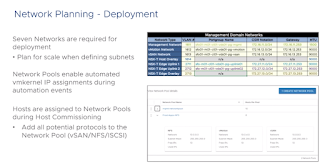


 vSAN Data Migration Pre-check
 Nedosutpný vDisk na vSAN z pohledu Guest OS
Je potřeba zmínit, že každý operační systém se s takovýmto stavem vyrovnává jinak. Například MS Windows se do nekonečna pokoušejí o kontaktování nedostupného disku a věří, že se disk vrátí. Linuxové operační systémy většinou přepínají afektovaný disk do read/only modu. Operační systém FreeBSD, který jsem použil pro nasimulování tohoto problému se při nedostupnosti pokoušel o přístup k disku, který nebyl k dispozici. Po uvedení disku do provozu se operační systém vrátil k běžnému provozu. Je potřeba si uvědomit, že nedostupnost disku může mít různý dopad na různé aplikace uvnitř operačního systému.
Nedosutpný vDisk na vSAN z pohledu Guest OS
Je potřeba zmínit, že každý operační systém se s takovýmto stavem vyrovnává jinak. Například MS Windows se do nekonečna pokoušejí o kontaktování nedostupného disku a věří, že se disk vrátí. Linuxové operační systémy většinou přepínají afektovaný disk do read/only modu. Operační systém FreeBSD, který jsem použil pro nasimulování tohoto problému se při nedostupnosti pokoušel o přístup k disku, který nebyl k dispozici. Po uvedení disku do provozu se operační systém vrátil k běžnému provozu. Je potřeba si uvědomit, že nedostupnost disku může mít různý dopad na různé aplikace uvnitř operačního systému.

 Dalším aspektem je cena. SAS SSD disky jsou v současné době cca o 30% dražší než SATA SSD disky a NVMe disky jsou ještě asi o 30% dražší než SAS SSD disky, takže je potřeba zvážit, jestli mám extrémní požadavky na diskový výkon a nižší latency.

 Write I/O nikdy nejdou napřímo na kapacitní disky, takže jejich životnost se nesnižuje.
 ESXi system UUID in /etc/vmware/esx.conf
 ESXi Logical Specification
 vSAN Logical Design
Results of performance tests generated by IOmeter
vSAN Logical Design
Results of performance tests generated by IOmeter Results of performance tests


